


BetaFPV ELRS Micro TX Module (ExpressLRS) TX Module, Type-C, OLED+5D Button, 2.4GHz/915/868 Options
BetaFPV ELRS Micro TX Module (ExpressLRS) TX Module, Type-C, OLED+5D Button, 2.4GHz/915/868 Options
BETAFPV
Couldn't load pickup availability


Overview
BetaFPV ELRS Micro TX Module is a TX module based on the ExpressLRS open-source RC link, designed for RC applications requiring low latency, high refresh rate, and long-range performance. It supports CRSF (Crossfire serial protocol) between the radio transmitter and the TX module, and includes an OLED screen with 5D button control.
Key Features
- ExpressLRS-based RC link (CRSF protocol)
- OLED screen and 5D button (5D button dimensions supported on BETAFPV ELRS V2.0.0 firmware)
- Fan + RGB lighting (fan can spin automatically at higher output power settings, depending on firmware/config)
- Supports micro module bay (JR/SLIM module bay), with examples including Frsky Taranis X9D and TBS Mambo
- 2.4GHz 1W version: built-in cooling fan, heat sink included, and Backpack function support
- Limited edition case option: 3D-printed case with new appearance design (functionally the same as the classic case)
Specifications
| Item | ELRS Micro TX Module |
| Input voltage | 5V~12V |
| XT30 port input | 5V~12V (recommended 2S (8.4V); DO NOT support 3S (12.6V) or above) |
| USB port | Type-C |
| Antenna connector | SMA-KE Port |
| CRSF port / cable header | GH1.25 (GND, 5V, CRSF) |
| Port labels (diagram) | NC, 5V-12V, GND, CRSF Serial Port |
RF Options (as provided)
| 2.4GHz 1W | 2.4GHz 500mW | 915/868 MHz 500mW | |
| Packet refresh rate | 50Hz, 150Hz, 250Hz, 500Hz | 50Hz, 150Hz, 250Hz, 500Hz | 25Hz, 50Hz, 100Hz, 200Hz |
| RF output power | 25mW, 50mW, 250mW, 500mW, 1W | 25mW, 50mW, 250mW, 500mW | 100mW, 250mW, 500mW |
| Frequency bands | 2.4GHz ISM | 2.4GHz ISM | 915MHz FCC / 868MHz EU |
| Heat sink | Included | Not included | Not included |
| Backpack Function | Support | Not support currently | Not support currently |
Ports, Switches, and DIP Functions
- Ports/controls shown: XT30 Port, USB Type-C, Fan+RGB, OLED Screen, 5D Button, SMA-KE Port
- DIP switch usage (diagram):
- 1-2 DIP switches ON: Update Firmware
- 3-4 DIP switches ON: Operating Mode
- 5-6-7 DIP switches ON: Update Backpack
Firmware Notes
- The ExpressLRS official project does not support OLED at the moment (as stated by the manufacturer content). BETAFPV provides firmware support for OLED and button functions.
- BETAFPV Micro TX Module ELRS V2.0.0 firmware notes (as provided):
- The firmware does not include the Binding Phrase; the receiver should be on officially major release V2.0.0 protocol and have no Binding Phrase set.
- Supports 5D buttons and the OLED menu with the official ELRS 2.0.0 release.
- LED color changes automatically according to system status.
- When entering OLED menus page with long pressing, the RF link works normally; do not change Pkt Rate or the receiver must be re-powered.
- Manufacturer note: firmware version manufactured is ELRS 3.3.0.
- Configurator target shown in provided content: Device category “BETAFPV 2.4 GHz”, device “BETAFPV 2400 TX Micro”.
Binding & Output Power (as provided)
- Binding can be done via ELRS.lua / ELRSV2.lua or via OLED/5D button (BIND position; long press for ELRS.lua behavior, short press for V2.0.0 behavior as stated).
- Note (as provided): LED will NOT flash when entering binding status; module exits binding status about 5 seconds later automatically.
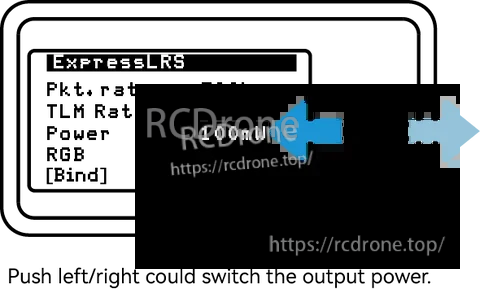
- Output power can be changed via ELRS.lua / ELRSV2.lua or via the OLED/5D button.
- Note (as provided): RGB LED will NOT change according to output power. When output power is at or above the threshold value (default 250mW), the fan will spin automatically.
- Additional note shown in provided content (ELRS.lua): “The Micro RF TX module does NOT support 1W or 2W output. When switching to this value, the system will move to 500mW automatically.”
Basic Configuration (CRSF)
- ExpressLRS uses CRSF protocol between radio transmitter and TX module; the radio transmitter should support CRSF.
- Example OpenTX setup (as shown): set Internal RF Mode to OFF, enable External RF Mode and select CRSF.
- LUA scripts: save ELRS.lua / ELRSV2.lua to the radio SD card in Scripts/Tools, then run from the Tools menu.
What’s Included
- 1 * BETAFPV ELRS Micro TX module
- 1 * BETAFPV Moxon antenna (2.4G, 915MHz or 868MHz)
- 1 * Monopole antenna
- 1 * Micro TX module user manual
- 1 * Spare USB data cable (Type-A to Type-C)
Note: ELRS Micro TX Module 915MHz or 868MHz version excludes the Monopole antenna. The Moxon antenna color (black or white) is shipped randomly.
Important Notes
- Assemble the antenna before powering on; otherwise, the PA chip in the Micro TX module may be damaged permanently.
- Do not use a 3S or above battery via XT30 port; otherwise, the power supply chip may be damaged permanently.
- Do not turn on all DIP switches at the same time; use the DIP switch chart for the intended function.
Manuals / Firmware Links
- BETAFPV ExpressLRS repository
- ExpressLRS official repository
- How to Flash Firmware of ELRS RX/TX
- Firmware for ELRS Micro TX Module (V3.3.0)
- Manual for Micro RF TX Module
- Latest firmware for Micro TX Module (500mW and 1W versions)
- ExpressLRS Backpack wiki
For pre-sales questions (radio compatibility, version selection, or firmware guidance), contact support at https://rcdrone.top/ or email [email protected].
Details
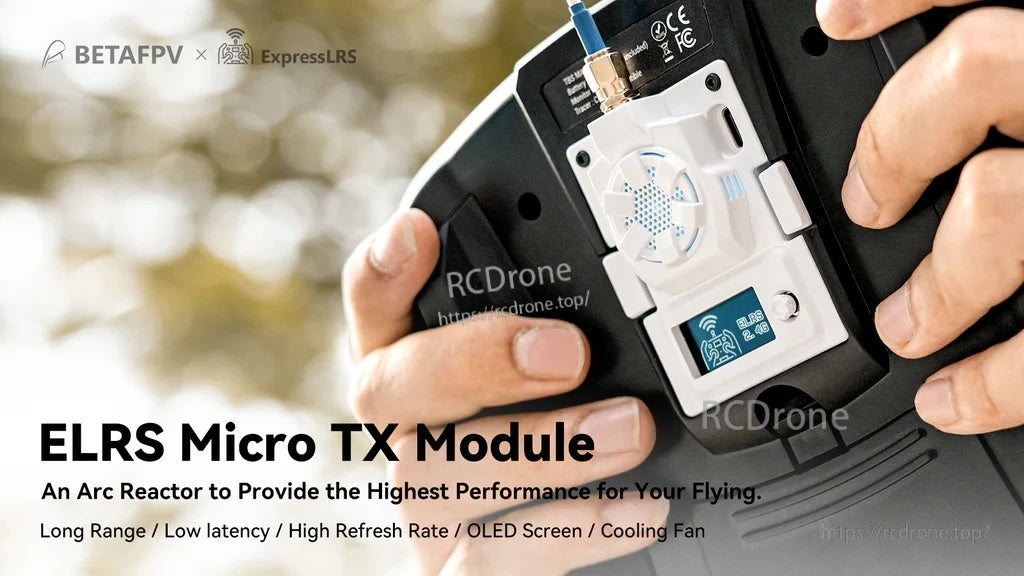
Get an ExpressLRS RC link in a micro module bay, with on-module OLED status and 5D button control.
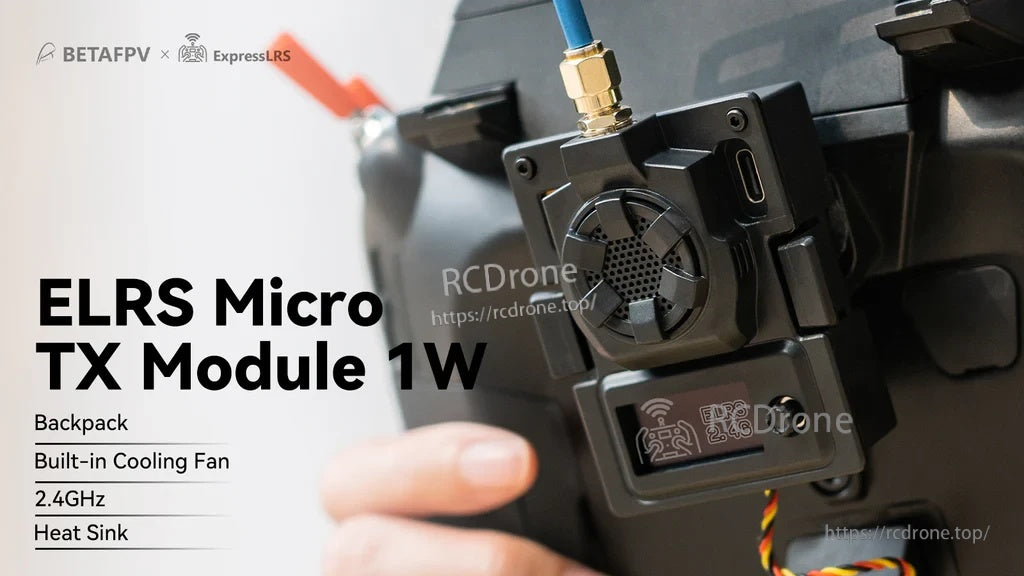
High-power setups add active cooling and an OLED menu for quick changes at the field.
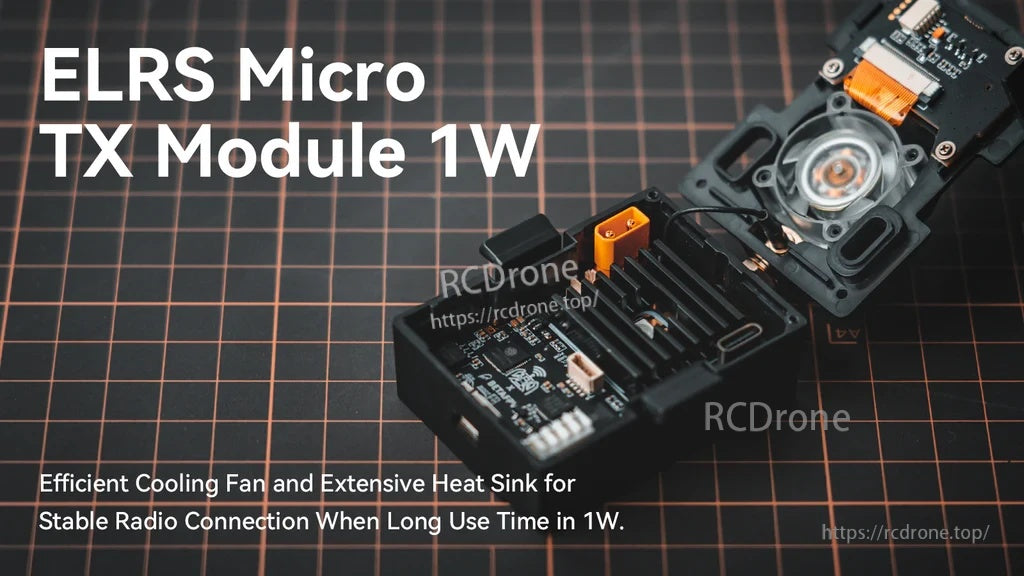
Built-in fan and heat sink help manage heat during longer sessions at higher output power.

A limited-edition case option adds a refreshed look while keeping the same core functionality.
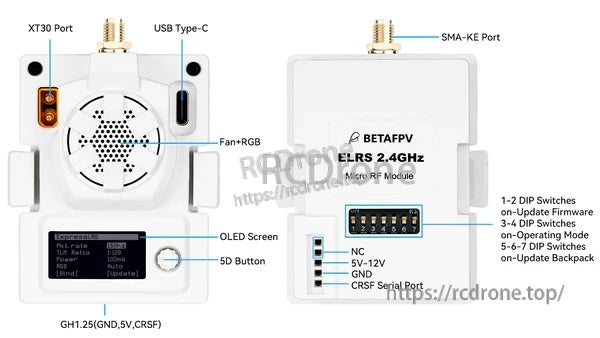
Ports are clearly labeled for USB‑C updates, XT30 power input, CRSF wiring, and DIP switch modes.

Choose the 2.4GHz 1W version for the integrated fan+RGB and onboard OLED display.
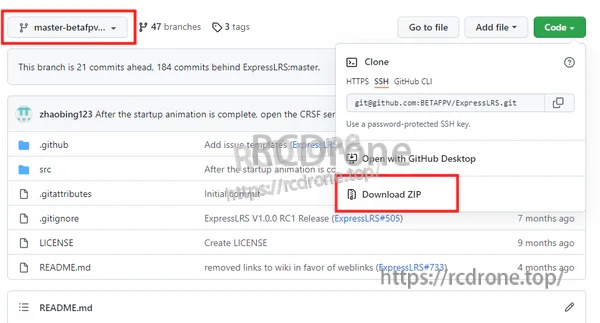
Firmware files can be downloaded from the project repository when updating or troubleshooting.

ExpressLRS Configurator lets you pick the correct device target before flashing.

Any CRSF-capable radio using a micro module bay can take advantage of the OLED menu and 5D button.
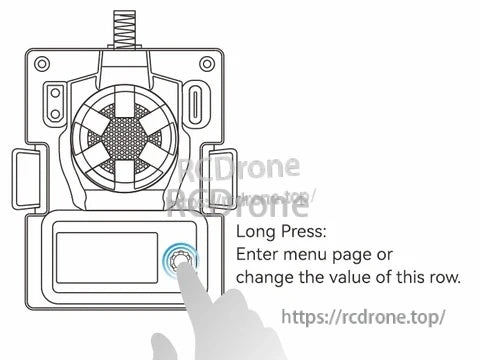
A long press opens the menu and confirms value changes for fast setup without a computer.
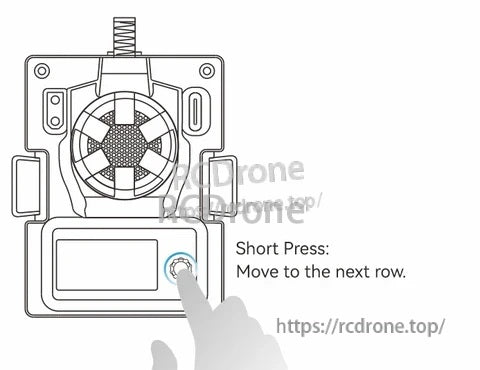
Short presses move through menu rows for quick navigation.
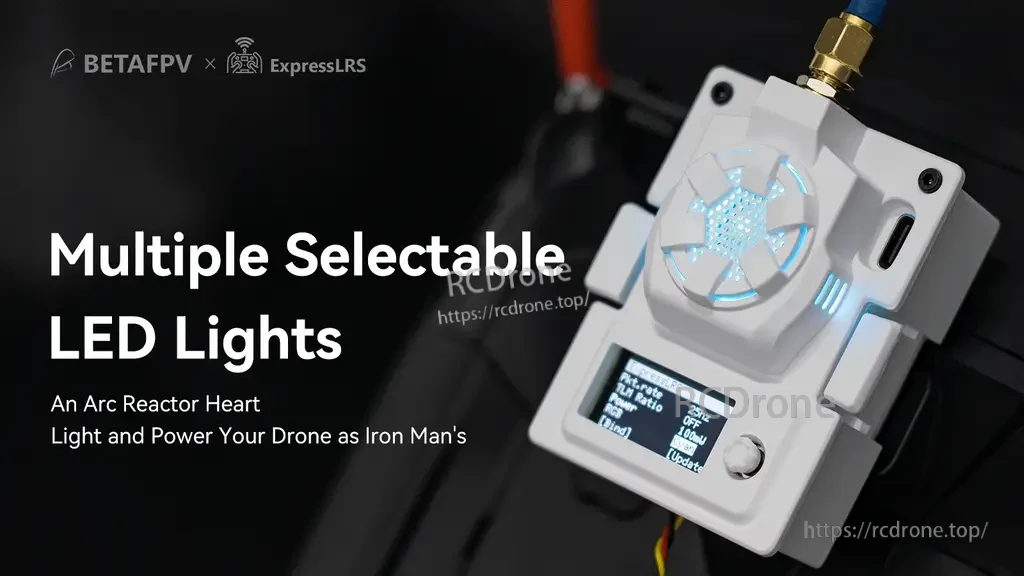
Selectable LED lighting provides clear visual status and adds a custom look to the setup.

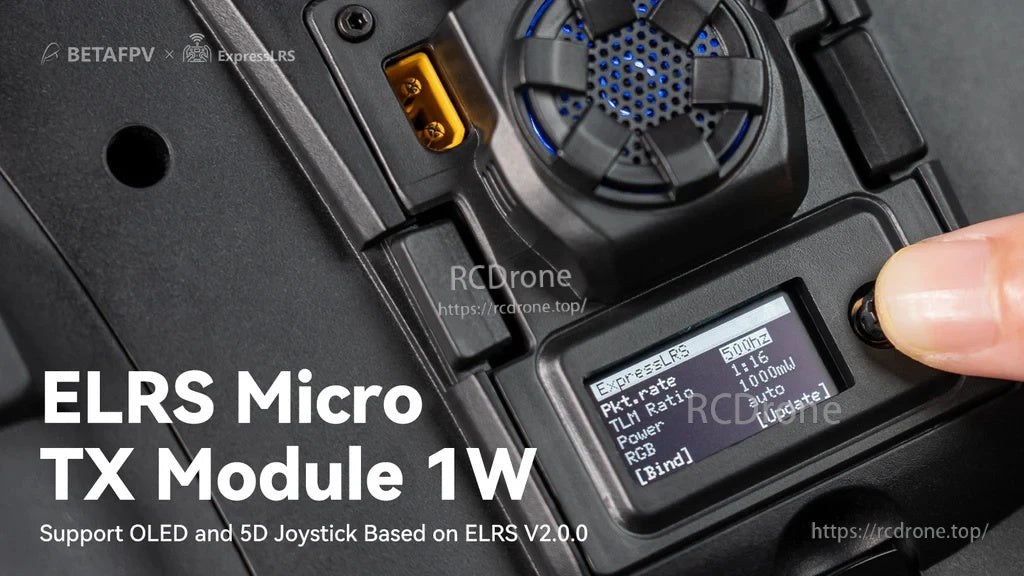
OLED status shows key link settings at a glance while the 5D button handles menu navigation.

Set the radio’s External RF protocol to CRSF so the transmitter can communicate with the module.

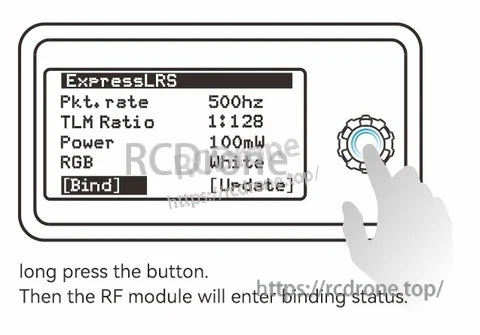
Use the Bind menu and a long press to place the module into binding mode when pairing a receiver.
![ExpressLRS OLED screen showing "[Bind]" status while a finger presses the 5D button on the BetaFPV micro TX module](https://rcdrone.top/cdn/shop/files/BetaFPV-ELRS-Micro-TX-Module_891cf86c-bb3e-43e9-aa30-4386580af2ed.png?v=1777534364)
The OLED display and 5D button provide quick access to ExpressLRS functions like entering bind mode.
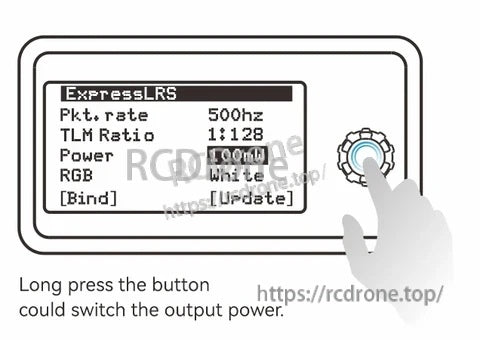
The ExpressLRS micro TX module uses an OLED menu and 5D button to adjust packet rate, power, RGB color, and bind/update settings.
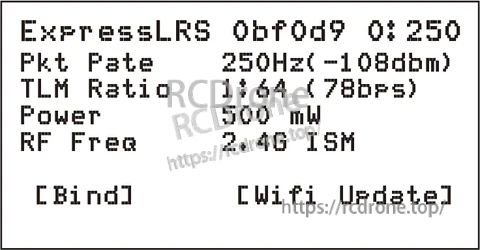
ExpressLRS TX status text provides a quick at-a-glance confirmation that the module is operating in 2.4G mode.

The BetaFPV ExpressLRS Micro TX Module package includes the module, a screw-on antenna, a USB-C cable, and a small adapter lead for setup.