BetaFPV LiteRadio 2 SIM Controller, USB Type-C 8CH Potentiometer Gimbal, Joystick/Xbox/Dongle Modes
BetaFPV LiteRadio 2 SIM Controller, USB Type-C 8CH Potentiometer Gimbal, Joystick/Xbox/Dongle Modes
BETAFPV
Couldn't load pickup availability


Overview
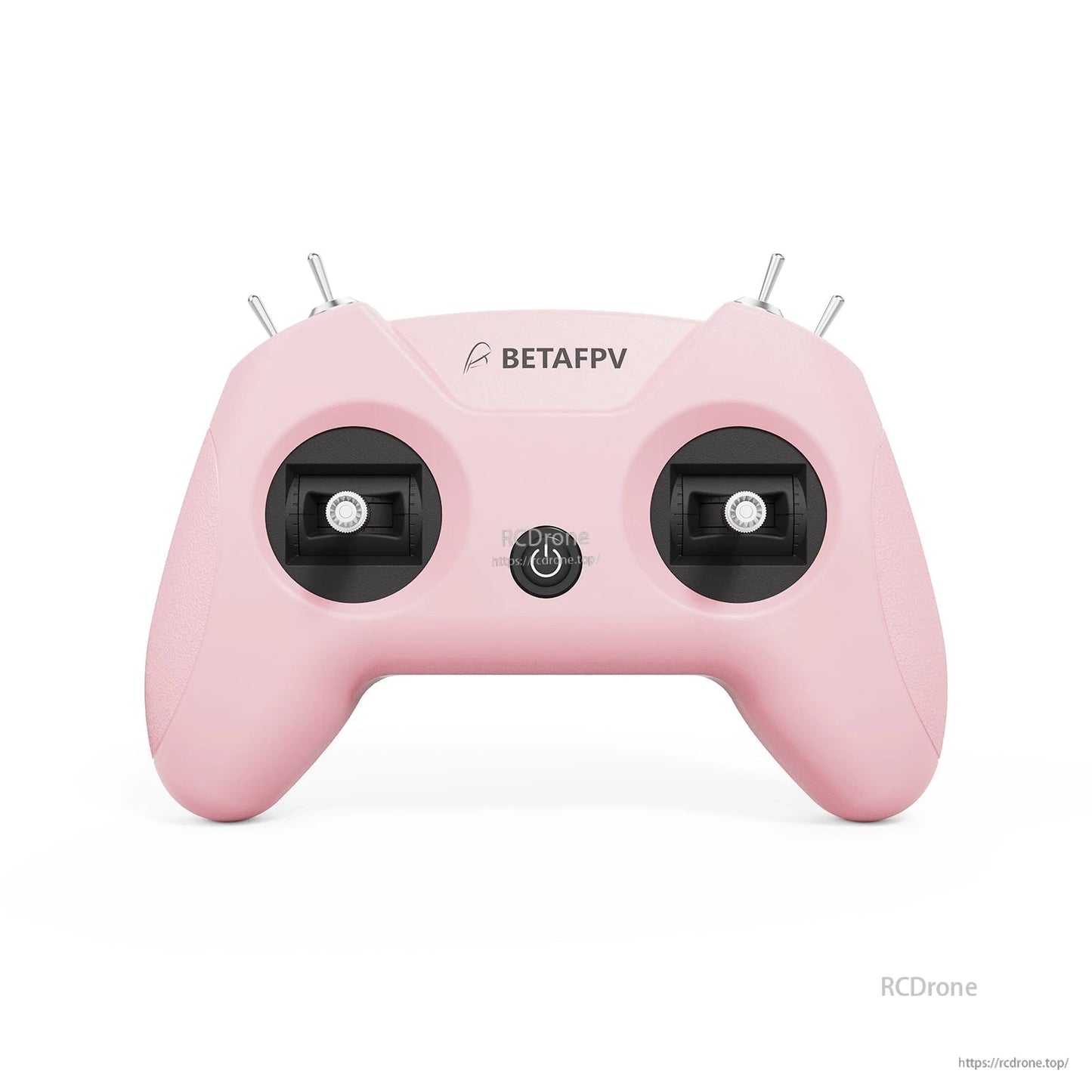
BetaFPV LiteRadio 2 SIM Controller is engineered for simulator training, providing FPV control practice through a wired USB Type-C connection. It supports triple-mode connectivity (Joystick/Xbox/Dongle) for compatibility with popular FPV and RC flight simulators on Windows/macOS/Android.
For setup help, firmware questions, or spare parts support, contact https://rcdrone.top/ or [email protected].

Key Features
- Triple-Mode Sim Access: Joystick Mode / Xbox Mode / Dongle Mode
- Front-mounted Type-C for hassle-free connection and play
- Latest LiteRadio gimbal & system for precise simulator response
- 6 color options: Light Gray, Crimson Red, Dark Blue, Light Cyan, Lime Green, Pink
- Mode selection: Mode 1 or Mode 2 configurations (Light Gray and Crimson Red editions)
- Update via BETAFPV Configurator (firmware upgrades and configuration)
Specifications
| Item | LiteRadio 2 SIM Controller |
| Channel | 8 |
| Gimbal | Potentiometer Gimbal |
| Operating Power | 30mA/5V |
| Port | Type C |
| Power Supply | USB cable connection |
| Operating Temperature | -10℃ to 40℃ (14°F to 104°F) |
| Weight | c. 150g |
| Dimensions | 64.5mm*115.3mm*164.6mm |
Controls & Ports
- Type-C Port
- Power Button
- Indicator light
- Joysticks (left/right)
- Switch A, Switch B, Switch C, Switch D

Simulator Modes & Compatibility
JoyStick Mode
VelociDrone, UNCRASHED, DRL, DCL, Liftoff, TRYP FPV, FeelFPV, FPV Freerider, RaceFly, and other FPV simulators on Steam.
- Connect LiteRadio 2 SIM to PC/mobile/tablet using the Type-C cable.
- Recognized as: "BETAFPV Joystick"

Xbox Mode
Aerofly RC 8, DJI Virtual Flight.
- Simultaneously move the left joystick to the lower right corner and the right joystick to the lower left corner.
- Connect using the Type-C cable; the indicator light flashes white rapidly 3 times to indicate Xbox mode.
- Recognized as: "BETAFPV Joystick"

Dongle Mode
Phoenix RC 6.0.
- Simultaneously move the left joystick to the upper right corner and the right joystick to the upper left corner.
- Connect using the Type-C cable; the indicator light flashes blue rapidly 3 times to indicate Dongle mode.
- Recognized as: "BETAFPV Joystick"

Use Dongle mode to connect with PhoenixRC 6.0 for wired simulator practice.
Firmware Update & Configuration
The LiteRadio 2 SIM Controller supports updates via BETAFPV Configurator. BETAFPV Configurator V2.0 lists support for Windows/macOS/Linux, plus real-time feedback, simplified troubleshooting, and easy parameter adjustment.
- Configurator releases: https://github.com/BETAFPV/BETAFPV_Configurator/releases
- Manual attachment: https://support.betafpv.com/hc/en-us/article_attachments/40772076147737
Note: Press the power button on the controller and then connect it to the PC for flashing. Or it will render the USB port non-functional.

Manuals
What’s Included
- 1 * LiteRadio 2 SIM Controller
- 1 * USB Type-C Cable
- 1 * User Manual

Details
Designed for simulator training with Joystick, Xbox, and Dongle modes for wide compatibility.
Front Type‑C port and clearly labeled switches make setup and mode changes straightforward.
Plug in with USB‑C and start flying in popular FPV sim titles on desktop or mobile.
Xbox mode supports sims like Aerofly RC 8 and DJI Virtual Flight for realistic stick practice.

Choose from six color options to match your setup.

A front-mounted USB‑C connector keeps the cable out of the way during long sim sessions.
Firmware updates and configuration are handled through BETAFPV Configurator on Windows, macOS, or Linux.
Includes the controller, USB cable, and documentation for quick setup.