


Yahboom सिंगल-चैनल ड्यूल PWM सर्वो कंट्रोल डिबगिंग बोर्ड, 5-8.4V सर्वो टेस्टर रोबोटिक्स के लिए
Yahboom सिंगल-चैनल ड्यूल PWM सर्वो कंट्रोल डिबगिंग बोर्ड, 5-8.4V सर्वो टेस्टर रोबोटिक्स के लिए
Yahboom
पिकअप उपलब्धता लोड नहीं की जा सकी


Overview
Yahboom सिंगल-चैनल डुअल PWM सर्वो नियंत्रण डिबगिंग बोर्ड एक प्लग-एंड-प्ले सर्वो नियंत्रण डिबगिंग बोर्ड है जिसे DIY स्मार्ट रोबोटिक्स में PWM सर्वोस के लिए डिज़ाइन किया गया है। ऑन-बोर्ड STC8G1K08A चिप के साथ, यह बिना किसी प्रोग्राम को लिखे PWM सिग्नल उत्पन्न कर सकता है। सर्वो को या तो पोटेंशियोमीटर नॉब को घुमाकर या ऑपरेटिंग मोड बदलने के लिए मोड स्विच बटन का उपयोग करके नियंत्रित किया जा सकता है। पावर को माइक्रो यूएसबी (5V) या KF301 (6–8.4V) टर्मिनल ब्लॉक के माध्यम से प्रदान किया जा सकता है, जिससे यह बेंच परीक्षण और पोर्टेबल निर्माण के लिए सुविधाजनक हो जाता है।
मुख्य विशेषताएँ
- सिंगल-चैनल सर्वो कंट्रोलर जिसमें डुअल 3-पिन सर्वो इंटरफेस; दो सर्वो को एक ही नॉब के माध्यम से एक साथ समायोजित किया जा सकता है।
- समर्थन करता है तीन नियंत्रण मोड: मैनुअल (नॉब नियंत्रण), सेंटरिंग मोड (एक-कुंजी से 90°), और रेसिप्रोकेटिंग मोड (0°–180°)।
- ऑन-बोर्ड पोटेंशियोमीटर नॉब और फ़ंक्शन/मोड स्विच बटन।
- सर्वो डिबगिंग के लिए चौड़ा वोल्टेज समर्थन: 5–8.4V (संदर्भ के लिए सर्वो का रेटेड वोल्टेज उपयोग करें)।
- डुअल पावर सप्लाई पोर्ट: माइक्रो यूएसबी (5V) और KF301 टर्मिनल ब्लॉक (6–8.4V) (दो पावर स्रोत एक साथ उपयोग नहीं किए जा सकते)।
- लेगो ईंटों के साथ संगत।
- हार्डवेयर डिबगिंग सहायक (कोई सॉफ़्टवेयर और डेटा नहीं)।
विशेषताएँ
| पैरामीटर | मान |
|---|---|
| MCU | STC8G1K08A |
| समर्थित सर्वो वोल्टेज रेंज | 5–8.4V |
| पावर इनपुट (माइक्रो यूएसबी) | 5V |
| पावर इनपुट (टर्मिनल ब्लॉक) | 6–8।4V (KF301) |
| सर्वो आउटपुट | 3-पिन सर्वो इंटरफेस x2 (सर्वो पावर इनपुट पावर सप्लाई से लिया गया) |
| नियंत्रण मोड | मैनुअल मोड; केंद्रित मोड (90°); प्रतिकूल मोड (0°–180°) |
| सर्वो नियंत्रण सटीकता | 0.09 डिग्री (PWM सीमा छोटी परिवर्तन मान 1us) |
| PWM नियंत्रण चक्र | 20ms |
| पल्स चौड़ाई सीमा | 0.5ms–2.5ms |
| ऑन-बोर्ड इनपुट | मोड़ स्विच बटन x1; पोटेंशियोमीटर x1 |
| संकेतक लाइट | 5V पावर संकेतक (लाल); 6–8.4V पावर संकेतक (नीला); पोटेंशियोमीटर कार्य मोड संकेतक (लाल); सर्वो न्यूट्रल संकेतक (नीला) |
| सुरक्षा | एंटी-रिवर्स कनेक्शन सुरक्षा; ओवरकरेंट सुरक्षा (1A से अधिक सुरक्षा) |
| बोर्ड मार्किंग | YB-MF01 VER1.0 |
| उत्पाद का आकार | 49.5 x 35 मिमी |
कैसे उपयोग करें
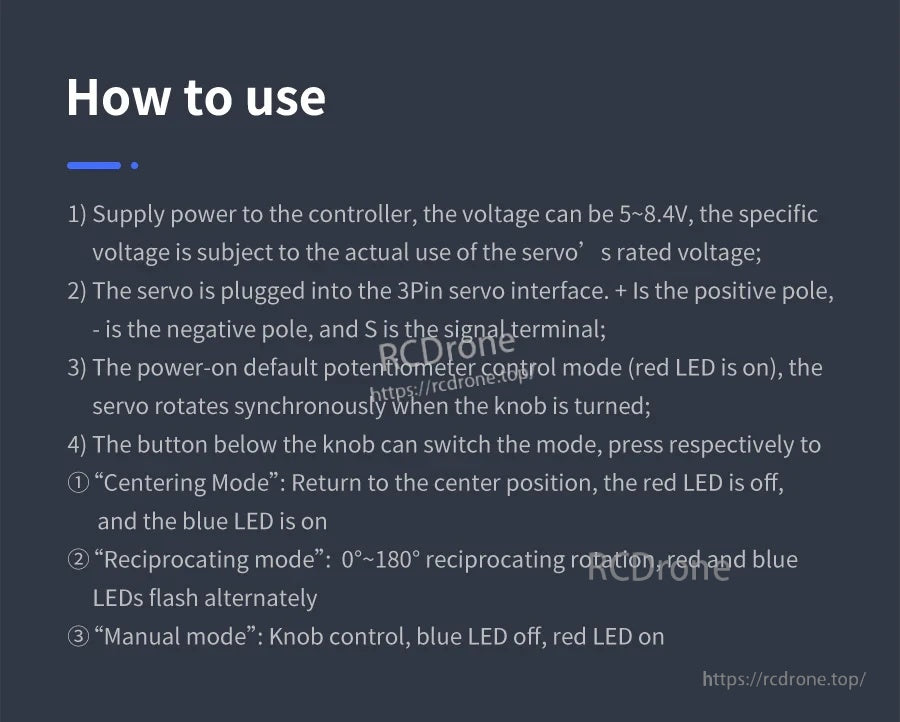
- नियंत्रक को पावर सप्लाई करें। वोल्टेज 5–8.4V हो सकता है; सर्वो के रेटेड वोल्टेज को संदर्भ के रूप में उपयोग करें।
- सर्वो को 3-पिन सर्वो इंटरफेस में प्लग करें: + सकारात्मक है, - नकारात्मक है, और S सिग्नल टर्मिनल है।
- पावर-ऑन के बाद डिफ़ॉल्ट पोटेंशियोमीटर नियंत्रण है (लाल LED चालू)। नॉब को घुमाएं ताकि सर्वो समकालिक रूप से घूम सके।
- मोड स्विच करने के लिए बटन दबाएं:
- केंद्रित मोड: केंद्र स्थिति (90°) पर लौटें। लाल LED बंद; नीला LED चालू।
- प्रतिस्थापन मोड: 0°–180° प्रतिस्थापन घूर्णन। लाल और नीले LEDs वैकल्पिक रूप से चमकते हैं।
- मैनुअल मोड: नॉब नियंत्रण। नीला LED बंद; लाल LED चालू।
अनुप्रयोग
- सर्वो परीक्षण और मॉडल/रोबोट एक्ट्यूएटर नियंत्रण
- यांत्रिक पंजा परीक्षण
- रोबोटिक हाथ परीक्षण
- DIY स्मार्ट रोबोटिक्स परियोजनाएँ
उपयोग नोट्स
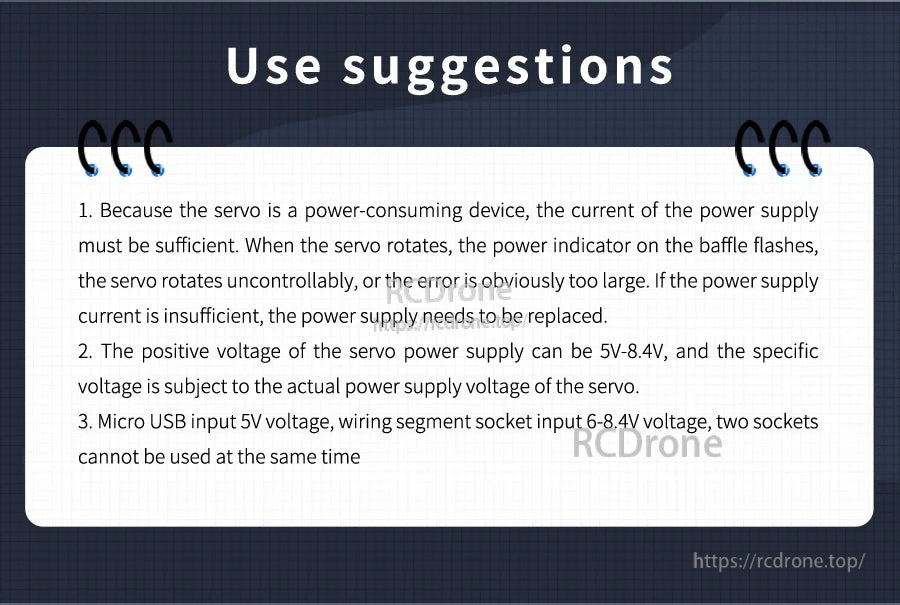
- सर्वो उच्च करंट खींच सकते हैं; असामान्य व्यवहार से बचने के लिए सुनिश्चित करें कि पावर सप्लाई करंट पर्याप्त है।
- माइक्रो USB इनपुट 5V है; टर्मिनल ब्लॉक इनपुट 6–8.4V है।
- एक ही समय में माइक्रो USB और टर्मिनल ब्लॉक पावर इनपुट का उपयोग न करें।
पूर्व बिक्री प्रश्नों और आपके सर्वो वोल्टेज और परियोजना सेटअप के लिए संगतता मार्गदर्शन के लिए, समर्थन से संपर्क करें https://rcdrone.top/ या ईमेल करें [email protected].
विवरण
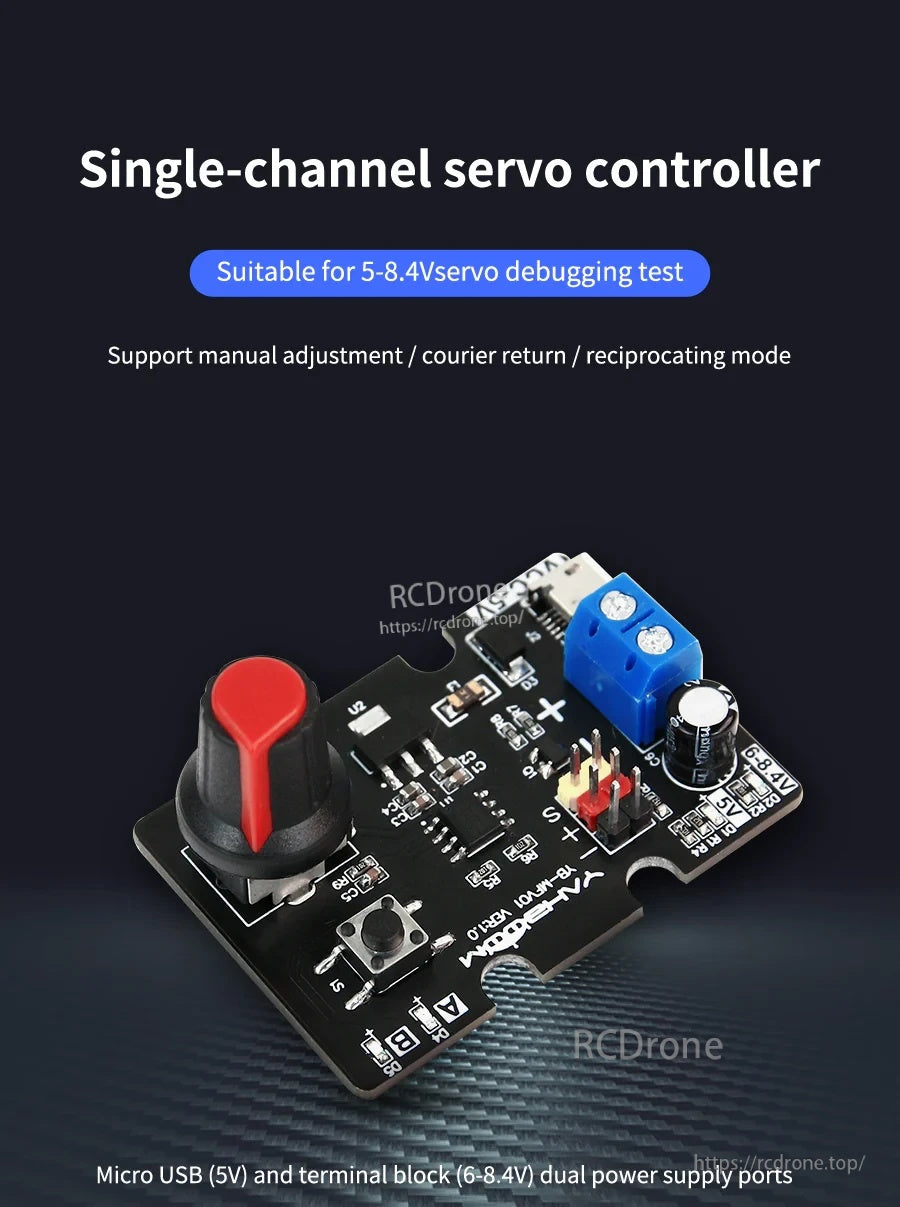
एक प्लग-एंड-प्ले PWM सर्वो डिबगिंग बोर्ड जो बिना प्रोग्रामिंग के नियंत्रण संकेत उत्पन्न करता है—नॉब को घुमाएं या मोड बदलें ताकि सर्वो को तेजी से परीक्षण किया जा सके।
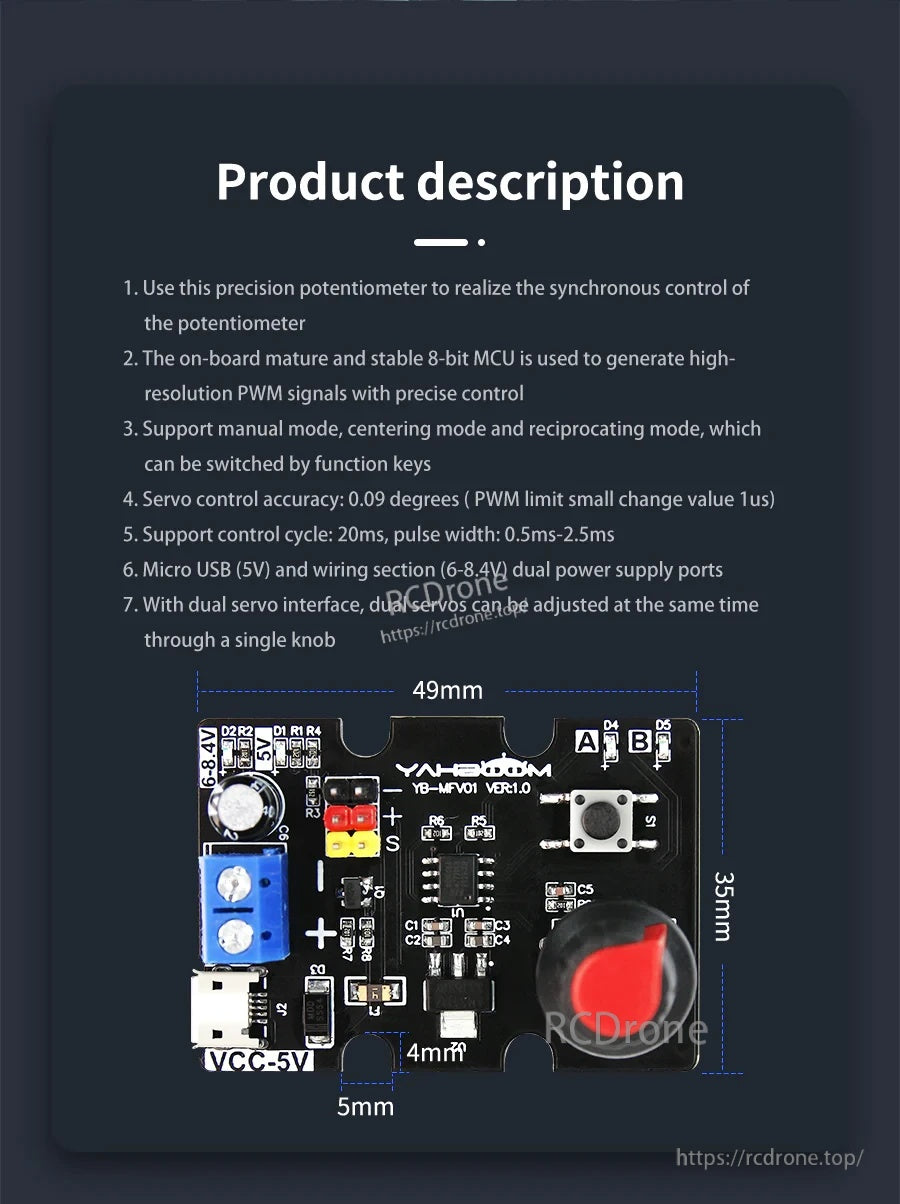
आसान बेंच परीक्षण और DIY रोबोटिक्स निर्माण में एकीकृत करने के लिए कॉम्पैक्ट 49.5 × 35 मिमी बोर्ड लेआउट।
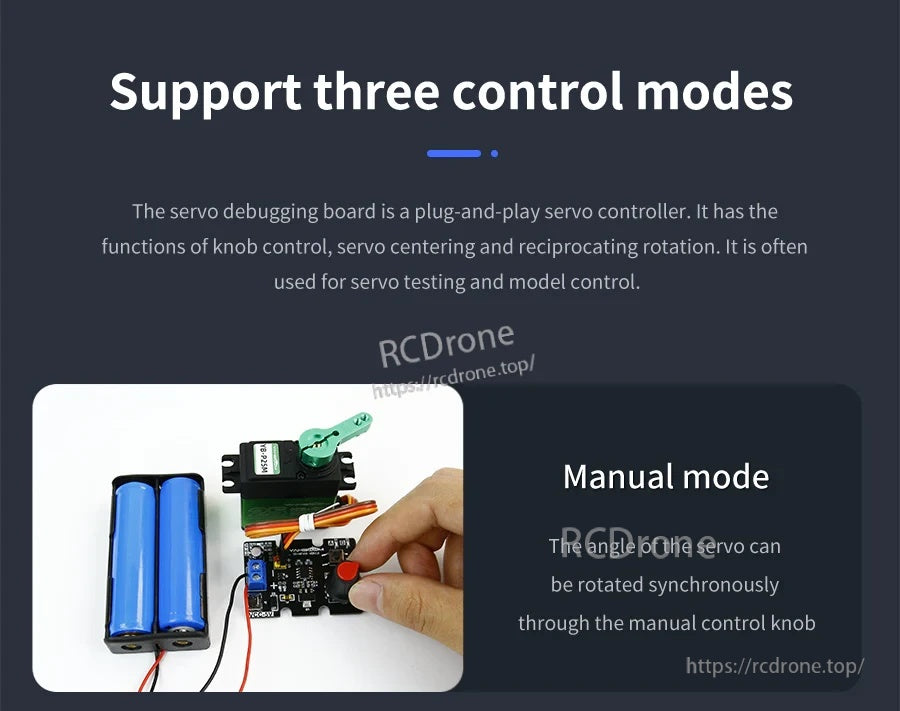
मैनुअल मोड चिकनी, समकालिक सर्वो समायोजन के लिए सीधे नॉब नियंत्रण प्रदान करता है।
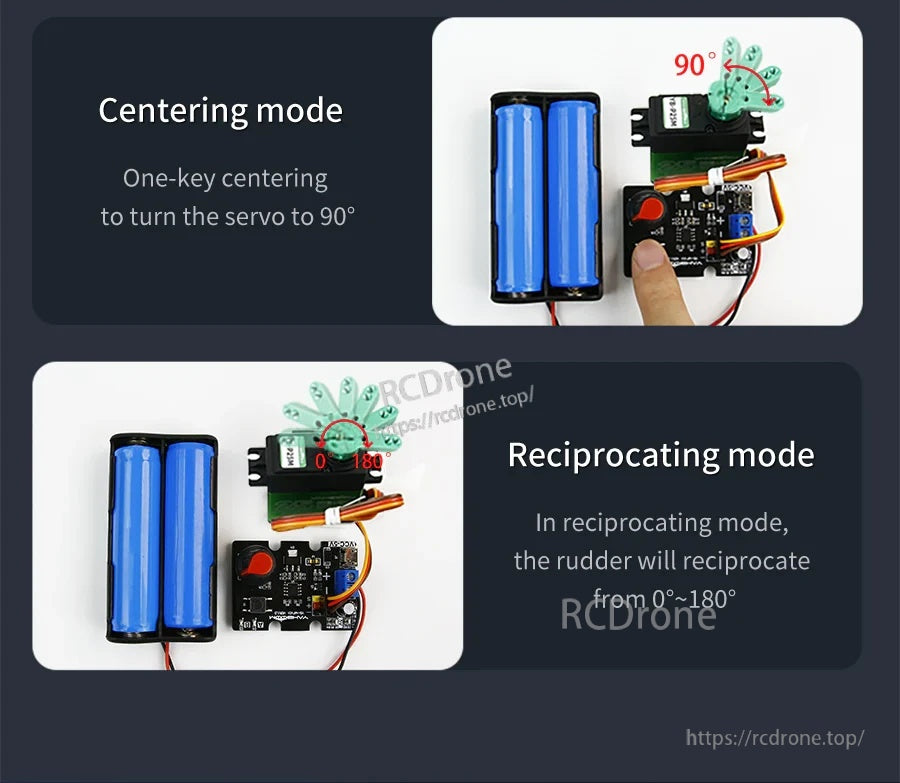
90° पर लौटने के लिए एक-कुंजी केंद्रित करें, या त्वरित गति जांच के लिए स्वचालित 0°–180° प्रतिकृति चलाएं।
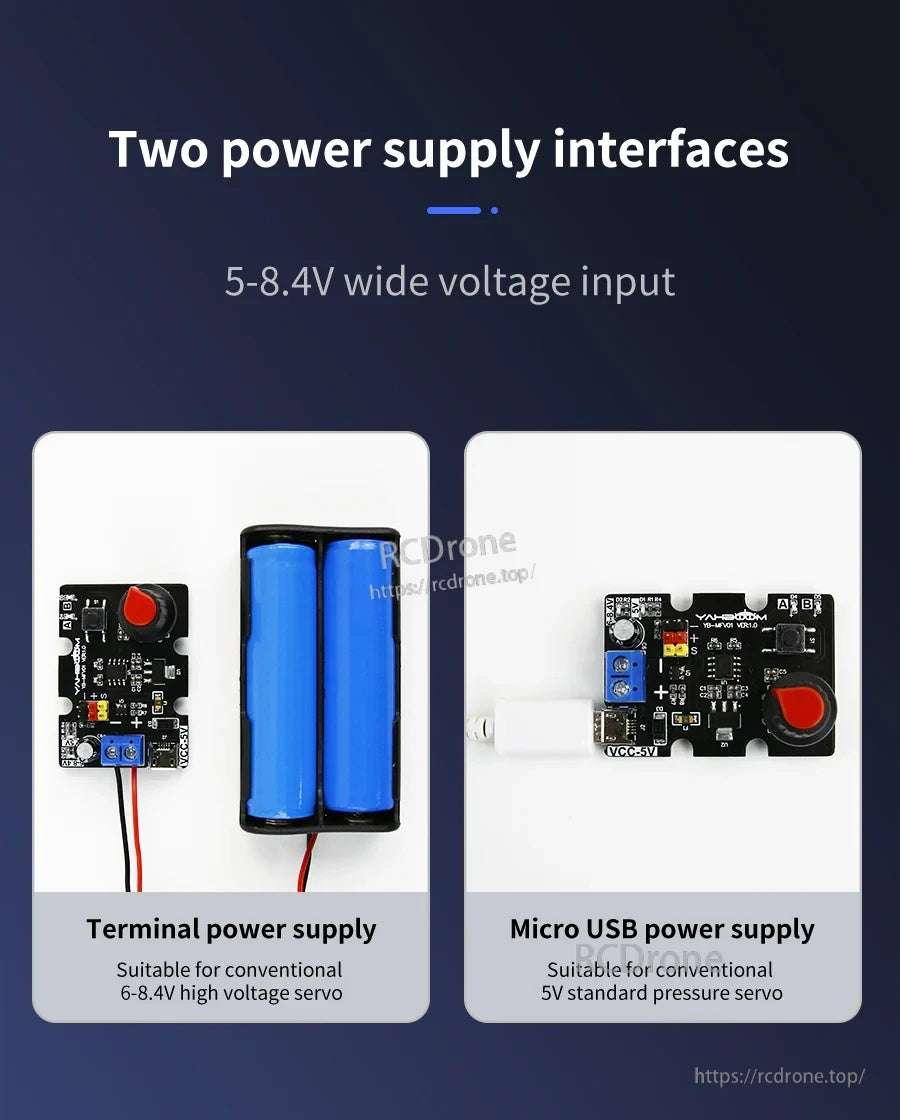
बोर्ड को माइक्रो यूएसबी (5V) या KF301 टर्मिनल ब्लॉक (6–8.4V) के माध्यम से पावर करें—एक समय में केवल एक पावर स्रोत का उपयोग करें।
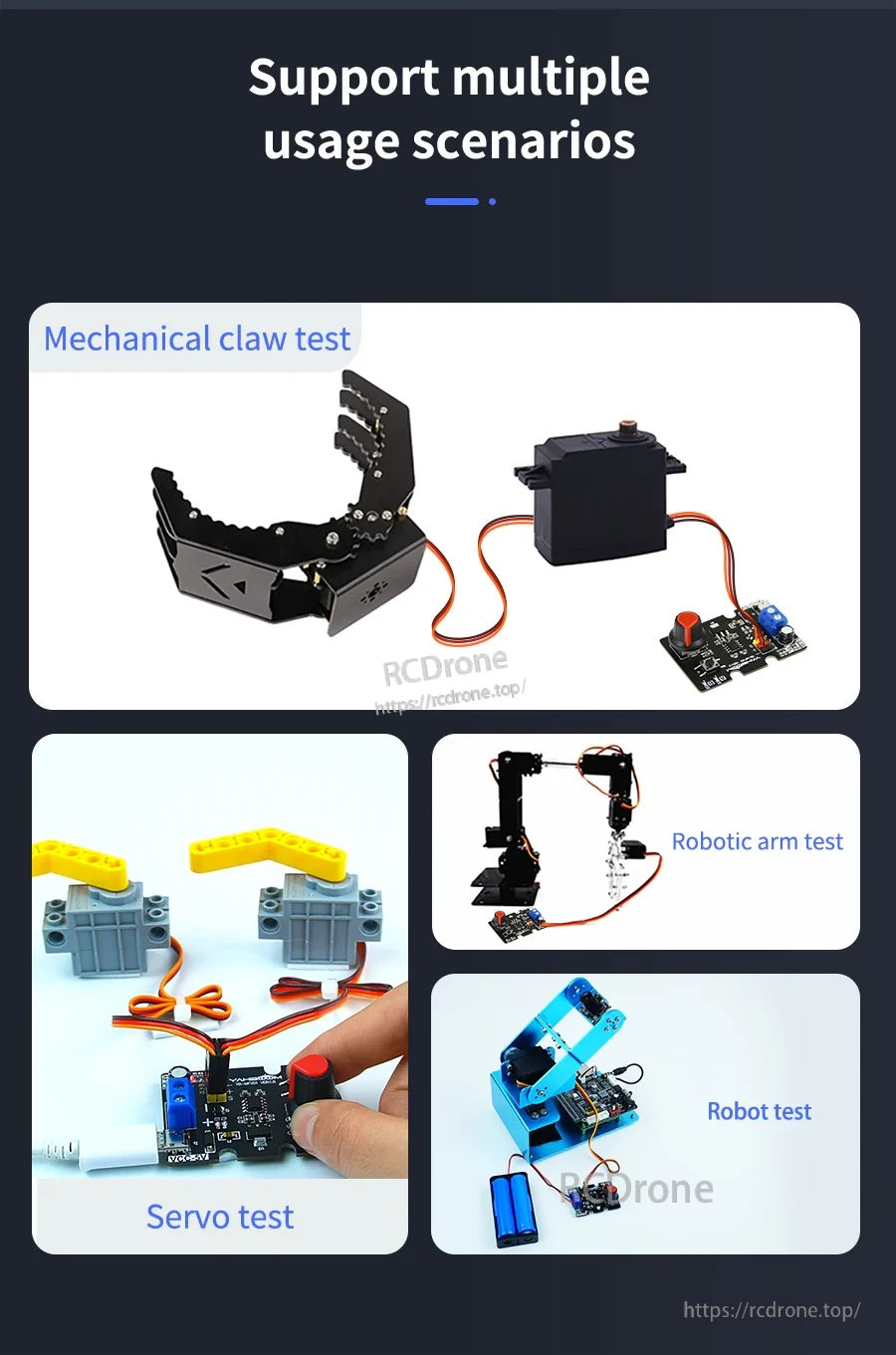
सामान्य सर्वो परीक्षण कार्यों के लिए उपयुक्त जैसे कि ग्रिपर्स, रोबोटिक आर्म्स, और छोटे रोबोट तंत्र।
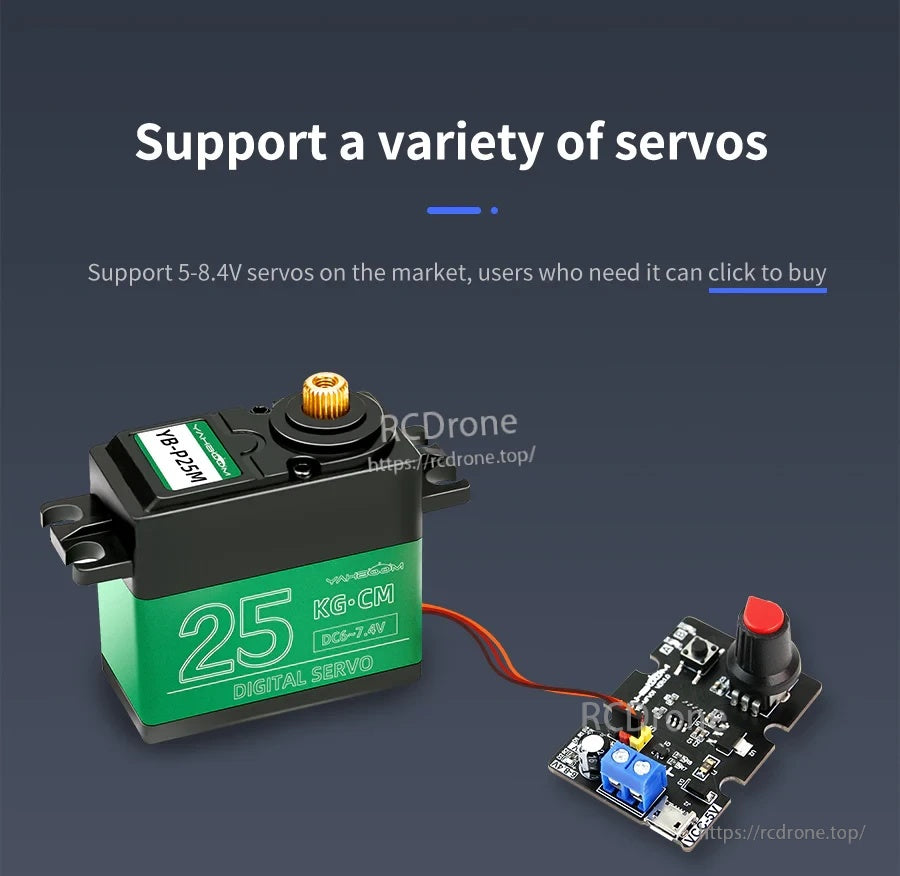
PWM सर्वो के लिए डिज़ाइन किया गया है जो एक विस्तृत इनपुट रेंज (5–8.4V) में है, सर्वो के रेटेड वोल्टेज के आधार पर।
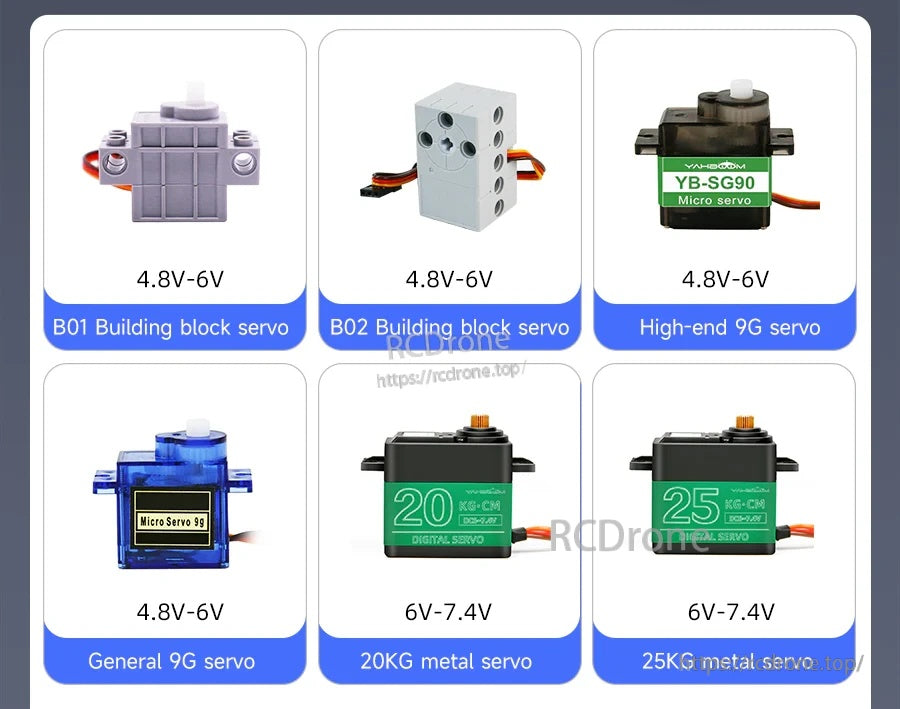

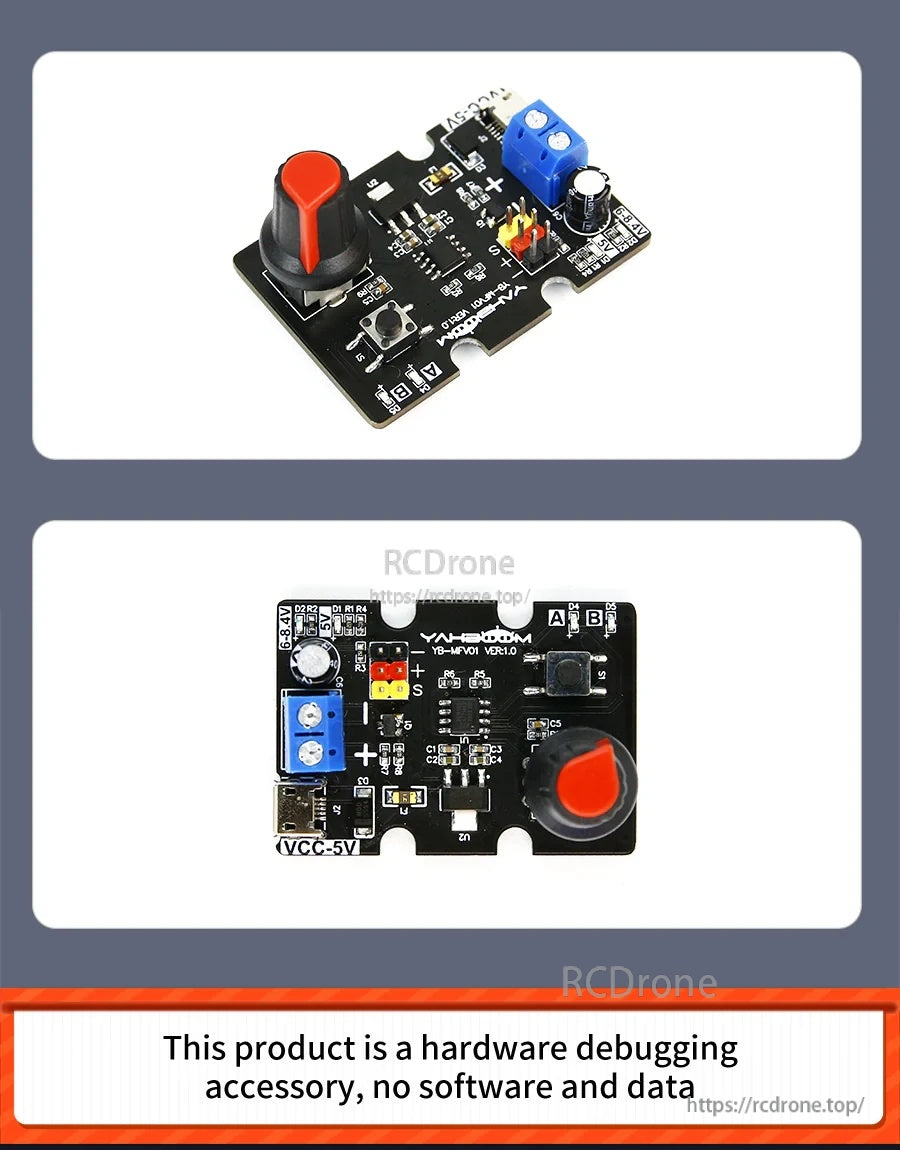
सर्वो और पावर को वायरिंग करने से पहले मुख्य नियंत्रण और कनेक्टर्स पर एक त्वरित नज़र।
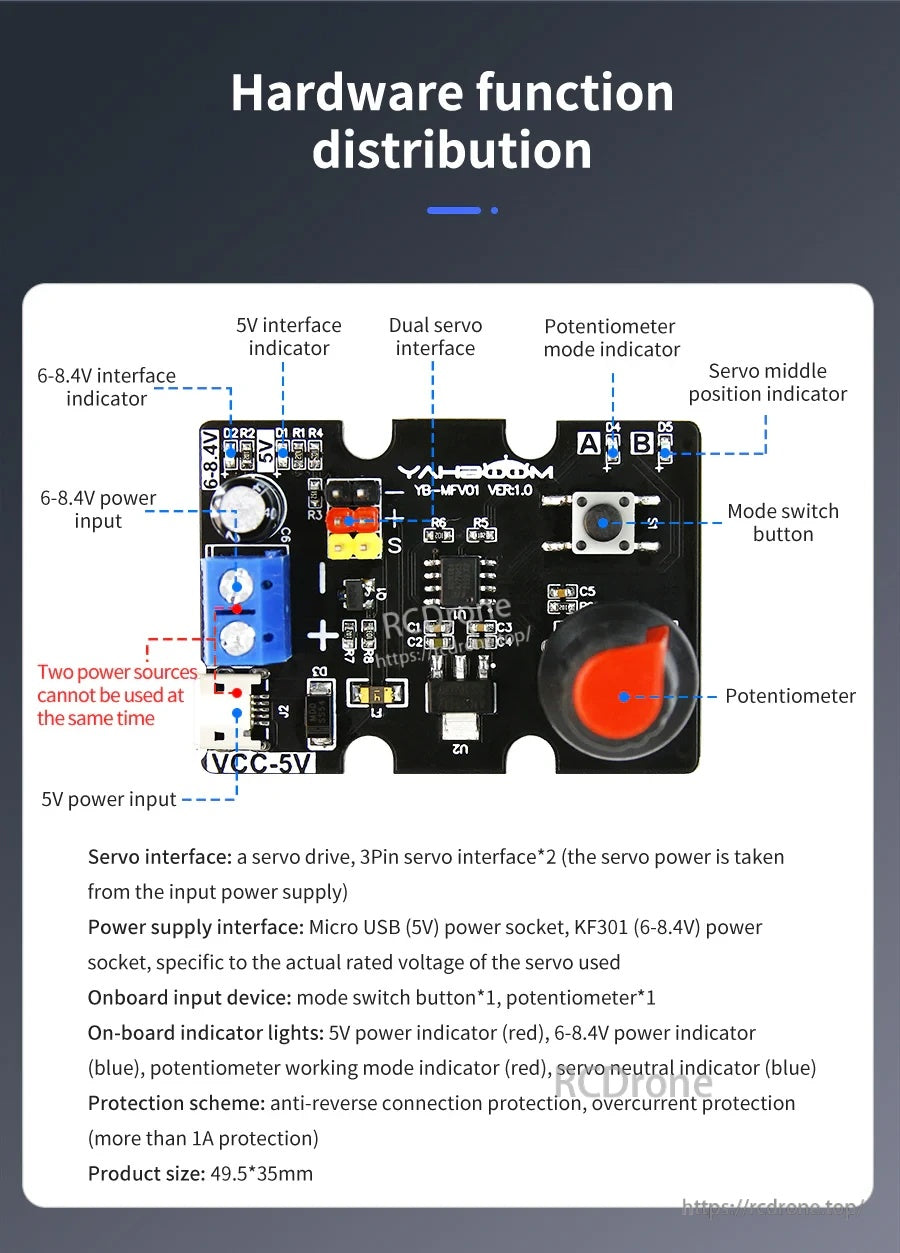
स्पष्ट मार्किंग और संकेतक LED पावर और ऑपरेटिंग मोड की पुष्टि करने में मदद करते हैं जब सर्वो डिबगिंग की जा रही हो।