


Raspberry Pi 4 Model B ボード & スターターキット、BCM2711 1.5GHz、2GB/4GB/8GB、WiFi/BT 5.0、GbE
Raspberry Pi 4 Model B ボード & スターターキット、BCM2711 1.5GHz、2GB/4GB/8GB、WiFi/BT 5.0、GbE
Yahboom
受け取り可能状況を読み込めませんでした


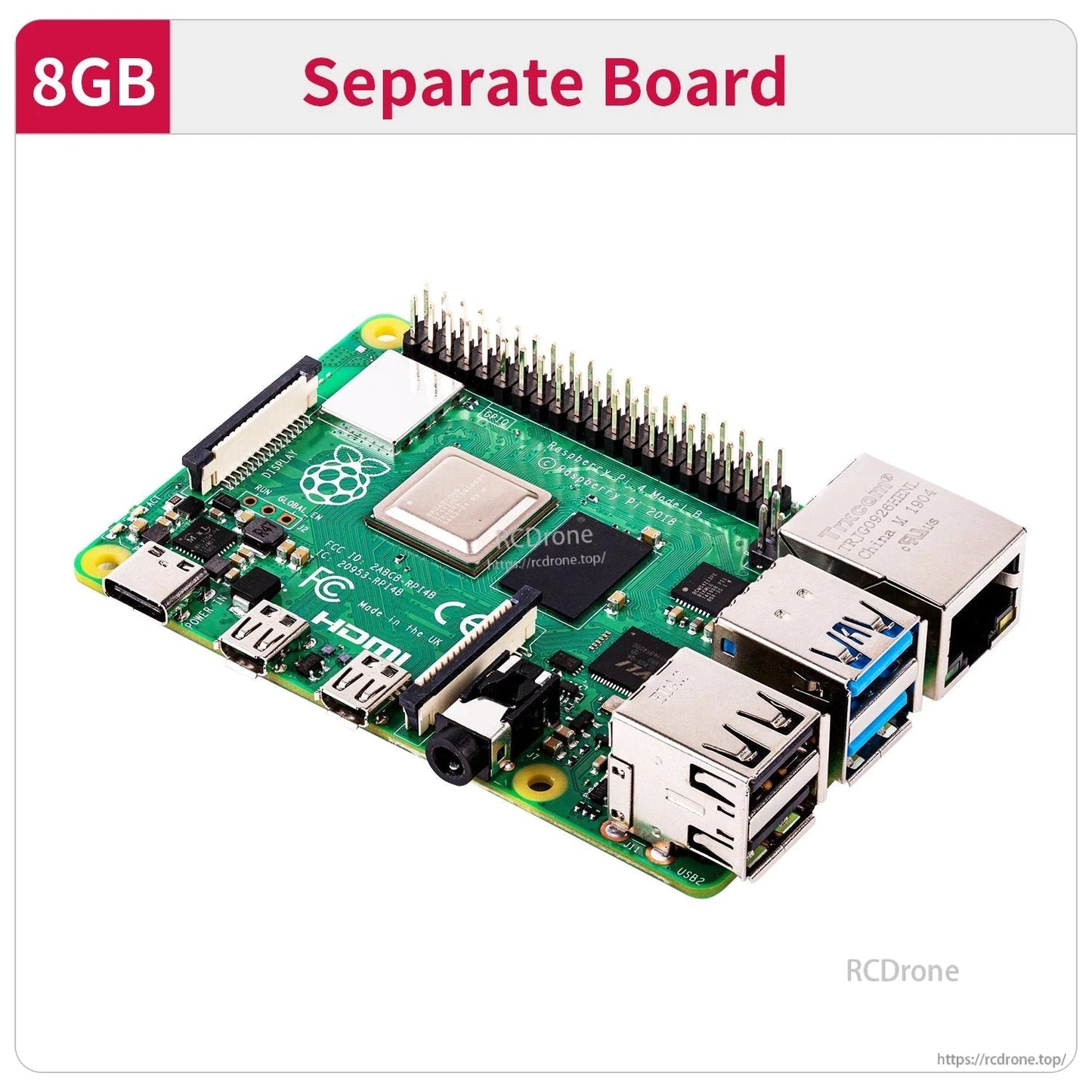
概要
このRaspberry Pi 4Bボードとスターターキットは、2019年のRaspberry Pi 4 Model Bプラットフォームに基づいており、1.5GHzの64ビットクアッドコアCPUとBroadcom BCM2711 SoCを搭載しています。ロボティクス、AI/ビジョン学習、一般的なDIYコンピューティングプロジェクトのための複数のRAMオプション(2GB/4GB/8GB)と幅広いインターフェースを提供します。
主な特徴
- Broadcom BCM2711四核Cortex-A72(ARM v8)64ビットSoC @ 1.5GHz
- RAMオプション:2GB / 4GB / 8GB
- GPU:Broadcom VideoCore VI @ 500MHz
- ワイヤレス:802.11ACワイヤレス、2.4GHz/5GHzデュアルバンドWiFi; Bluetooth 5.0
- USB:USB2.0*2およびUSB3.0*2
- 表示: Micro HDMI*2 (4K60をサポート)
- 電源: Type-C (5V 3A)
- 有線ネットワーク: 真のギガビットイーサネット (ネットワークポートまで)
- 40 GPIOピン; CSIカメラポート; DSIディスプレイポート
- PoE: 追加のHATイーサネット経由で電源供給 (PoE)
インターフェース/機能ラベル表示
- USB管理チップ; 電源管理チップ
- オーディオインターフェース
- USB 2.0; USB 3.0
- ギガビットイーサネットポート
- カメラインターフェース
- Micro HDMI
- Type-C電源供給
- DSIディスプレイコネクタ
- デュアルバンドWiFi / Bluetooth 5.0
- ネットワークPoEインターフェースカード
RAMオプションガイダンス (表示テキスト)
- 2GB: グラフィカルユーザーインターフェースを構成したり、インターネットをサーフィンする必要があるユーザーに適しています。PCとして動画を視聴する場合は、ミニネットワークサーバーを展開してください。
- 4GB (ほとんどの人の選択): 複雑なコンピュータのマルチタスクを行うユーザーに適しており、デュアルスクリーンの4Kビデオ再生やAI視覚深度学習などが含まれます。
- 8GB: 64ビットシステムを使用し、複雑なプログラムを実行したいユーザーに適しており、8GBのRAMはCPUのパフォーマンスとメモリの利点をより良く活用できます。
Raspberry Pi 2G/4G/8GのCPUパフォーマンスは一貫しており、RAMの違いのみがあります。Raspberry Piの4B-2Gバージョンは、3B+の3倍以上の全体的な計算性能を達成できます。RAMが十分である場合、計算速度に対するメモリの影響は比較的小さいです。
仕様
| モデル | Raspberry Pi 4 Model B (Raspberry Pi 4B) |
| SoC | Broadcom BCM2711 |
| CPU | 64ビット 1.5GHz クアッドコア (28nm); 四核 Cortex-A72 (ARM v8) 64ビット SoC @ 1.5GHz |
| GPU | Broadcom VideoCore VI @ 500MHz |
| RAM | 2GB / 4GB / 8GB |
| Bluetooth | Bluetooth 5.0 |
| WiFi | 802.11AC ワイヤレス; 2.4GHz/5GHz デュアルバンド WiFi |
| USB | USB2.0*2 / USB3.0*2 |
| HDMI | マイクロHDMI*2(4K60をサポート) |
| 電源インターフェース | タイプC(5V 3A) |
| イーサネット | 真のギガビットイーサネット(ネットワークポートまで) |
| イーサネットPoE | 追加のHATイーサネット(PoE)経由で電源供給 |
| GPIO | 40 GPIOピン |
| カメラ/ディスプレイポート | CSIカメラポート; DSIディスプレイポート |
アプリケーション
- スマートロボットとRaspberry Piロボティクス学習プロジェクト
- DIYタブレットスタイルのコンピューティングと一般的な組み込み開発
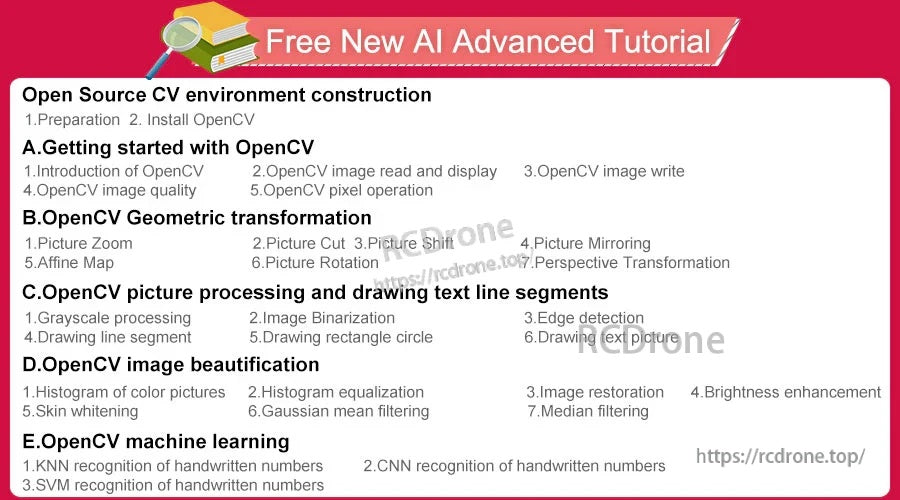
- コンピュータビジョン/OpenCV学習とAIコース演習(以下のコース資料に記載されている通り)
チュートリアル & コース資料
RAMバージョンの選択や学習セットアップの準備に関する質問は、[email protected] orに連絡するか、https://rcdrone.top/ を訪れてください.
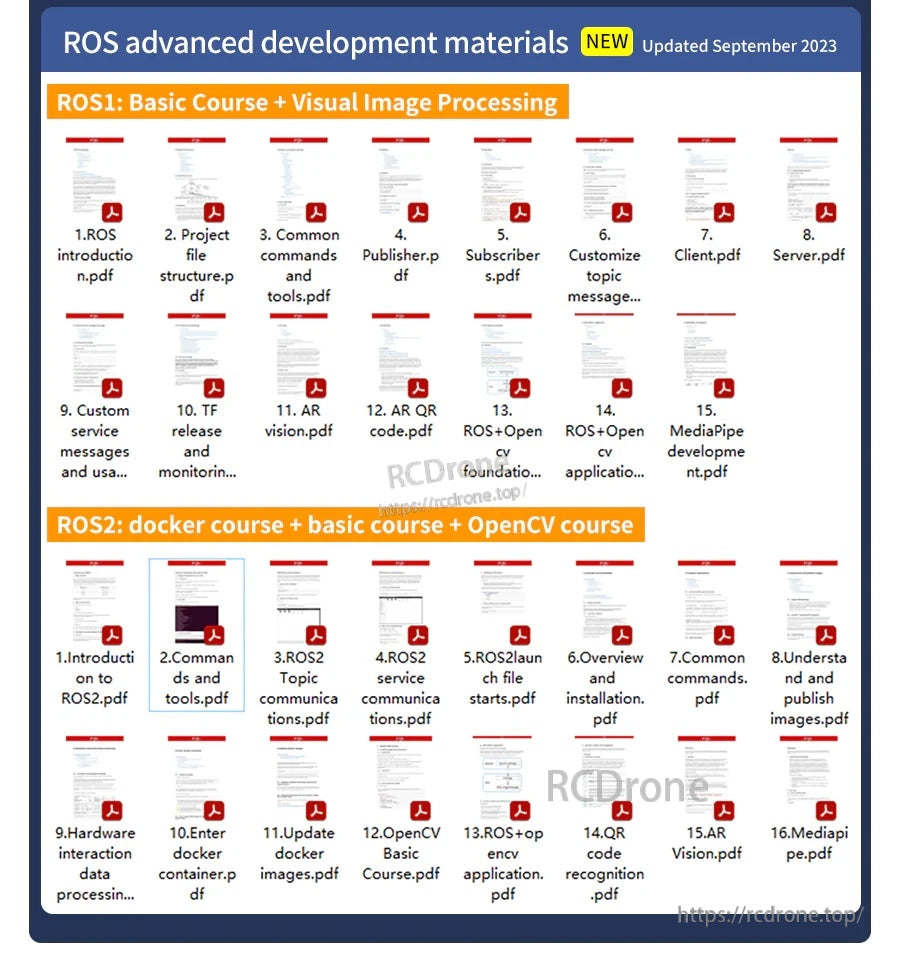
AIビジュアル高度開発材料(2023年9月更新)
- 1. OpenCV.pdfの紹介
- 2. OpenCV画像の読み込みとdisplay.pdf
- 3. OpenCV画像write.pdf
- 4. OpenCV画像quality.pdf
- 5. OpenCVピクセルoperation.pdf
- 6. 画像Zoom.pdf
- 7. 画像Cut.pdf
- 8. 画像Shift.pdf
- 9. 画像Mirroring.pdf
- 10. アフィンMap.pdf
- 11. 画像Rotation.pdf
- 12. パースペクティブTransformation.pdf
- 13. グレースケールprocessing.pdf
- 14. 画像Binarization.pdf
- 15. エッジdetection.pdf
- 16. 線を描くsegment.pdf
- 17. 長方形を描くcircle.pdf
- 18. テキストを描くpicture.pdf
- 19. 色のヒストグラムpictures.pdf
- 20. ヒストグラムequalization.pdf
- 21. 画像restoration.pdf
- 22. 明るさenhancement.pdf
- 23. 肌whitening.pdf
- 24. ガウス平均filtering.pdf
- 25.中央値 filtering.pdf
- 26. インストール TensorFlow.pdf
- 27. QR code.pdf
- 28. 人間の姿勢 estimation.pdf
- 29. ターゲット detection.pdf
- 30. Mediapipe development.pdf
- 31. yolov4-tiny_en.pdf
無料の新しいAI高度なチュートリアル(表示されるトピック)
- オープンソースCV環境の構築: 1. 準備; 2. OpenCVのインストール
- A. OpenCVの始め方: 1. OpenCVの紹介; 2. OpenCV画像の読み込みと表示; 3. OpenCV画像の書き込み; 4. OpenCV画像の品質; 5. OpenCVピクセル操作
- B. OpenCVの幾何学的変換: 1. 画像のズーム; 2. 画像の切り取り; 3. 画像のシフト; 4. 画像のミラーリング; 5. アフィンマップ; 6. 画像の回転; 7. パースペクティブ変換
- C. OpenCVの画像処理とテキストラインセグメントの描画: 1. グレースケール処理; 2. 画像の二値化; 3. エッジ検出; 4. 線分の描画; 5.長方形の円を描く; 6. テキスト画像を描く
- D. OpenCV画像美化: 1. カラーピクチャのヒストグラム; 2. ヒストグラム均等化; 3. 画像復元; 4. 明るさの強化; 5. 肌の美白; 6. ガウス平均フィルタリング; 7. メディアンフィルタリング
- E. OpenCV機械学習: 1. 手書き数字のKNN認識; 2. 手書き数字のCNN認識; 3. 手書き数字のSVM認識
Raspberry PiのためのROS上級コース(概要表示)
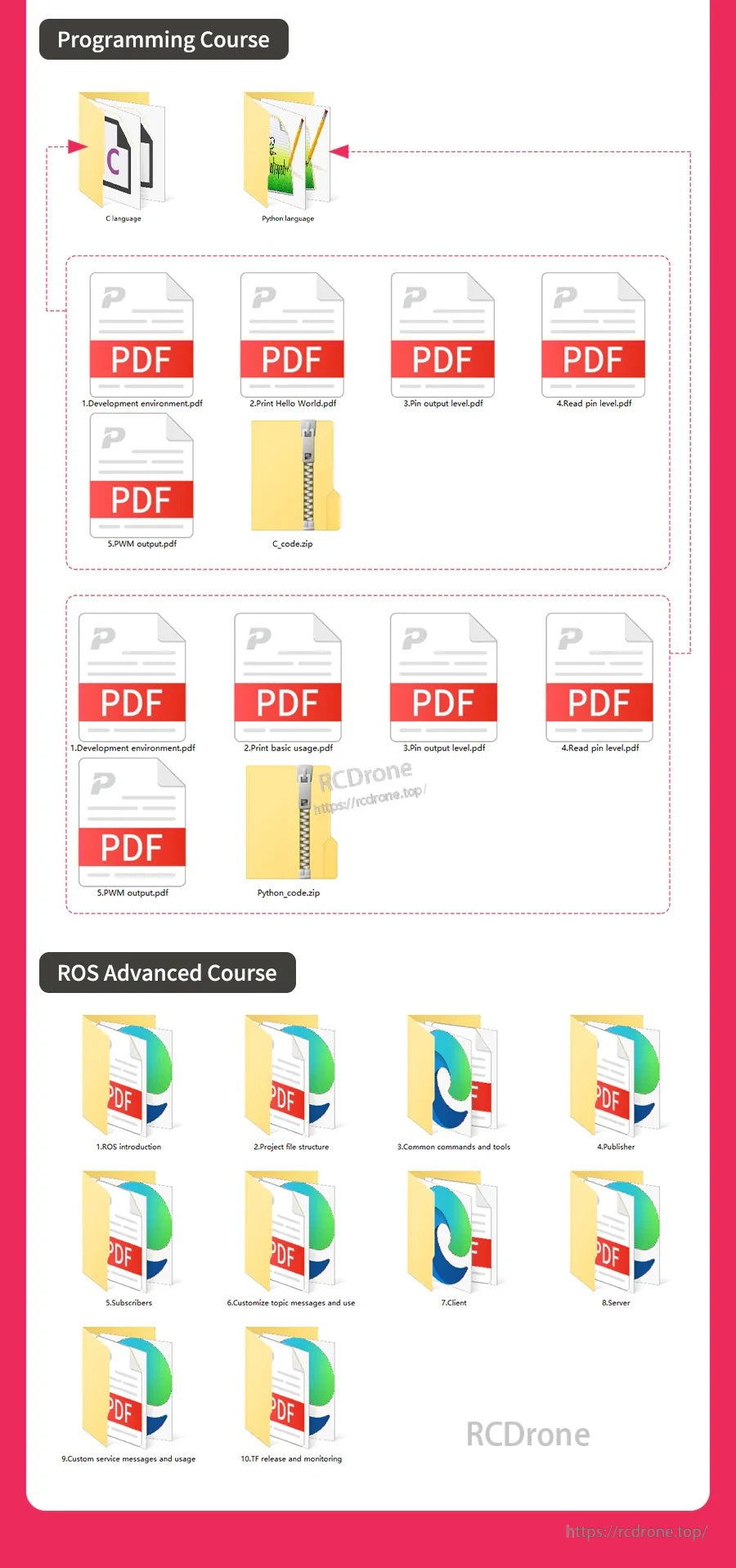
- 1. ROSの紹介
- 2. プロジェクトファイル構造
- 3. 一般的なコマンドとツール
- 4. パブリッシャー
- 5. サブスクライバー
- 6. カスタマイズされたトピックメッセージと使用法
- 7. クライアント
- 8. サーバー
- 9. サービスメッセージのカスタマイズと使用法
- 10.TF出版と監視
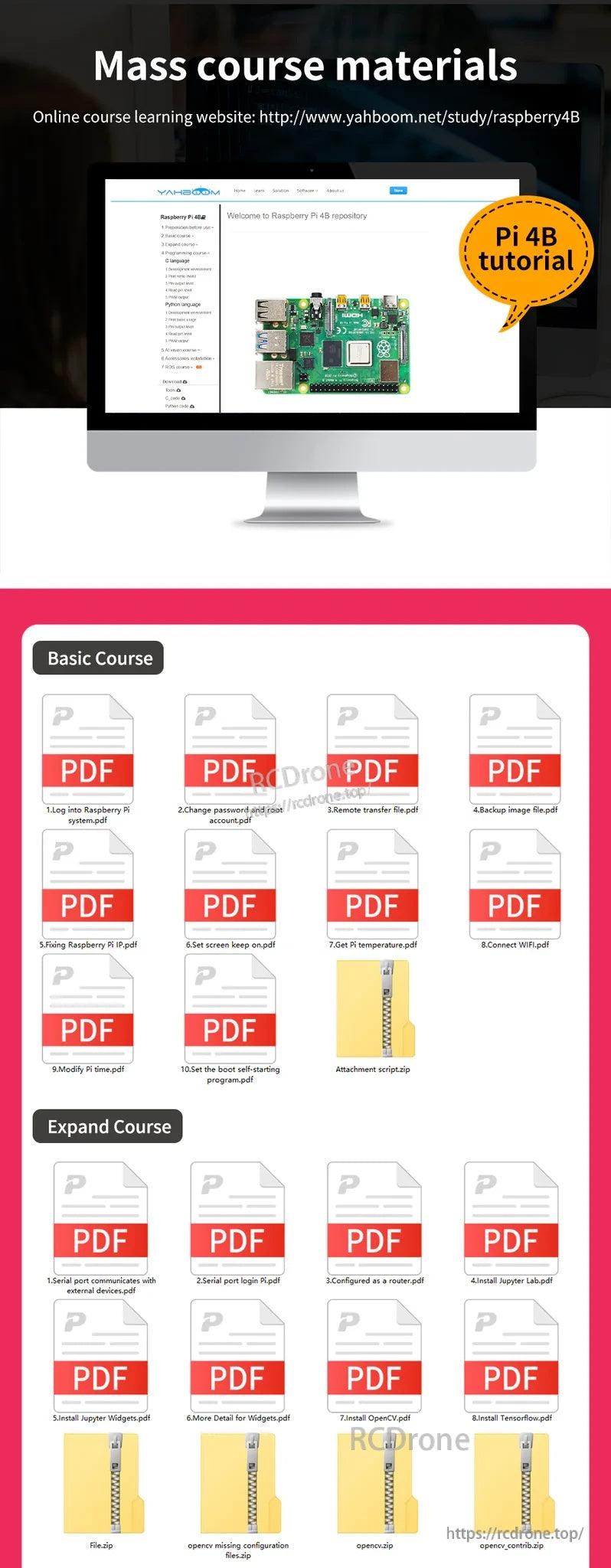
マスコース教材(表示されているアイテム)
-
基本コース:
- 1. Raspberry Piにログイン system.pdf
- 2. パスワードとルートを変更 account.pdf
- 3. リモート転送 file.pdf
- 4. バックアップイメージ file.pdf
- 5. Raspberry Piの修正 IP.pdf
- 6. スクリーンキープを設定 on.pdf
- 7. Piを取得 temperature.pdf
- 8. 接続 WIFI.pdf
- 9. Piを修正 time.pdf
- 10. ブートの自動起動を設定 program.pdf
- 添付 script.zip
-
拡張コース:
- 1. シリアルポートが外部と通信 devices.pdf
- 2. シリアルポートログイン Pi.pdf
- 3. router.pdfとして構成
- 4. Jupyterをインストール Lab.pdf
- 5. Jupyterをインストール Widgets.pdf
- 6. Widgets.pdfの詳細
- 7. インストール OpenCV.pdf
- 8.インストール Tensorflow.pdf
- File.zip
- opencvの設定が不足しています files.zip
- opencv.zip
- opencv_contrib.zip
-
プログラミングコース:
- C言語
- Python言語
- 1. 開発 environment.pdf
- 2. Helloを表示 World.pdf
- 3. ピン出力 level.pdf
- 4. ピンを読み取る level.pdf
- 5. PWM output.pdf
- C_code.zip
- Python_code.zip
ノート
- ヒートシンクペーストの例ラベル: CPU、RAM、USB管理チップ、ネットワークカード(接続されていません)。
- 「梱包リスト」のヘッダーが表示されていますが、項目別の梱包内容は提供されていません。
詳細
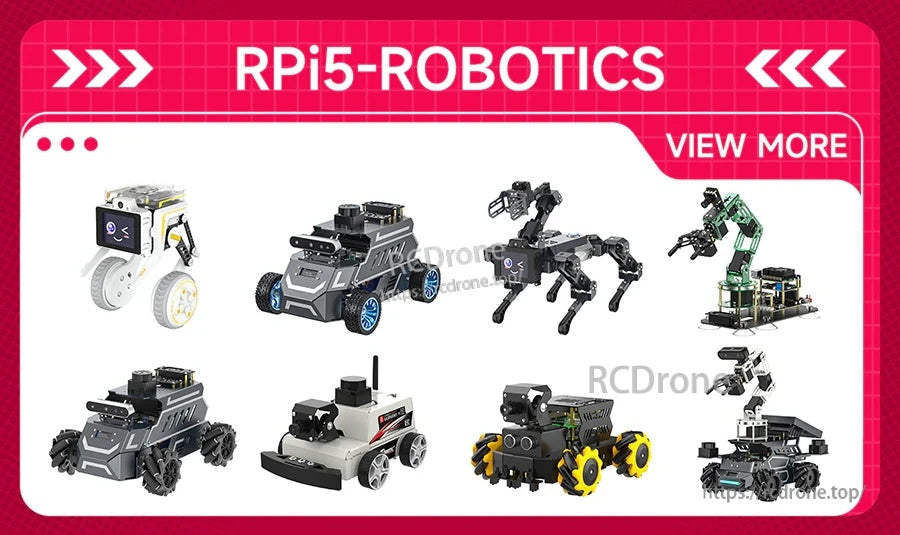
スマートカーから歩行ロボットまで、Raspberry Piプラットフォームは実践的なロボティクスプロジェクトに広く使用されています。
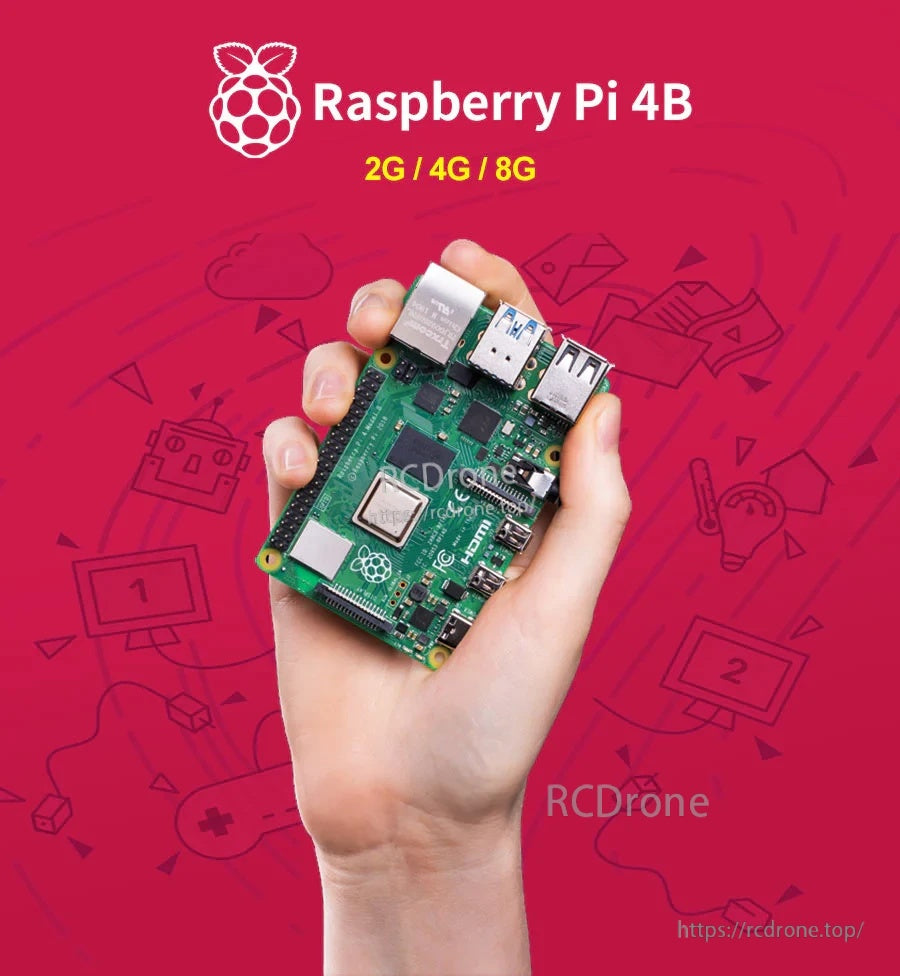
軽いデスクトップ、メディアセットアップ、またはより重いマルチタスクプロジェクトを構築するかに応じて、2GB、4GB、または8GBのRAMを選択してください。
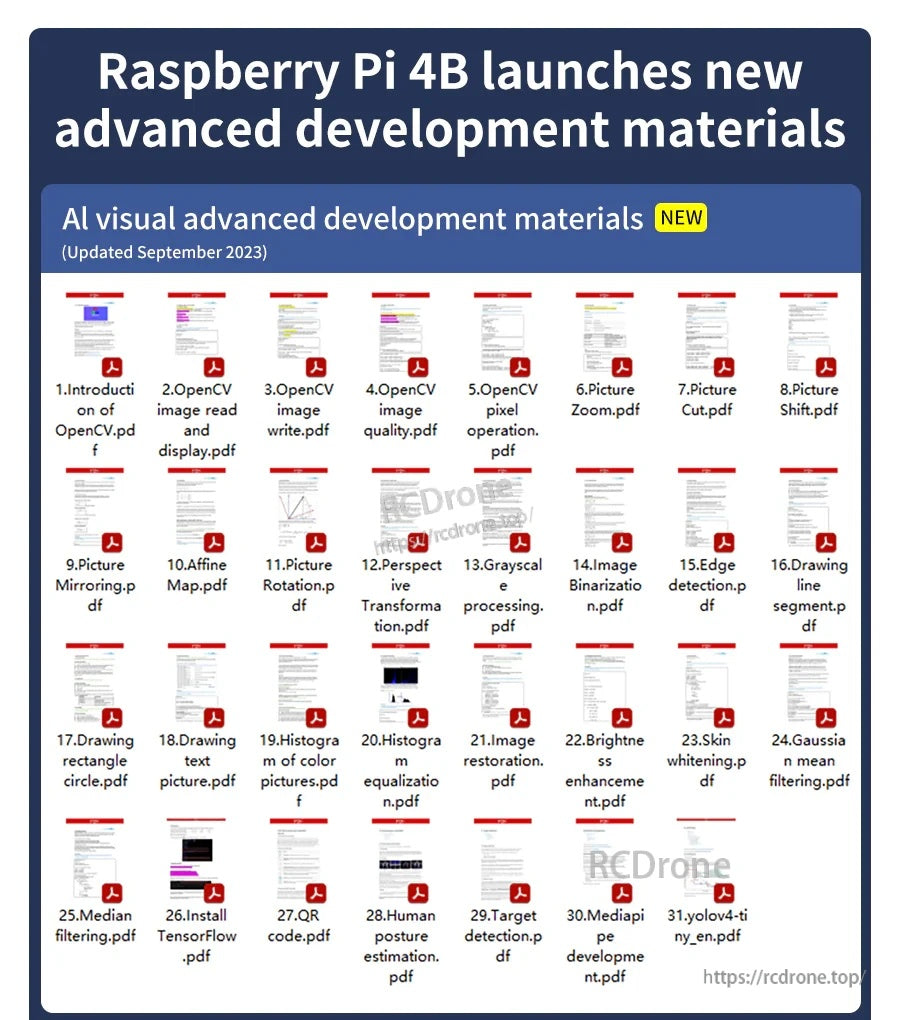
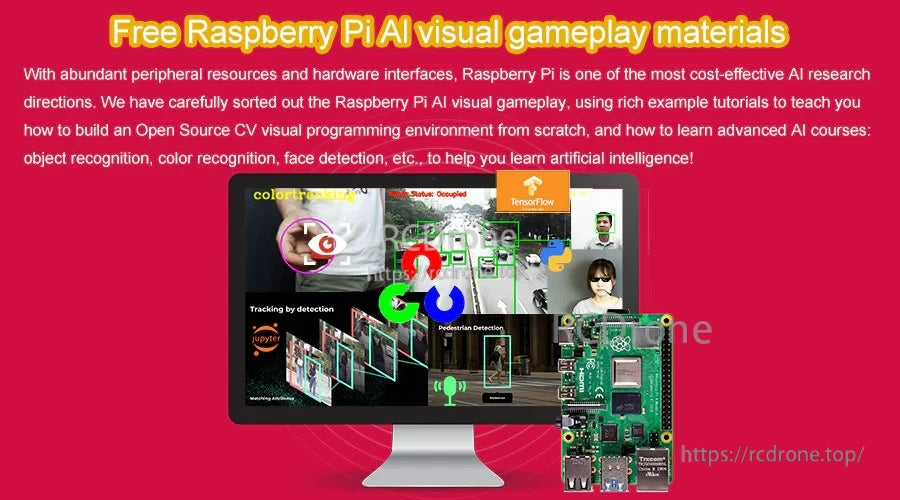
AI/ビジョン学習リソースは、カメラおよびOpenCVスタイルのプロジェクトのためのPi 4Bのハードウェアインターフェースとよく組み合わさります。
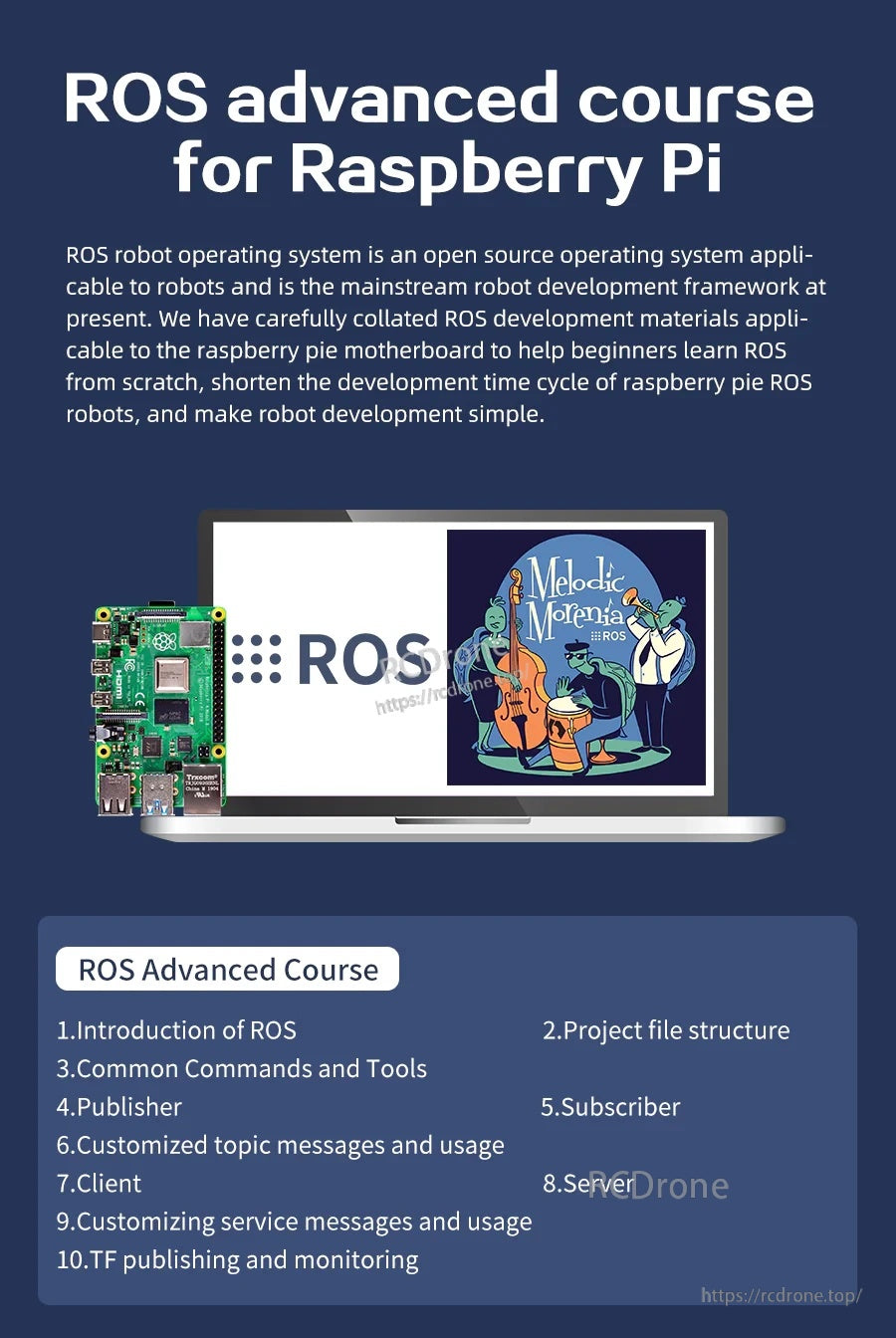
ツール、トピック、ノード、およびプロジェクト構造をカバーするコースモジュールを使用して、ROSベースのロボティクススキルを構築します。
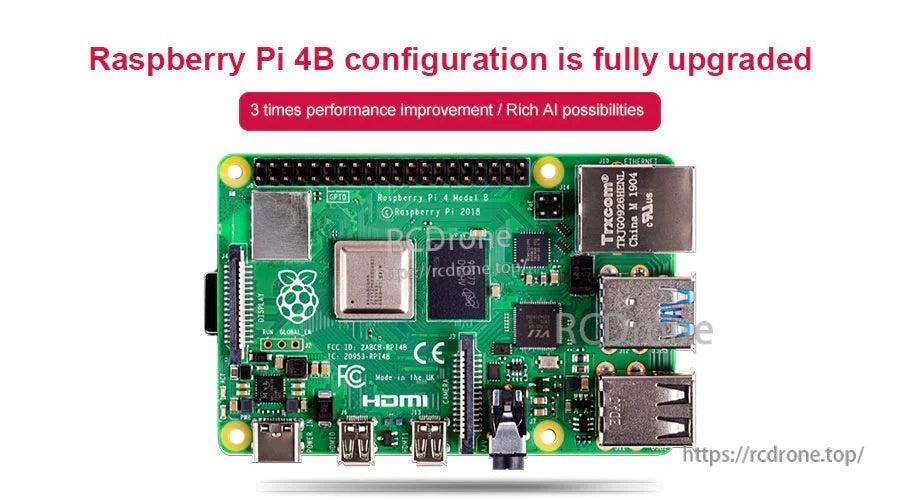
Raspberry Pi 4 Model BはBroadcom BCM2711プラットフォームを使用し、USB 3.0やデュアルマイクロHDMIなどの最新の接続性を追加しています。
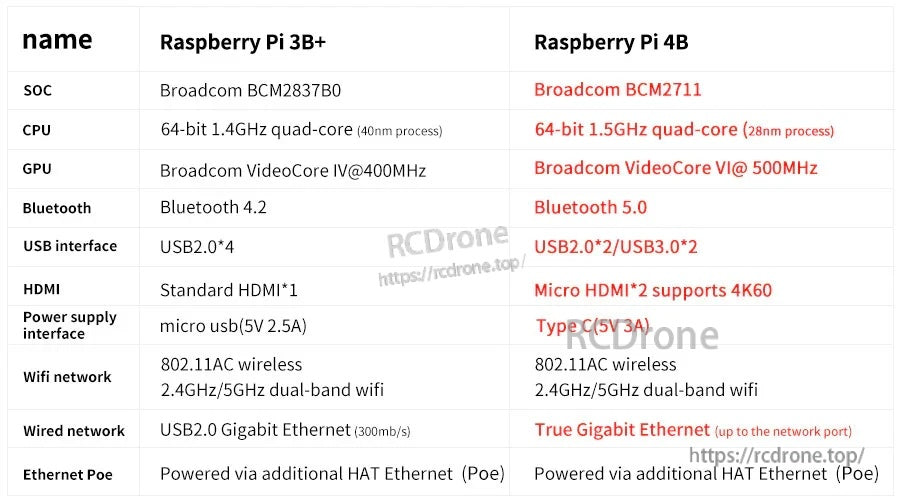
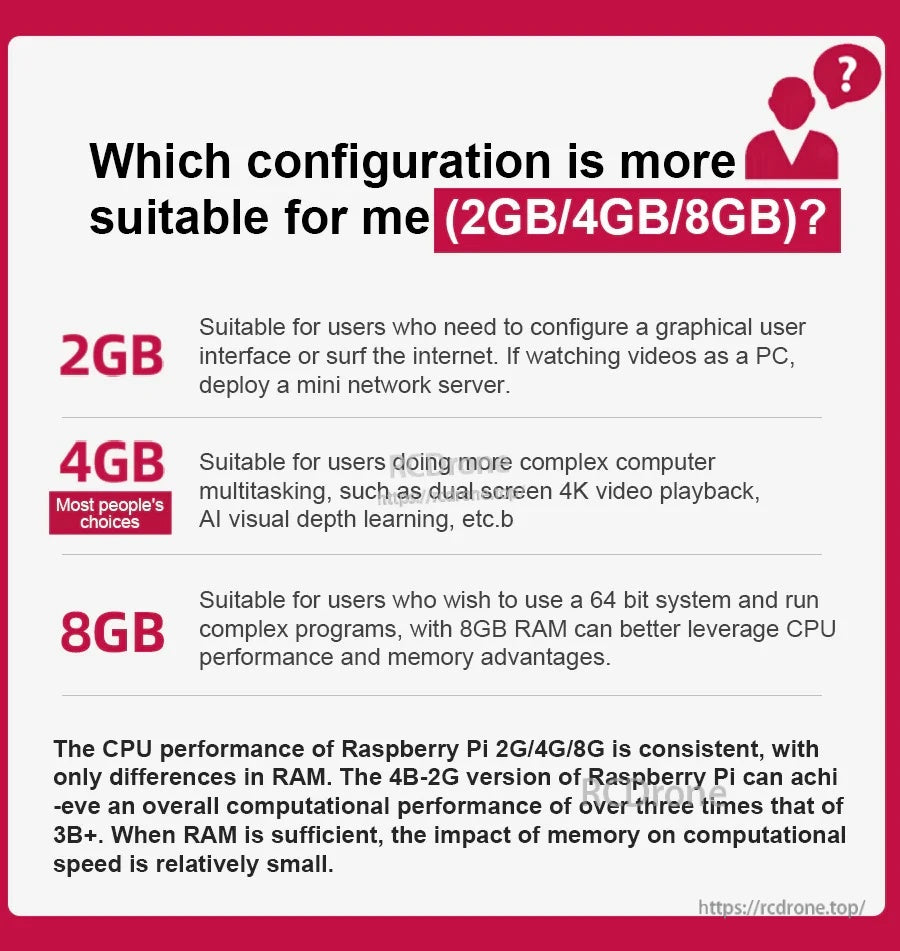
同じCPUパフォーマンスはバージョン間で共有されており、RAMは主に大きなアプリやマルチタスクがどれだけ快適に動作するかに影響します。
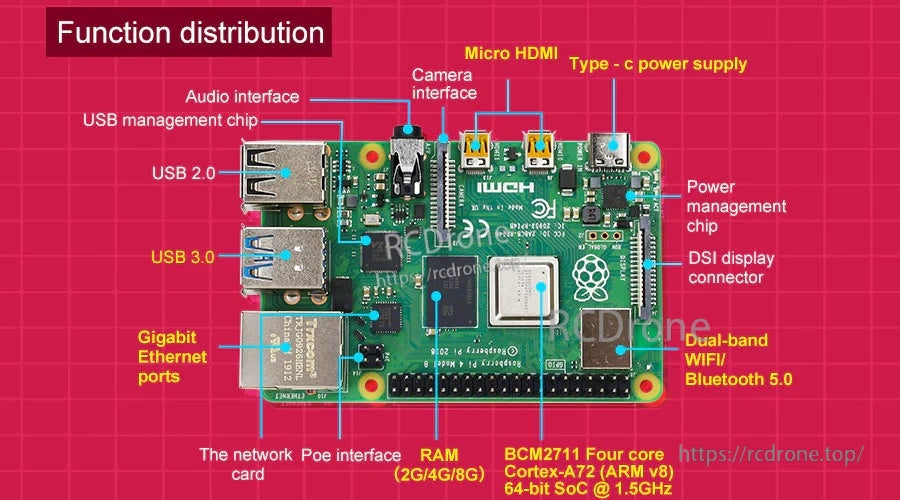
ポートとヘッダーは、ディスプレイ、カメラ、ネットワーキング、および40ピンGPIOを介した拡張のために明確に配置されています。
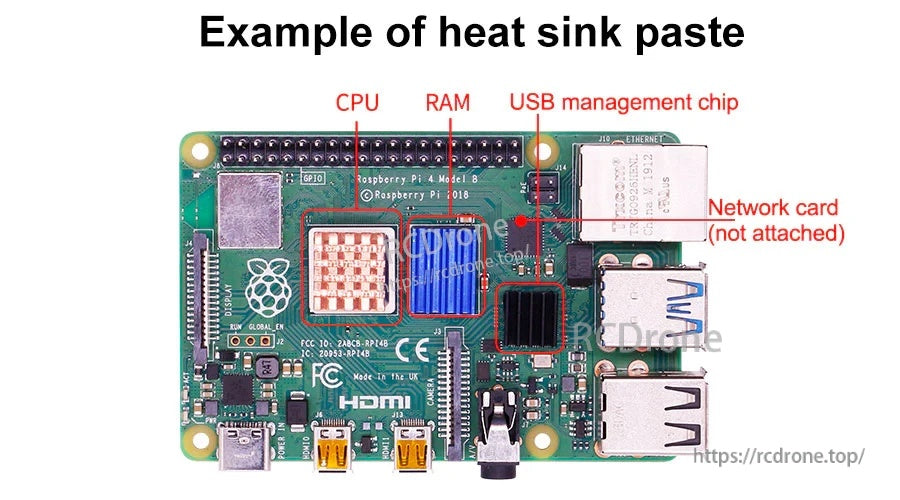
サーマルパッドまたはペーストは、封閉されたまたは高負荷のRaspberry Piプロジェクトを構築する際に、主要なチップに適用できます。



