


Yahboom YB-EPA01-V1.0 PCIeからM.2アダプター拡張ボード(Raspberry Pi 5用 NVMe 2230-2280対応)
Yahboom YB-EPA01-V1.0 PCIeからM.2アダプター拡張ボード(Raspberry Pi 5用 NVMe 2230-2280対応)
Yahboom
受取状況を読み込めませんでした


概要
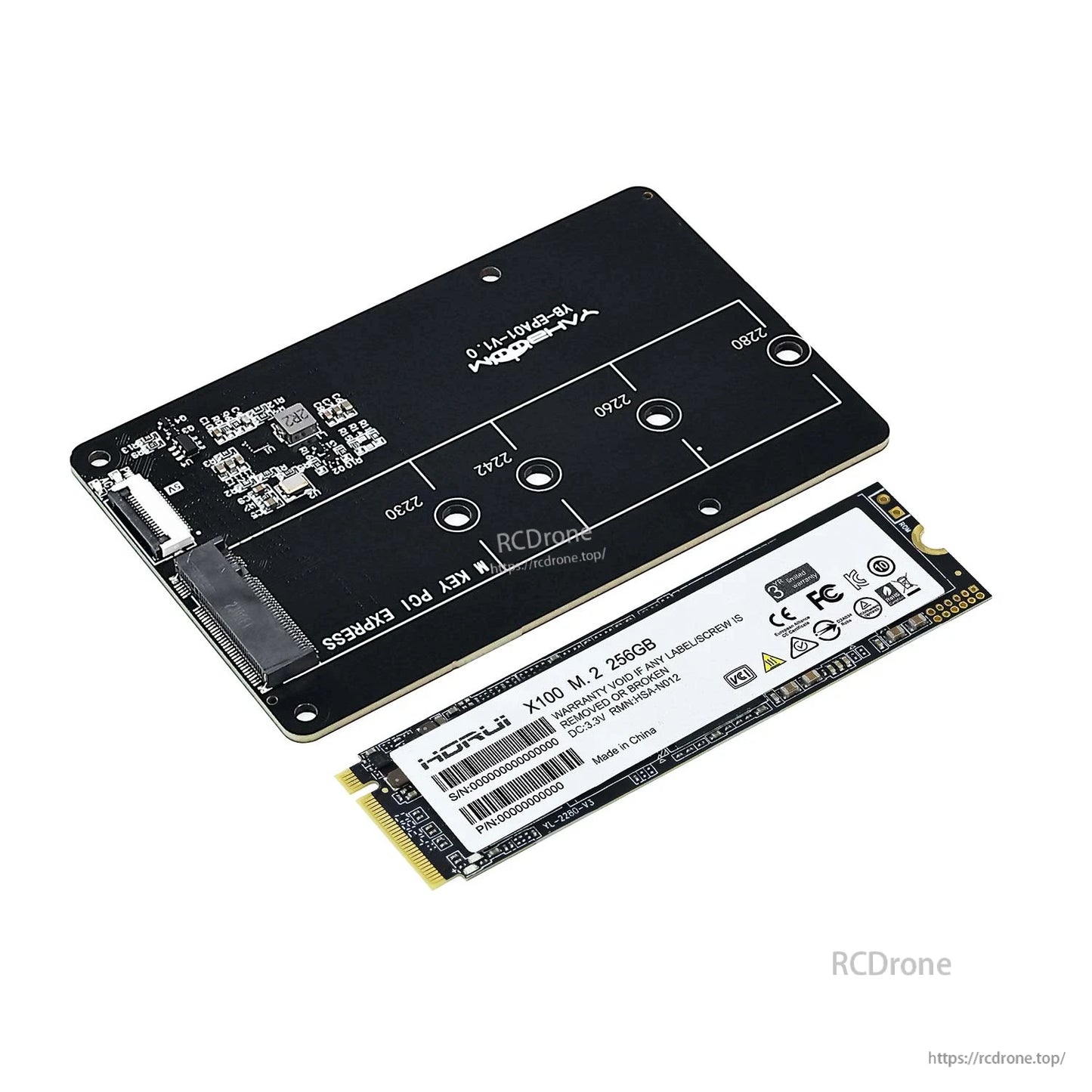
このPCIe to M.2アダプター拡張ボード は、Raspberry Pi 5 にM.2 NVMe SSD(M.2インターフェース)を接続し、Raspberry Pi 5の PCIe 2.0スロットを使用してストレージを拡張し、NVMe SSDからのオプションのシステムブートを可能にします。複数のM.2 SSD長(2230/2242/2260/2280)をサポートし、ヒートシンク/ケースの取り付けを妨げることなくRaspberry Pi 5の背面に積み重ねるように設計されています。ボードは Gen2/Gen3モードをサポートし、FPCアダプターケーブル接続を使用します。
主な特徴
- Raspberry Pi 5専用に設計されており、Raspberry Pi 5との積み重ねをサポートします。
- PCIe to M.2 NVMe SSDアダプター(注: NVMe SSDプロトコルのみをサポート)。
- サポートされているM.2サイズ: 2230 / 2242 / 2260 / 2280。
- Gen2/Gen3モードをサポートし、 Raspberry Pi 5をSSDからブート可能.
- 接続シルクスクリーンのプロンプトを備えたFPCエルボーケーブル設計により、誤った配線を回避します。
- 熱放散とケース取り付けへの影響を避けるための背面取り付けスタッキング設計。Raspberry Pi 5の上にアクティブラジエーター(クーラー)を取り付けることができます。
- 接続注意: ケーブルが逆に接続されている場合、動作せず、故障や損傷を引き起こす可能性があります。
仕様
| 製品タイプ | PCIeからM.2へのアダプター拡張ボード |
| 対応デバイス | Raspberry Pi 5 |
| Raspberry Piインターフェース | PCIe 2.0スロット(FPCアダプターケーブル経由) |
| M.2ソケットマーキング | M KEY PCI EXPRESS |
| 対応SSDプロトコル | M.2 NVMe SSD (NVMe SSDプロトコルのみ対応) |
| 適用可能なSSDキー(表示されている通り) | Mキー; B&Mキー |
| 対応M.2サイズ | 2230 / 2242 / 2260 / 2280 |
| 対応モード | Gen2 / Gen3 |
| ブートサポート | Raspberry Pi 5からSSDへのブートをサポート |
| 接続ケーブルの注意 | 16ピンケーブルでRaspberry Pi 5に接続 |
| ボードマーキング | Yahboom YB-EPA01-V1.0 |
性能参考(表示されている通り)
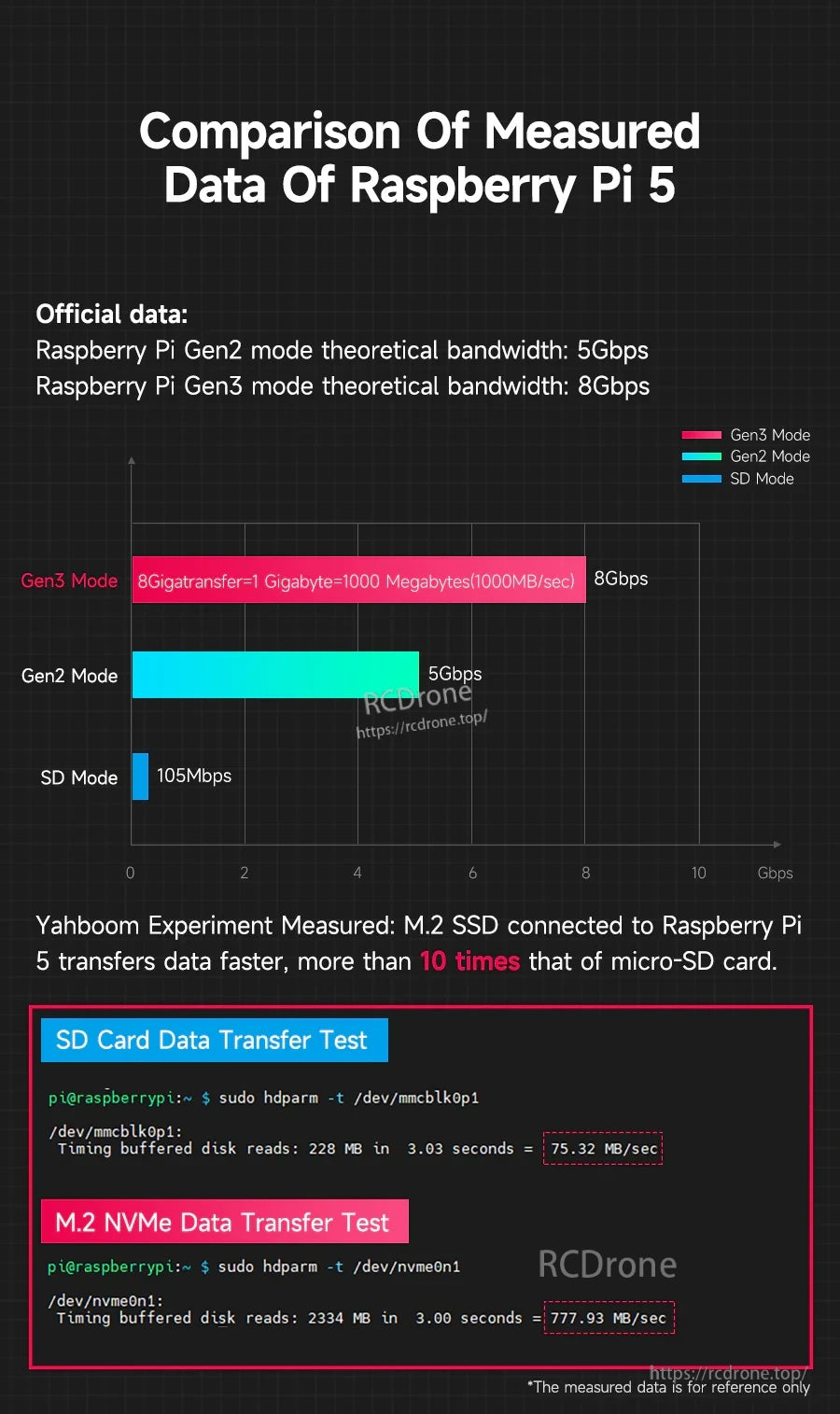
- 公式データ: Raspberry Pi Gen2 モード理論帯域幅: 5Gbps
- 公式データ: Raspberry Pi Gen3 モード理論帯域幅: 8Gbps
- 測定値(参考用): SDカードバッファディスク読み取り: 75.32 MB/sec
- 測定値(参考用): M.2 NVMe バッファディスク読み取り: 777.93 MB/sec
注意: 測定データは参考用です。
同梱物
パッケージ内容はバージョン選択により異なります:
- PCIe to M.2 アダプター: PCIe to M.2 アダプターボード、FPCアダプターケーブル、スクリュー銅柱
- PCIe to M.2 アダプター + 256GB SSD (2280): PCIe to M.2 アダプターボード、256GB SSD (2280), FPCアダプターケーブル、スクリュー銅柱; システムイメージファイルが書き込まれています; Raspberry Pi 5 公式システムイメージファイルがプレインストールされており、直接使用可能
*出荷リストにはRaspberry Pi 5とアクティブラジエーターは含まれていません。
用途
- Raspberry Pi 5 ストレージ拡張用 M.2 NVMe SSD
- プロジェクトでmicroSDストレージよりも高速な読み書き速度が必要な場合(パフォーマンスはSSD、構成、およびシステム設定に依存します)
- NVMe SSDからのシステムブート(構成が必要)
互換性チェック(SSDサイズ/キーイング、ブート構成、またはスタッキング/ケース適合性)については、https://rcdrone.top/に連絡するか、メールで[email protected] .
チュートリアルビデオ
マニュアル / チュートリアル
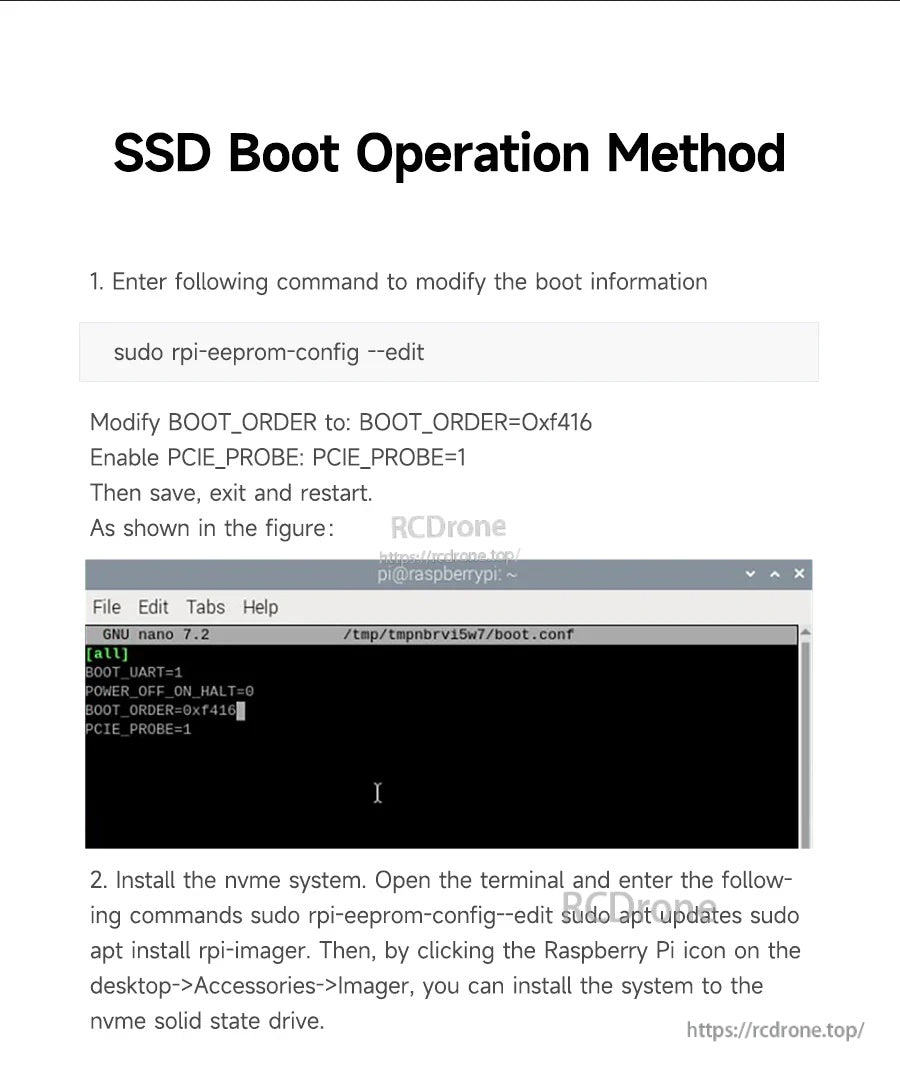
SSDブート操作方法(表示されている通り)
-
ブート情報を変更するには、次のコマンドを入力してください:
変更:sudo rpi-eeprom-config --edit-
BOOT_ORDERを次に変更:BOOT_ORDER=0xf416 - 有効にする
PCIE_PROBE:PCIE_PROBE=1
-
-
NVMeシステムをインストールします。 ターミナルを開き、次のコマンドを入力します(表示されている通りに):
次に、デスクトップのRaspberry Piアイコンをクリックし、> アクセサリ > イメージャーを選択し、システムをNVMeソリッドステートドライブにインストールします。sudo rpi-eeprom-config--edit sudo apt updates sudo apt install rpi-imager
詳細

Raspberry Pi 5に高速NVMeストレージをPCIe接続を通じて追加し、コンパクトで背面に取り付けられたスタックを維持します。
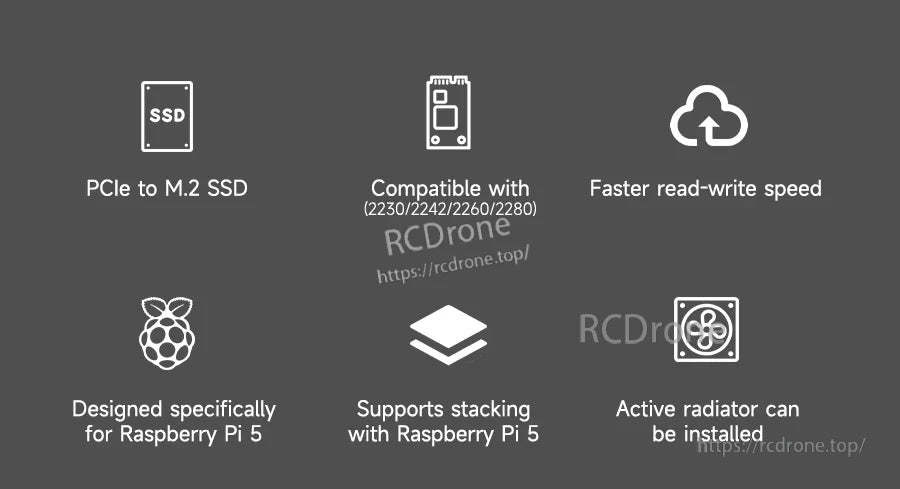
複数のM.2長さをサポートし、microSDよりも高速なI/O、スタッキングおよびアクティブ冷却セットアップとの互換性を備えています。
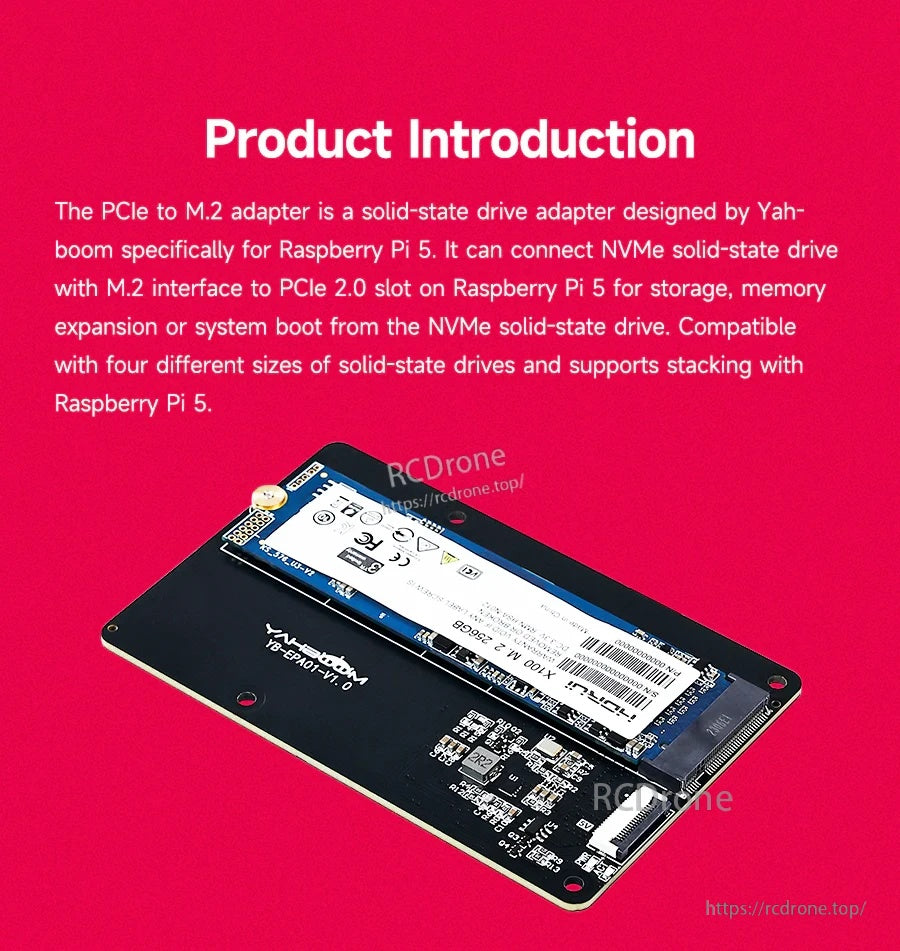
M.2 NVMe SSDはボードに直接取り付けられ、ストレージの拡張とNVMeからのオプションのブートを可能にします。
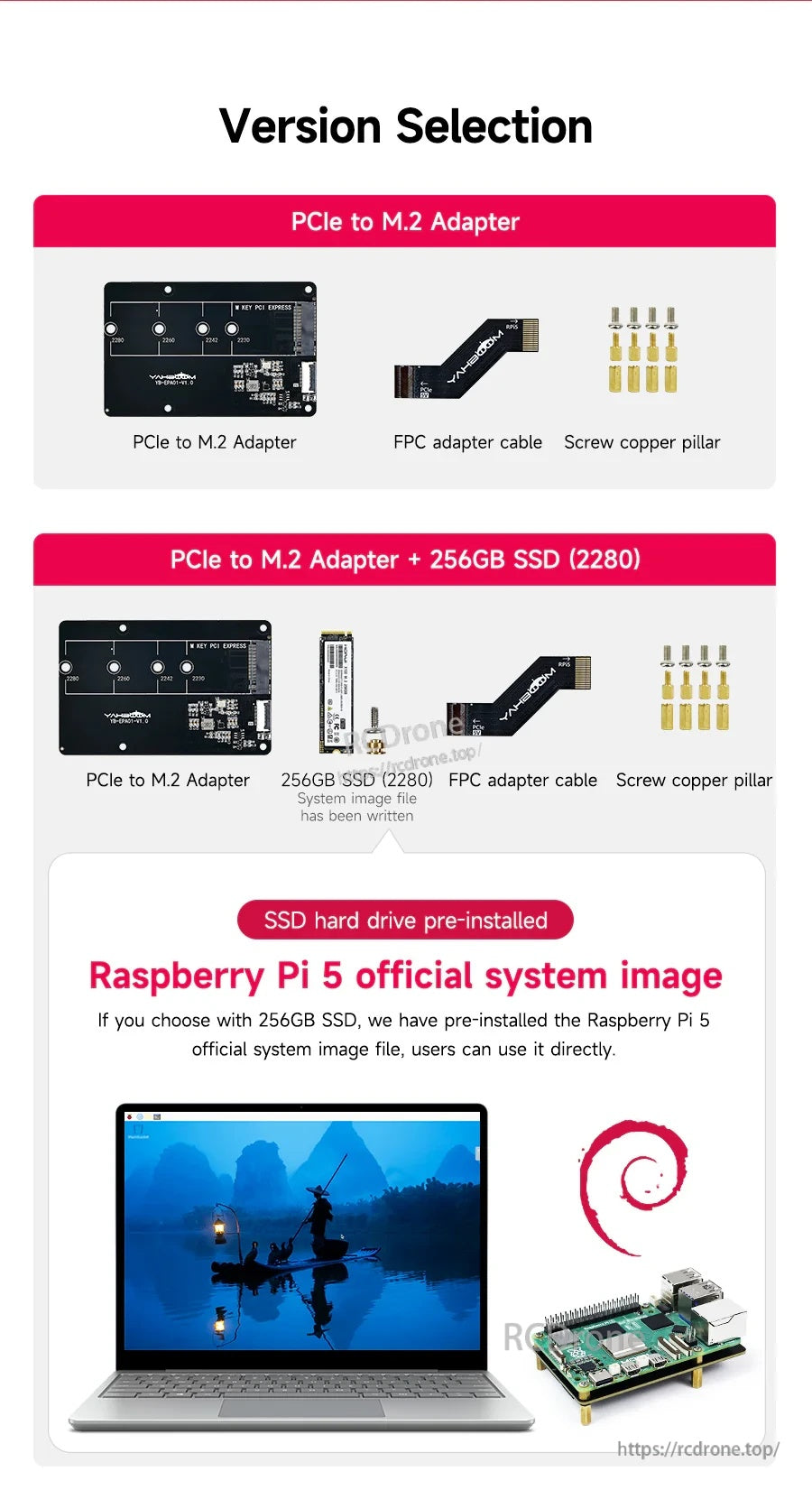
アダプター単体または256GB 2280 NVMe SSDと取り付け部品がプリインストールされたバンドルを選択してください。
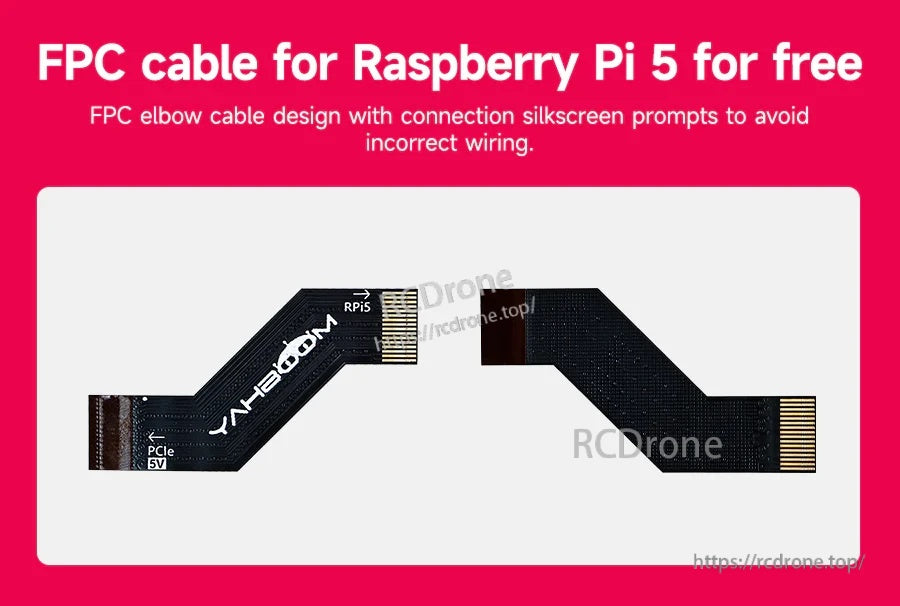
ラベル付きFPCエルボーケーブルは、取り付け時にRaspberry Pi 5のPCIe接続を正しく整列させるのに役立ちます。
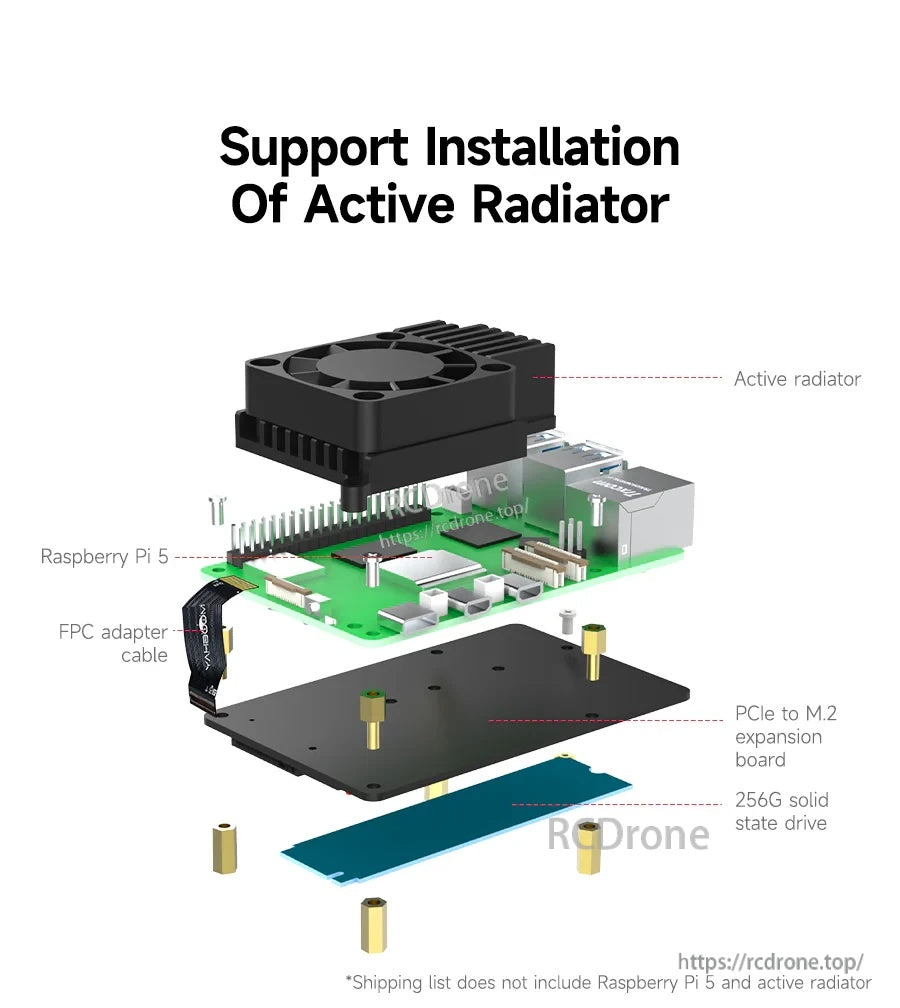
低プロファイルの背面取り付けレイアウトにより、Raspberry Pi 5の上にアクティブクーラーを設置するスペースが確保されます。

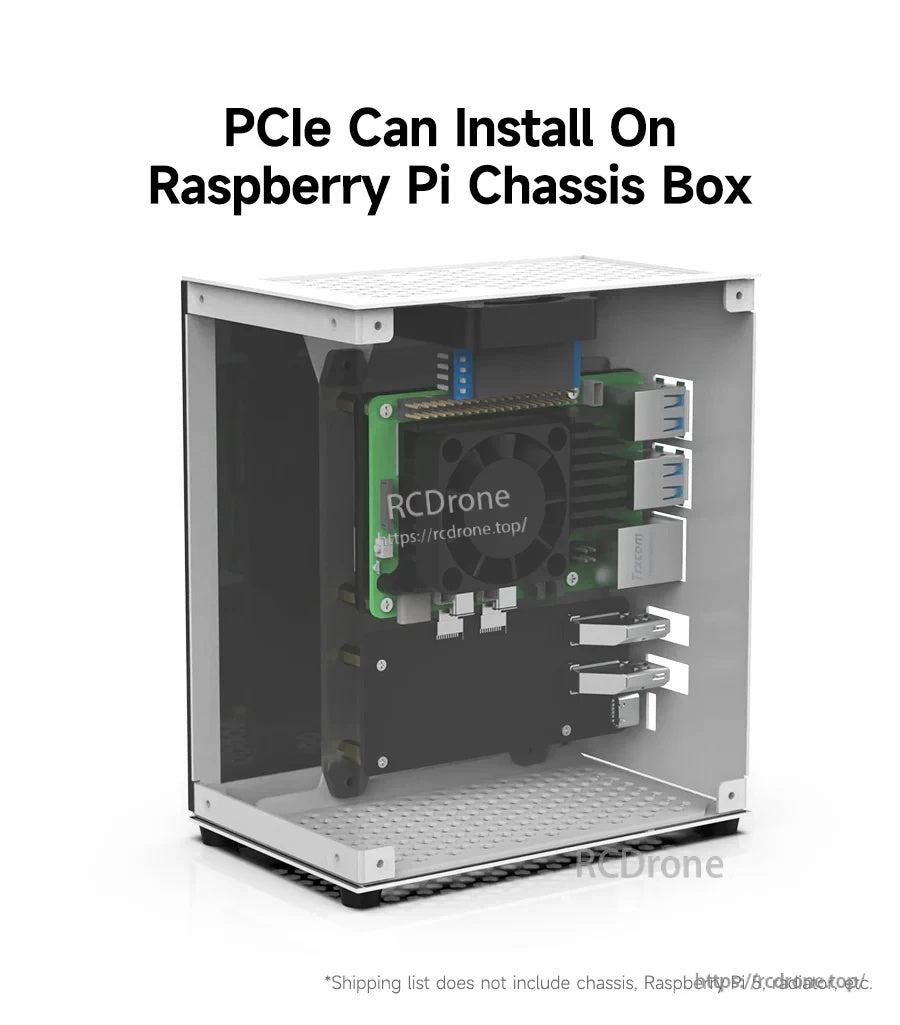
Raspberry Pi 5とNVMe拡張がシャーシ内に取り付けられるエンクロージャービルドで動作します。

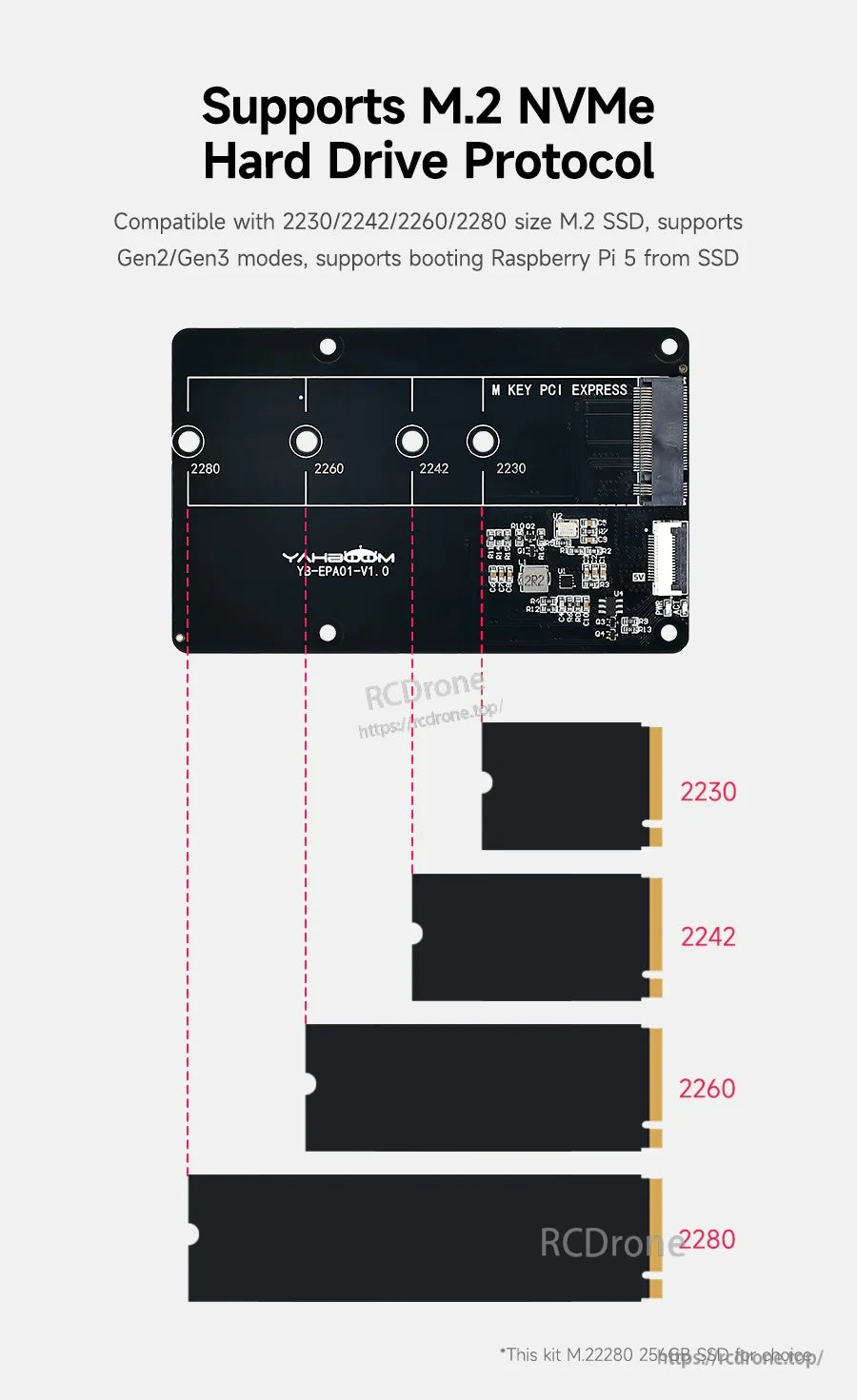
複数のスタンドオフ位置が、2230から2280までの一般的なM.2 NVMeの長さをサポートします。
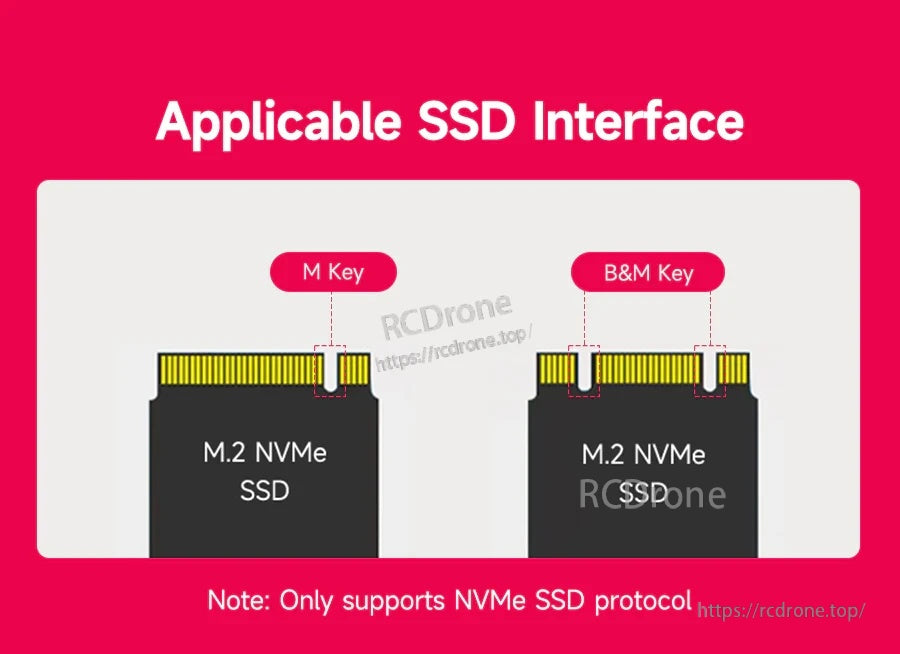
M.2スロットはM‑KeyおよびB&M‑Key NVMeドライブ(NVMeプロトコルのみ)を受け入れます。
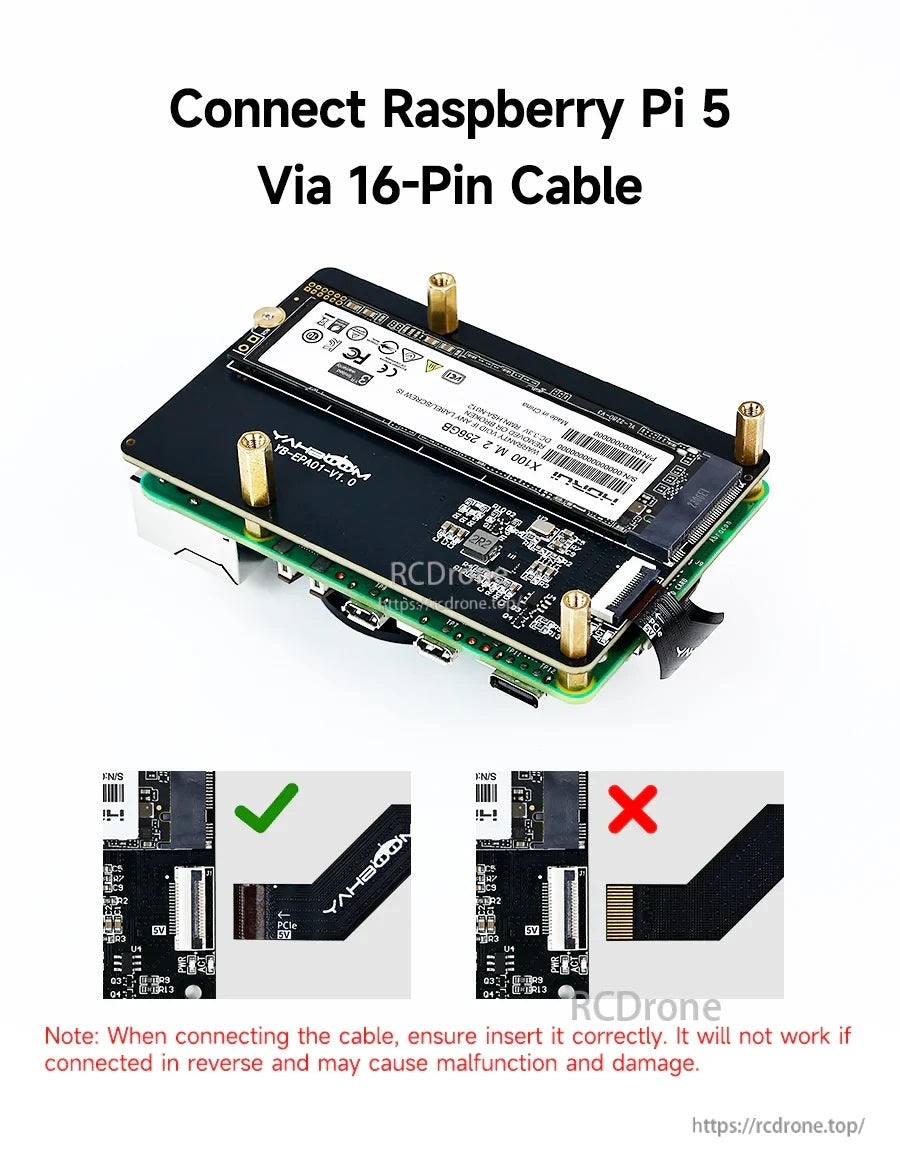
FPCケーブルの正しい向きが必要です。ケーブルを逆にすると動作しなくなり、損傷を引き起こす可能性があります。
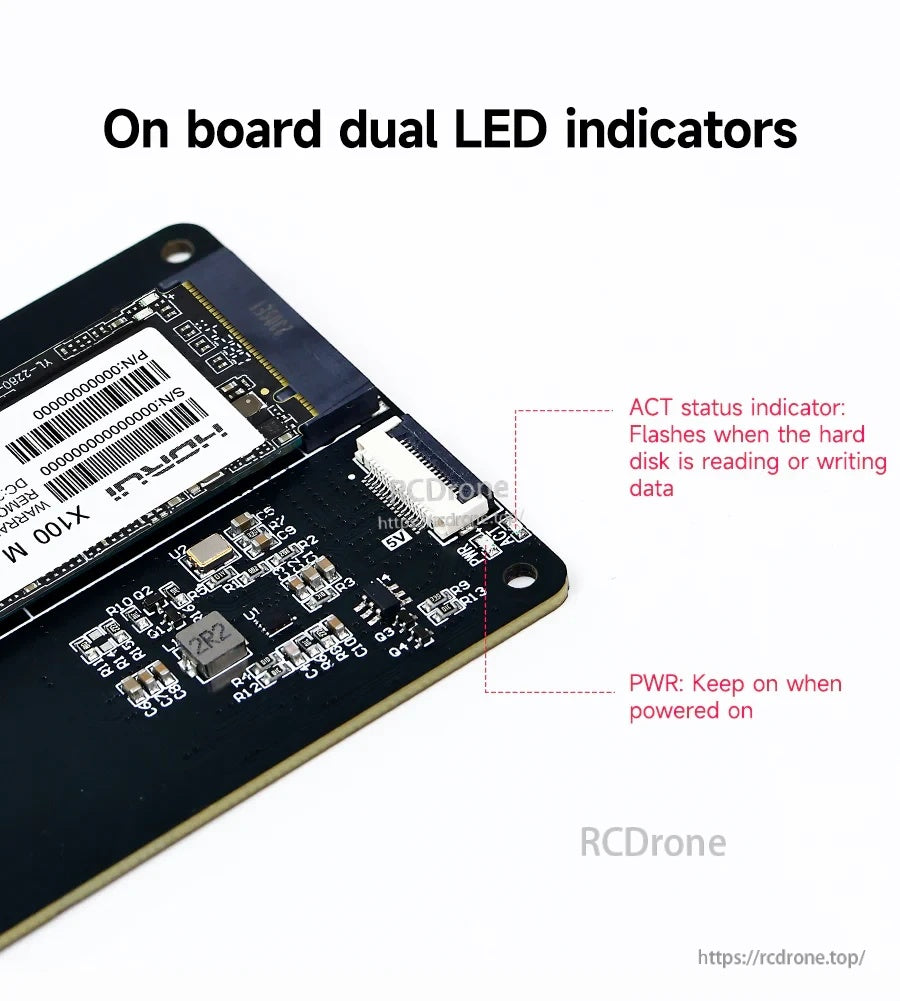
オンボードのPWRおよびACT LEDは、電源とドライブのアクティビティのクイックステータスチェックを提供します。
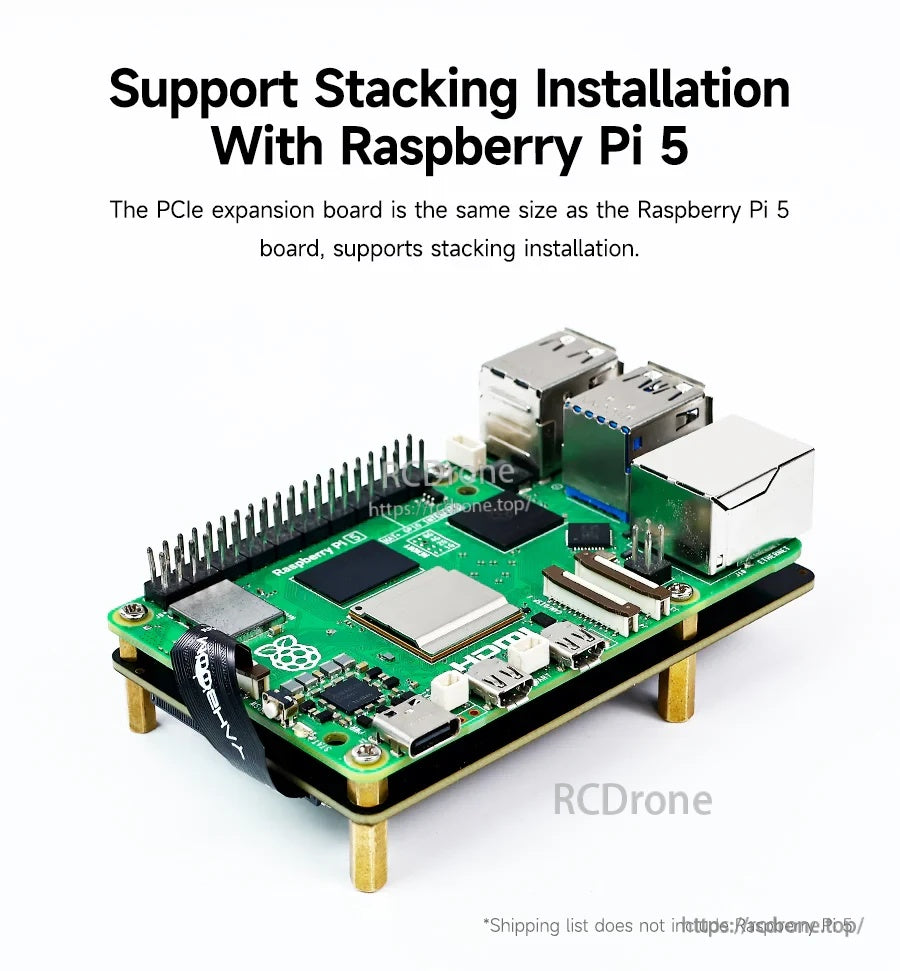
ボードはRaspberry Pi 5のフットプリントに一致し、背面にクリーンに積み重ねて取り付けることができます。
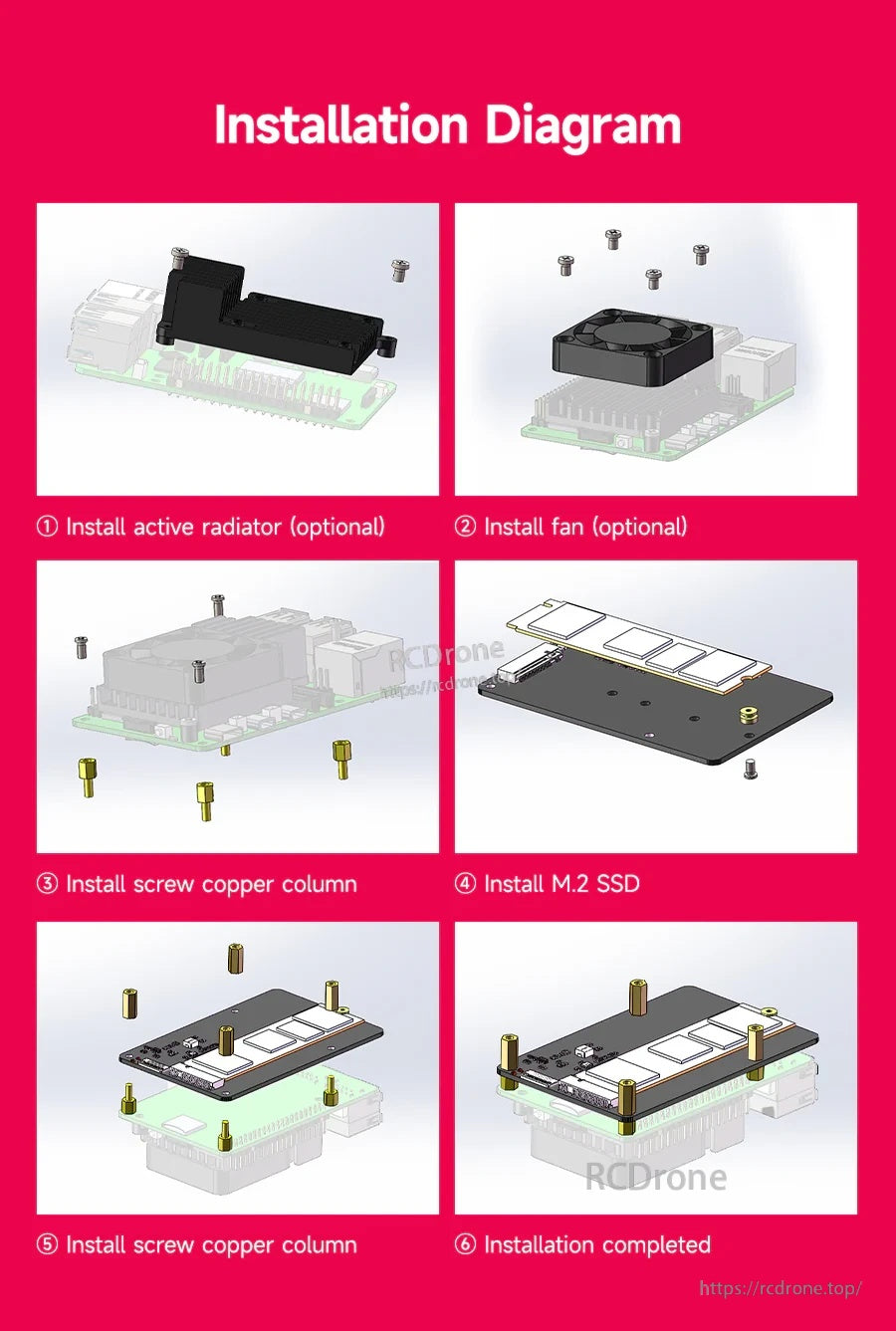
SSDとスタンドオフの取り付け手順に従い、オプションの冷却を使用して積み重ねた組み立てを完了します。
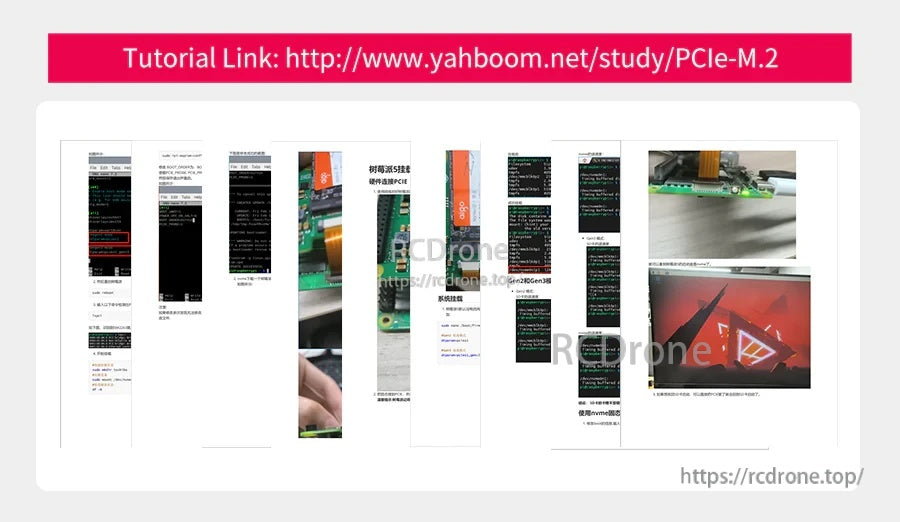
Yahboomのチュートリアルリンクは、PCIeからM.2アダプターのインストールと使用に関するステップバイステップのガイダンスを提供します。
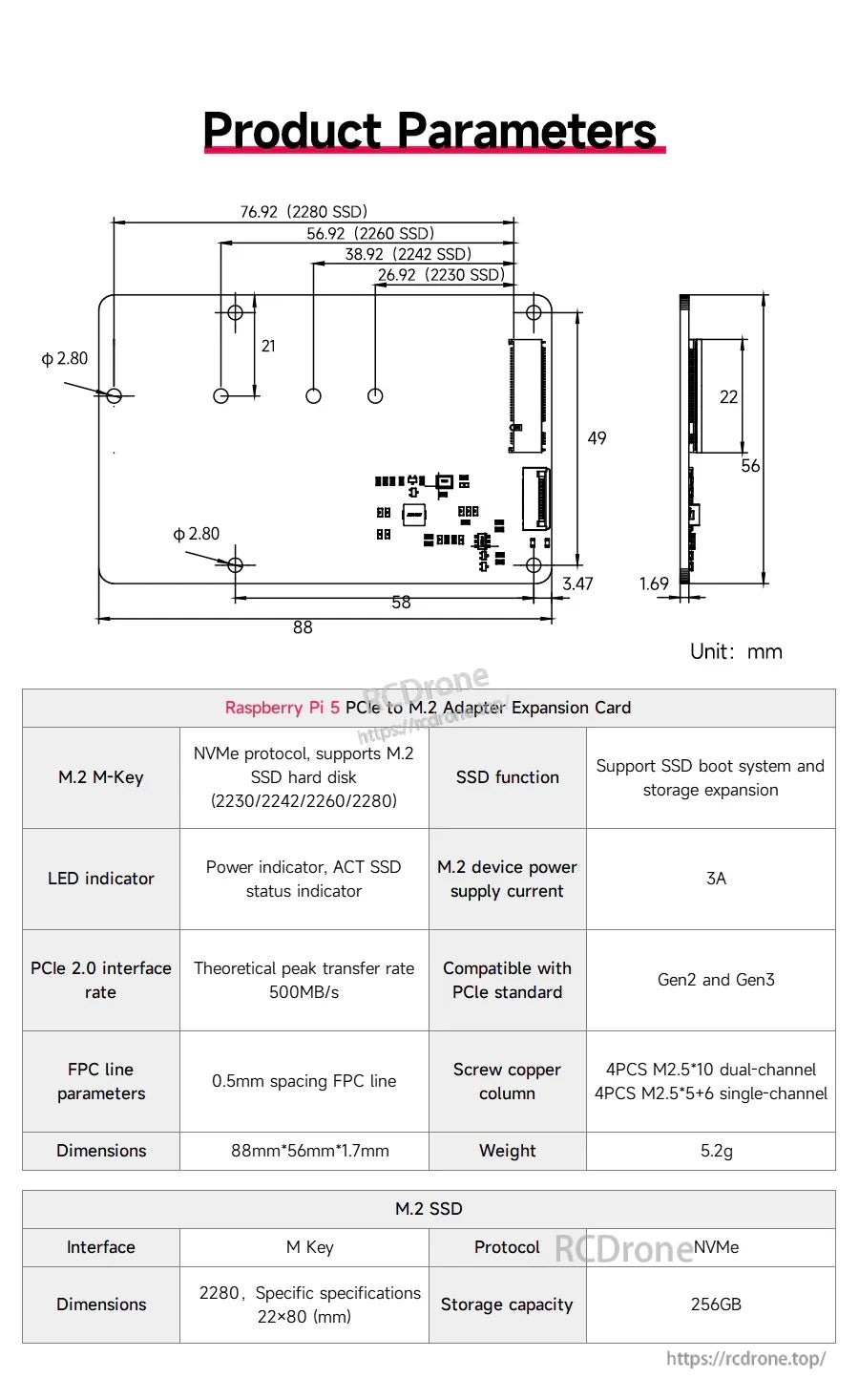
Yahboom YB-EPA01-V1.0 PCIeからM.2アダプターは、M.2 M-Key NVMeインターフェースとコンパクトな88×56×17 mmのレイアウトを使用して、Raspberry Pi 5のストレージ拡張を行います。
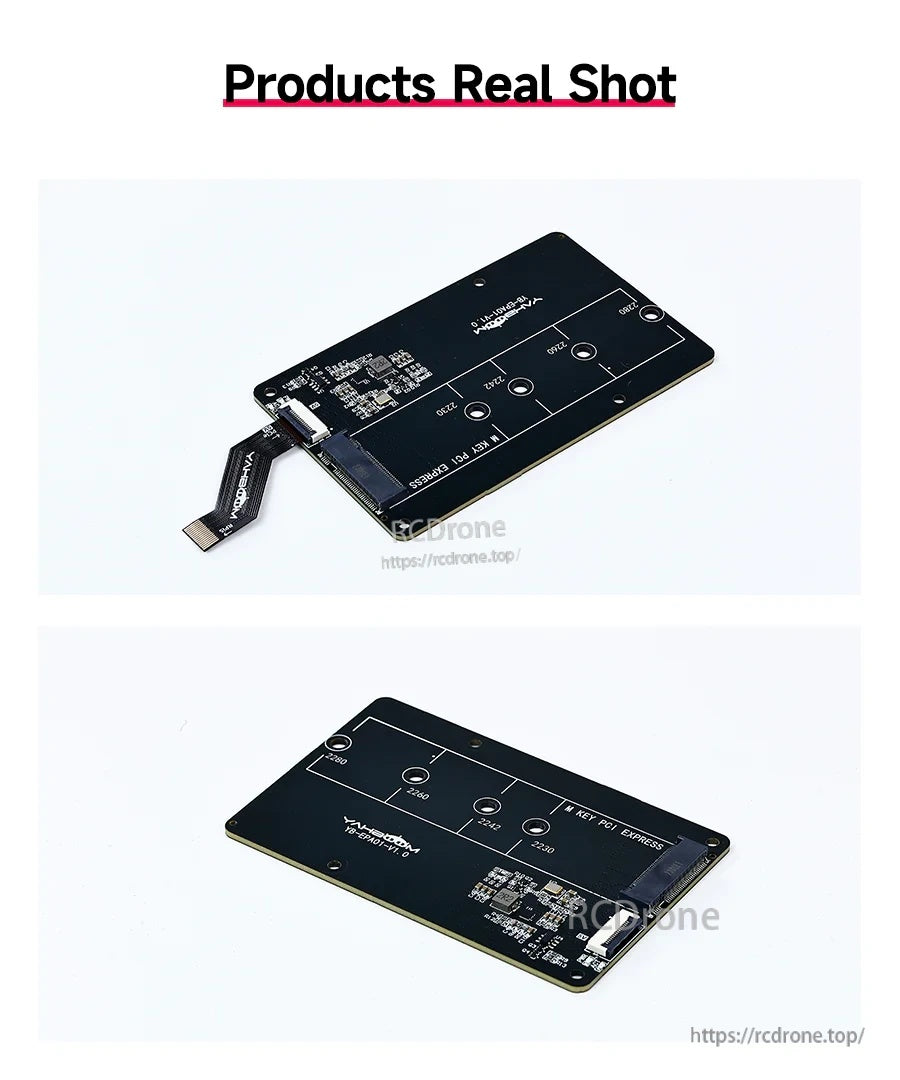
Yahboom YB-EPA01-V1.0アダプターボードは、簡単な接続のための内蔵USB-Aコネクタを備えたコンパクトなM.2マウントレイアウトを提供します。