


10.1인치 IPS 정전식 터치 스크린 모니터 1920x1080 HDMI + 마이크로 USB, 라즈베리 파이/Jetson/RDK X3용
10.1인치 IPS 정전식 터치 스크린 모니터 1920x1080 HDMI + 마이크로 USB, 라즈베리 파이/Jetson/RDK X3용
Yahboom
픽업 사용 가능 여부를 로드할 수 없습니다.


개요
이 10.1인치 정전식 터치 스크린은 Raspberry Pi, Jetson 시리즈 보드 및 RDK X3 보드를 위해 설계된 컴퓨터 주변 디스플레이입니다. IPS 패널과 HDMI 비디오 입력(최대 1080p), 터치 및 전원을 위한 Micro USB(5V)를 특징으로 하며, 키 기반 백라이트 조정 및 지원 시스템을 위한 드라이버 없는 디스플레이 설정을 제공합니다. 후면 레이아웃에는 Raspberry Pi(M2.5)를 위한 구리 기둥 장착 구멍과 배선 정리를 돕기 위한 케이블 라우팅 공간이 포함되어 있습니다.
주요 특징
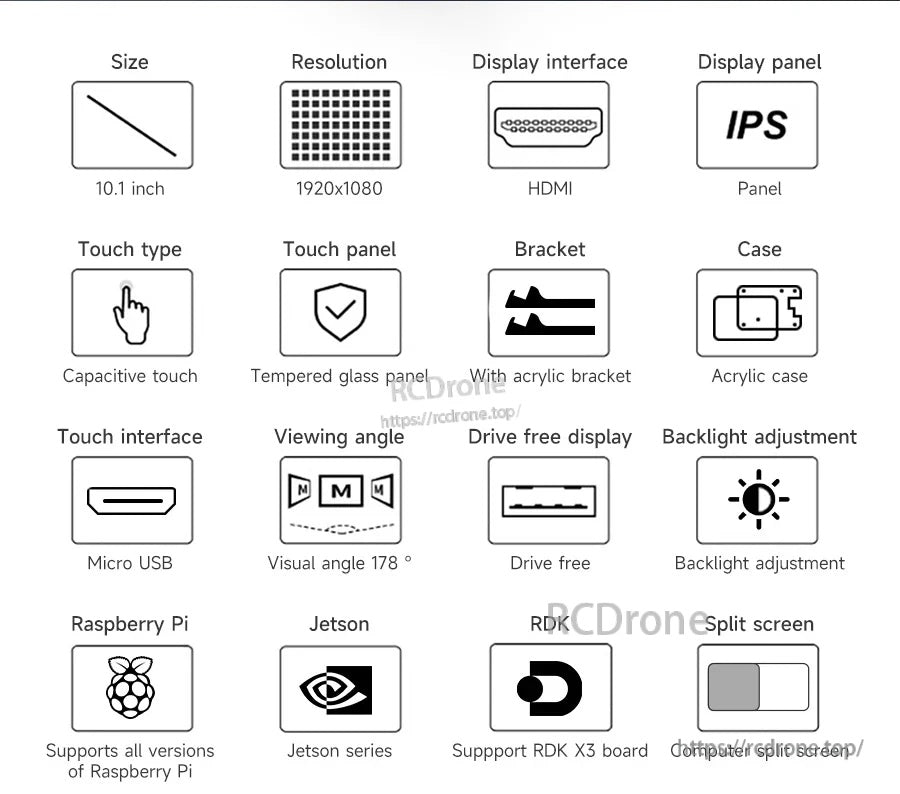
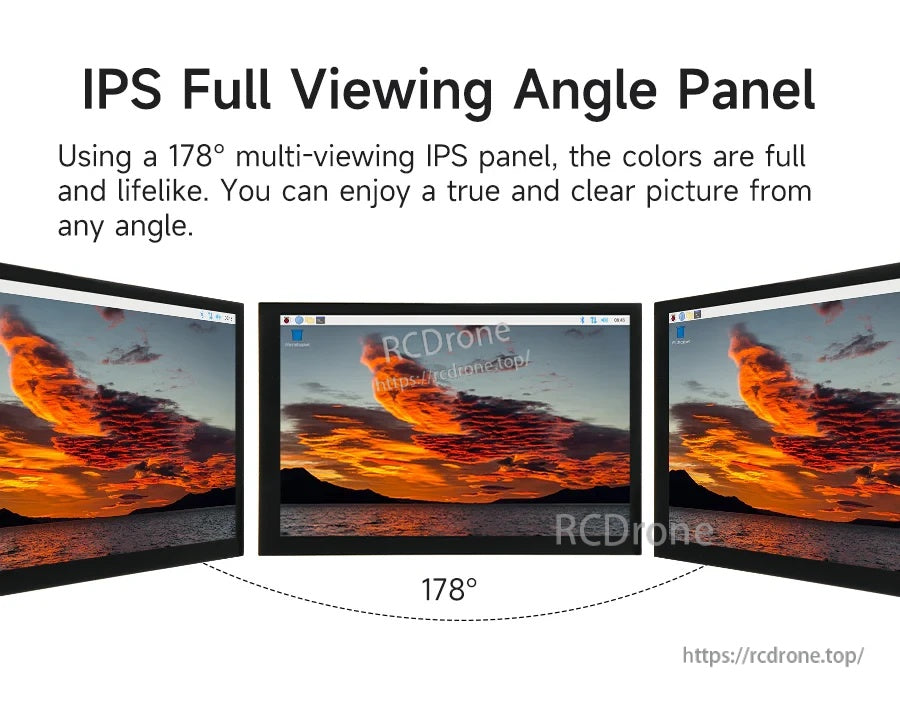
- 10.1인치 IPS 화면; 178° 시야각
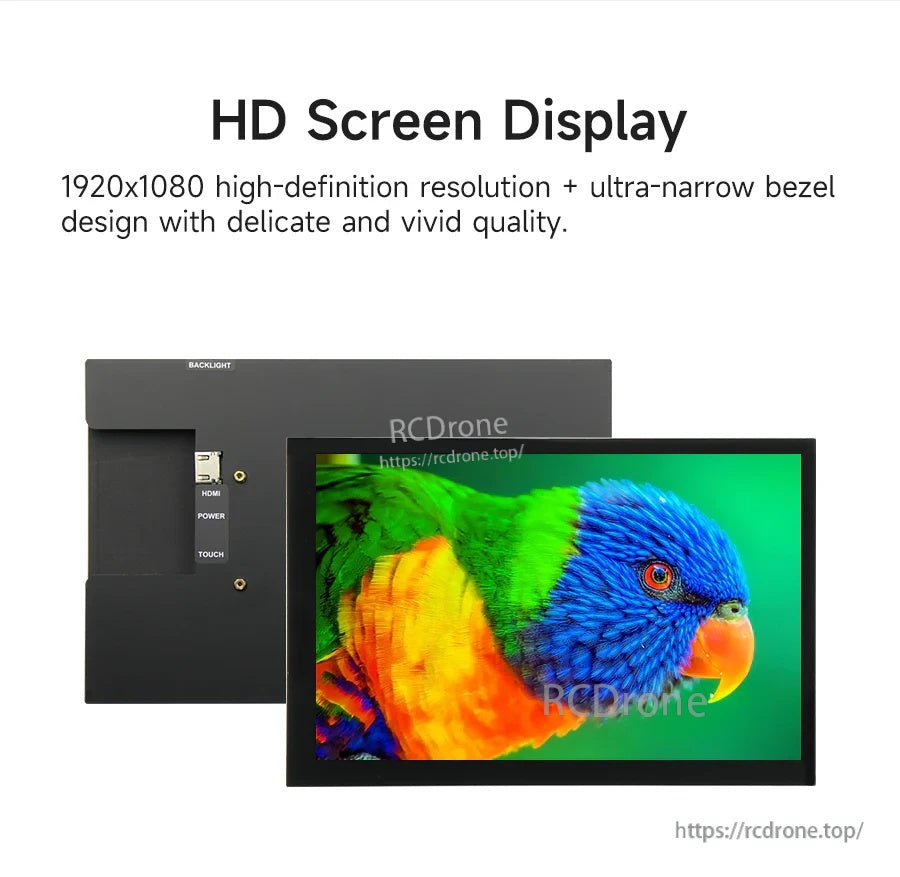
- 해상도: 최대 1920x1080 (1080p); 1280x800 권장
- 정전식 터치; 강화 유리 터치 패널
- 인터페이스: 비디오용 HDMI; 터치 및 전원용 Micro USB
- 드라이브 프리 디스플레이; 키 스위치로 백라이트(밝기) 조정 지원
- 호환성 참고 사항:
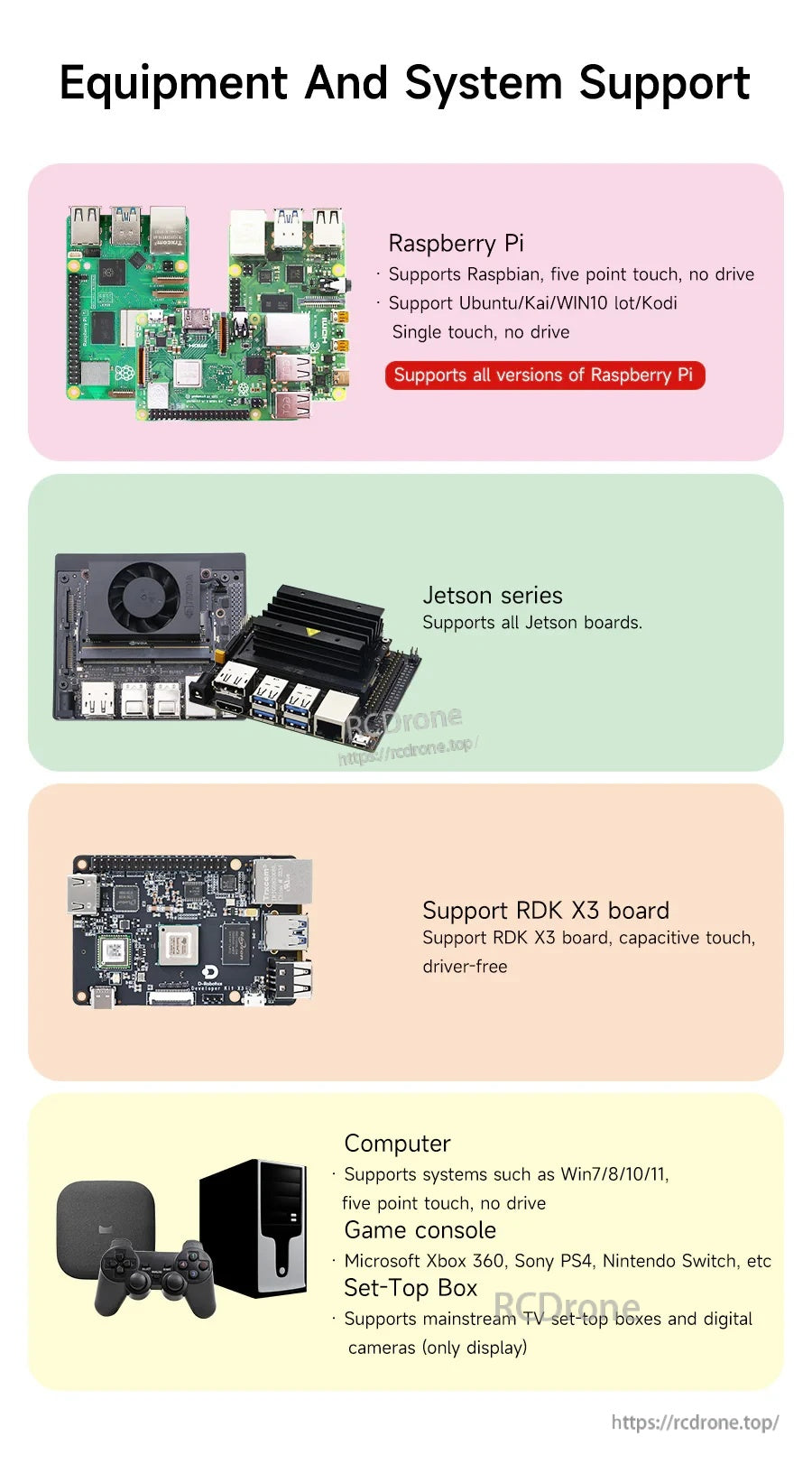
- 라즈베리 파이: Raspbian 지원 (5포인트 터치, 드라이브 없음); Ubuntu/Kai/Win10 IoT/Kodi (단일 터치, 드라이브 없음)
- Jetson 시리즈: 모든 Jetson 보드 지원
- RDK X3 보드: 정전식 터치, 드라이버 불필요
- 컴퓨터: Win7/8/10/11 지원 (5포인트 터치, 드라이브 없음)
- 게임 콘솔: Microsoft Xbox 360, Sony PS4, Nintendo Switch 등.
- 셋톱 박스: 주류 TV 셋톱 박스 및 디지털 카메라 지원 (디스플레이 전용)
- 컴퓨터 분할 화면 지원 (확장 화면으로 사용)
사양
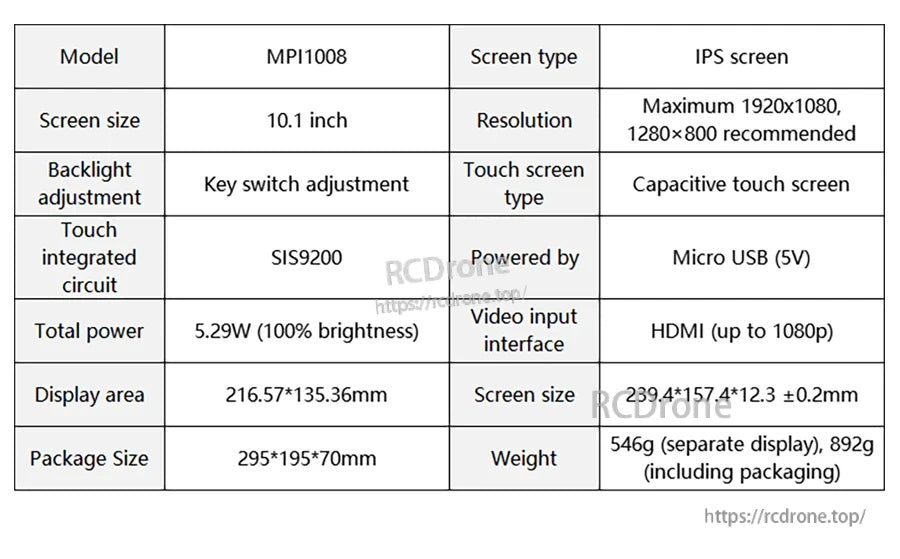
| 모델 | MPI1008 | |
| 화면 크기 | 10.1 인치 | |
| 화면 유형 | IPS 화면 | |
| 해상도 | 최대 1920x1080; 1280x800 권장 | |
| 디스플레이 (비디오) 입력 인터페이스 | HDMI (최대 1080p) | |
| 터치 스크린 유형 | 정전식 터치 스크린 | |
| 터치 통합 회로 | SIS9200 | |
| 전원 공급 방식 | 마이크로 USB (5V) | |
| 총 전력 | 5. | 29W (100% 밝기) |
| 시야각 | 178° | |
| 디스플레이 영역 | 216.57*135.36mm | |
| 화면 크기 (전체) | 239.4*157.4*12.3 ±0.2mm | |
| 패키지 크기 | 295*195*70mm | |
| 무게 | 546g (별도 디스플레이), 892g (포장 포함) | |
| 백라이트 조정 | 키 스위치 조정 | |
| 케이스 / 브래킷 | 아크릴 케이스; 아크릴 브래킷 포함 |
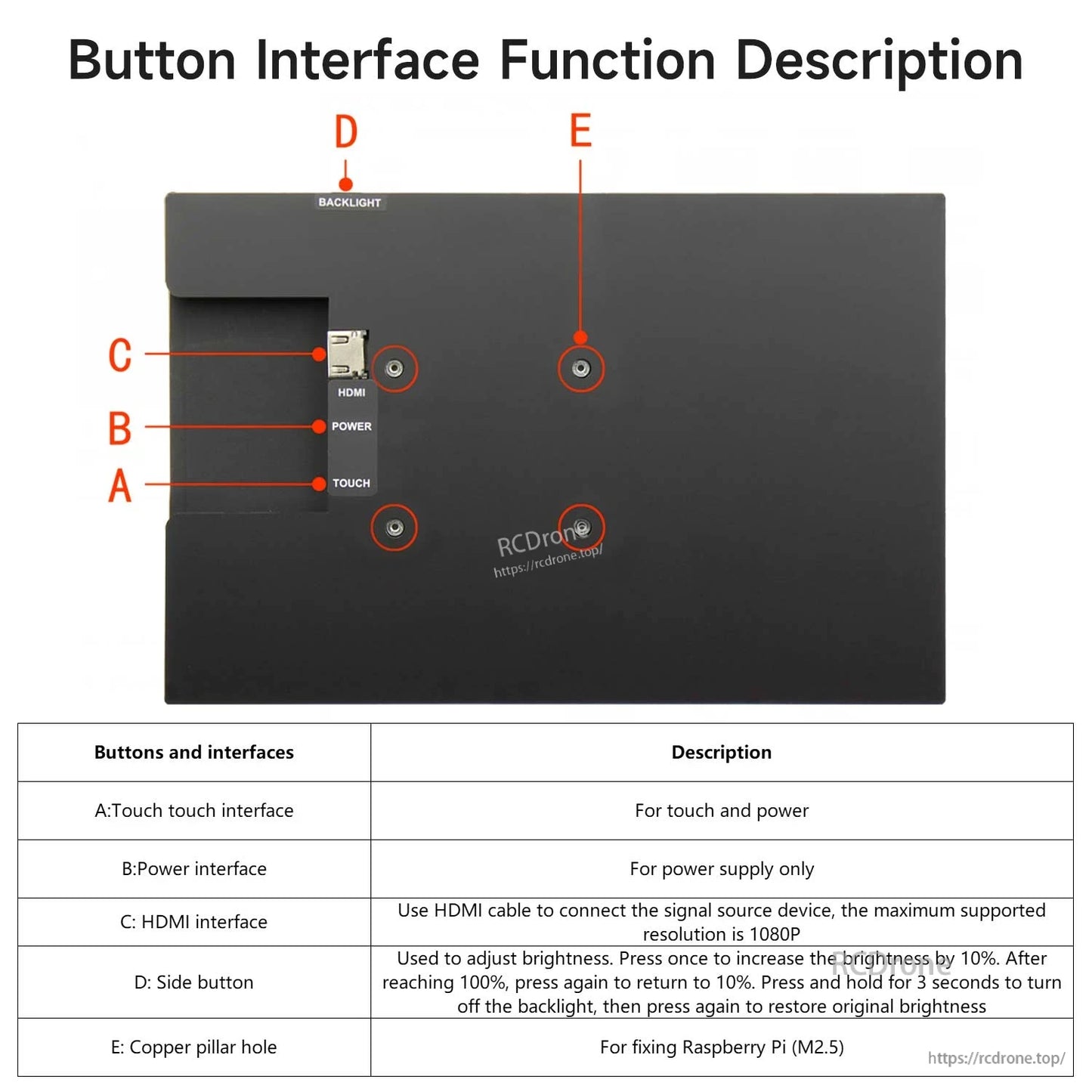
버튼 & 인터페이스 설명
- A: 터치 인터페이스 — 터치 및 전원용
- B: 전원 인터페이스 — 전원 공급 전용
- C: HDMI 인터페이스 — HDMI 케이블을 사용하여 신호 소스 장치에 연결; 최대 지원 해상도는 1080P
- D: 측면 버튼 (BACKLIGHT) — 밝기 조정에 사용.한 번 누르면 밝기가 10% 증가합니다. 100%에 도달하면 다시 눌러 10%로 돌아갑니다. 3초 동안 길게 눌러 백라이트를 끄고, 다시 눌러 원래 밝기로 복원합니다.
- E: 구리 기둥 구멍 — Raspberry Pi 고정용 (M2.5)
포함된 항목
- 10.1인치 IPS 고화질 터치 스크린
- 브래킷
- 드라이버 + 나사 + 구리 기둥
- 양쪽 끝 표준 HDMI 케이블 (길이: 약 100cm)
- 마이크로 USB 터치 및 전원 공급 케이블 (길이: 약 100cm)
- 마이크로 USB 터치 및 전원 공급 케이블 (길이: 약 40cm)
- 마이크로-HDMI to HDMI 어댑터
응용 프로그램
- Raspberry Pi / Jetson / RDK X3 개발 및 임베디드 시스템 프로젝트
- 교육 및 인터랙티브 데모
- PC 확장 디스플레이 (화면 분할)
- 지원되는 게임 콘솔, 셋톱 박스 및 디지털 카메라용 디스플레이 (적용 가능한 경우에만 디스플레이)
구매 전 호환성 또는 배선 관련 질문은 [email protected] or 방문 https://rcdrone.top/.
세부사항
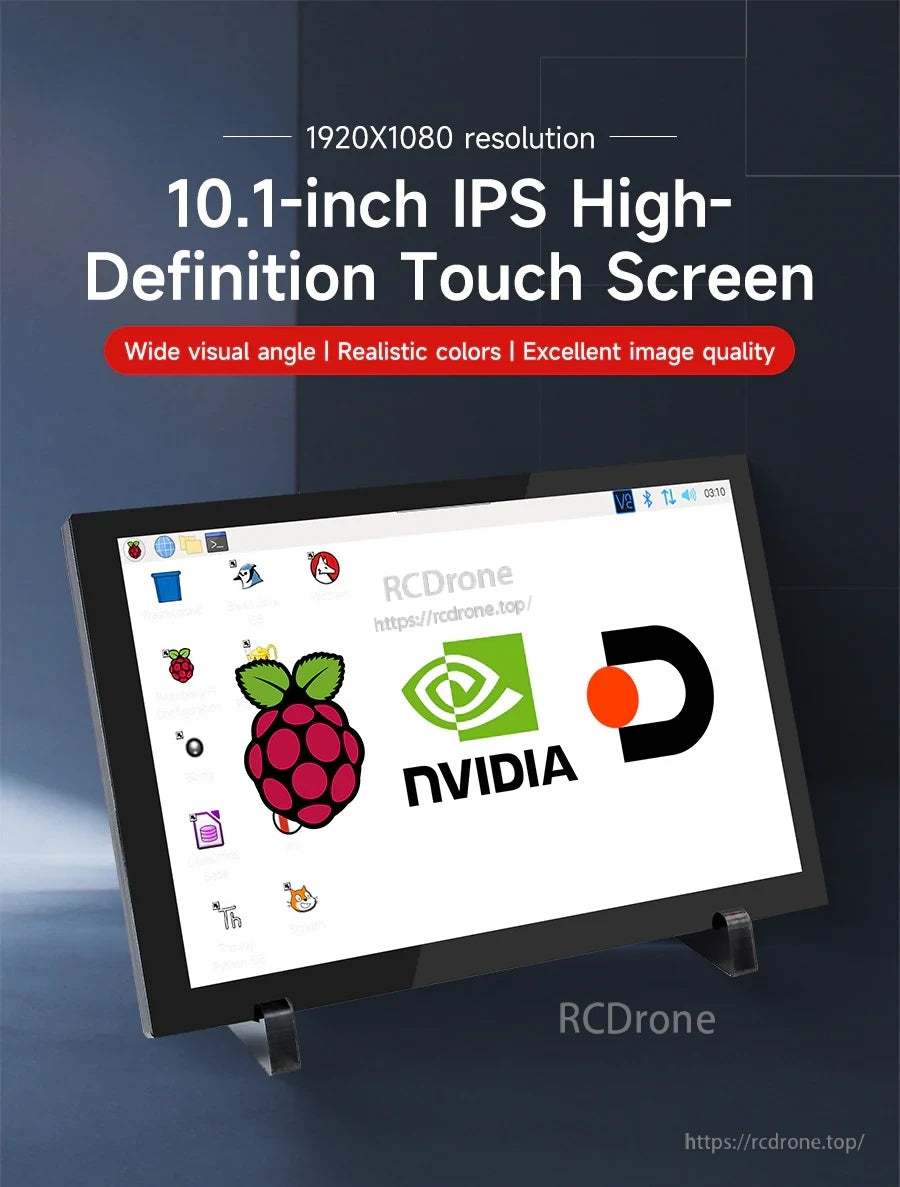
Raspberry Pi, Jetson 및 PC용 HDMI 비디오 및 USB 터치/전원을 지원하는 10.1인치 IPS 정전식 터치 스크린.
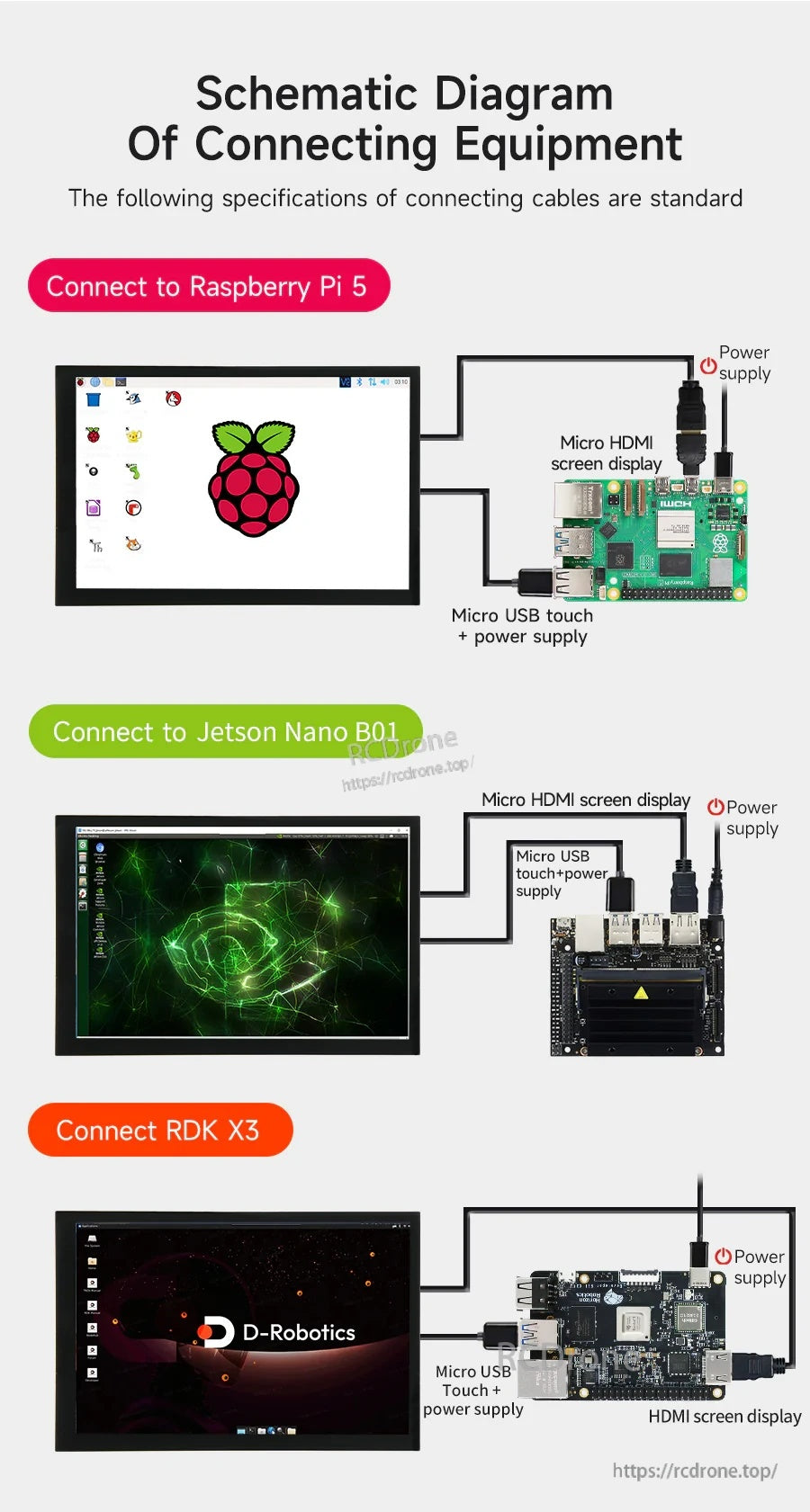
지원되는 시스템에서 비디오용 HDMI와 터치 및 5V 전원용 Micro USB를 연결하여 간단하고 드라이버가 필요 없는 설정을 제공합니다.
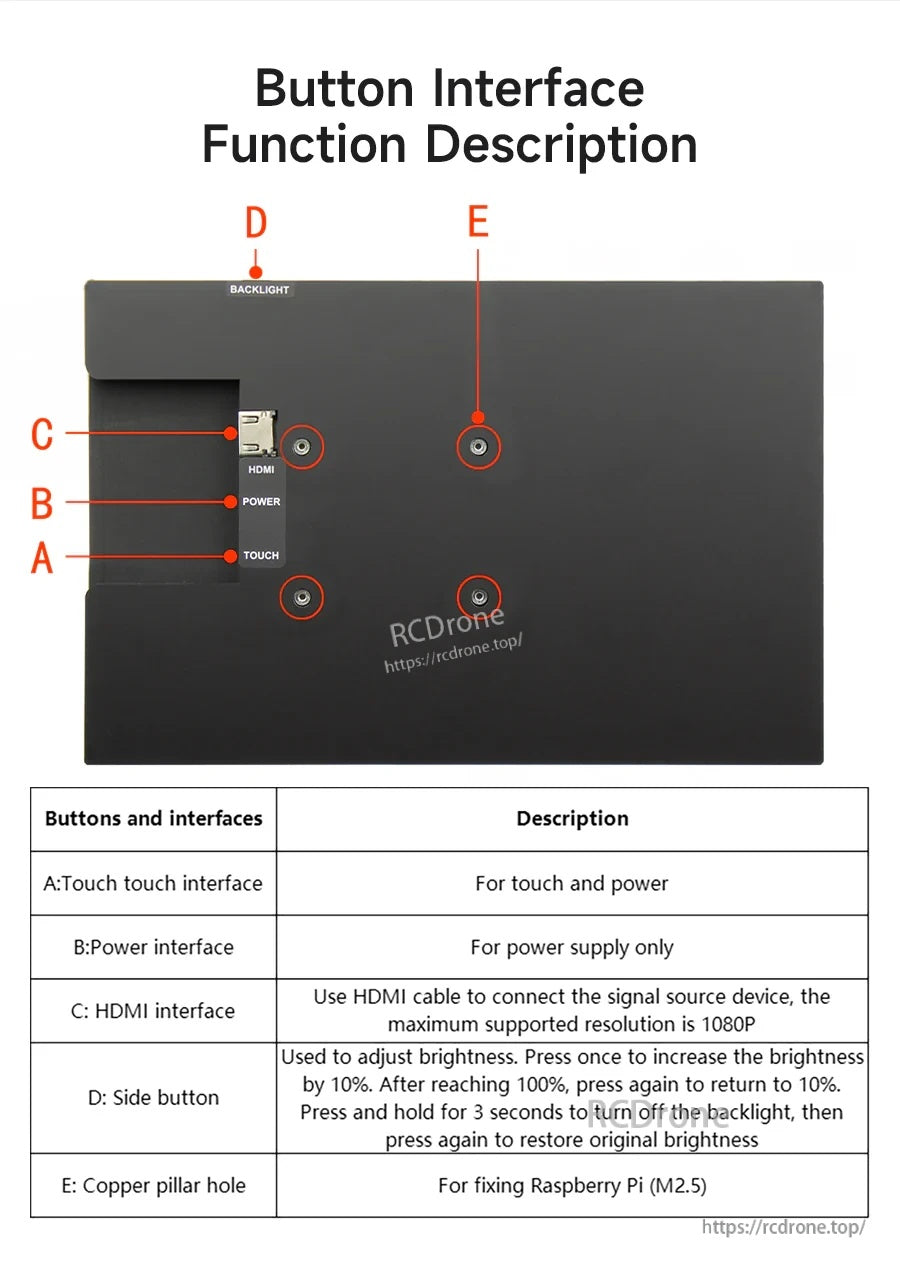
후면 포트에는 터치 및 전원용 Micro USB와 HDMI가 포함되어 있으며, 백라이트 밝기 조정을 위한 전용 버튼이 있습니다.
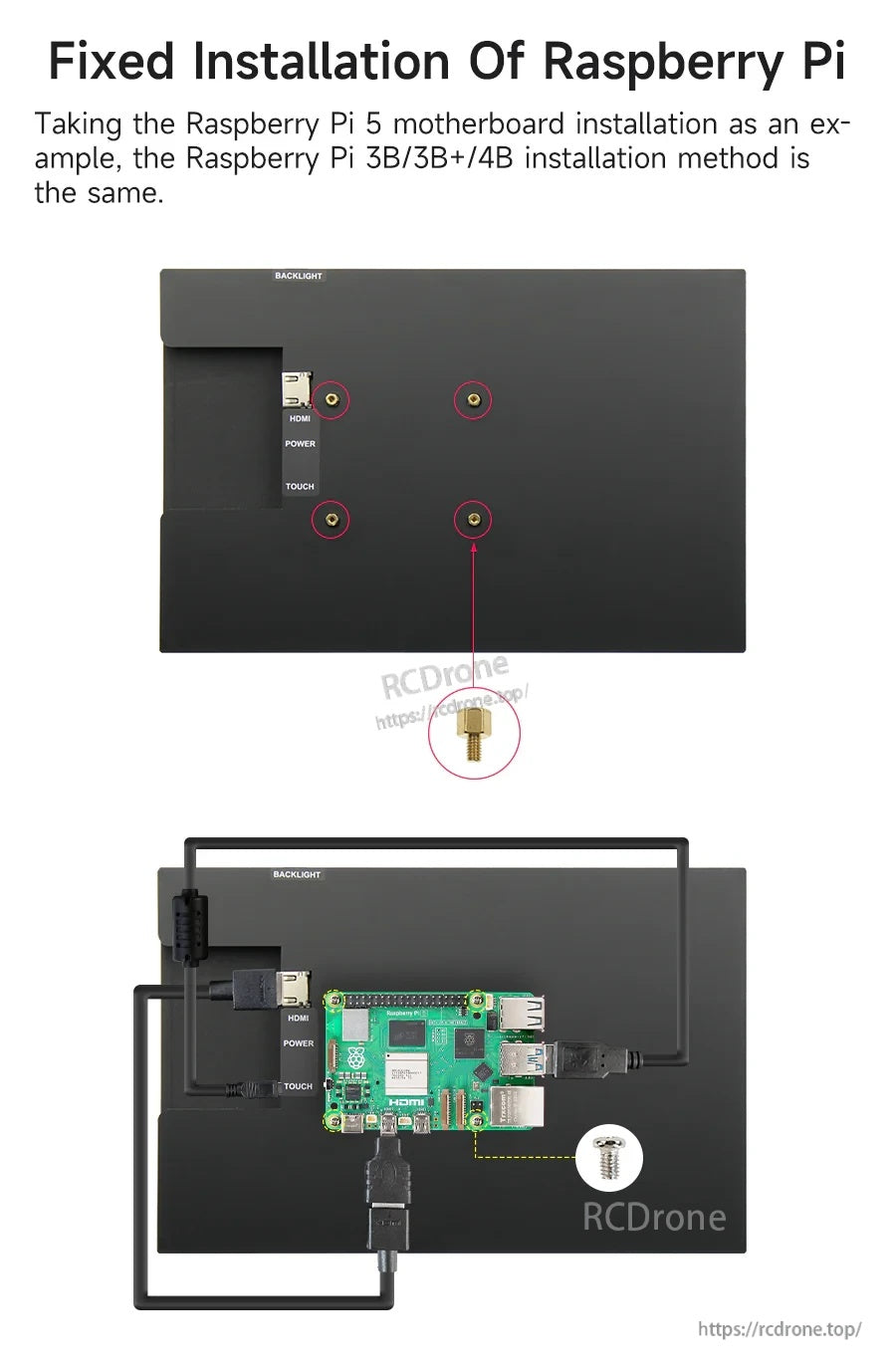
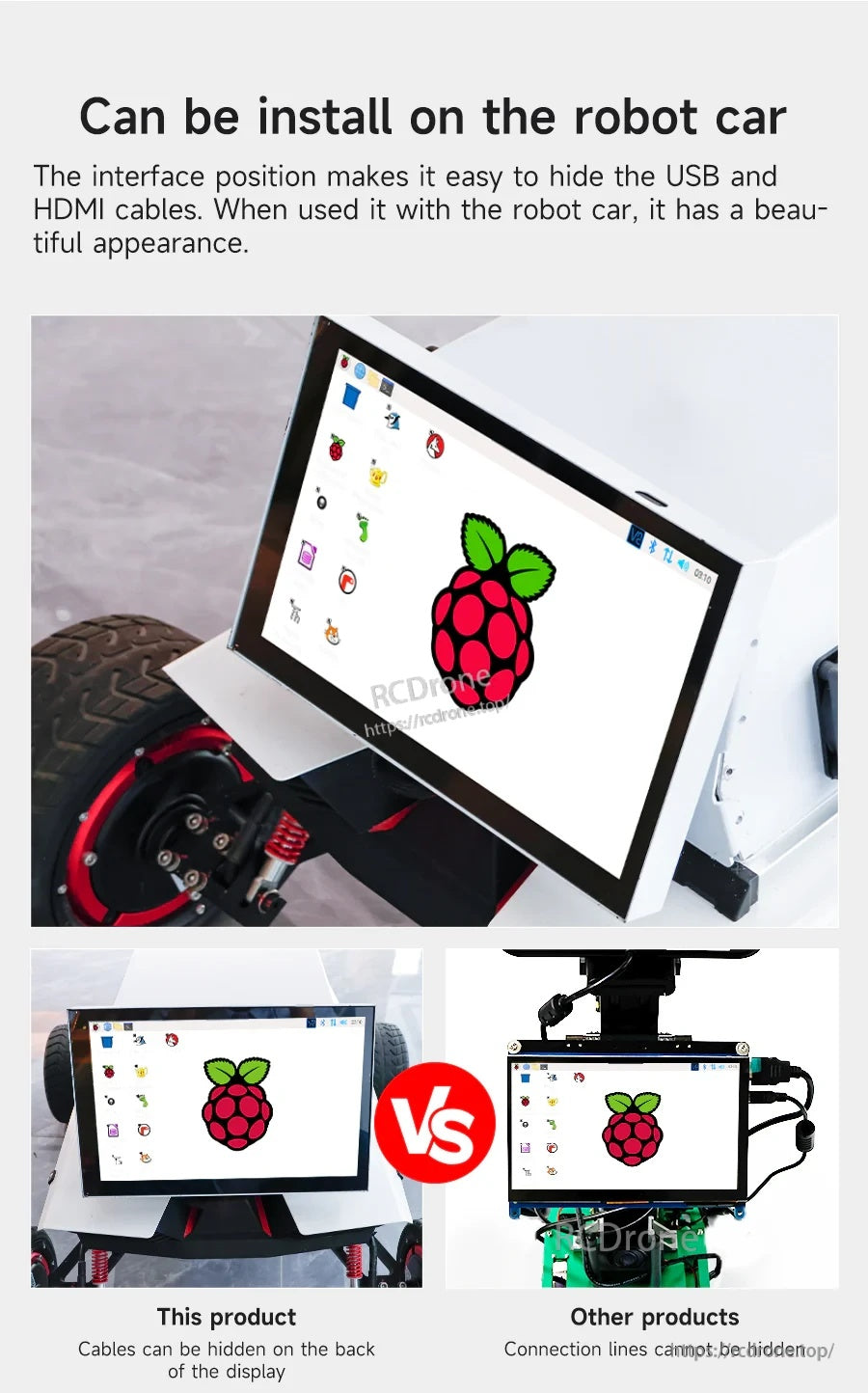
후면의 케이블 정리 공간은 로봇 및 임베디드 프로젝트를 위한 빌드를 깔끔하게 유지하는 데 도움이 됩니다.
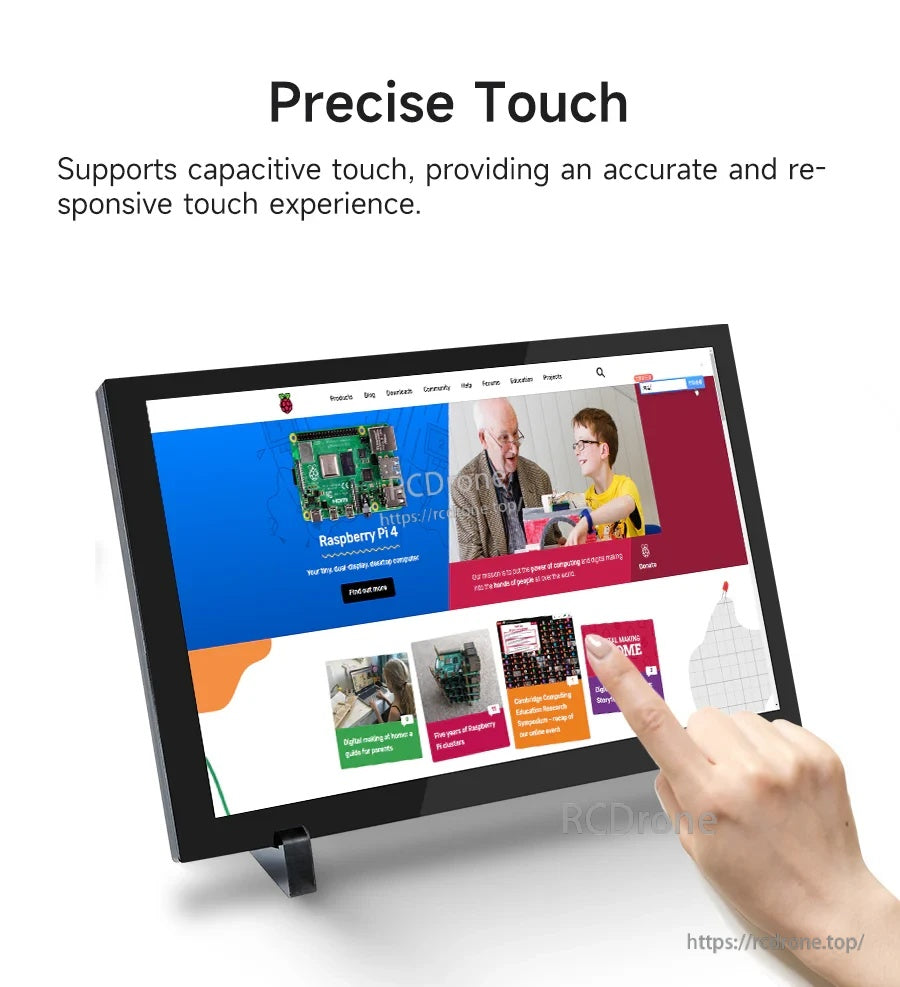
정전식 패널은 대화형 프로젝트 및 데스크탑 사용을 위한 정확하고 반응이 빠른 터치 제어를 제공합니다.
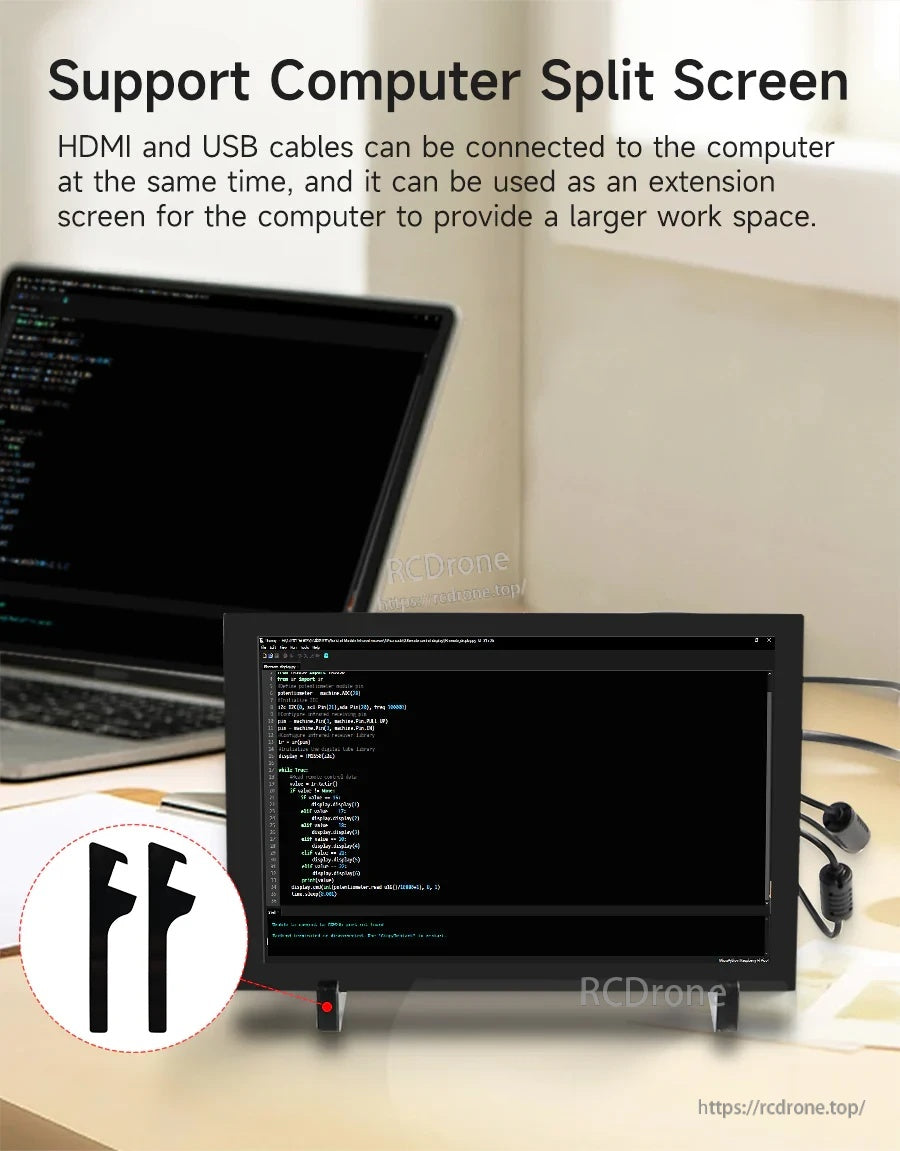
디스플레이용 HDMI와 터치 제어용 USB를 연결하여 분할 화면 워크플로우를 위한 보조 모니터로 사용할 수 있습니다.
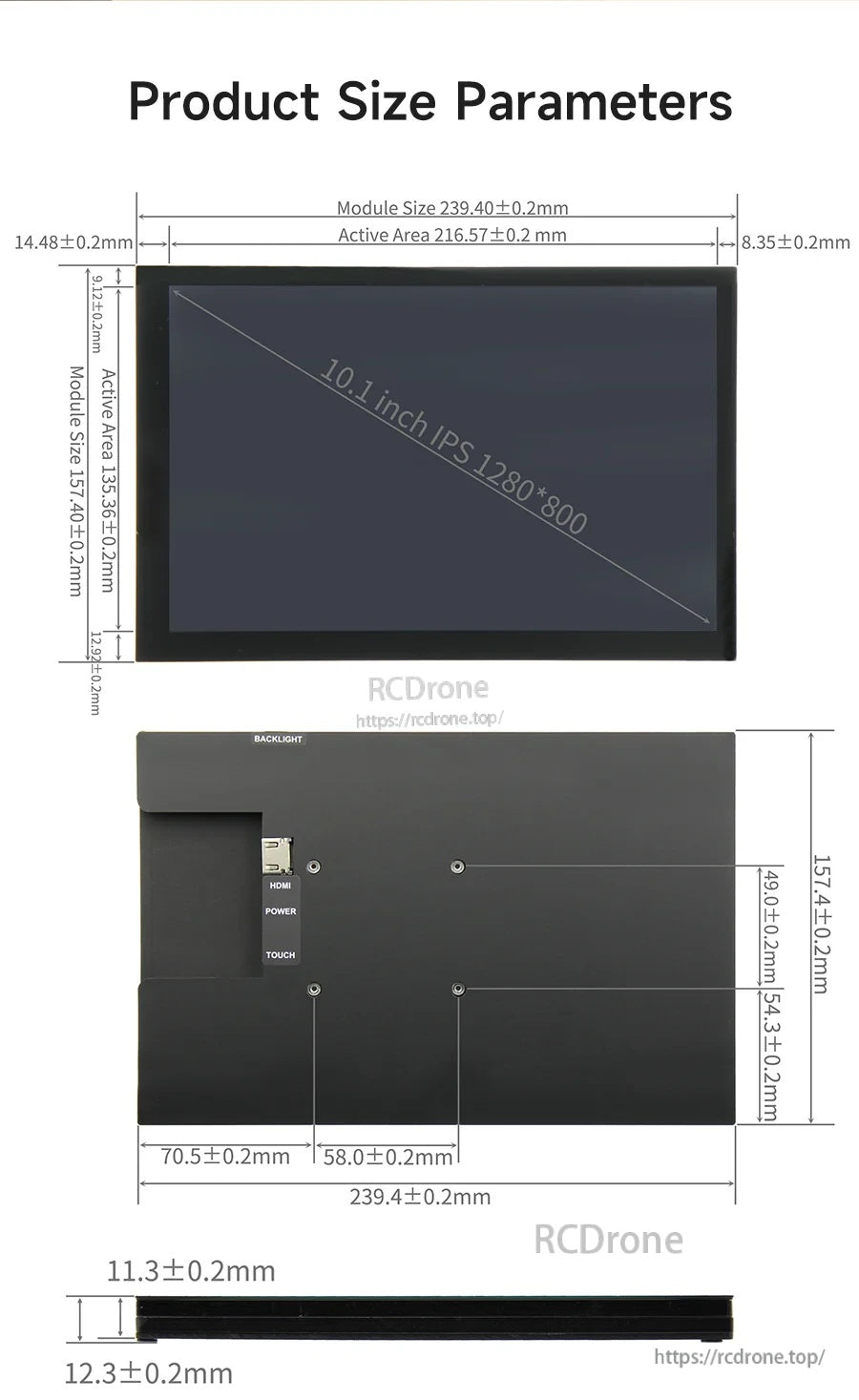
상세한 치수는 설치 전에 인클로저, 키오스크 및 맞춤형 마운트에 적합한지 확인하는 데 도움이 됩니다.
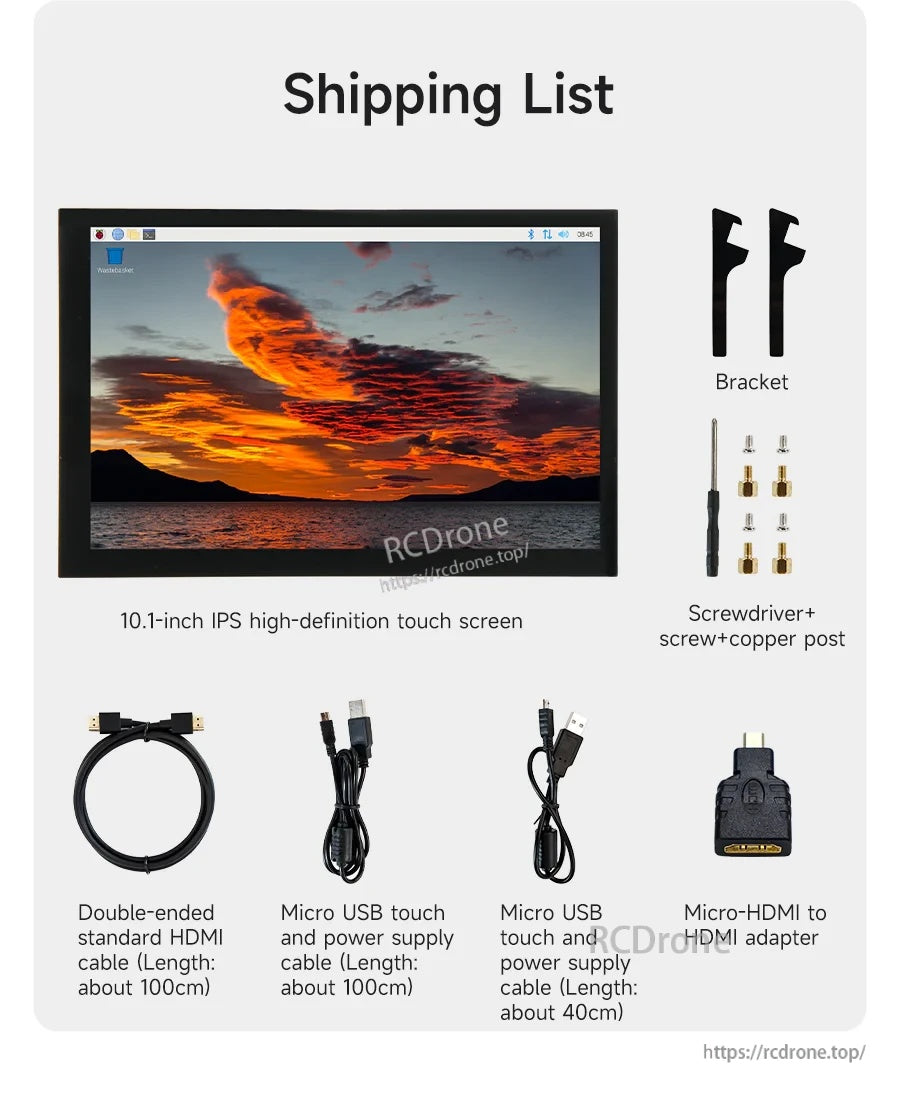
시작에 필요한 모든 것: 터치스크린, 브래킷, 케이블 및 일반적인 Raspberry Pi 설치를 위한 장착 하드웨어.