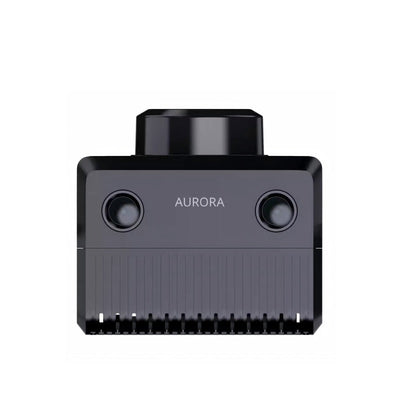
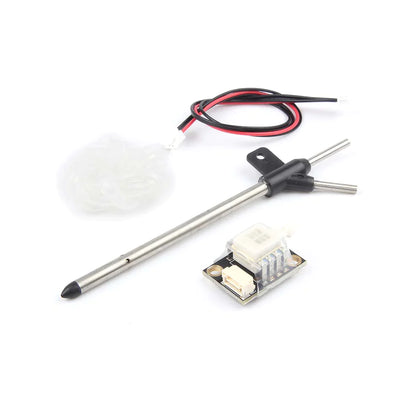
PALMSLAM Ręczny skaner LiDAR do mapowania 2D SLAM & Nawigacja, microROS WiFi-UDP, opcjonalny LiDAR
PALMSLAM Ręczny skaner LiDAR do mapowania 2D SLAM & Nawigacja, microROS WiFi-UDP, opcjonalny LiDAR
Yahboom
Nie udało się wczytać dostępności odbioru


Przegląd
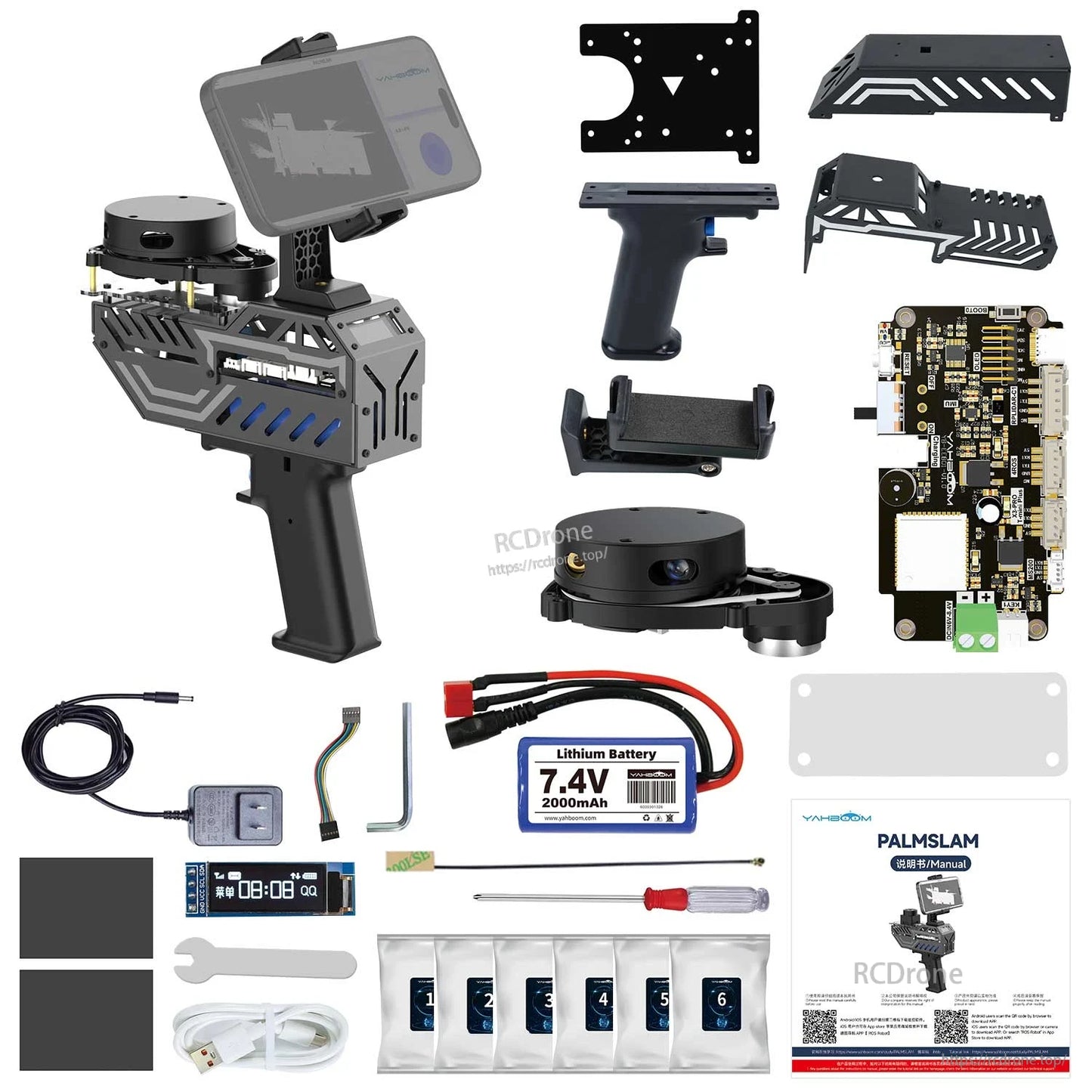
PALMSLAM to ręczny skaner LiDAR do mapowania 2D i nawigacji. Obsługuje mapowanie w czasie rzeczywistym i pomiar odległości poprzez trzymanie urządzenia, podczas gdy dane LiDAR są przesyłane bezprzewodowo do hosta za pomocą rozwiązania microROS do podglądu na maszynie wirtualnej lub aplikacji mobilnej.
PALMSLAM integruje płytkę rozszerzeń LiDAR z procesorem ESP32 oraz wbudowanym sześciokierunkowym IMU. IMU monitoruje postawę chwytu w czasie rzeczywistym, pomagając utrzymać urządzenie w poziomie podczas mapowania dla uzyskania danych o wyższej precyzji, a także umożliwia przełączanie oparte na nachyleniu między różnymi modelami LiDAR.
W przypadku pytań przed sprzedażą i wsparcia w zamówieniach, skontaktuj się z [email protected] or odwiedź https://rcdrone.top/.
Kluczowe cechy
- Mapowanie w czasie rzeczywistym z wyświetlaniem na maszynie wirtualnej i/lub aplikacji mobilnej.
- Kompatybilny z wieloma lidarami (LiDAR opcjonalny): YDLIDAR X3 Pro, YDLIDAR 4ROS, SLAM C1, T-mini Plus, MS200.
- komunikacja bezprzewodowa microROS przy użyciu WiFi-UDP między PALMSLAM a hostem (maszyna wirtualna/komputer).
- Zintegrowany sześciokierunkowy IMU do stabilnego monitorowania postawy mapowania i ostrzegania o przechyleniu (alarm dźwiękowy; kąt przechylenia alarmu można ustawić przez użytkownika).
- Przechyl w lewo/prawo, aby przełączyć modele LiDAR; powrót do centrum wskazuje, że przełączenie było udane.
- Wyświetlacz informacji OLED (przykładowy ekran: “Wybierz Lidar”, “LIDAR: TminiPlus” oraz odczyt odległości, taki jak “Dis: 1.680”).
- Regulacja uchwytu na telefon komórkowy: regulacja obrotu 360° i regulacja kąta nachylenia 180°.
- Wbudowany akumulator: 7.4V 2000mAh; czas pracy do 4 godzin; akumulator wykorzystuje ogniwa litowe 18650.
- System ROS2: opracowany z ROS2 humble (ROS2-Humble).
- Obsługuje symulację RViz w celu wizualizacji danych lidar i licznika podczas SLAM/mapowania.
Specyfikacje
| Produkt | Ręczny skaner LiDAR PALMSLAM |
| Obsługiwane modele LiDAR (opcjonalnie) | YDLIDAR X3 Pro; T-mini Plus; SLAM C1; MS200; YDLIDAR 4ROS |
| Komunikacja bezprzewodowa | microROS WiFi-UDP |
| Procesor pokładowy | Procesor ESP32 (wbudowane Wi-Fi i Bluetooth) |
| IMU | Wbudowany sześciuosiowy IMU |
| Ostrzeżenie o przechyleniu | Alarm dźwiękowy; kąt przechylenia alarmu można ustawić przez użytkownika |
| Wyświetlacz | OLED (używany do wyświetlania odległości/modelu/stanu) |
| Akumulator | 7.4V 2000mAh |
| Czas pracy | Do 4 godzin |
| Ogniwa baterii | Ogniwa baterii litowo-jonowej 18650 |
| Regulacja uchwytu na telefon | Regulacja obrotu 360°; regulacja kąta nachylenia 180° |
| System/oprogramowanie | ROS2 humble (ROS2-Humble); wspiera wiele metod mapowania, w tym Gmapping i Cartographer |
| Wspomniane opcje hosta | Maszyna wirtualna PC; Raspberry Pi 5; Jetson Nano; RDK X5; Płytka rozwojowa RDK |
| Uwaga | System Mac nie jest wspierany |
Płytka rozszerzeń LiDAR (Interfejsy & Kontrola)&
- Interfejs antenowy
- Buzzer
- Interfejs ładowania baterii
- Przycisk zasilania
- Przycisk resetowania
- Wbudowany sześciokierunkowy IMU
- Interfejs ekranu OLED
- Przycisk BOOT i przycisk niestandardowy
- Port szeregowy typu C
- Interfejs zasilania (DCIN 6V-8.4V)
- Przycisk 1
- Interfejs Lidar MS200
- Interfejs Lidar YDLIDAR X3 PRO / T-mini Plus
- Interfejs Lidar YDLIDAR 4ROS
- Interfejs Lidar SLAMC1
Uwagi dotyczące obsługi (z dostarczonego procesu)
- Ręczne pomiary LiDAR: informacje o odległości przed lidar są wyświetlane na OLED; gdy odległość jest mniejsza niż wartość ustawiona, uruchamiane jest ostrzeżenie dźwiękowe.
- Szybkie kroki mapowania: (1) Włącz urządzenie (2) Przechyl w lewo lub w prawo, aby wybrać poziom alarmu antywstrząsowego i model LiDAR (3) Skonfiguruj IP, połącz się z proxy i rozpocznij budowanie mapy na maszynie wirtualnej (4) Rozpocznij ręczne mapowanie.
- Tryb WiFi-UDP: po połączeniu z proxy WiFi-UDP maszyny wirtualnej/komputera, maszyna wirtualna może subskrybować tematy publikowane przez MicroROS bez fizycznego połączenia z PALMSLAM; obie powinny być widoczne w tym samym segmencie sieci.
Porównanie różnych urządzeń mapujących (Tabela ocen)
| Element | PALMSLAM | Bezpośrednie połączenie z komputerem do mapowania | Mapowanie robota |
|---|---|---|---|
| Mistrz | Nie jest potrzebny żaden mistrz, zdalne sterowanie maszyną wirtualną PC | PC/Raspberry Pi i inne urządzenia ARM jako mistrz | PC/Raspberry Pi i inne urządzenia ARM jako mistrz |
| Metoda połączenia Lidar i mistrza | komunikacja bezprzewodowa microROS | Bezpośrednie połączenie sprzętowe | Bezpośrednie połączenie sprzętowe |
| Rozwiązanie komunikacji Lidar | komunikacja WiFi-UDP | komunikacja szeregowa | komunikacja szeregowa |
| Opłacalność (ocena wizualna) | 5/5 | 4/5 | 3/5 |
| Elastyczność (ocena wizualna) | 5/5 | 3/5 | 4/5 |
| Metoda mapowania | Operacja jest prosta i elastyczna, nieograniczona przez środowisko, a mapowanie można zakończyć, poruszając ręcznym skanerem lidar | Nieporęczna operacja, konieczność poruszania się z komputerem PC, aby zakończyć mapowanie | Złożona operacja, konieczność kontrolowania ruchu pojazdu, aby zakończyć mapowanie |
Co jest w zestawie
- Ręczne urządzenie PALMSLAM (z wybraną opcją LiDAR lub bez LiDAR)
- Akcesoria instalacyjne dla pięciu lidarów (pakiet kolumny miedzianej/śrub) są dostarczane nawet w wersji standardowej (bez LiDAR)
Zastosowania
- Mapowanie 2D SLAM i rozwój nawigacji
- Mapowanie w czasie rzeczywistym za pomocą ręcznego urządzenia z podglądem w aplikacji mobilnej
- Uczenie się ROS2 (humble), demonstracje i weryfikacja algorytmów (w tym wizualizacja RViz)
Instrukcje
- Samouczki/Dokumentacja: http://www.yahboom.net/study/PALMSLAM
Szczegóły
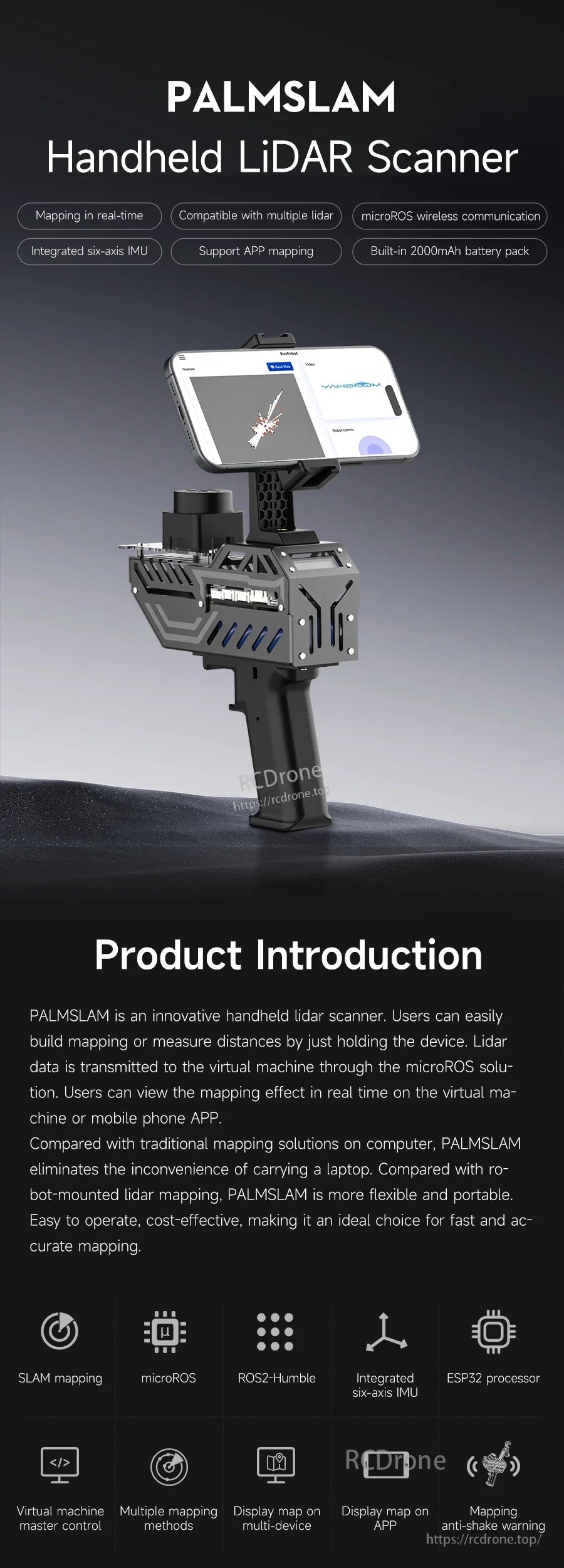
PALMSLAM jest stworzony do ręcznego mapowania 2D SLAM, przesyłając dane LiDAR bezprzewodowo do podglądu na hoście lub aplikacji mobilnej.
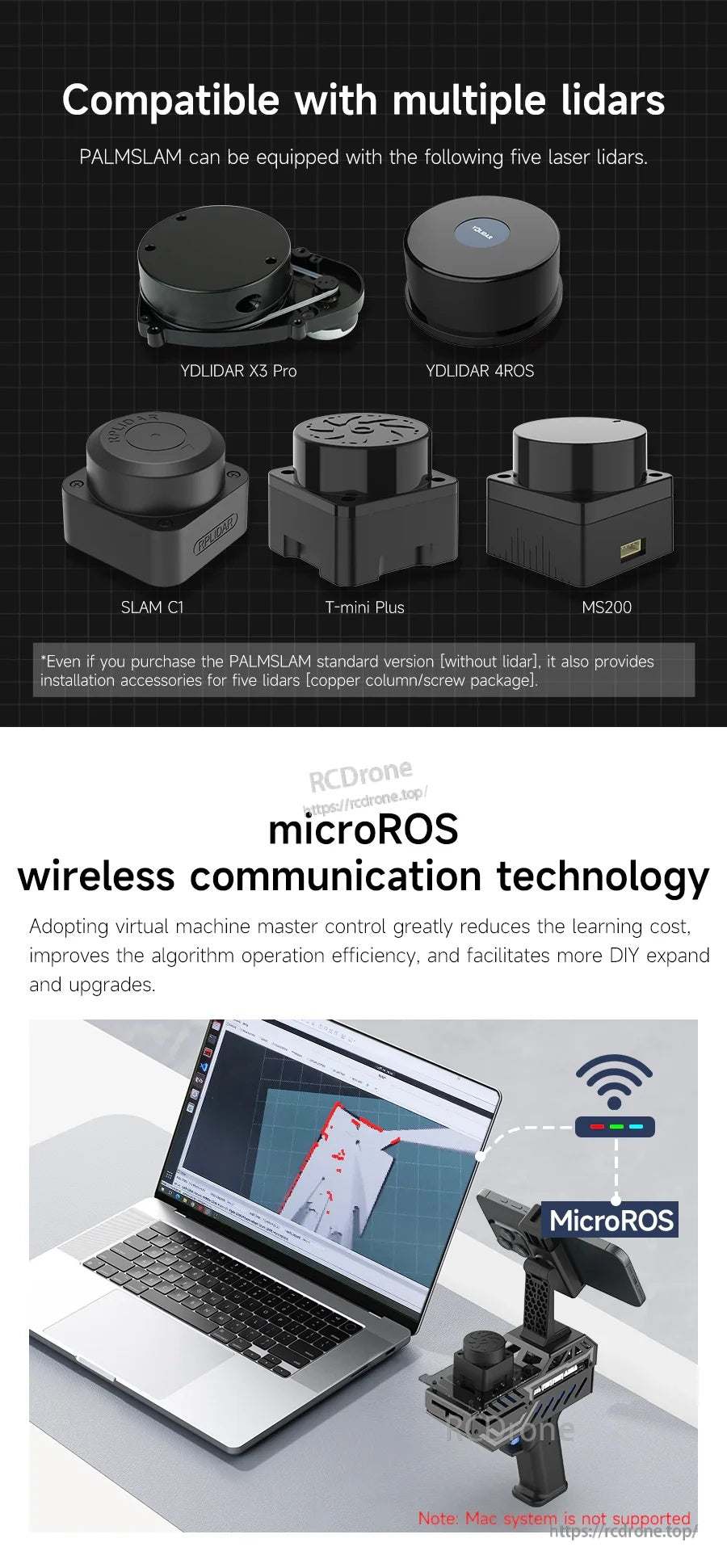
Wybierz spośród kilku opcjonalnych modeli LiDAR, a następnie wyślij dane skanowania do hosta za pośrednictwem microROS przez WiFi-UDP w celu mapowania na żywo.
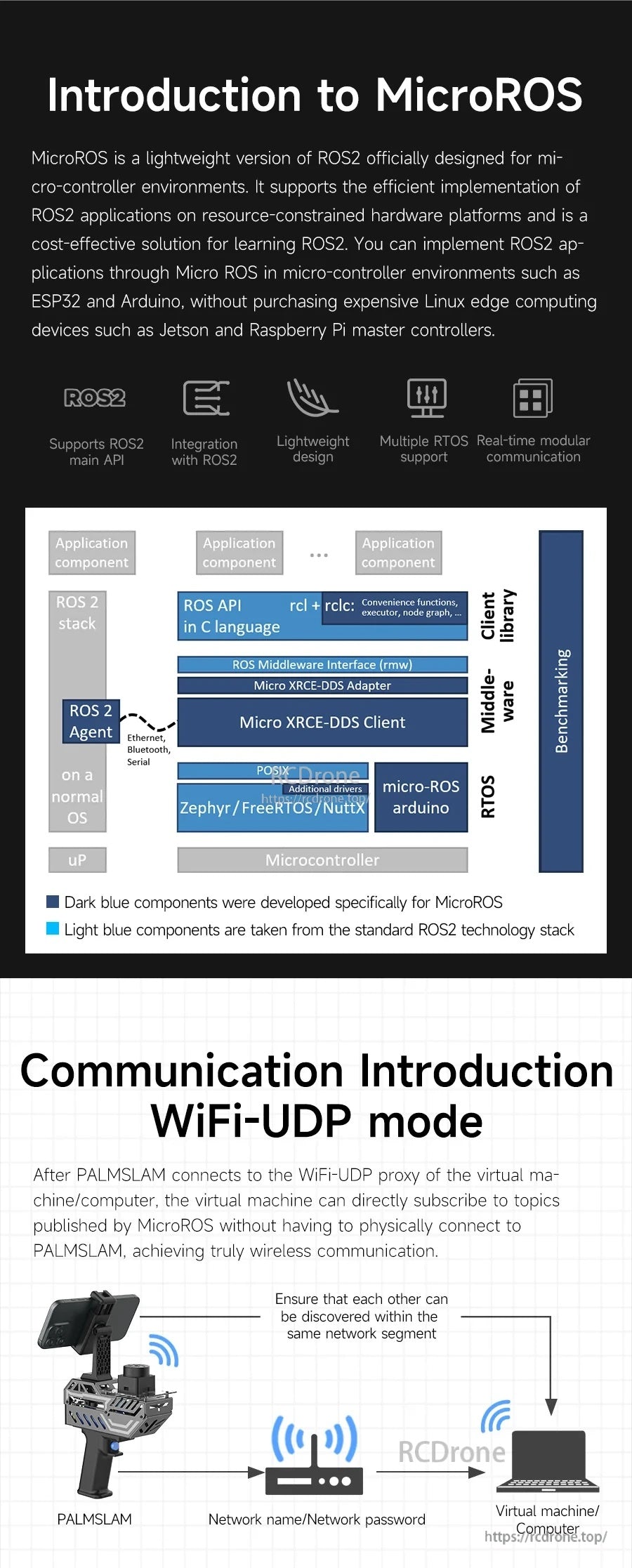
microROS łączy PALMSLAM i hosta przez WiFi-UDP, utrzymując konfigurację lekką, a jednocześnie pasującą do przepływów pracy ROS2.
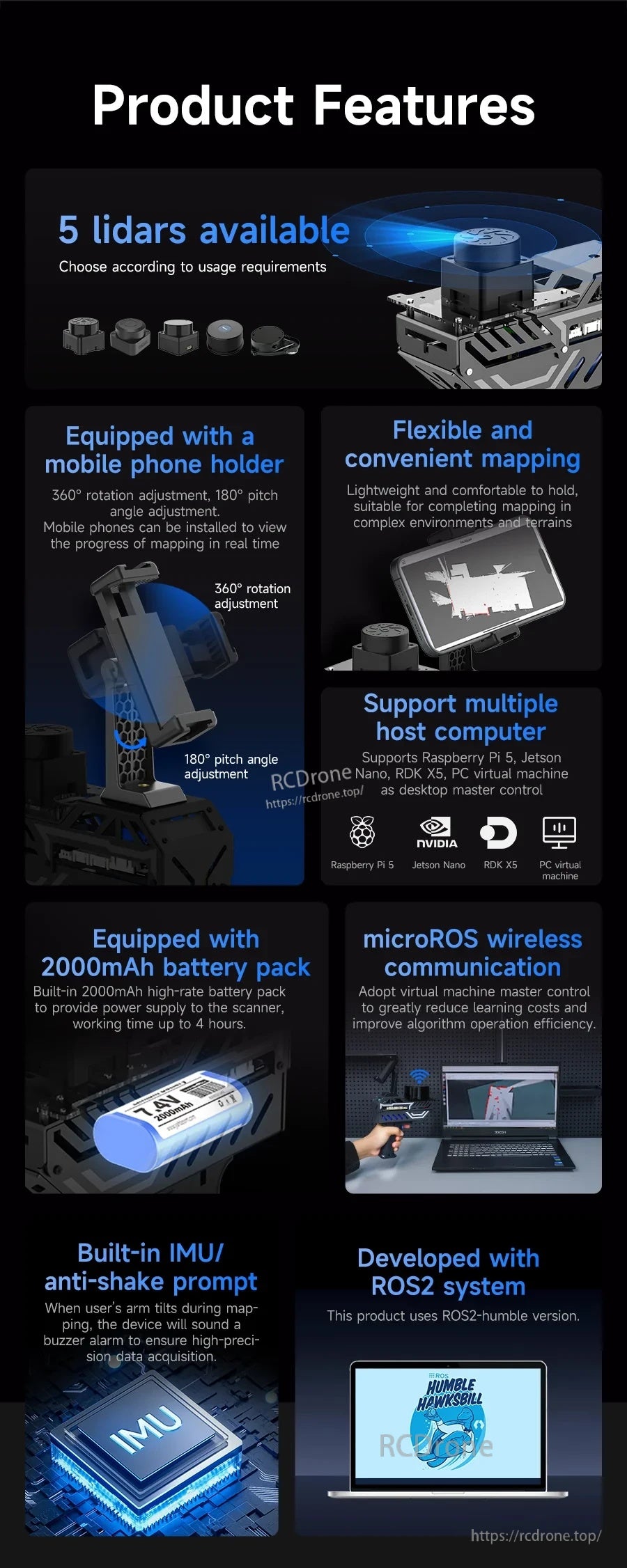
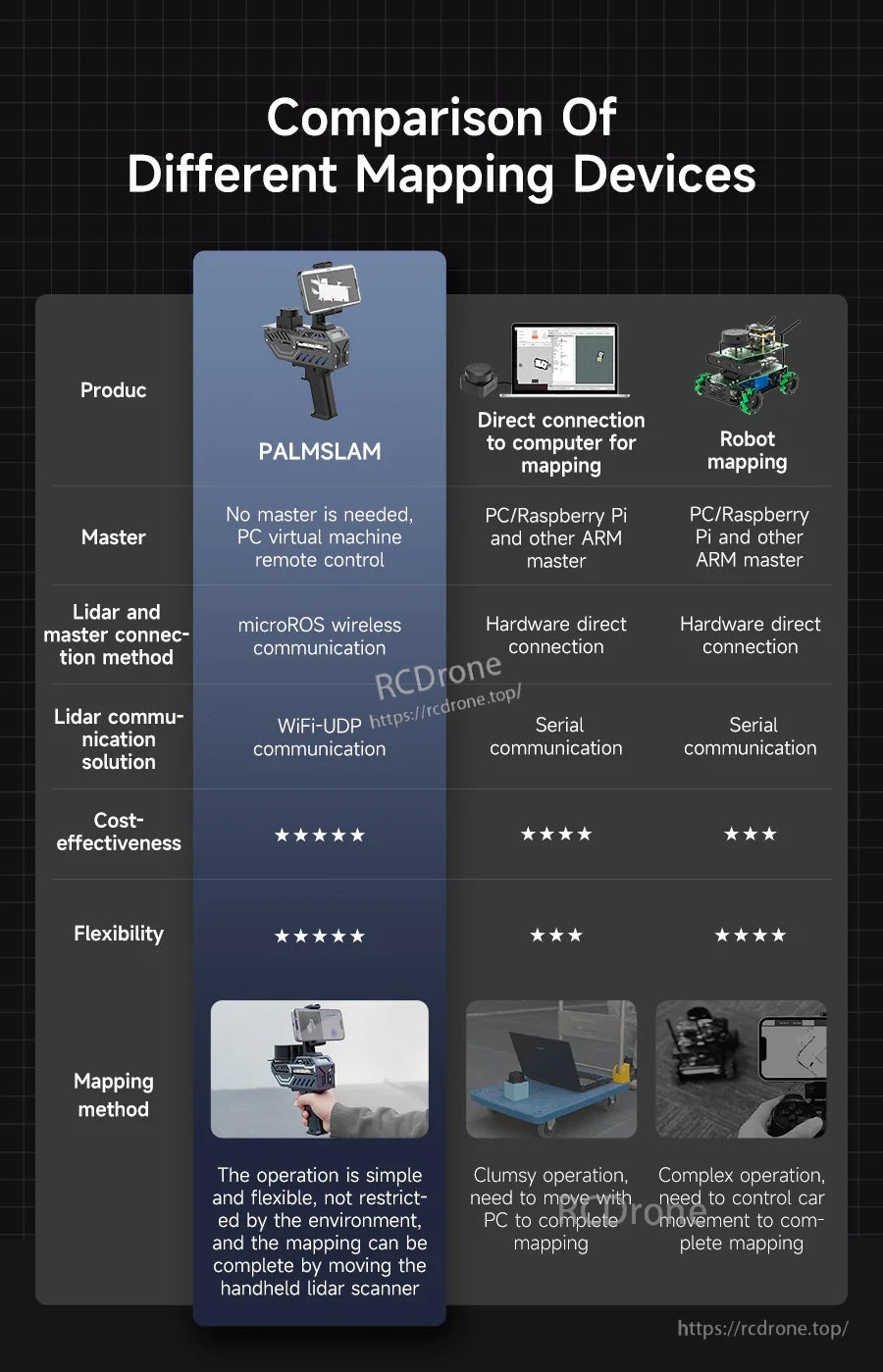
Praca w trybie ręcznym zmniejsza ilość kabli i utrzymuje elastyczność mapowania w porównaniu z bezpośrednio podłączonymi robotami lub konfiguracjami LiDAR.
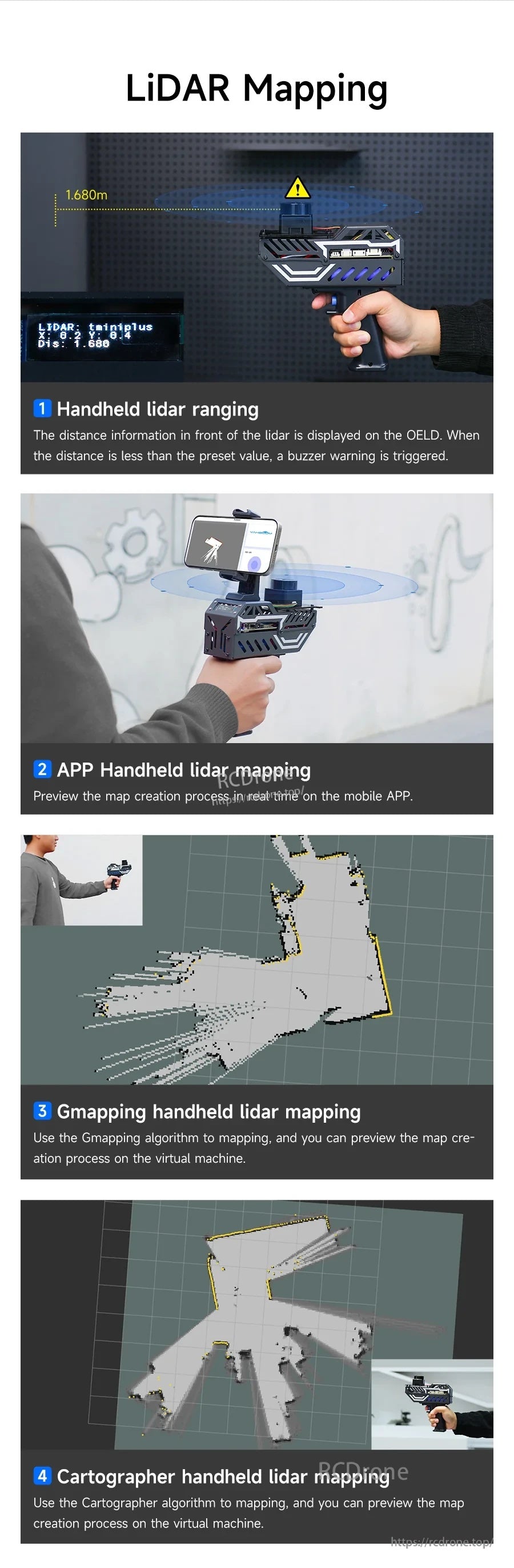
Obsługiwanych jest wiele metod mapowania, w tym Gmapping i Cartographer, z podglądem w czasie rzeczywistym podczas pracy.
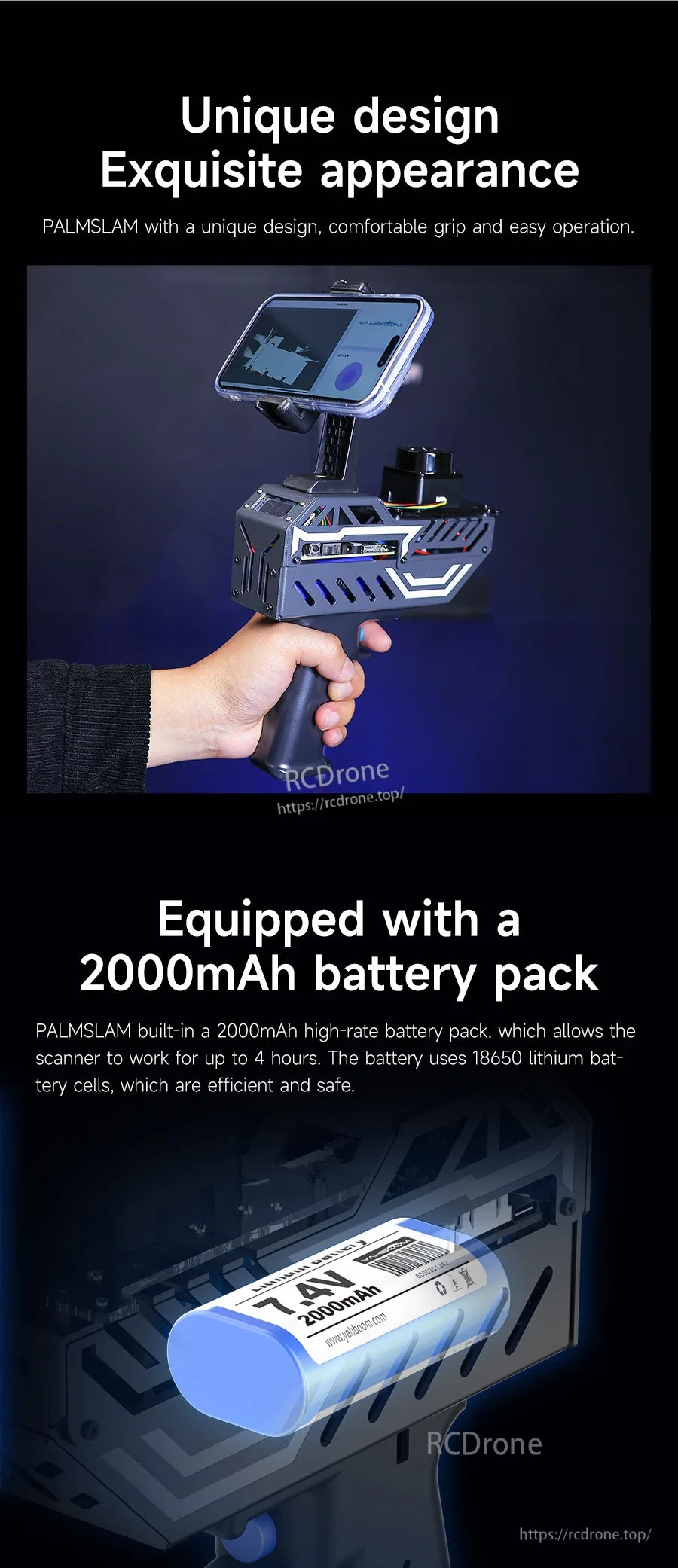
Wygodna obudowa z uchwytem w kształcie pistoletu współpracuje z zintegrowanym akumulatorem 7.4V 2000mAh, co pozwala na dłuższe sesje.
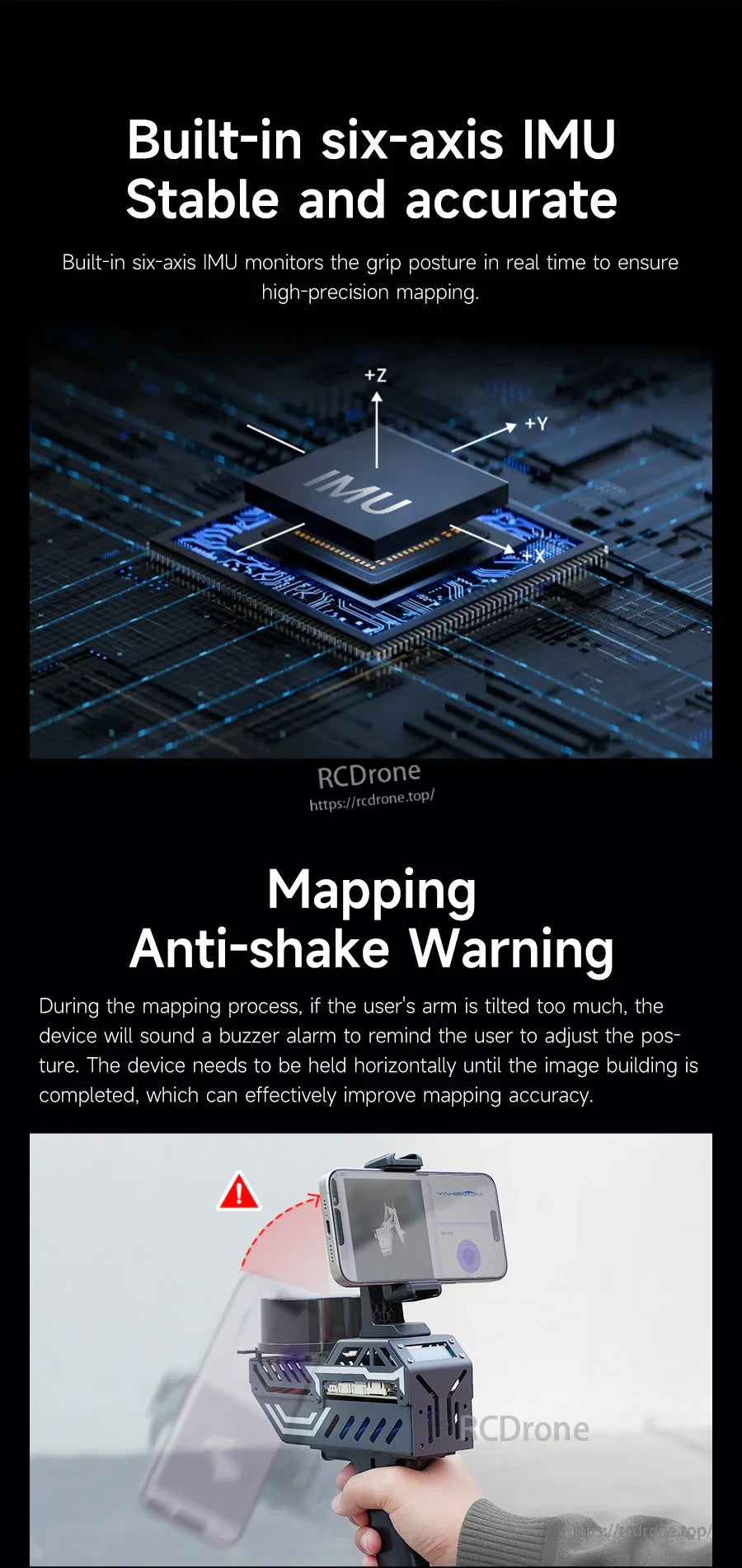
IMU sześciu osi monitoruje postawę i uruchamia sygnał ostrzegawczy, gdy przechylenie przekracza ustawiony przez użytkownika kąt.
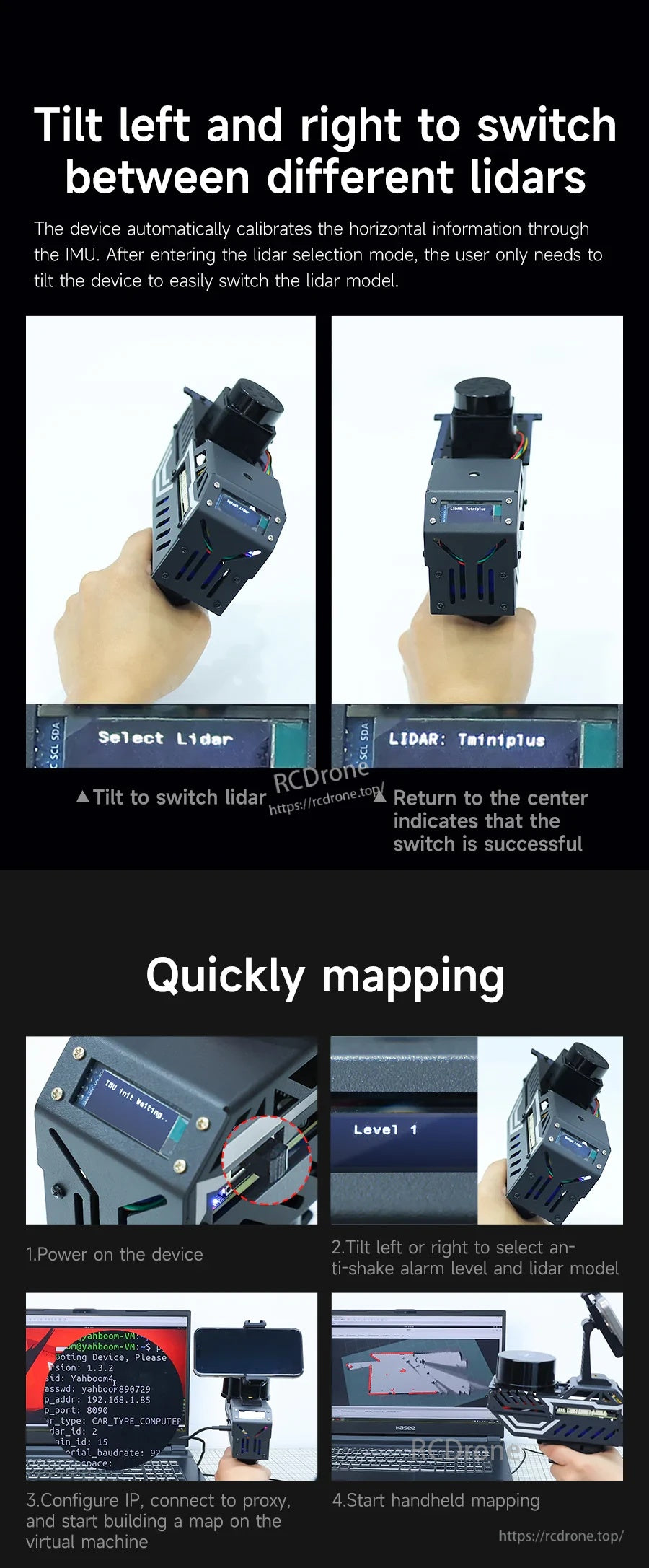
Przełączaj między profilami LiDAR, przechylając w lewo lub w prawo, a następnie wróć do środka, aby potwierdzić na wyświetlaczu OLED.
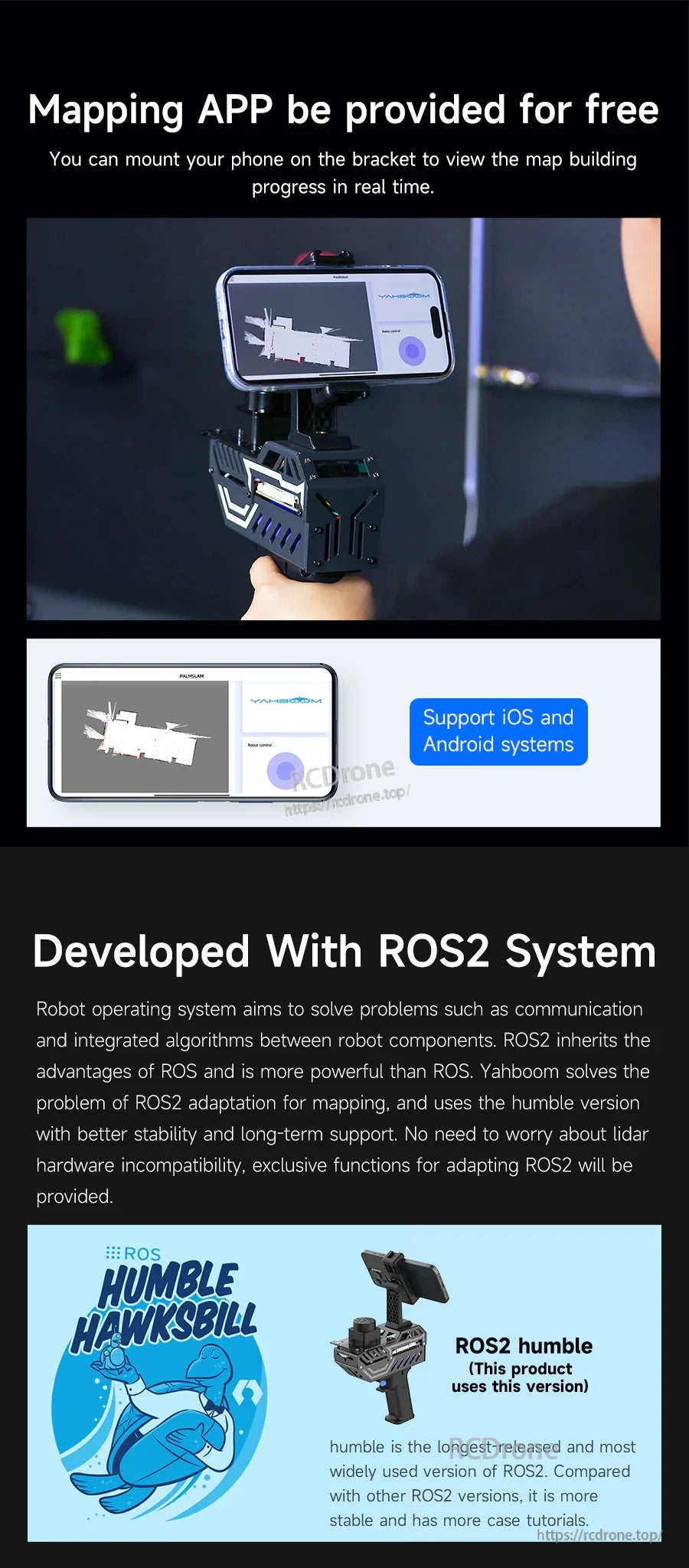
Mobilne mapowanie jest dostępne na iOS i Android, a system jest rozwijany na ROS2 Humble dla projektów ROS2.
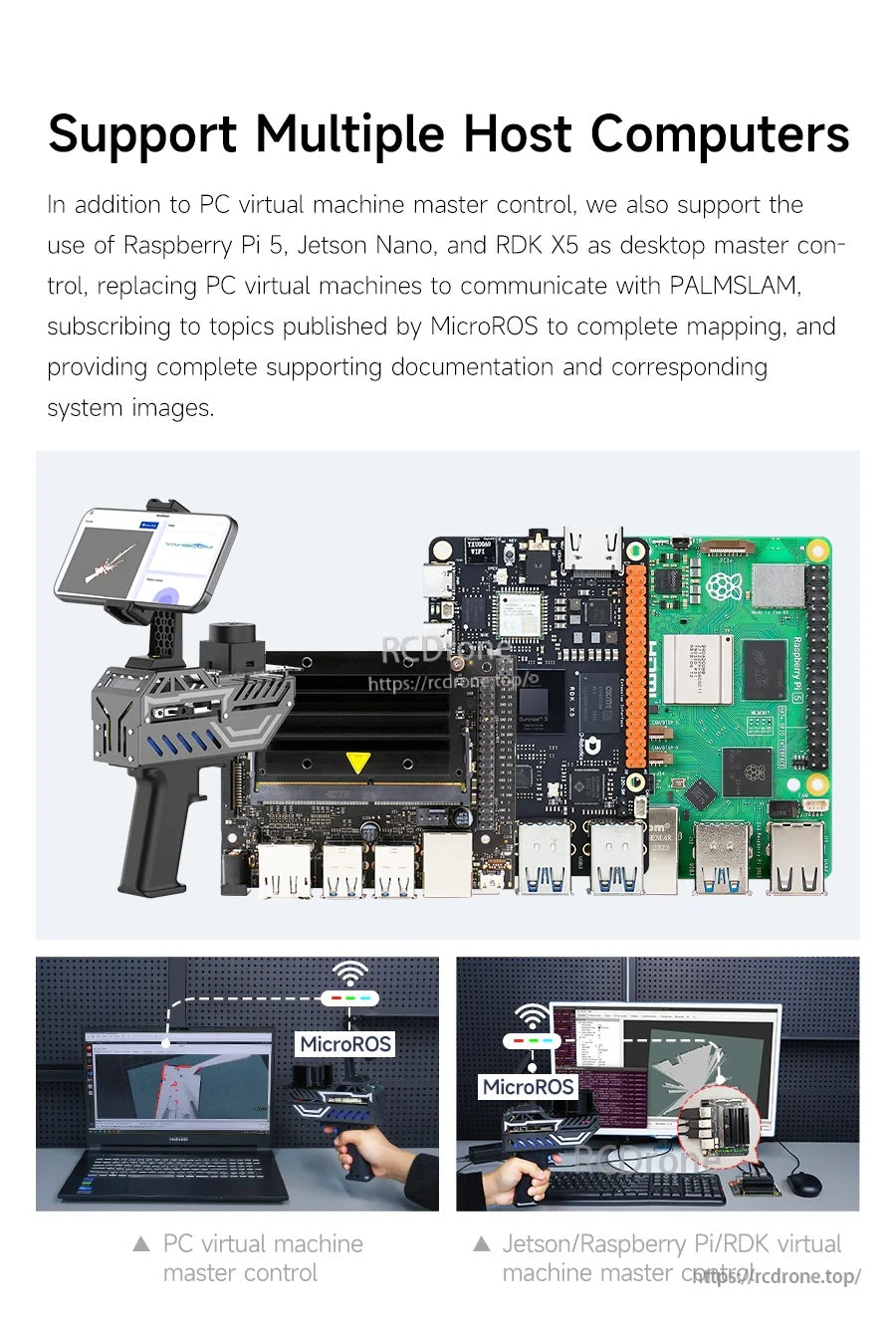
PALMSLAM może łączyć się z różnymi hostami - od maszyny wirtualnej PC po Raspberry Pi 5 lub Jetson - do przetwarzania SLAM.
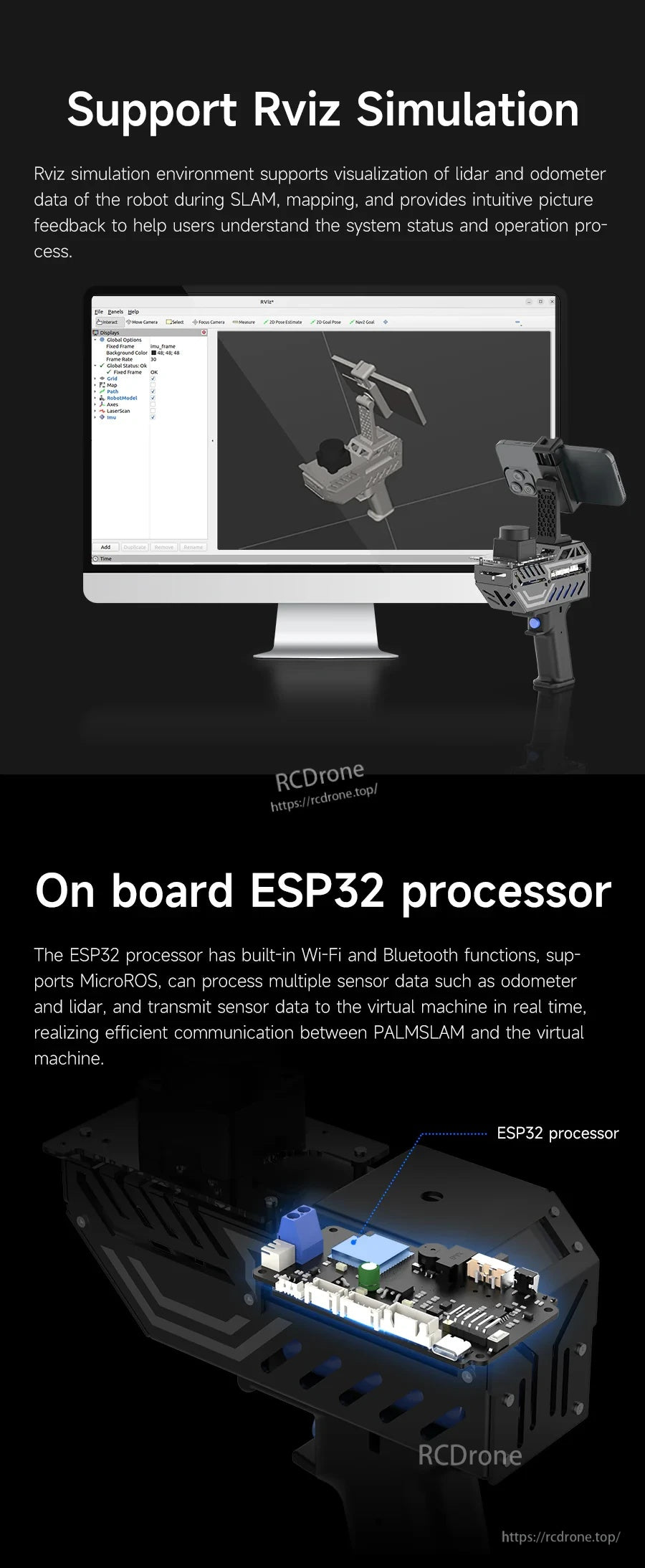
Użyj RViz do wizualizacji danych LiDAR i odometrii, podczas gdy wbudowany ESP32 obsługuje komunikację bezprzewodową.
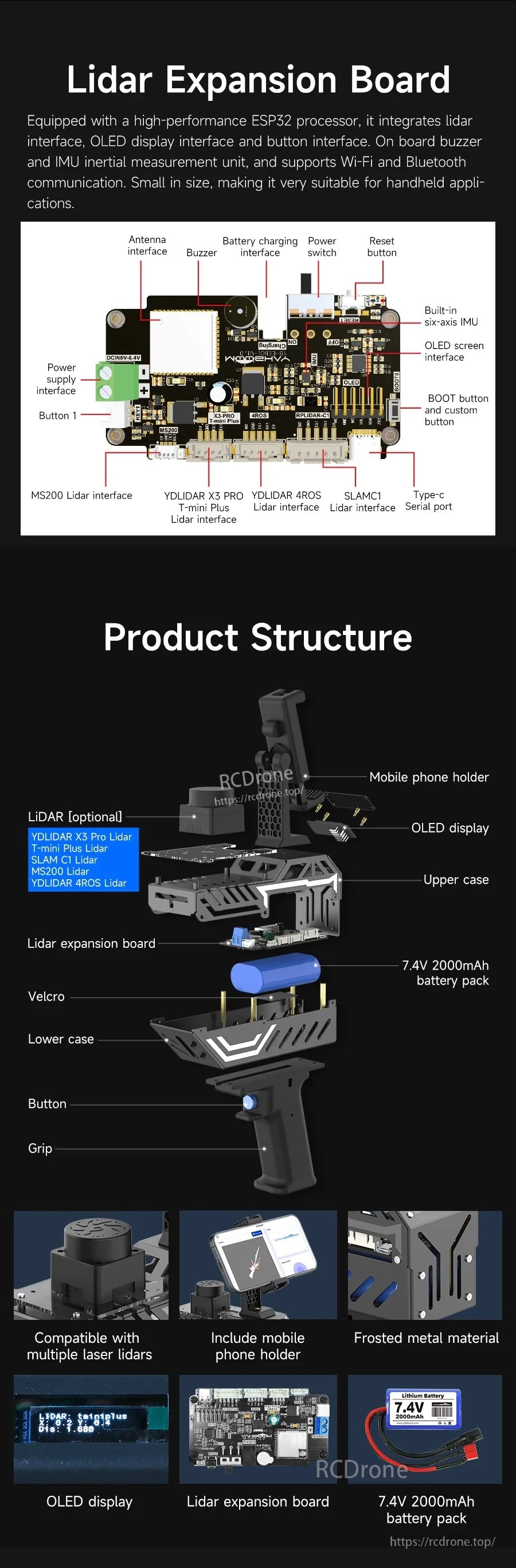
Modularna struktura koncentruje się na płycie rozszerzeń LiDAR, z wbudowanym wyświetlaczem OLED, IMU i akumulatorem.
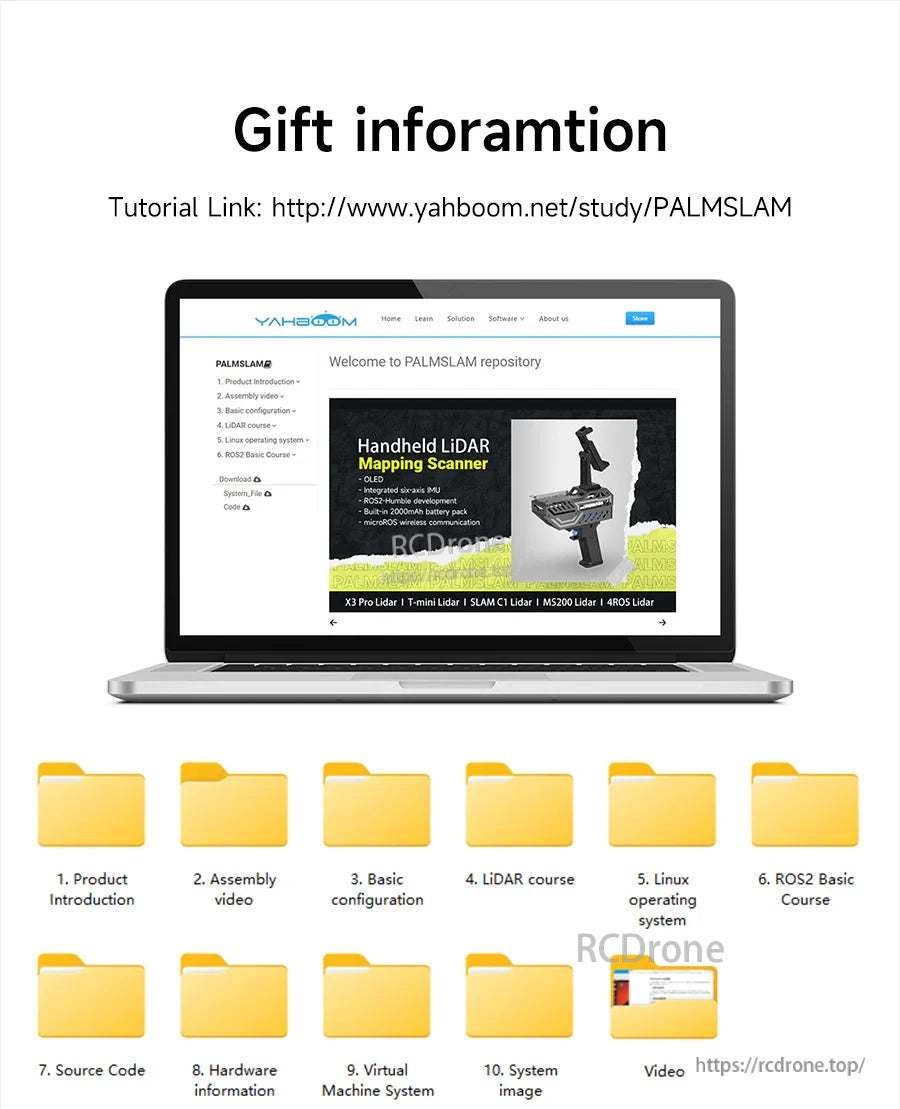
Dokumentacja i materiały edukacyjne są dostarczane, aby pomóc w montażu, konfiguracji i rozpoczęciu pracy w ROS2.
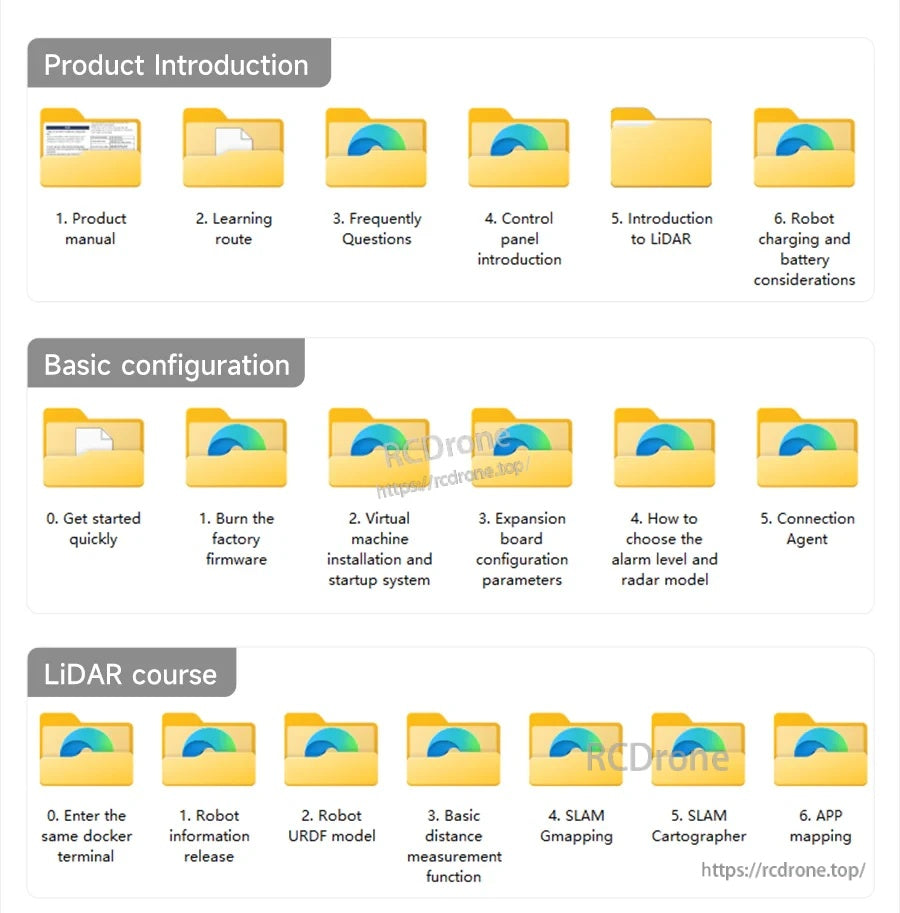
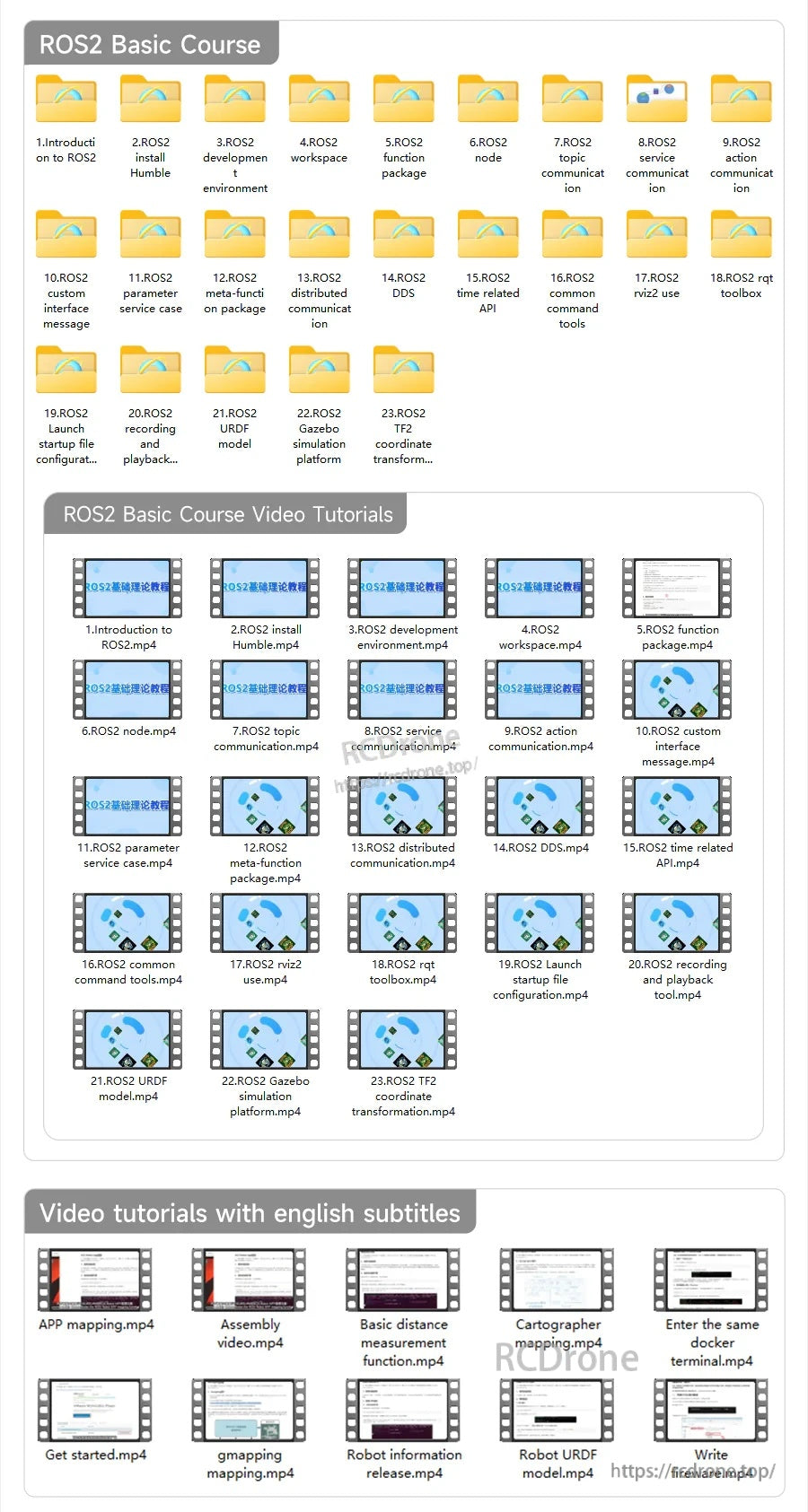
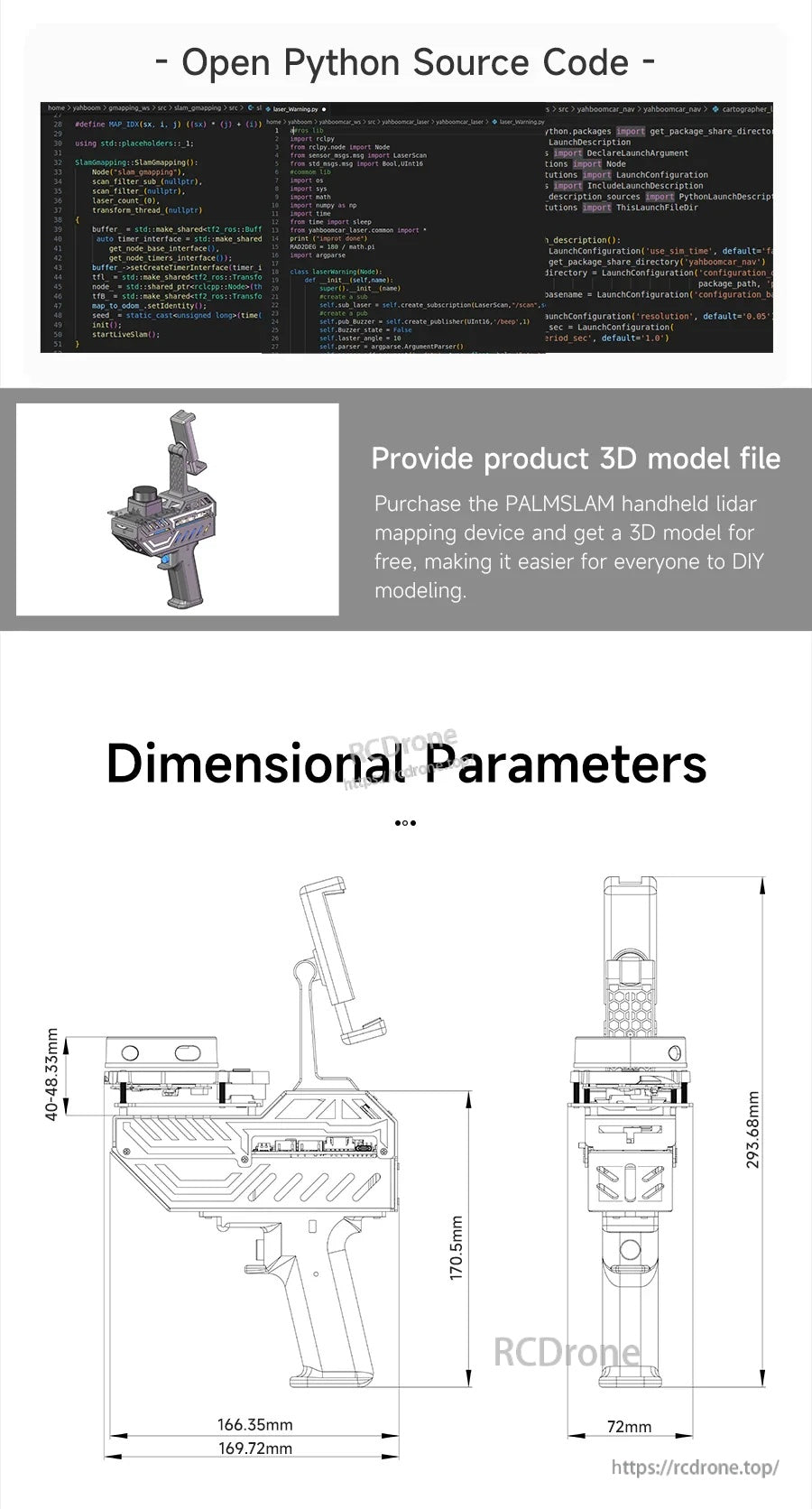
Otwarte zasoby kodu źródłowego, plik modelu 3D produktu oraz rysunki wymiarowe wspierają integrację i budowy DIY.
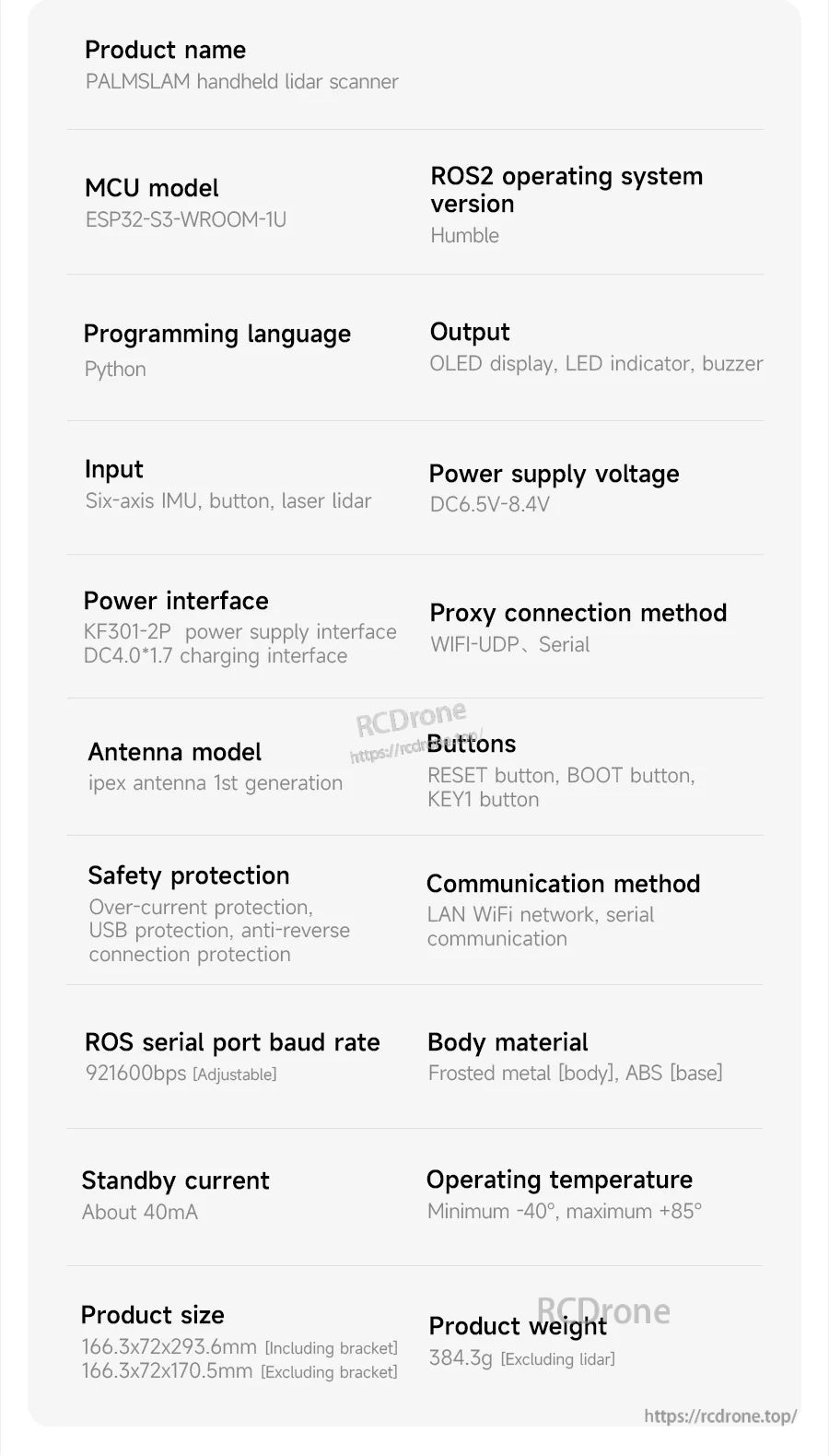
Specyfikacje ręcznego skanera LiDAR PALMSLAM wymieniają MCU ESP32-S3-WROOM-1U, wsparcie ROS2 Humble, programowanie w Pythonie oraz łączność WiFi-UDP/serial.
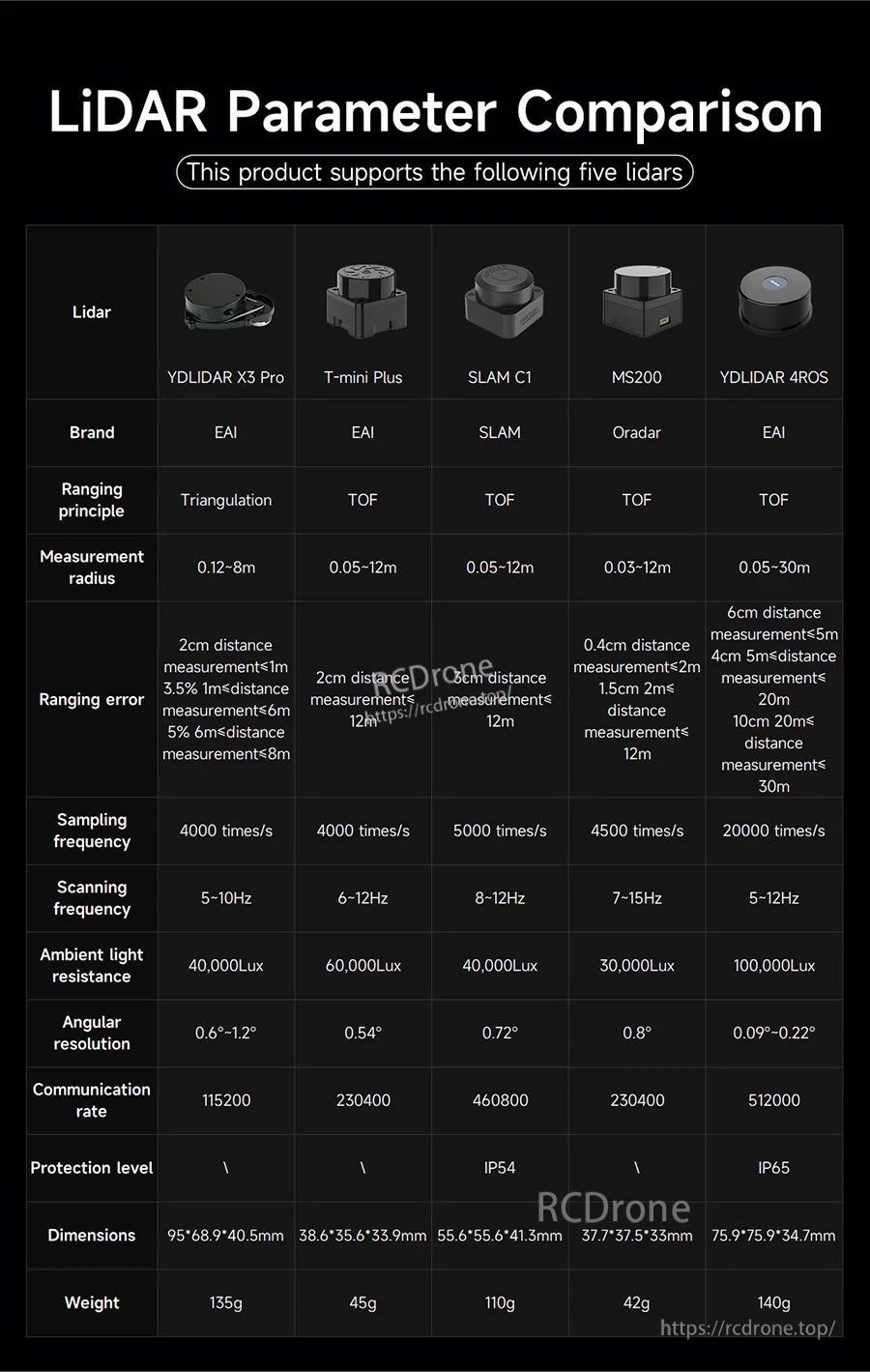
Ręczny skaner SLAM PALMSLAM obsługuje pięć opcji LiDAR, z zakresami pomiarowymi od 8 m do 30 m oraz prędkościami komunikacji szeregowej do 512000 baud.
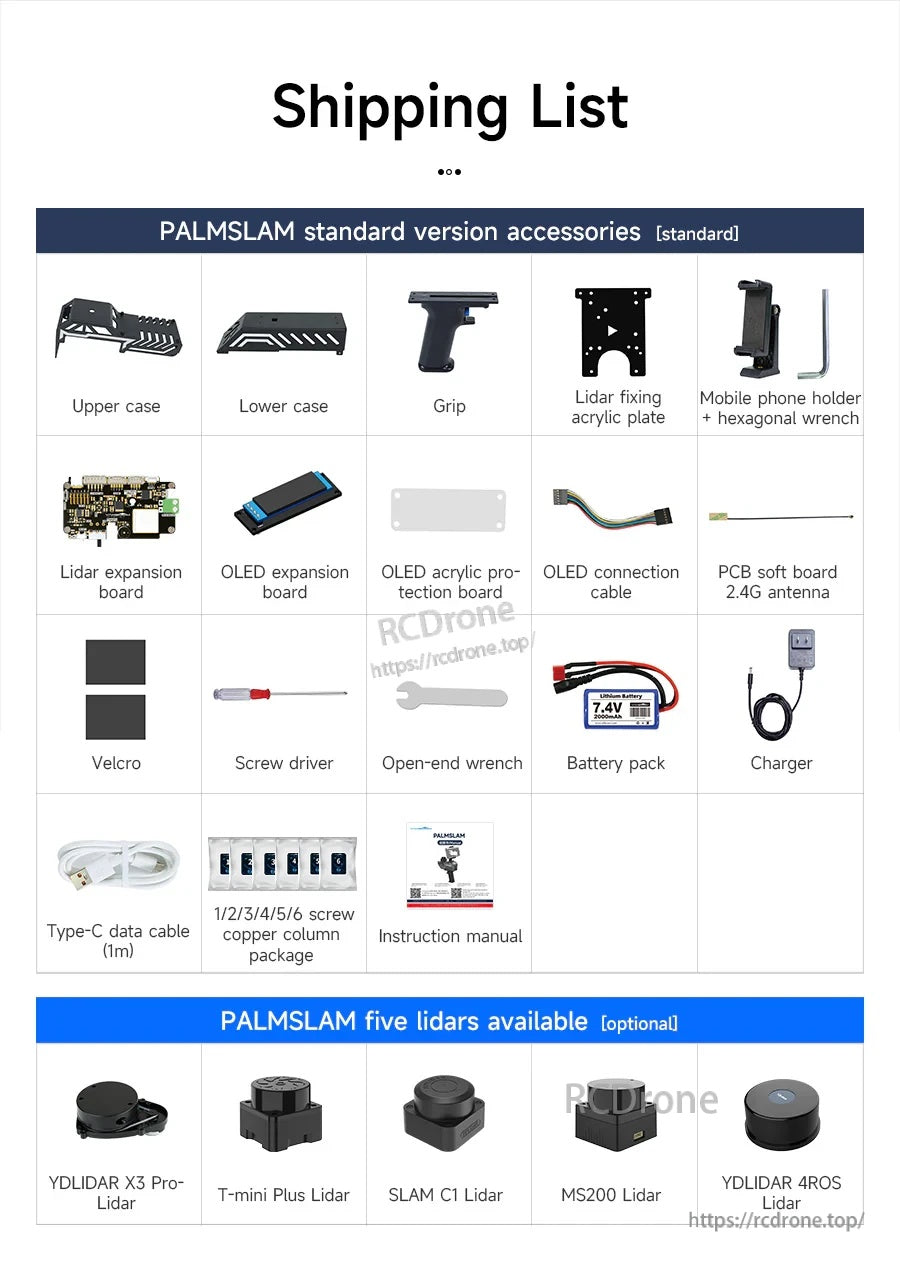
PALMSLAM jest dostarczany z standardowymi akcesoriami, takimi jak górne/dolne obudowy, uchwyt, płyta montażowa, płyty OLED, akumulator, ładowarka, kable i podstawowe narzędzia do konfiguracji.