


MAD MAX2 140A HV 2-4S Brushless Sensored ESC, Bluetooth APP, 6.0/7.4/8.4V BEC for 1/10 RC Car
MAD MAX2 140A HV 2-4S Brushless Sensored ESC, Bluetooth APP, 6.0/7.4/8.4V BEC for 1/10 RC Car
MAD
Couldn't load pickup availability


Overview
MAD MAX2 140A HV 2-4S brushless sensored ESC for 1/10 RC model car use. Supports sensor or sensorless square-wave control of brushless motors, with built-in Bluetooth for mobile APP parameter setting, data reading, and firmware upgrade.
Key Features
- Continuous current: 140A (with PWM-cycle current limiting to reduce pulse-current impact on the motor)
- Battery / power input: 2~4S LiPo (DC power supply use requires considering discharge and power recovery capability)
- Built-in Bluetooth: adjust ESC parameters, upgrade firmware, and observe motor operation data (data log + real-time data) via mobile APP
- BEC (switchable via mobile APP): 6.0V / 7.4V / 8.4V; 5A continuous, 10A short-term
- Fan control: fan turns on when temperature > 55C; turns off when temperature < 50C; fan power is cut if large current abnormality occurs
- Cooling design text: fan intelligent start/stop function (auto start at set temperature to reduce noise)
- Real-time recording: built-in real-time data recording functionality through the mobile APP
- Turbo timing: available (max support 26)
- Protection: low voltage, over voltage, throttle loss, abnormal braking, over temperature, etc.
- Waterproof level: IP67 (all-weather operation capability)
- XC BUS / X.BUS protocol: supports real-time control of ESC and reading operation data through bus (for automation/robot control or other programmed control)
For setup support or compatibility questions, contact https://rcdrone.top/ or email [email protected].
Specifications
| Model | MAX 2 140A |
| Brand | MAD |
| Continuous current | 140A |
| Power supply | 2~4S LiPo |
| Recommended motor | Sensor or sensorless square wave control of brushless motors |
| Max electric speed | 240,000rpm |
| BEC voltage | 6.0V / 7.4V / 8.4V (switchable via mobile APP) |
| BEC current | 5A continuous, 10A short-term |
| BEC (image text) | 5A~10A Max |
| Fan control | On: temperature > 55C; Off: temperature < 50C; fan power off during large current abnormality |
| Fan notes | Fan powered by BEC; if fan short-circuit current occurs, power is cut and recovers in 1 second |
| Bluetooth | APP parameter adjustment; APP firmware upgrade; motor operation data observation (data log + real-time data) |
| Turbo | Max support 26 |
| Waterproof level | IP67 |
| Working environment temperature | -20~65C |
| Dimensions | 52.80(L) x 39.80(W) x 35.30(H) mm |
| Size (image text) | 52.8 x 39.8 x 35.3 mm |
| Weight | 118g (with wire) / 118g (wiring harness included) |
| Power/Motor cable (image text) | 12AWG / 4.0mm Golden Plug |
| Mounting (drawing text) | 38.00; 2-M2.50 |
| Motor speed note | Electrical speed = Mechanical speed x Number of pole pairs = KV value x Bus voltage x Number of pole pairs (when pole pairs = 1, electrical speed equals mechanical speed) |
Configurable Items (via APP)
| Item | Range / Options | Default |
| Running mode | Forward with brake / Forward&Reverse and Brake / Forward with reverse | Forward&Reverse and Brake |
| LipoCells | Auto / 2~4S | Auto |
| BEC voltage | 6.0V / 7.4V / 8.4V | 6V |
| Cutoff Voltage | Disabled / 2.9~3.6V | 3.2V |
| Motor Rotation | Forward / Reverse | Forward |
| Max.Brake Force | 0~100% | 60% |
| Max.Reverse Force | 0~100% | 25% |
| Punch | 0~12 level | 6 level |
| Drag Brake Force | 0~100% | 0% |
| Turbo Timing | 0~26 degree | 26 degree |
| Turbo Delay | 0~1S | 1s |
| Initial PWM | 1~10% | 5% |
| Motor Pole Pairs | 1~64 | 2 |
| Communication BUS | X.BUS Protocol | X.BUS Protocol |
| X.BUS-ID | 0~15 | 0 |
Connections
- Switch wire: red and black
- Throttle wire: red = BEC+, black = BEC-, white = throttle
- X.BUS wire: red = BEC+, brown = BEC-, yellow = X.BUS
- System diagram labels: motor, Hall sensing wire, Electronic Speed Controller (ESC), X.BUS, switch, receiver, battery
Setup
Start the process
- Check whether the circuit is open, short circuit, or in poor contact.
- Check whether the motor is stuck.
- Plug in the power cable.
- Turn on the power button.
When the battery prompt tone is heard (described in the Normal startup prompts), startup is normal. If the throttle is normal, throttle operation can proceed.
Set the throttle range
- Keep the ESC off, move the throttle to the end point of reversal, then power up the ESC. Wait for red light and green light to stop flashing (about 5s).
- Move throttle to the end point of forward within 1s and hold it. Wait for green light to stop flashing (waiting for green light off).
- Move throttle to the neutral position within 1s and hold it. Wait for red light to stop flashing (waiting for red light off).
- Success prompt repeats four times: (red light and green light on + motor beep "so, mi, do" + red/green lights off + 0.2s vacancy). Failure prompt: no signs, ESC powers on.
Bluetooth Naming Rule
The Bluetooth name format is: approximate model + "-" + ESC code ID. Example: "XC_E3-1C89" where "XC_E3" is the approximate model and "1C-89" is the hexadecimal code ID. Even if the name is changed, the ESC code ID remains to avoid duplicate names.
Recover Factory Parameters
Restore Bluetooth to factory settings
- Connect ESC wire (white wire) to BEC+ (red wire).
- Turn on ESC.
- Disconnect from BEC when green light is off and red light is on.
- Remove the short circuit.
When boot is activated, Bluetooth restores to factory value (password resets to 1234 and the name returns to factory state). Restart the ESC. If there is a hardware error, Boot can be activated this way to upgrade hardware.
Restore parameters to factory settings
Use the default button on the APP parameter page.
LED Status & Beep Instructions
| Type | Light cue | Sound cue | Remark |
| Throttle not zeroed | Red light flashes quickly | Long tone "beep" | Red light flashes quickly |
| Throttle signal lost | Red light flashes slowly | Long tone "beep" | In cycle of 2s |
| Low voltage protection | (Redx1 Greenx2) ... | Long tone "beep" x1, Short tone "beep" x2 | Check input voltage or cell setting if no "beep" before MOSFET detecting |
| Over voltage protection | (Redx1 Greenx3) ... | Nil | Voltage too high; check withstand value of ESC |
| MOS over temperature (operating > 125C / startup > 110C) | (Redx1 Greenx4) ... | Long tone beep x1, short tone beep x4 | Resumes when temperature drops below 100C |
| Capacitor over temperature (operating > 105C / startup > 100C) | (Redx1 Greenx5) ... | Long tone beep x1, short tone beep x5 | Resumes when temperature drops below 100C |
| Abnormal throttle parameters | (Redx1 Greenx7) ... | Long tone beep x1, short tone beep x7 | Initiate throttle calibration if persists |
| Hall output logic abnormality | (Redx1 Greenx8) ... | Long tone beep x1, short tone beep x8 | Re-plug Hall wire; if persists, unplug Hall wire |
| Calibration success | (Red Green) x4 | (so-mi-do) x4 | If calibration is irregular/unsuccessful, ESC exits calibration and enters normal startup |
| Normal (no throttle action) | (Green) ... | Nil | |
| Throttle operation (normal) | Green flashes faster with more throttle | Nil | |
| Turbo timing on | Green light remains on | Nil | |
| Braking | Red light is on | Nil | Red light off when releasing brake |
| Boot in progress | Green: on 2s & off 2s; Red remains flashing | Nil | Red on duration = flash operation time |
| Normal startup battery-cell prompt | Quinary prompt light signal (long tone with red; short tone with green) | do, mi, so + quinary prompt sound | Long tone = 5 cells; short tone = 1 cell (example shown: 8 cells = long x1 + short x3) |
| MOS open circuit | (Redx2) ... | Nil | Unplug motor wire; if still abnormal, inspection required |
| MOS short circuit | (Redx2 Greenx1) ... | Nil | Unplug motor wire; if still abnormal, inspection required |
| Abnormal sampling circuit of current | (Redx2 Greenx2) ... | Nil |
Notes:
1) Red light matches long tone; green light matches short tone.
2) For saving power, all beeps last for 5 mins; if faults recover, it takes effect again in the next 5 mins.
3) "..." in light cue indicates repetition.
Precautions
- Do not connect the ESC input wires DC+ and DC- in reverse. Reverse connection may damage the ESC; warranty service is not provided in this case.
- If a Hall sensor is used, check the motor phase wires and Hall wiring.
- For motors without temperature sensors, long-term high-power operation may cause burnout.
- Some motors cannot support high speed due to mechanical structure; forcing higher speed may damage the motor.
- If not used for more than 1 hour, unplug the power wires of the ESC.
- After modifying connection lines, check the circuit carefully before use. Open the throttle slowly and confirm there are no errors before normal operation.
Throttle Calibration
Details
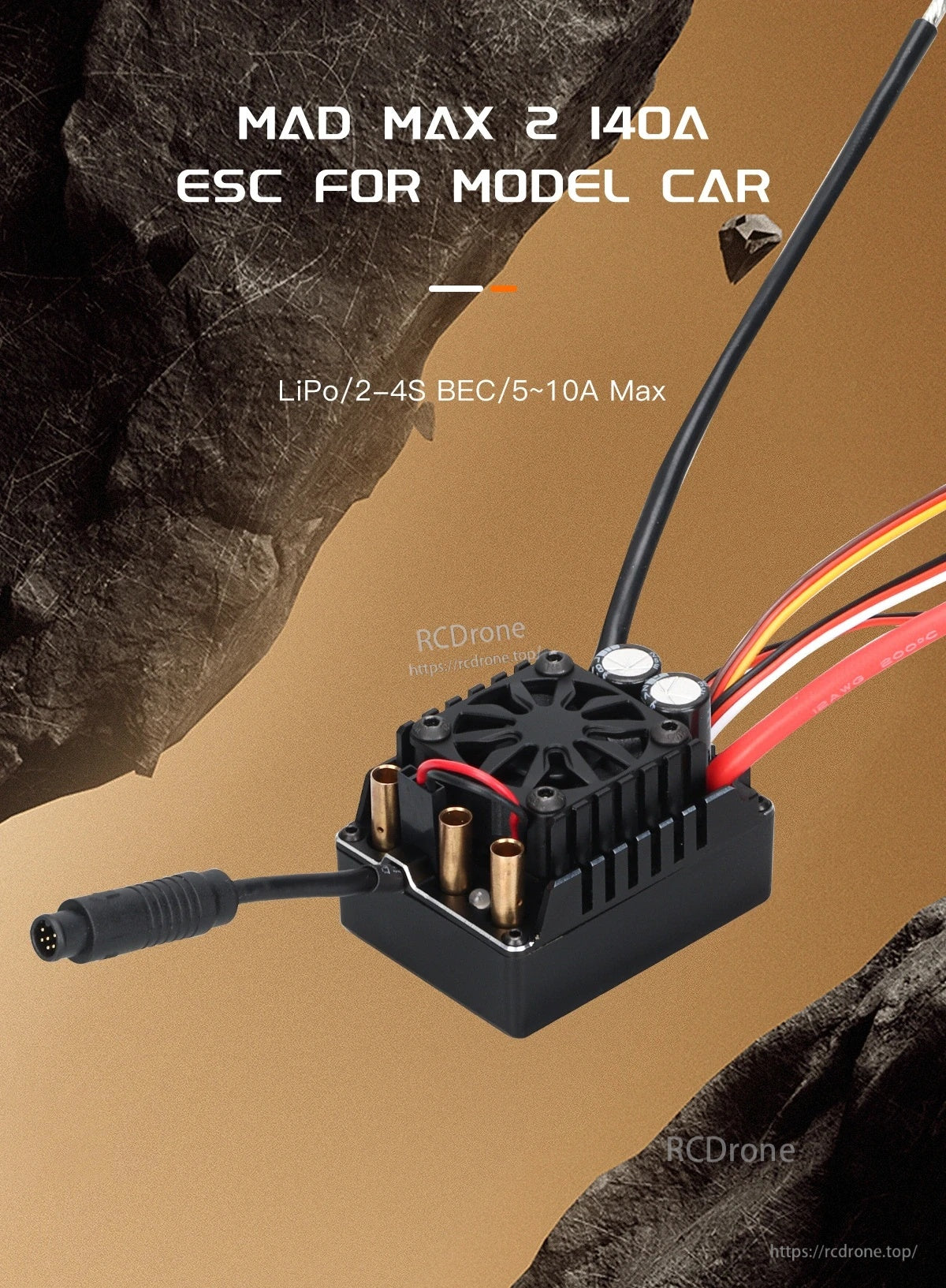
The MAD MAX2 140A ESC features an integrated cooling fan and labeled support for LiPo 2–4S with BEC up to 5–10A max.
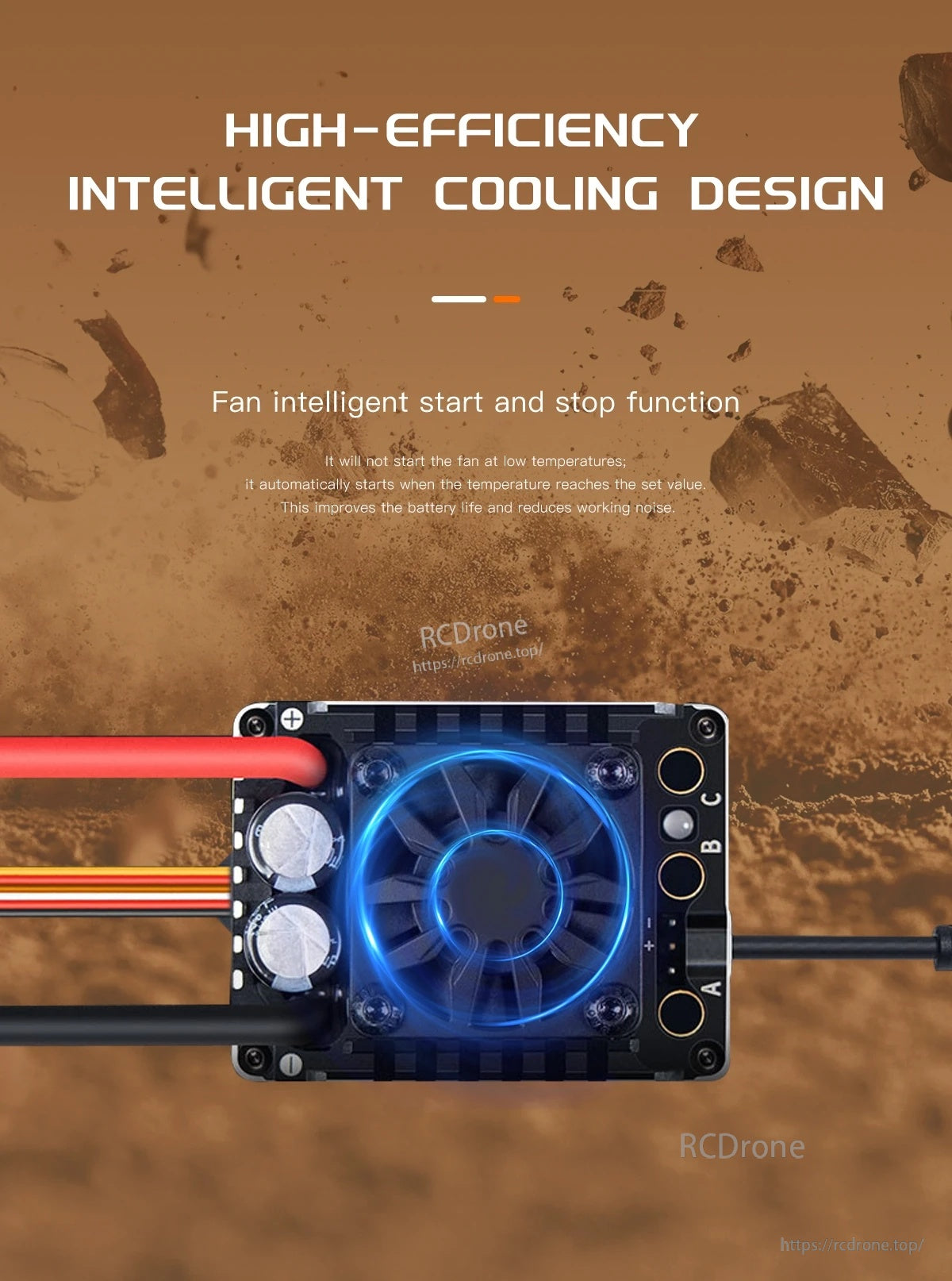
The MAD MAX2 brushless sensored ESC uses an intelligent cooling design with a fan that starts and stops automatically based on temperature.
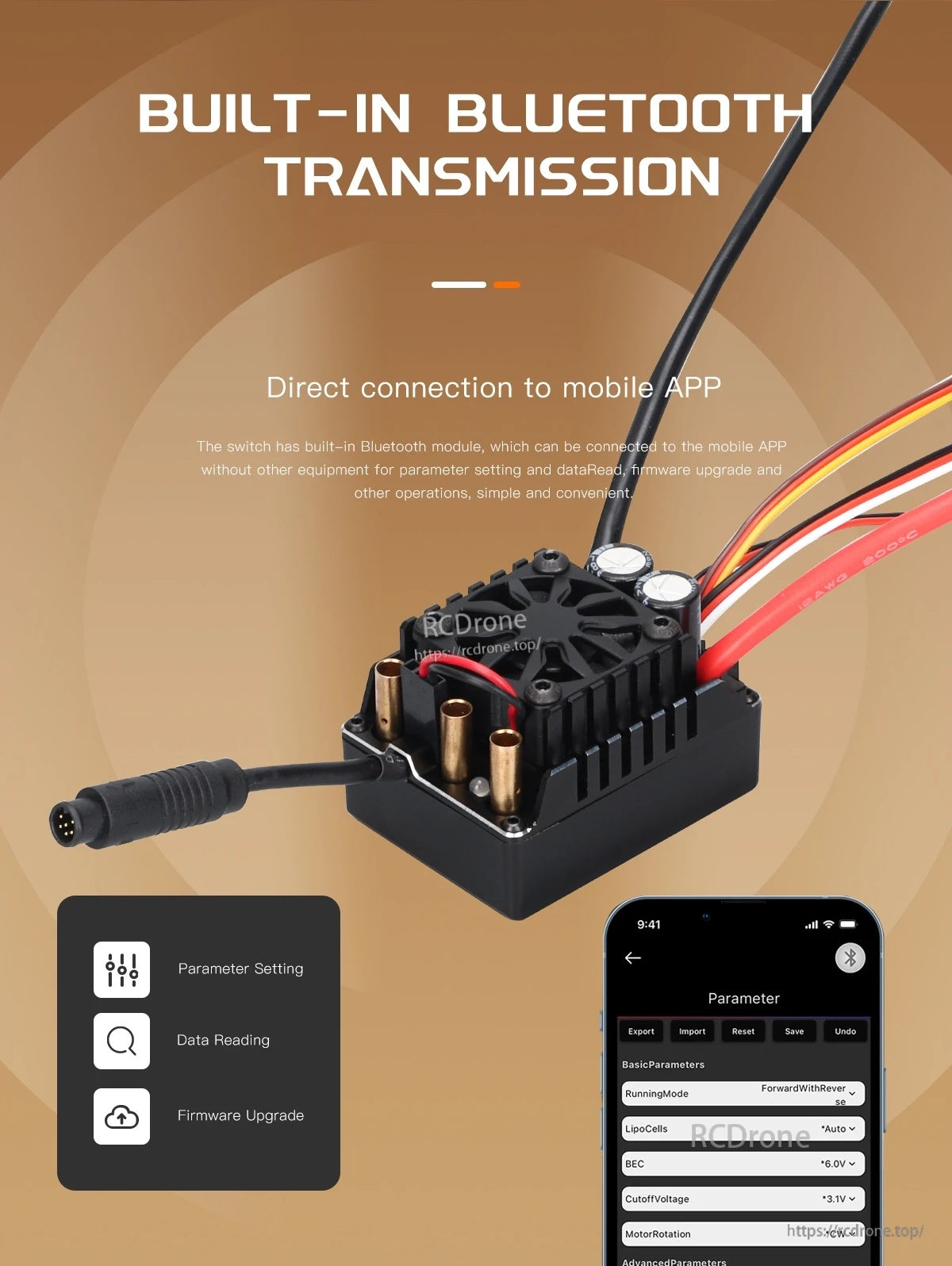
The MAD MAX2 sensored brushless ESC features built-in Bluetooth transmission for mobile app parameter setting, data reading, and firmware upgrades.
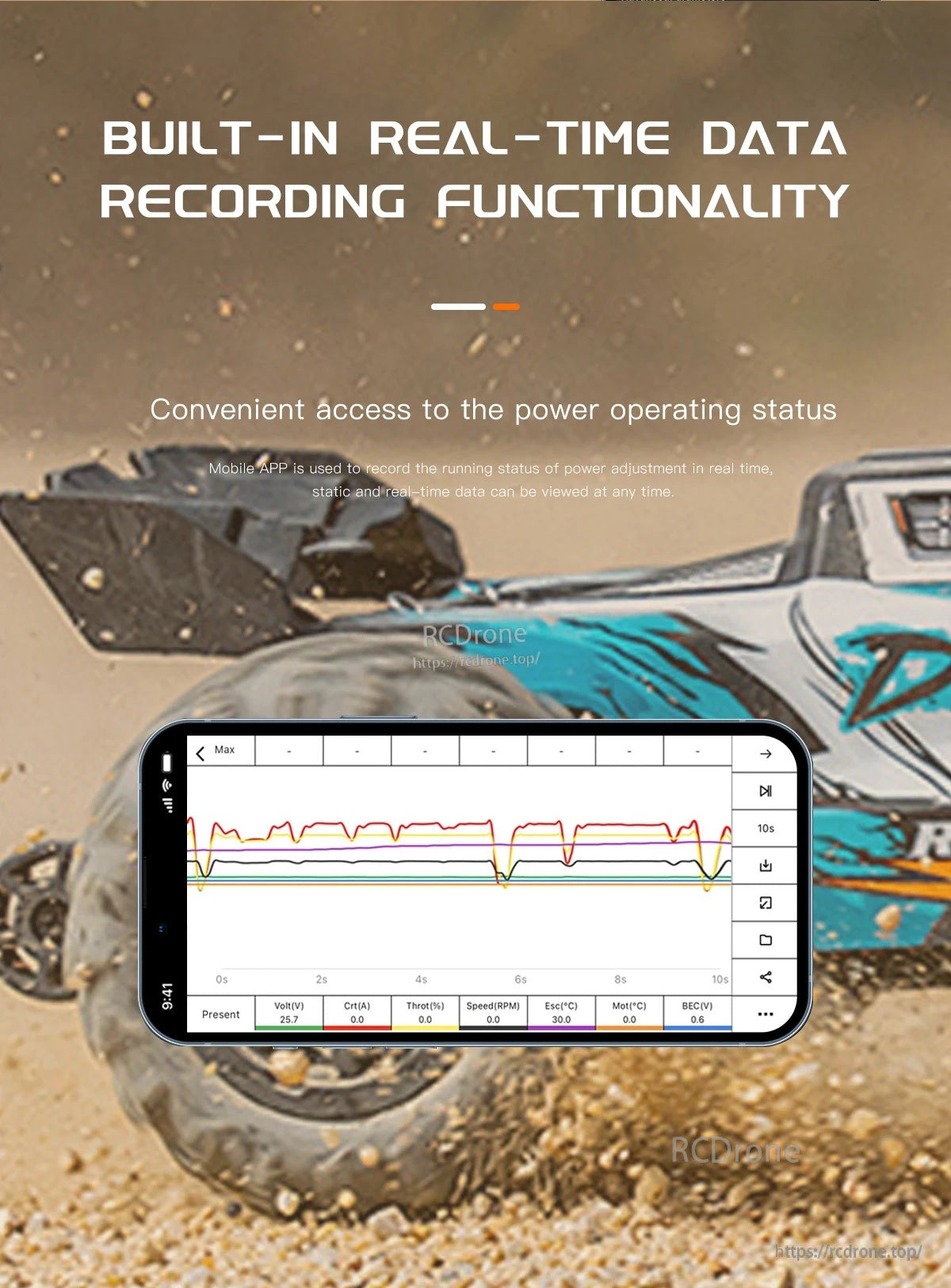
Built-in real-time data recording lets you review power and performance trends in a graph-style log.
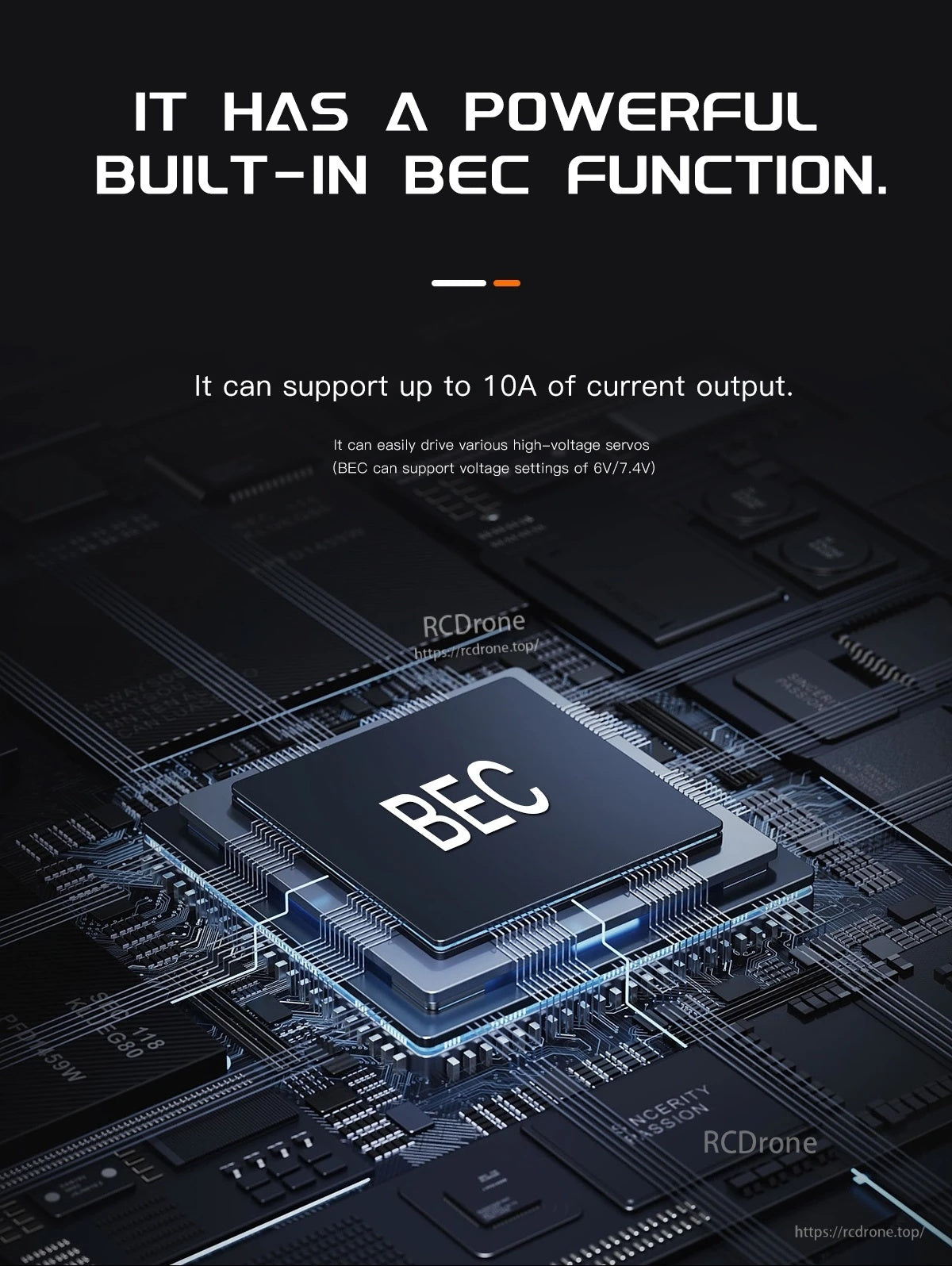
The MAD MAX2 ESC includes a built-in BEC rated up to 10A with selectable 6V or 7.4V output for powering HV servos.
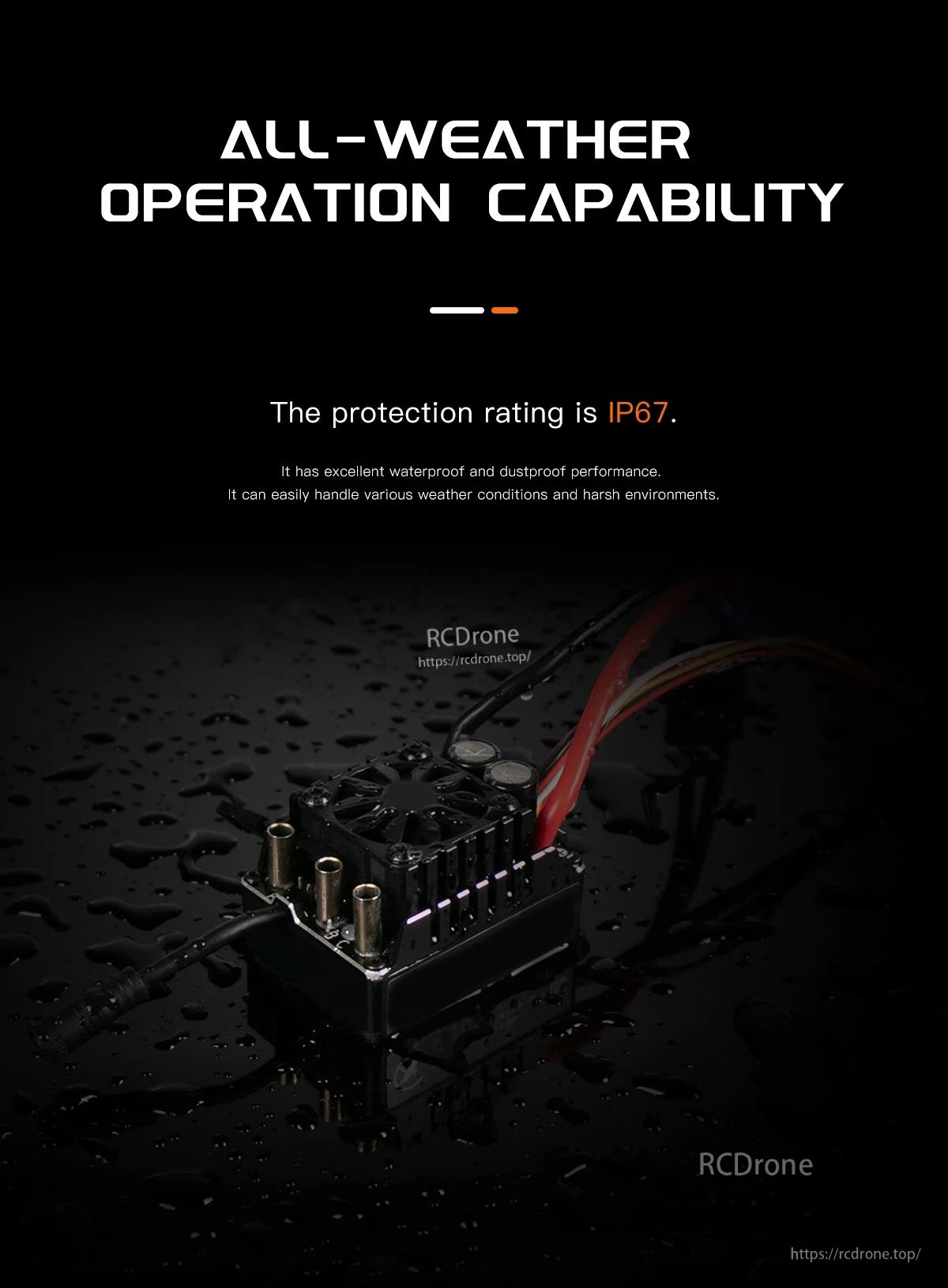
The MAD MAX2 sensored brushless ESC is rated IP67 for all-weather operation in harsh environments.
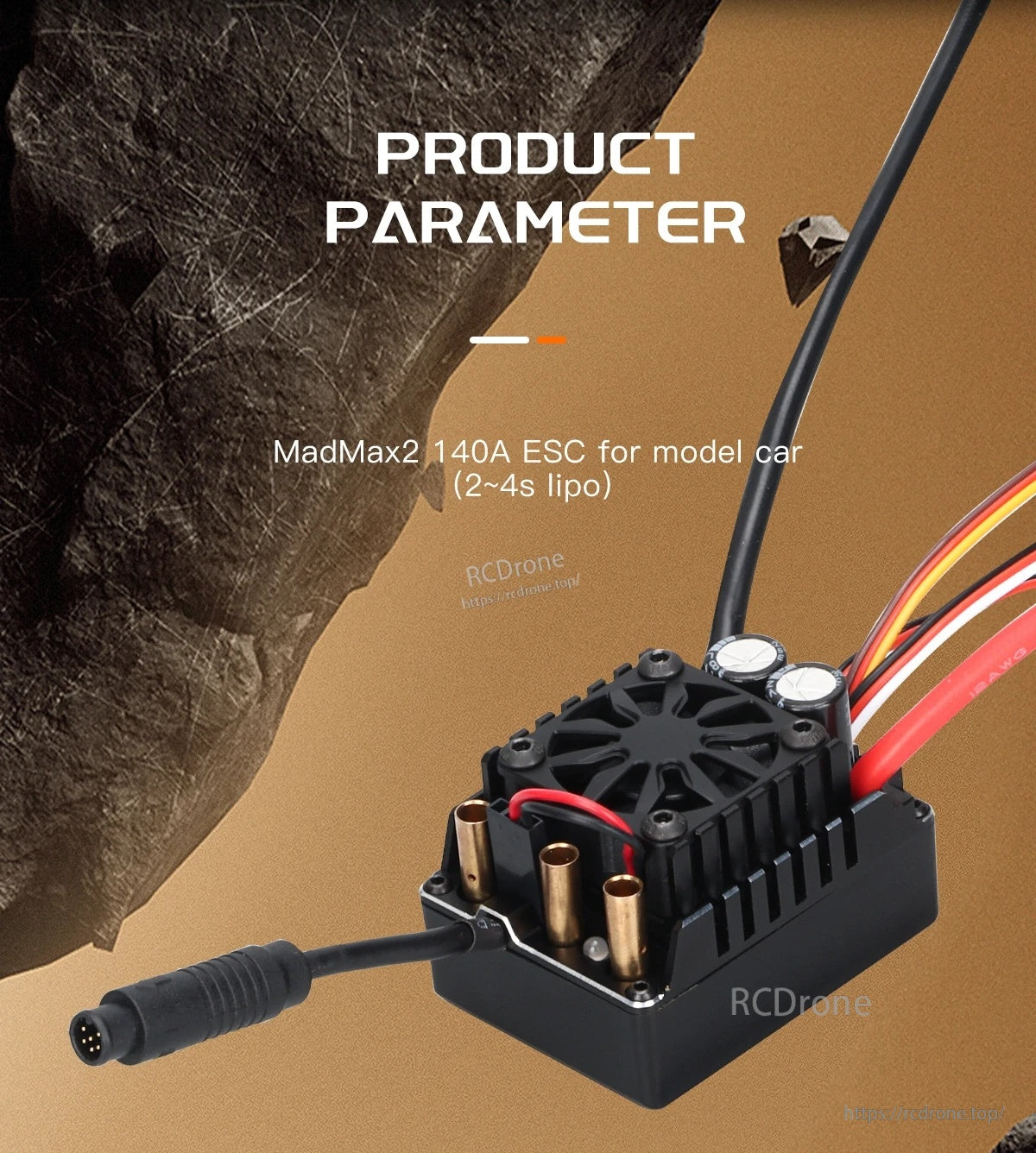
The MAD MAX2 140A sensored brushless ESC features a top-mounted cooling fan, 3 motor bullet connectors, and a sensor lead for clean RC car wiring.
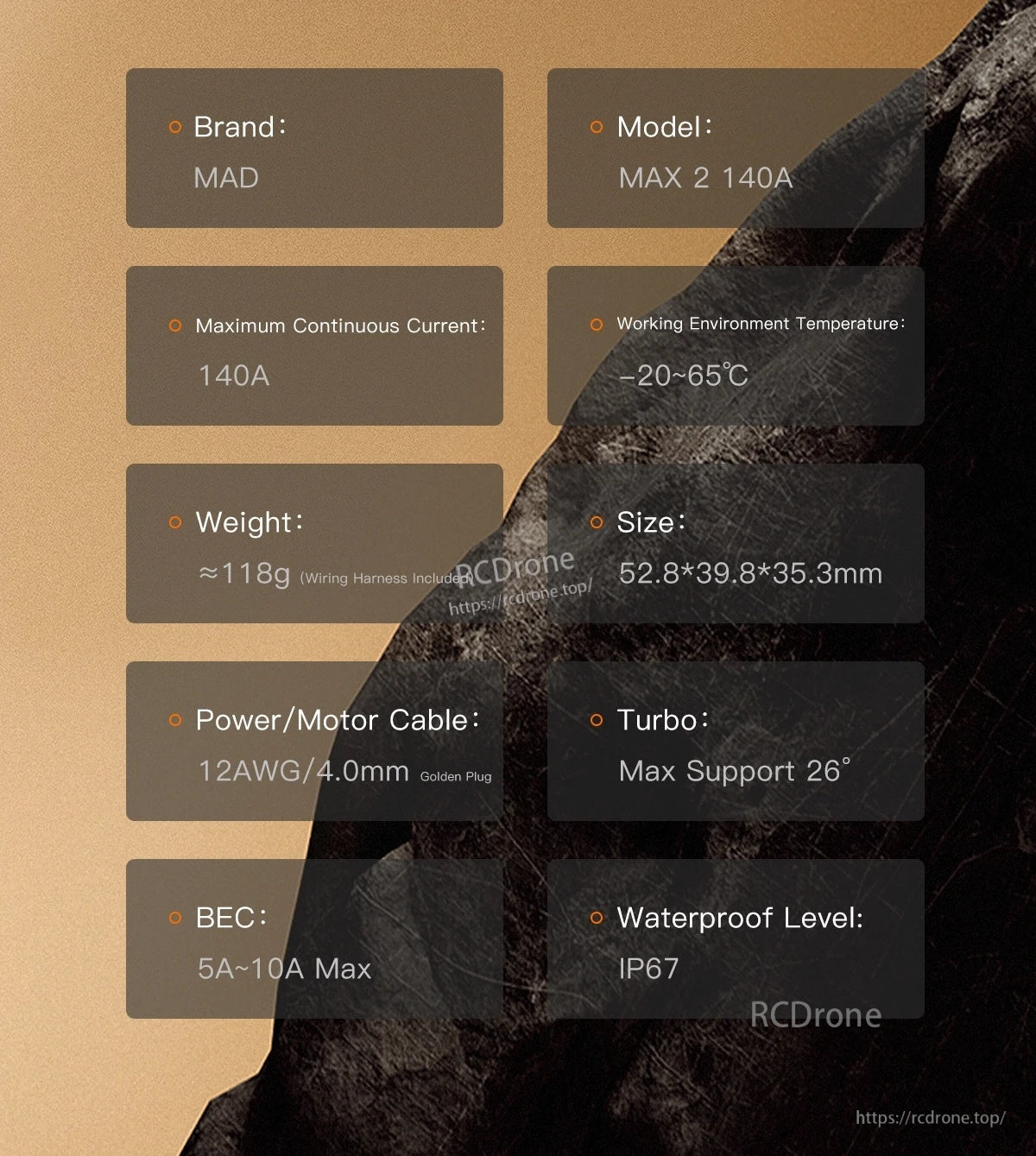
MAD MAX2 140A ESC specs include IP67 waterproofing, a 52.8×39.8×35.3mm body, and a -20 to 65°C working temperature range.
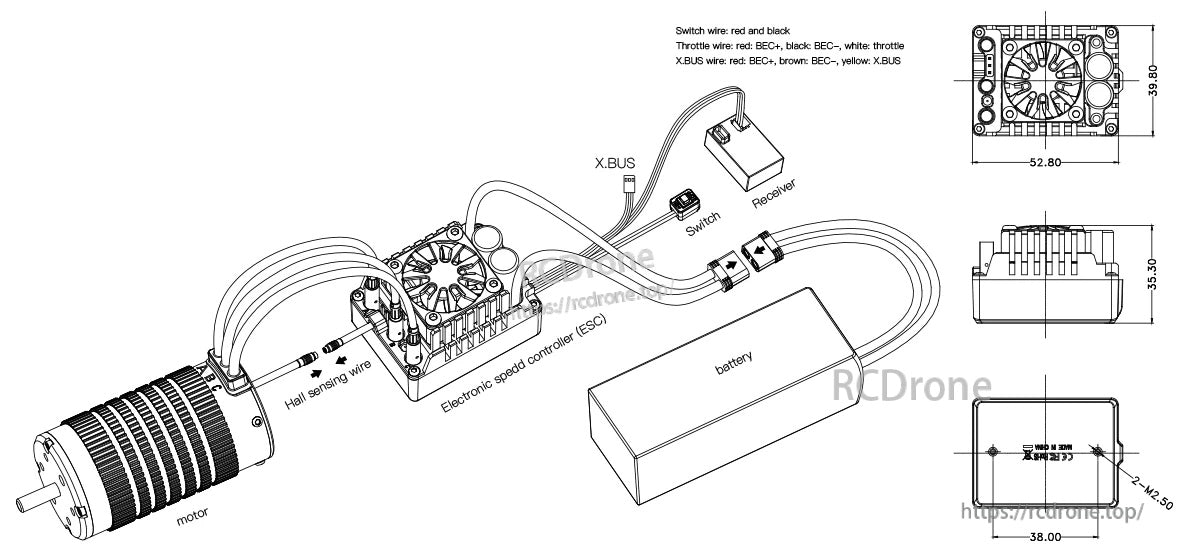
MAD MAX2 140A HV sensored ESC layout includes labeled connections for motor, battery, receiver/throttle lead, XBUS, switch, and programming port, plus overall dimensions for mounting.
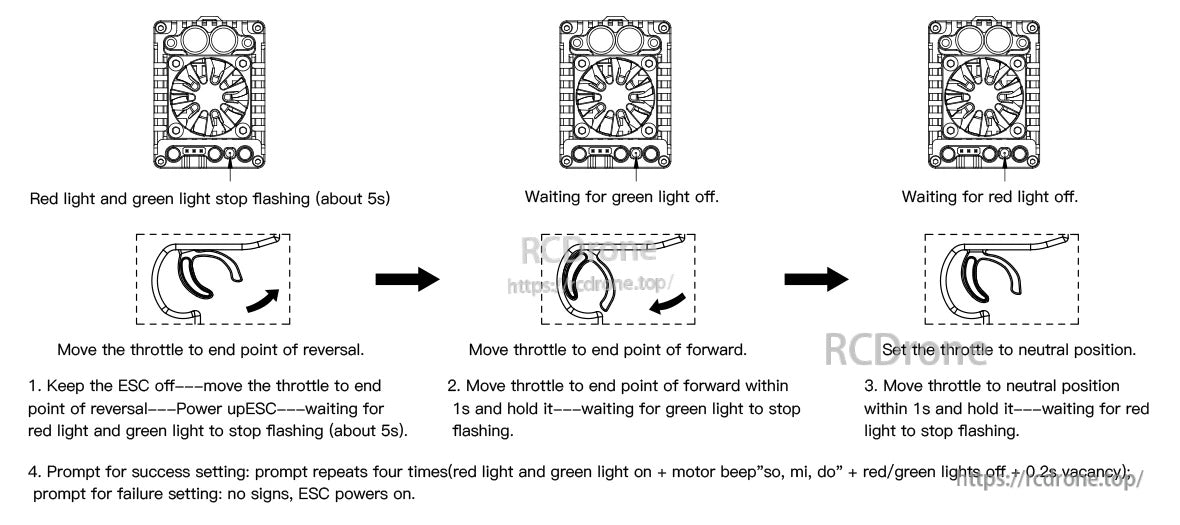
MAD MAX2 sensored ESC throttle range setup uses the red and green LED prompts while you set reverse, forward, and neutral throttle endpoints.