


Yahboom YB-EPA01-V1.0 PCIe-zu-M.2 Adapter-Erweiterungsplatine für Raspberry Pi 5 NVMe 2230-2280
Yahboom YB-EPA01-V1.0 PCIe-zu-M.2 Adapter-Erweiterungsplatine für Raspberry Pi 5 NVMe 2230-2280
Yahboom
Verfügbarkeit für Abholungen konnte nicht geladen werden


Überblick
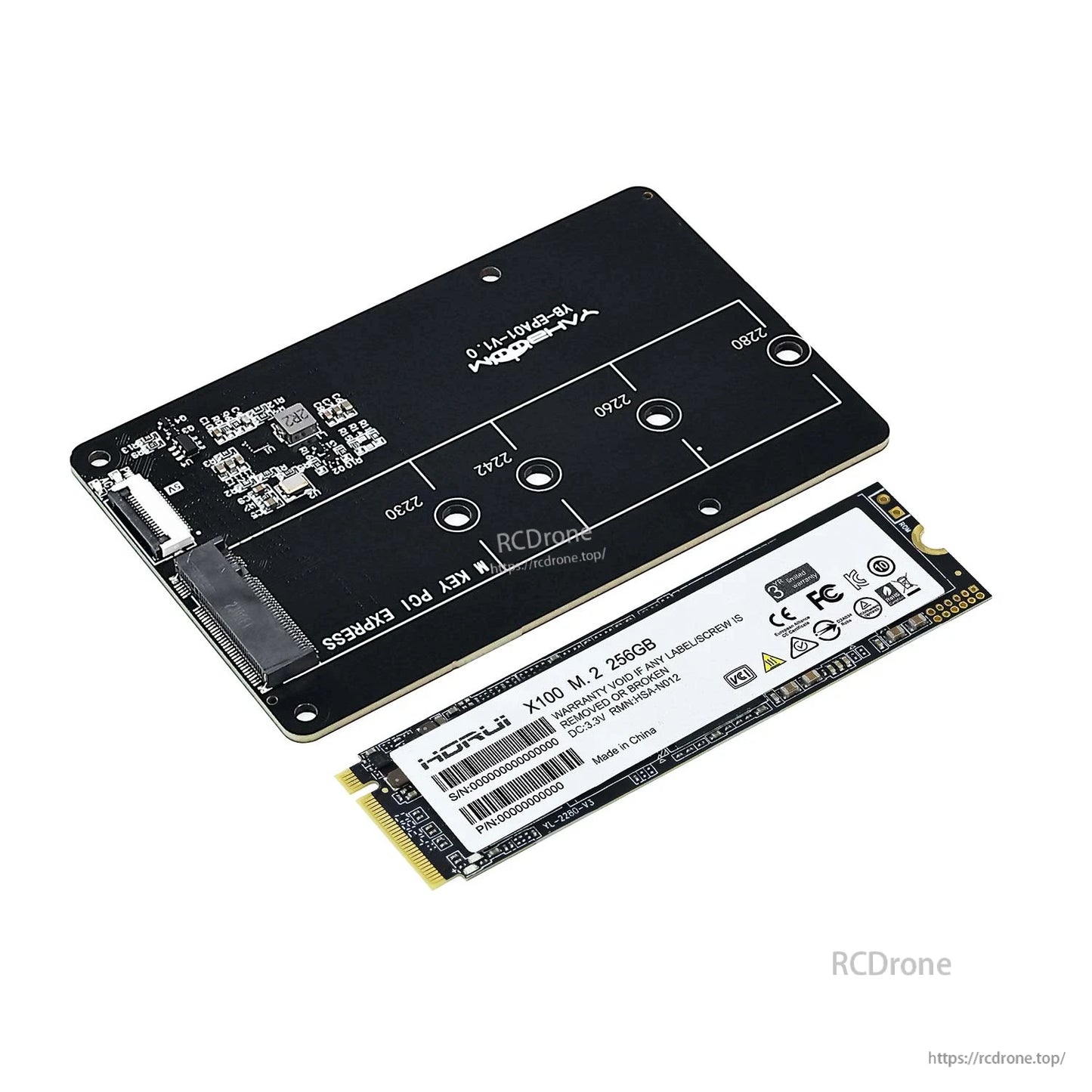
Diese PCIe-zu-M.2-Adapter-Erweiterungskarte für Raspberry Pi 5 verbindet eine M.2 NVMe SSD (M.2-Schnittstelle) mit dem Raspberry Pi 5 PCIe 2.0 -Slot zur Speichererweiterung und optionalem Systemstart von der NVMe SSD. Sie unterstützt mehrere M.2 SSD-Längen (2230/2242/2260/2280) und ist so konzipiert, dass sie auf der Rückseite des Raspberry Pi 5 gestapelt werden kann, ohne die Installation von Kühlkörper/Geäuse zu blockieren. Die Karte unterstützt Gen2/Gen3-Modi und verwendet eine FPC-Adapterkabelverbindung.
Hauptmerkmale
- Speziell für Raspberry Pi 5 entwickelt; unterstützt Stapelung mit Raspberry Pi 5.
- PCIe zu M.2 NVMe SSD -Adapter (Hinweis: unterstützt nur NVMe SSD-Protokoll).
- Unterstützte M.2-Größen: 2230 / 2242 / 2260 / 2280.
- Unterstützt Gen2/Gen3-Modi und Booten des Raspberry Pi 5 von SSD.
- FPC-Elbogen-Kabeldesign mit Verbindungssiebdruckhinweisen zur Vermeidung falscher Verkabelung.
- Rückseitig montiertes Stapeldesign, um die Wärmeableitung und Gehäuseinstallation nicht zu beeinträchtigen; unterstützt die Installation eines aktiven Kühlers über dem Raspberry Pi 5.
- Verbindungshinweis: Wenn das Kabel umgekehrt angeschlossen wird, funktioniert es nicht und kann Fehlfunktionen und Schäden verursachen.
Spezifikationen
| Produkttyp | PCIe-zu-M.2-Adapter-Erweiterungsplatine | |
| Kompatibles Gerät | Raspberry Pi 5 | |
| Raspberry Pi-Schnittstelle | PCIe 2.0-Steckplatz (über FPC-Adapterkabel) | |
| M.2-Steckplatzmarkierung | M KEY PCI EXPRESS | |
| Unterstütztes SSD-Protokoll | M. | 2 NVMe SSD (unterstützt nur das NVMe SSD-Protokoll) |
| Anwendbare SSD-Schlüsselung (wie angegeben) | M Key; B&M Key | |
| Unterstützte M.2-Größen | 2230 / 2242 / 2260 / 2280 | |
| Unterstützte Modi | Gen2 / Gen3 | |
| Boot-Unterstützung | Unterstützt das Booten des Raspberry Pi 5 von SSD | |
| Hinweis zum Verbindungskabel | Verbinden Sie Raspberry Pi 5 über ein 16-poliges Kabel | |
| Platine Markierung | Yahboom YB-EPA01-V1.0 |
Leistungsreferenz (wie gezeigt)
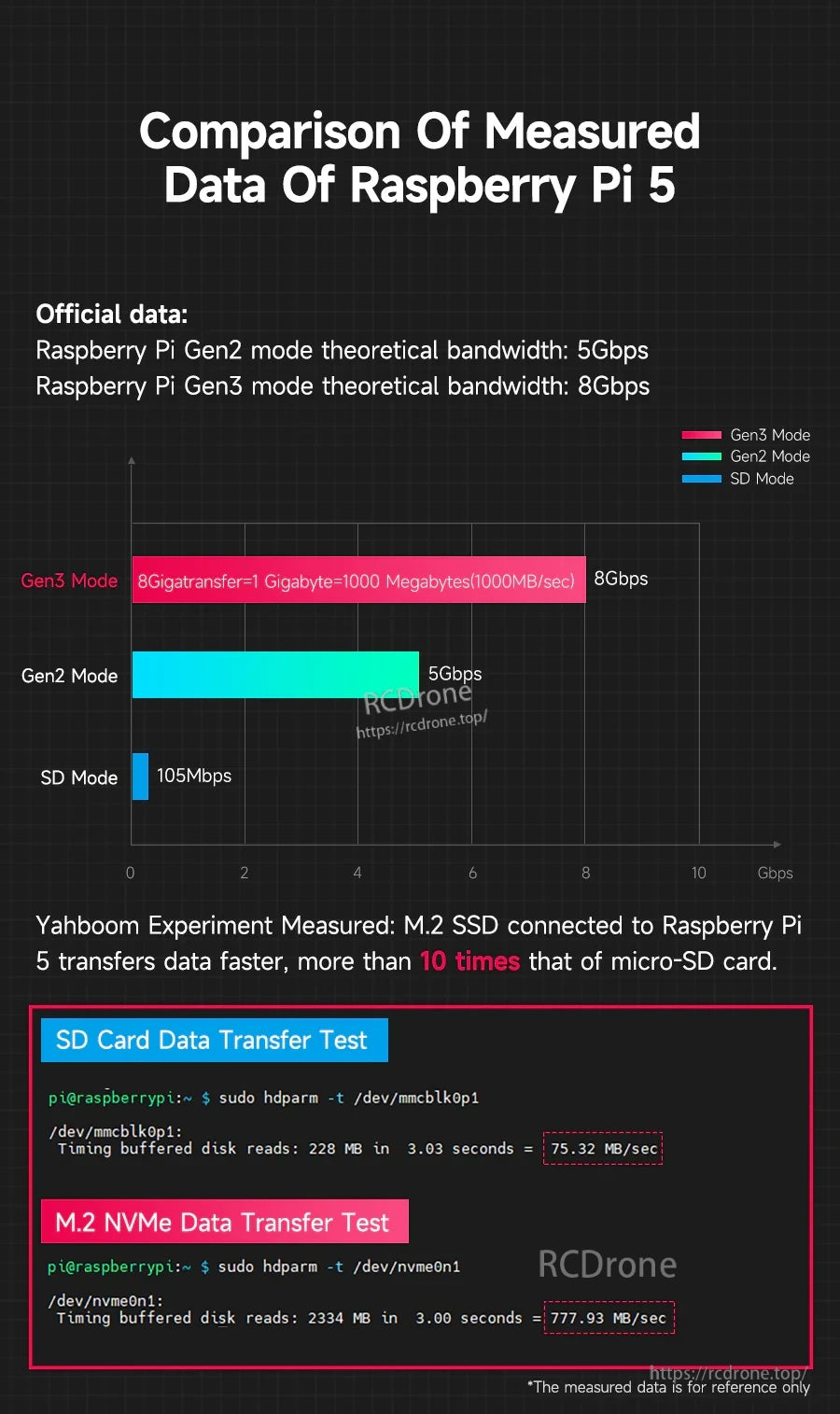
- Offizielle Daten: Raspberry Pi Gen2-Modus theoretische Bandbreite: 5Gbps
- Offizielle Daten: Raspberry Pi Gen3-Modus theoretische Bandbreite: 8Gbps
- Gemessen (nur zur Referenz): SD-Karten gepufferte Disk-Lesevorgänge: 75.32 MB/sec
- Gemessen (nur zur Referenz): M.2 NVMe gepufferte Festplattenlesungen: 777,93 MB/sec
Hinweis: Die gemessenen Daten dienen nur als Referenz.
Lieferumfang
Der Paketinhalt variiert je nach Version:
- PCIe zu M.2 Adapter: PCIe zu M.2 Adapterplatine, FPC Adapterkabel, Schraubkupfersäule
- PCIe zu M.2 Adapter + 256GB SSD (2280): PCIe zu M.2 Adapterplatine, 256GB SSD (2280), FPC Adapterkabel, Schraubkupfersäule; Systemabbilddatei wurde geschrieben; Raspberry Pi 5 offizielles Systemabbild ist vorinstalliert für den direkten Gebrauch
*Die Versandliste enthält nicht Raspberry Pi 5 und aktiven Kühler.
Anwendungen
- Raspberry Pi 5 Speichererweiterung mit M.2 NVMe SSD
- Projekte, die eine schnellere Lese-/Schreibgeschwindigkeit als microSD-Speicher erfordern (Leistung hängt von SSD, Konfiguration und Systemeinstellungen ab)
- Systemstart von NVMe SSD (erfordert Konfiguration)
Für Kompatibilitätsprüfungen (SSD-Größe/Keying, Boot-Konfiguration oder Stapel-/Gehäuseanpassung) kontaktieren Sie https://rcdrone.top/ oder senden Sie eine E-Mail an [email protected].
Tutorial-Video
Handbücher / Tutorials
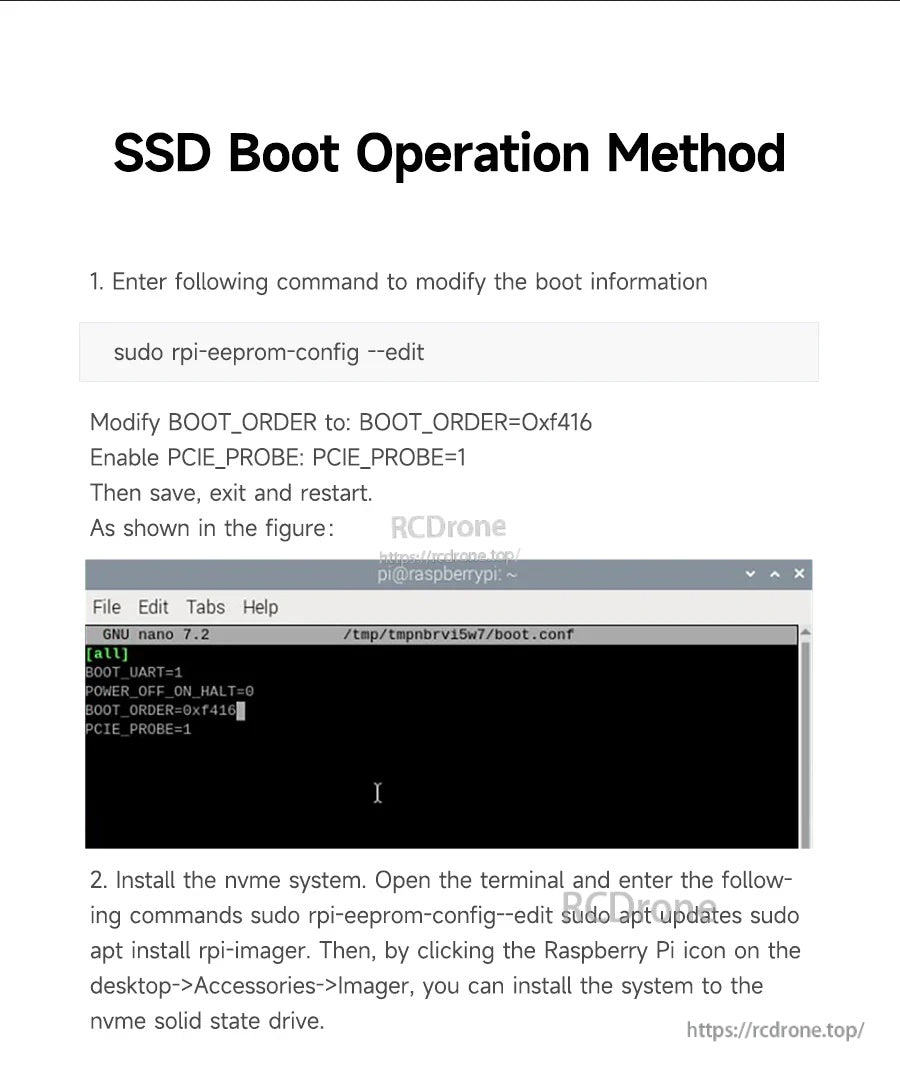
SSD-Startbetriebsverfahren (wie gezeigt)
-
Geben Sie den folgenden Befehl ein, um die Startinformationen zu ändern:
Ändern:sudo rpi-eeprom-config --edit-
BOOT_ORDERzu:BOOT_ORDER=0xf416 - Aktivieren Sie
PCIE_PROBE:PCIE_PROBE=1
-
-
Installieren Sie das NVMe-System. Öffnen Sie das Terminal und geben Sie die folgenden Befehle ein (wie gezeigt):
Dann, indem Sie auf das Raspberry Pi-Symbol auf dem Desktop klicken > Zubehör > Imager, installieren Sie das System auf das NVMe Solid-State-Laufwerk.sudo rpi-eeprom-config--edit sudo apt updates sudo apt install rpi-imager
Details
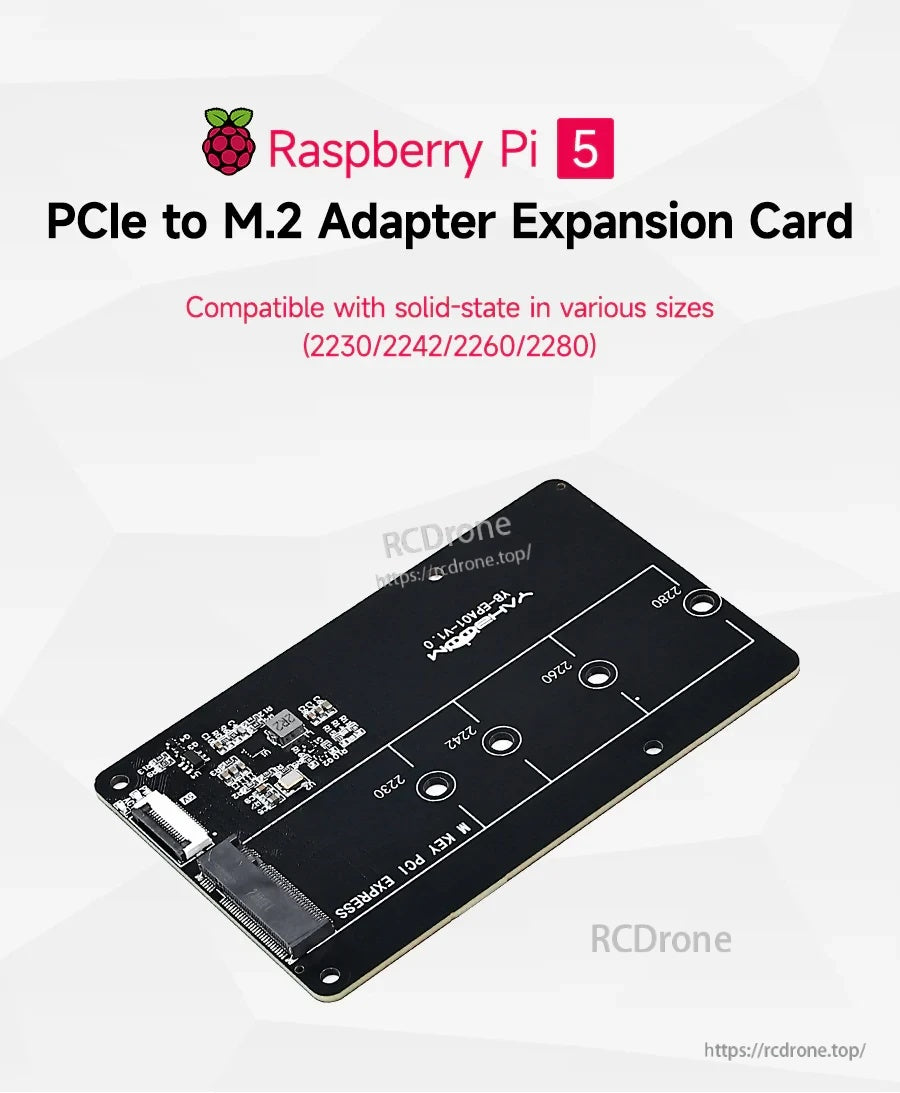
Fügen Sie dem Raspberry Pi 5 schnellen NVMe-Speicher über seine PCIe-Verbindung hinzu und behalten Sie dabei einen kompakten, rückseitig montierten Stapel bei.
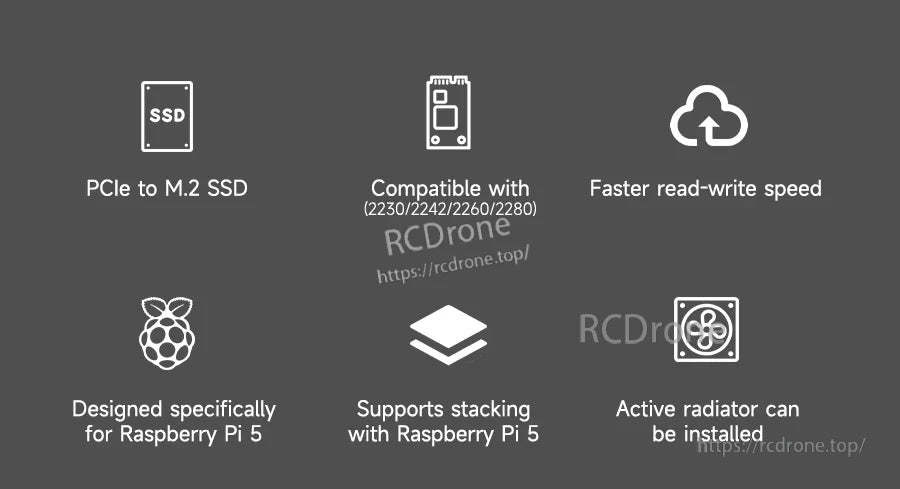
Entwickelt, um mehrere M.2-Längen zu unterstützen, schnellere I/O als microSD und Kompatibilität mit Stapel- und aktiven Kühlungs-Setups.
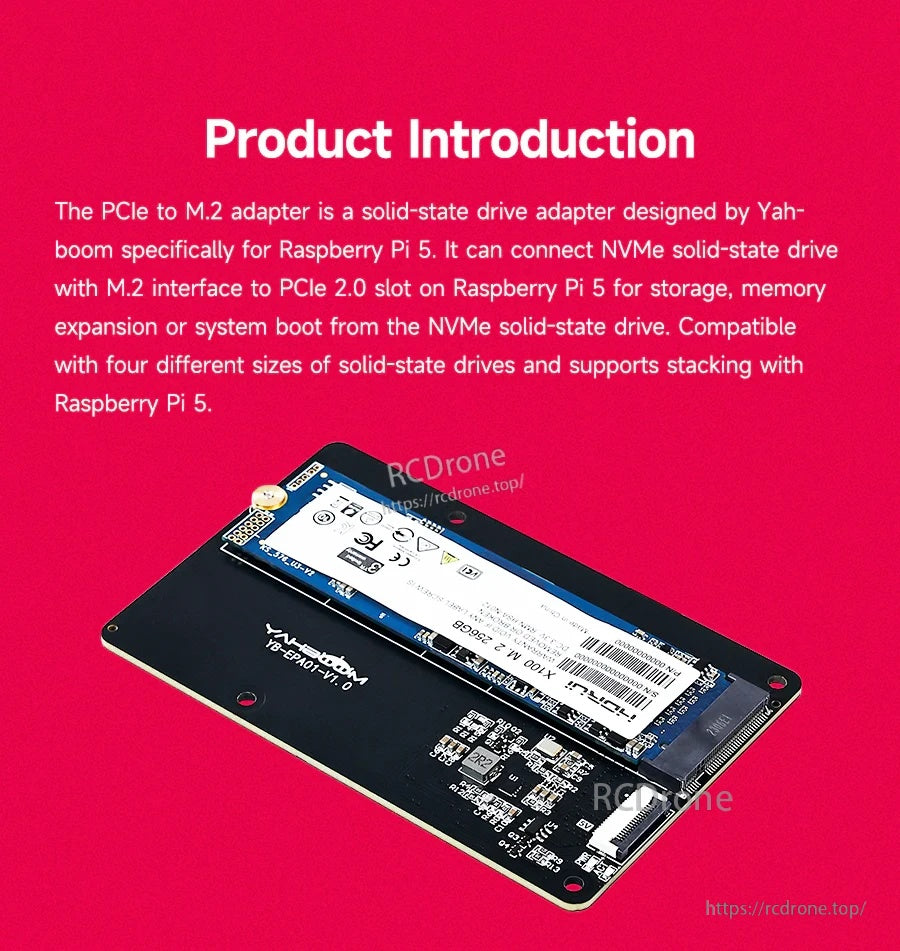
Ein M.2 NVMe SSD wird direkt an die Platine montiert, was Speichererweiterung und optionales Booten von NVMe ermöglicht.
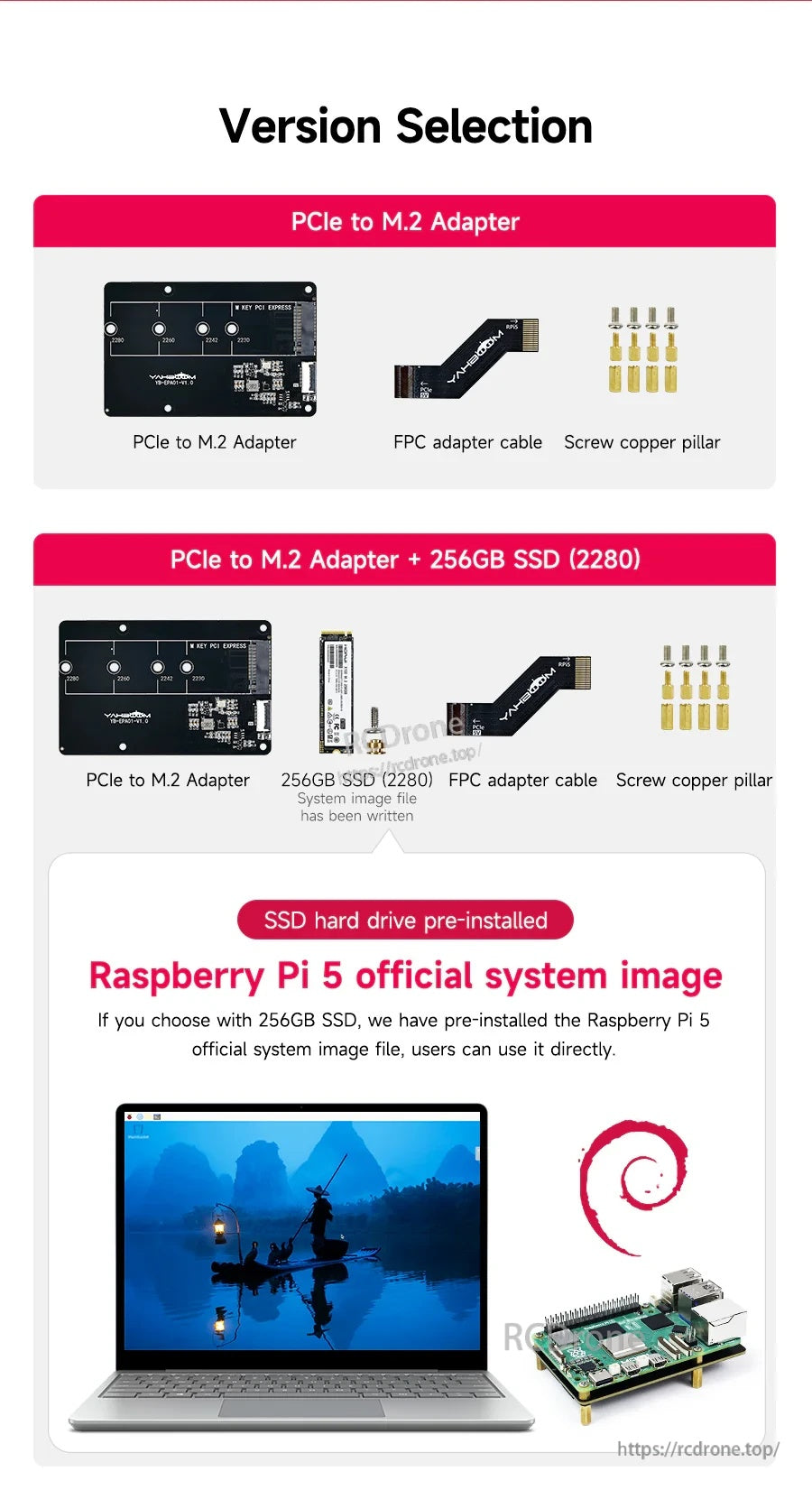
Wählen Sie den Adapter allein oder ein Bundle, das eine vorinstallierte 256GB 2280 NVMe SSD und Montagematerialien enthält.
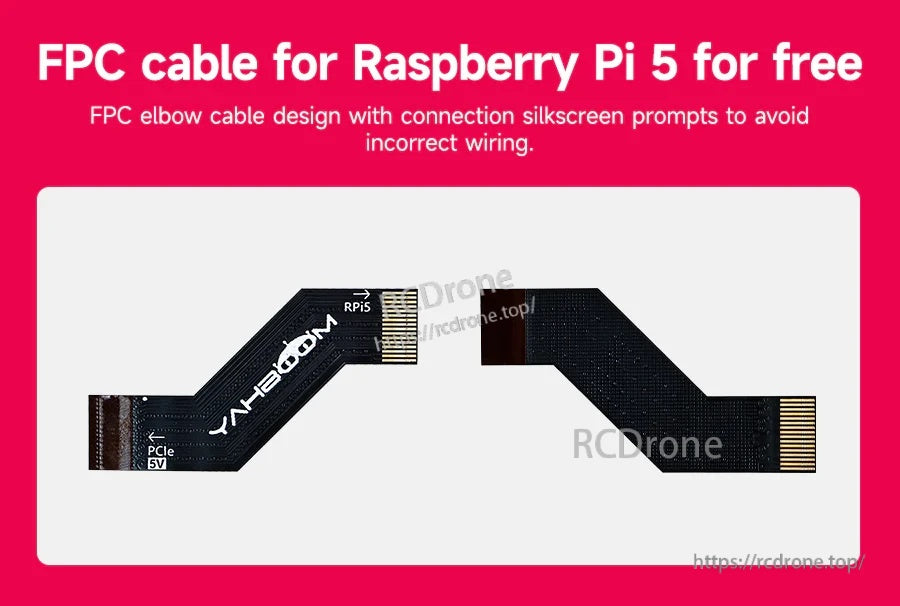
Das beschriftete FPC-Winkelkabel hilft, die Raspberry Pi 5 PCIe-Verbindung während der Installation korrekt auszurichten.
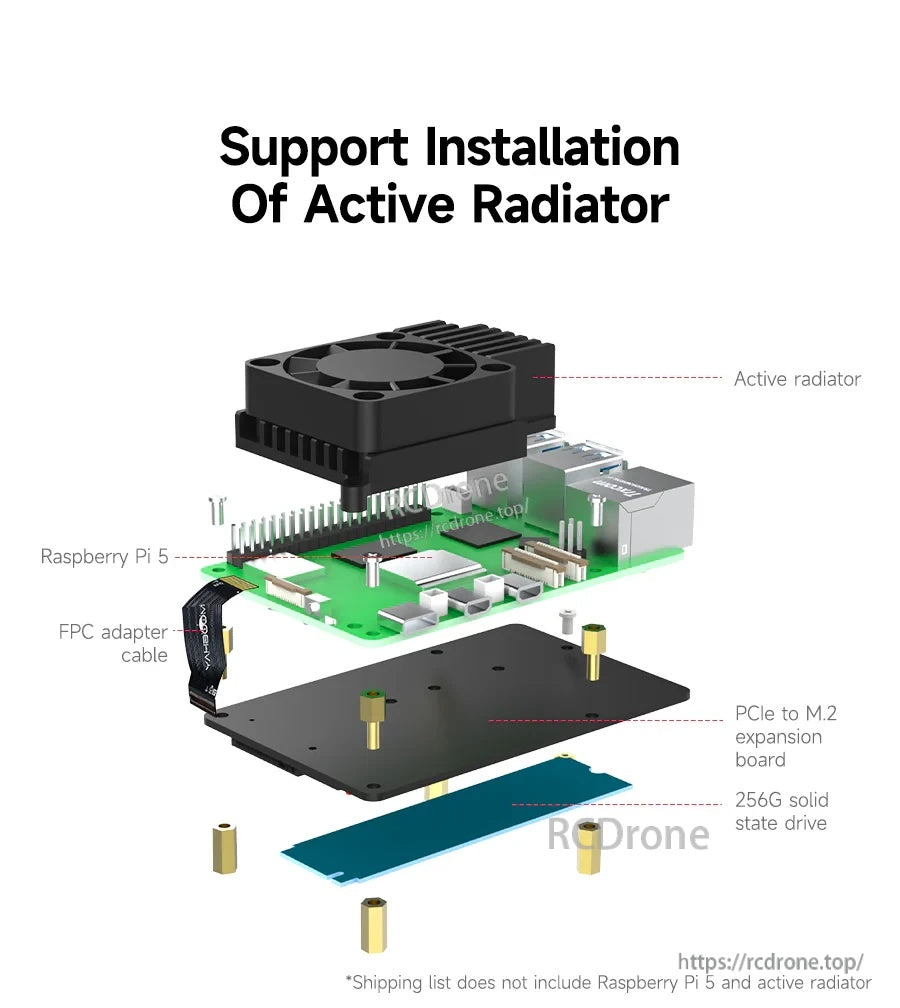
Das flache, rückseitig montierte Layout lässt Platz für einen aktiven Kühler über dem Raspberry Pi 5.


Funktioniert mit Gehäusekonstruktionen, bei denen der Raspberry Pi 5 und die NVMe-Erweiterung in einem Chassis montiert sind.

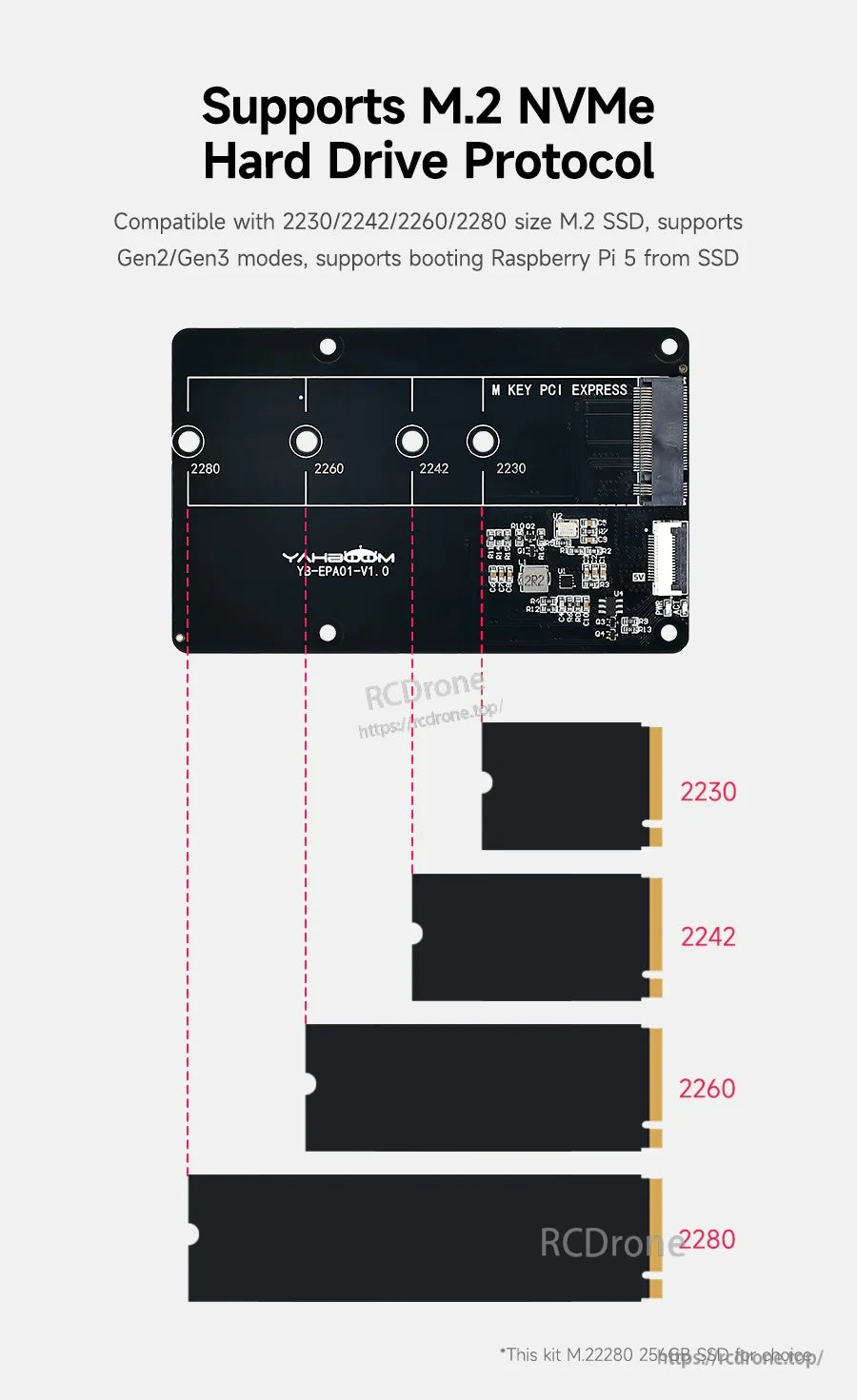
Mehrere Abstandshalterpositionen unterstützen gängige M.2 NVMe-Längen von 2230 bis 2280.
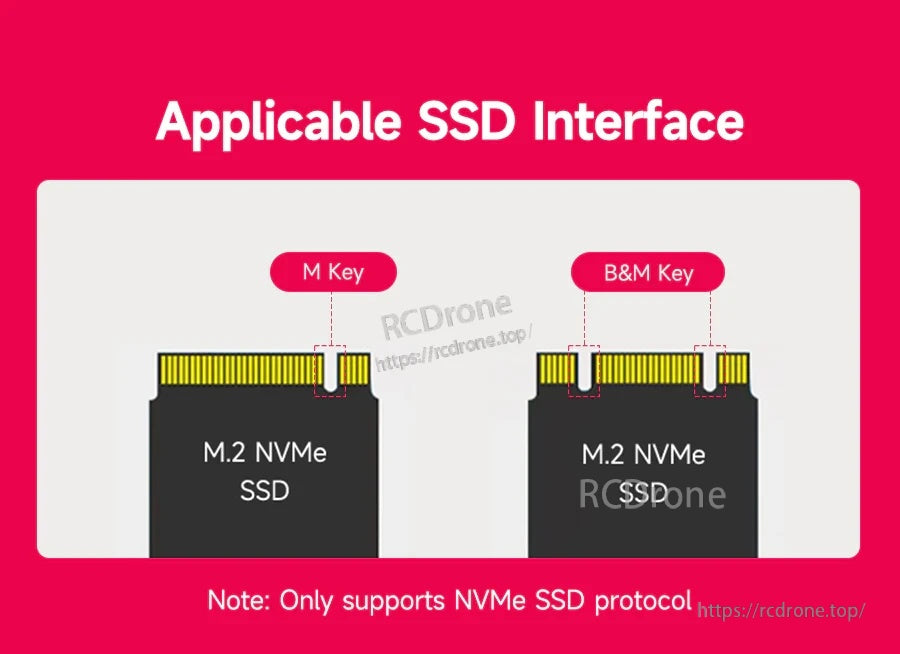
Der M.2-Steckplatz akzeptiert M‑Key und B&M‑Key NVMe-Laufwerke (nur NVMe-Protokoll).
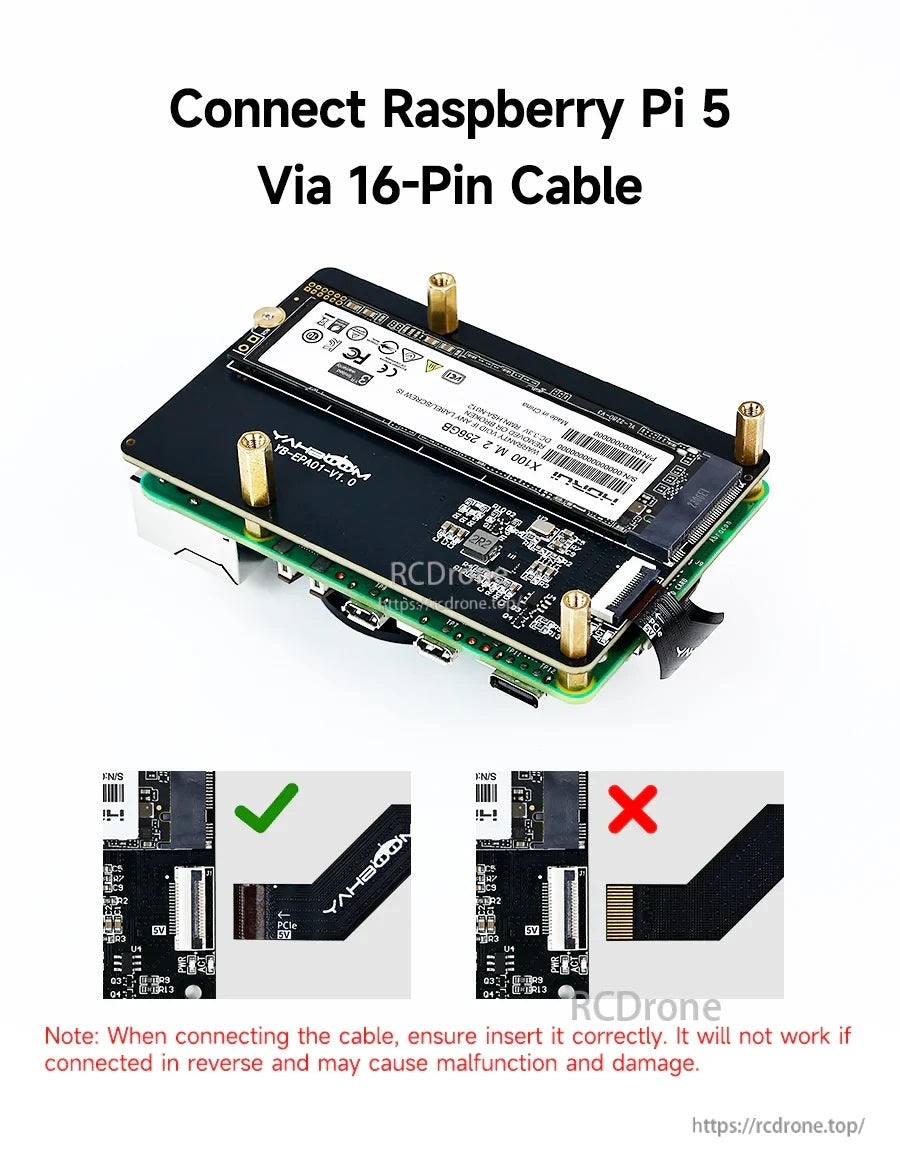
Die korrekte Ausrichtung des FPC-Kabels ist erforderlich; das Umdrehen des Kabels kann den Betrieb verhindern und Schäden verursachen.
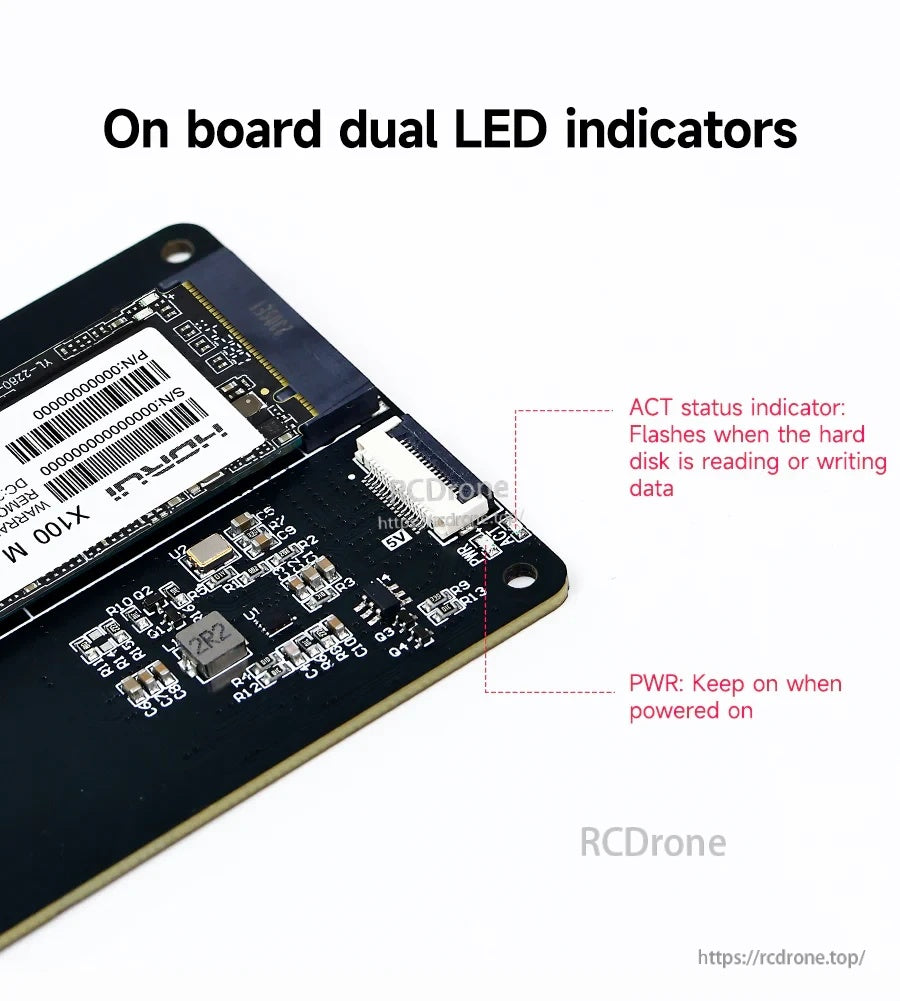
On-Board PWR- und ACT-LEDs bieten schnelle Statusüberprüfungen für Stromversorgung und Laufwerksaktivität.
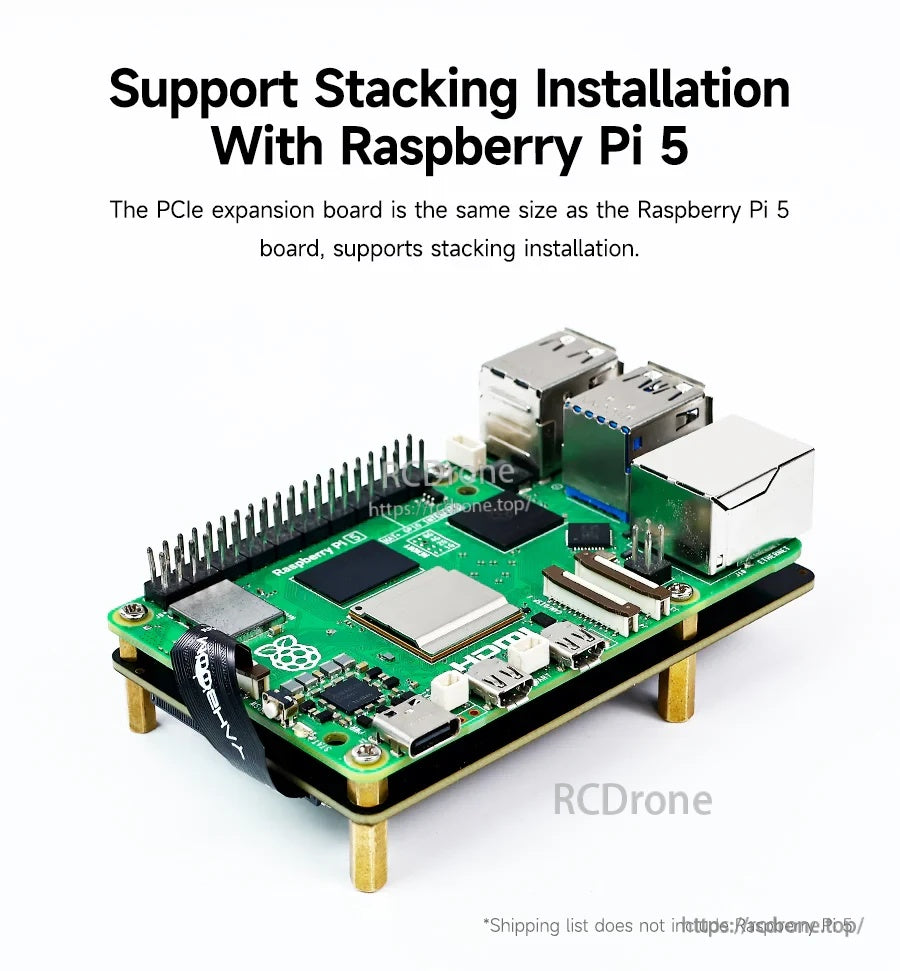
Die Platine passt zum Raspberry Pi 5-Fußabdruck für eine saubere, gestapelte Montage auf der Rückseite.
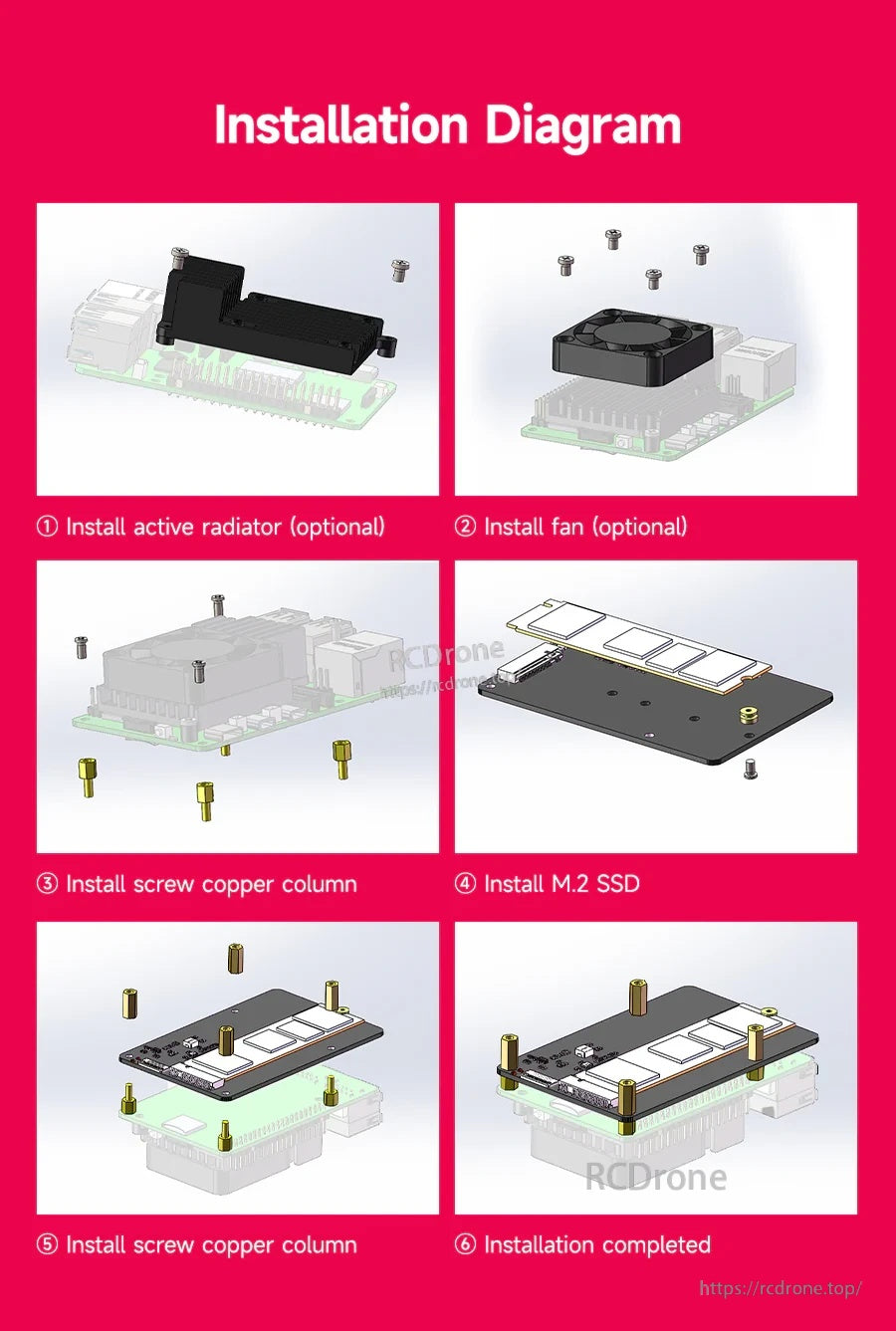
Befolgen Sie die Reihenfolge für die Montage der SSD und der Abstandshalter, und vervollständigen Sie dann die gestapelte Baugruppe mit optionaler Kühlung.
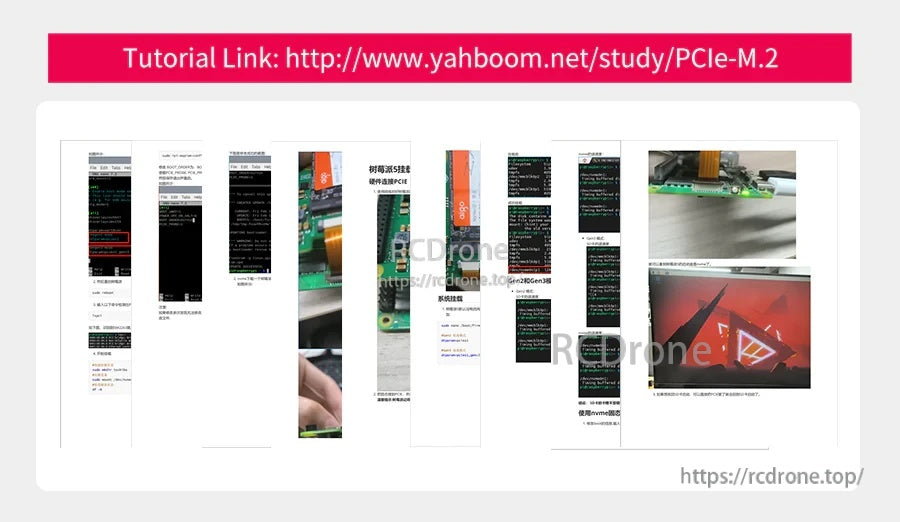
Ein Yahboom-Tutorial-Link bietet eine Schritt-für-Schritt-Anleitung zur Installation und Verwendung des PCIe-zu-M.2-Adapters.
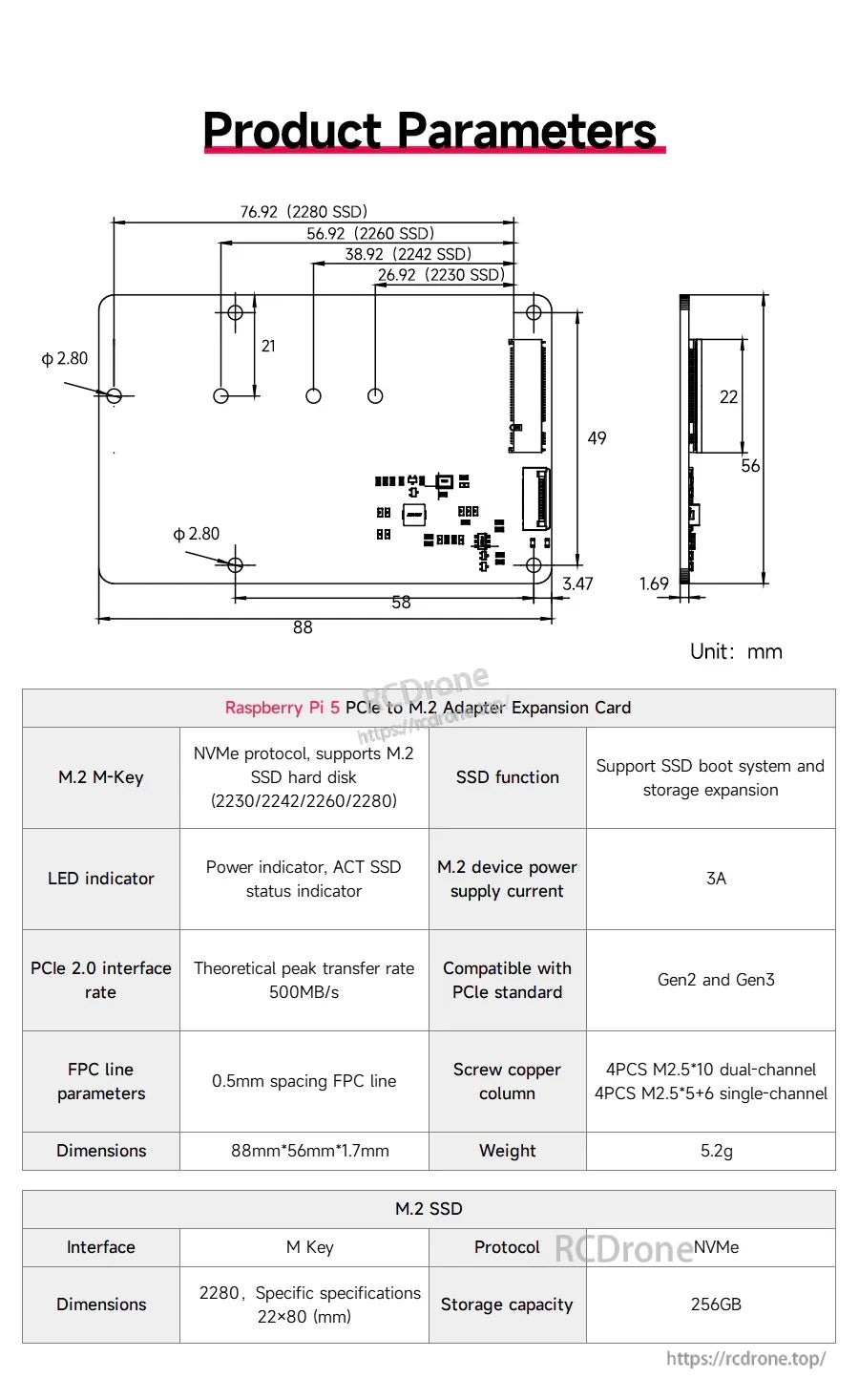
Der Yahboom YB-EPA01-V1.0 PCIe-zu-M.2-Adapter verwendet eine M.2 M-Key NVMe-Schnittstelle und ein kompaktes Layout von 88×56×17 mm für die Speichererweiterung des Raspberry Pi 5.
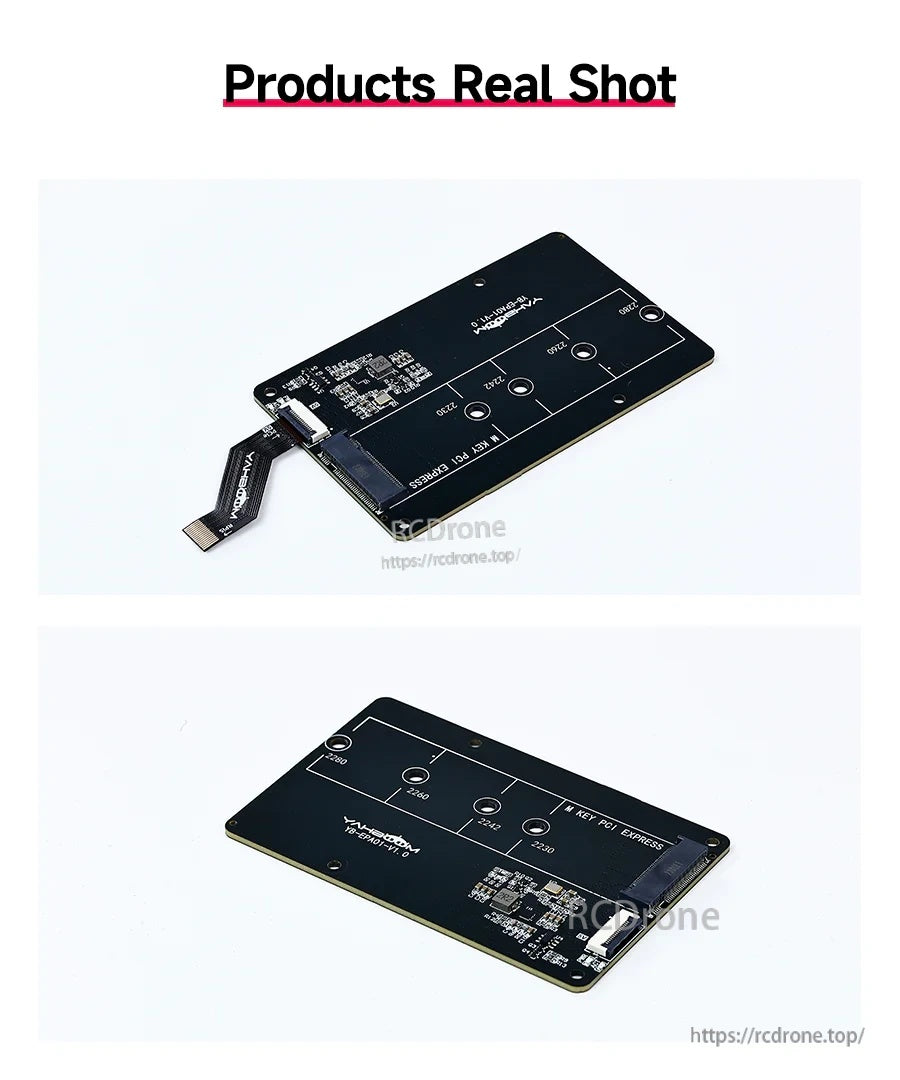
Die Yahboom YB-EPA01-V1.0 Adapterplatine bietet ein kompaktes M.2-Montagelayout mit einem integrierten USB-A-Anschluss für unkomplizierte Verbindungen.