


Yahboom YB-EPA01-V1.0 Tarjeta de Expansión Adaptador PCIe a M.2 para Raspberry Pi 5 NVMe 2230-2280
Yahboom YB-EPA01-V1.0 Tarjeta de Expansión Adaptador PCIe a M.2 para Raspberry Pi 5 NVMe 2230-2280
Yahboom
No se pudo cargar la disponibilidad de retiro


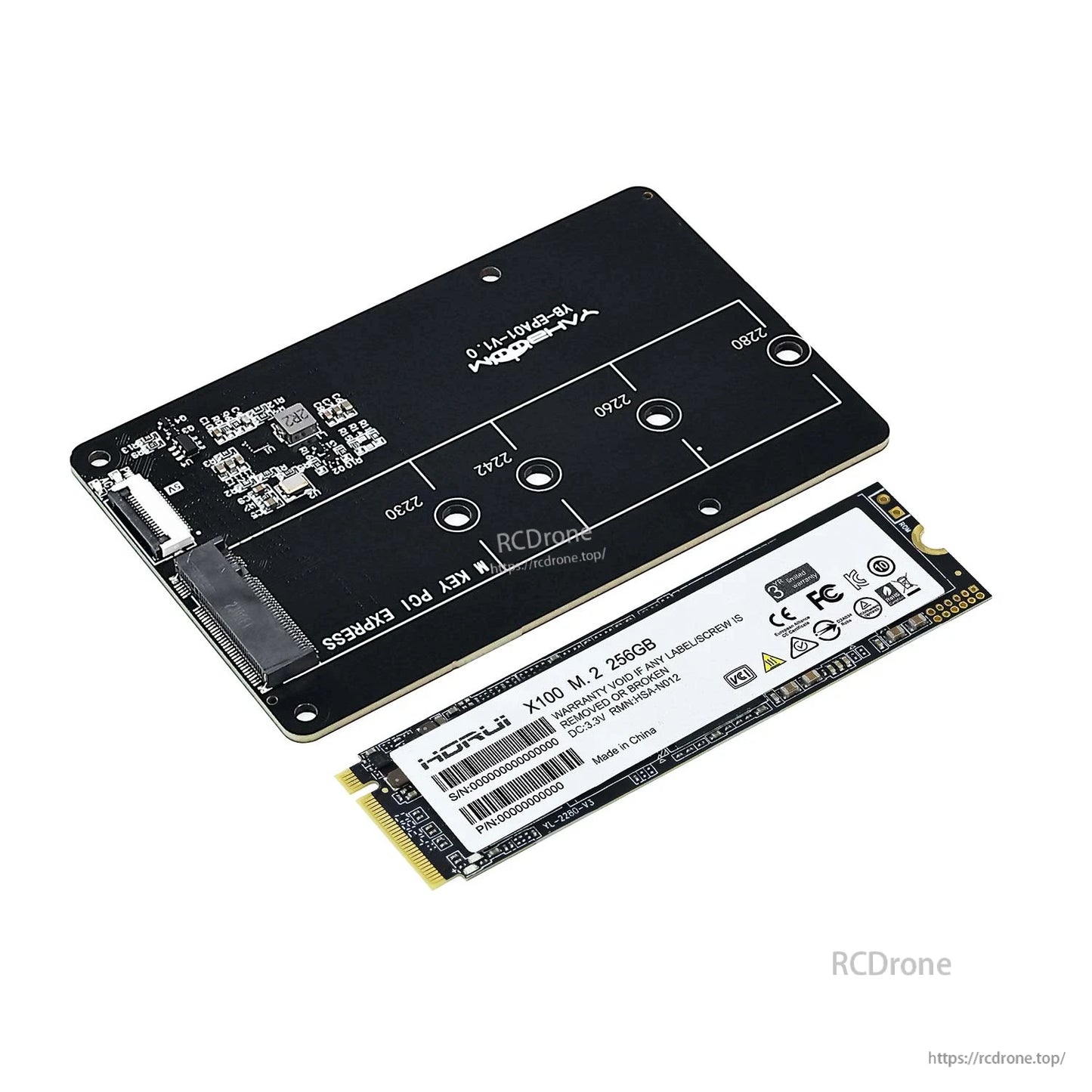
Descripción general
Esta tarjeta de expansión adaptadora PCIe a M.2 para Raspberry Pi 5 conecta un SSD NVMe M.2 (interfaz M.2) al slot PCIe 2.0 de Raspberry Pi 5 para expansión de almacenamiento y arranque opcional del sistema desde el SSD NVMe. Soporta múltiples longitudes de SSD M.2 (2230/2242/2260/2280) y está diseñada para apilarse en la parte trasera del Raspberry Pi 5 sin bloquear la instalación del disipador/carcasa. La tarjeta soporta modos Gen2/Gen3 y utiliza una conexión de cable adaptador FPC.
Características clave
- Diseñado específicamente para Raspberry Pi 5; soporta apilamiento con Raspberry Pi 5.
- Adaptador PCIe a SSD NVMe M.2 (nota: solo soporta protocolo SSD NVMe).
- Tamaños M.2 soportados: 2230 / 2242 / 2260 / 2280.
- Soporta modos Gen2/Gen3 y arranque de Raspberry Pi 5 desde SSD.
- Diseño de cable de codo FPC con indicaciones de serigrafía de conexión para ayudar a evitar cableado incorrecto.
- Diseño de apilamiento montado en la parte trasera destinado a evitar el impacto en la disipación de calor y la instalación de la carcasa; admite la instalación de un radiador activo (enfriador) sobre la Raspberry Pi 5.
- Nota de conexión: si el cable se conecta al revés, no funcionará y puede causar mal funcionamiento y daño.
Especificaciones
| Tipo de producto | Tarjeta de expansión adaptadora PCIe a M.2 |
| Dispositivo compatible | Raspberry Pi 5 |
| Interfaz de Raspberry Pi | Ranura PCIe 2.0 (a través de cable adaptador FPC) |
| Marcado del zócalo M.2 | CLAVE M PCI EXPRESS |
| Protocolo SSD compatible | M. |
| Clave SSD aplicable (como se indica) | Clave M; B&Clave M |
| Tamaños M.2 compatibles | 2230 / 2242 / 2260 / 2280 |
| Modos compatibles | Gen2 / Gen3 |
| Soporte de arranque | Soporta el arranque de Raspberry Pi 5 desde SSD |
| Nota sobre el cable de conexión | Conectar Raspberry Pi 5 a través de cable de 16 pines |
| Marcado de la placa | Yahboom YB-EPA01-V1.0 |
Referencia de rendimiento (como se muestra)
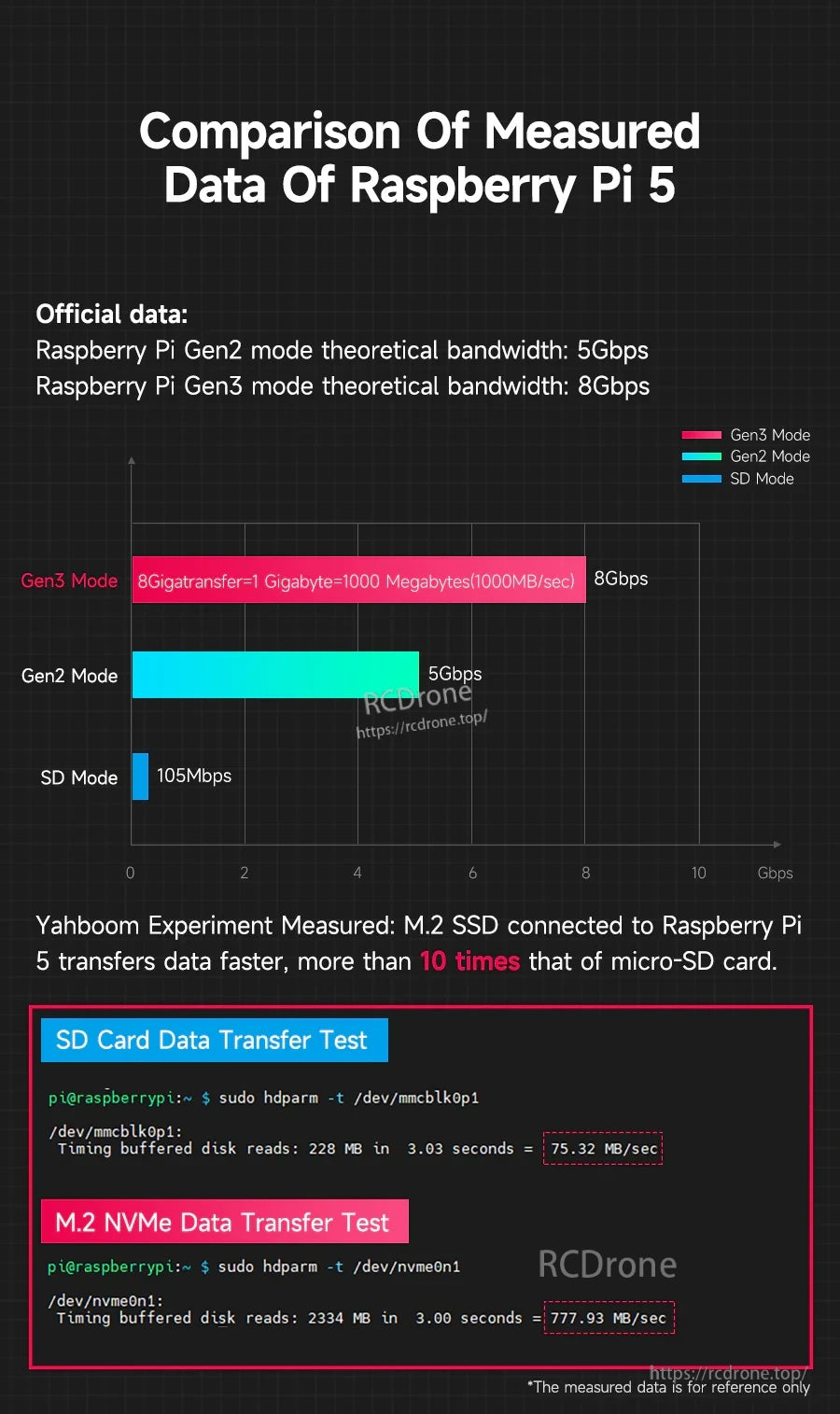
- Datos oficiales: Raspberry Pi Gen2 ancho de banda teórico del modo: 5Gbps
- Datos oficiales: Raspberry Pi Gen3 ancho de banda teórico del modo: 8Gbps
- Medido (solo para referencia): Lecturas de disco en búfer de tarjeta SD: 75.32 MB/segundo
- Medido (solo para referencia): Lecturas de disco en búfer M.2 NVMe: 777.93 MB/segundo
Nota: Los datos medidos son solo para referencia.
Qué está incluido
El contenido del paquete varía según la selección de la versión:
- Adaptador PCIe a M.2: Placa adaptadora PCIe a M.2, cable adaptador FPC, tornillo pilar de cobre
- Adaptador PCIe a M.2 + SSD de 256GB (2280): Placa adaptadora PCIe a M.2, SSD de 256GB (2280), cable adaptador FPC, tornillo pilar de cobre; el archivo de imagen del sistema ha sido escrito; el archivo de imagen del sistema oficial de Raspberry Pi 5 está preinstalado para uso directo
*La lista de envío no incluye Raspberry Pi 5 y radiador activo.
Aplicaciones
- Expansión de almacenamiento Raspberry Pi 5 usando M.2 NVMe SSD
- Proyectos que requieren una velocidad de lectura/escritura más rápida que el almacenamiento microSD (el rendimiento depende del SSD, la configuración y los ajustes del sistema)
- Inicio del sistema desde NVMe SSD (requiere configuración)
Para verificaciones de compatibilidad (tamaño/clave del SSD, configuración de arranque o ajuste de apilamiento/carcasa), contacte https://rcdrone.top/ o envíe un correo electrónico a [email protected].
Video Tutorial
Manuales / Tutoriales
Tarjeta de expansión PCIE a M.2
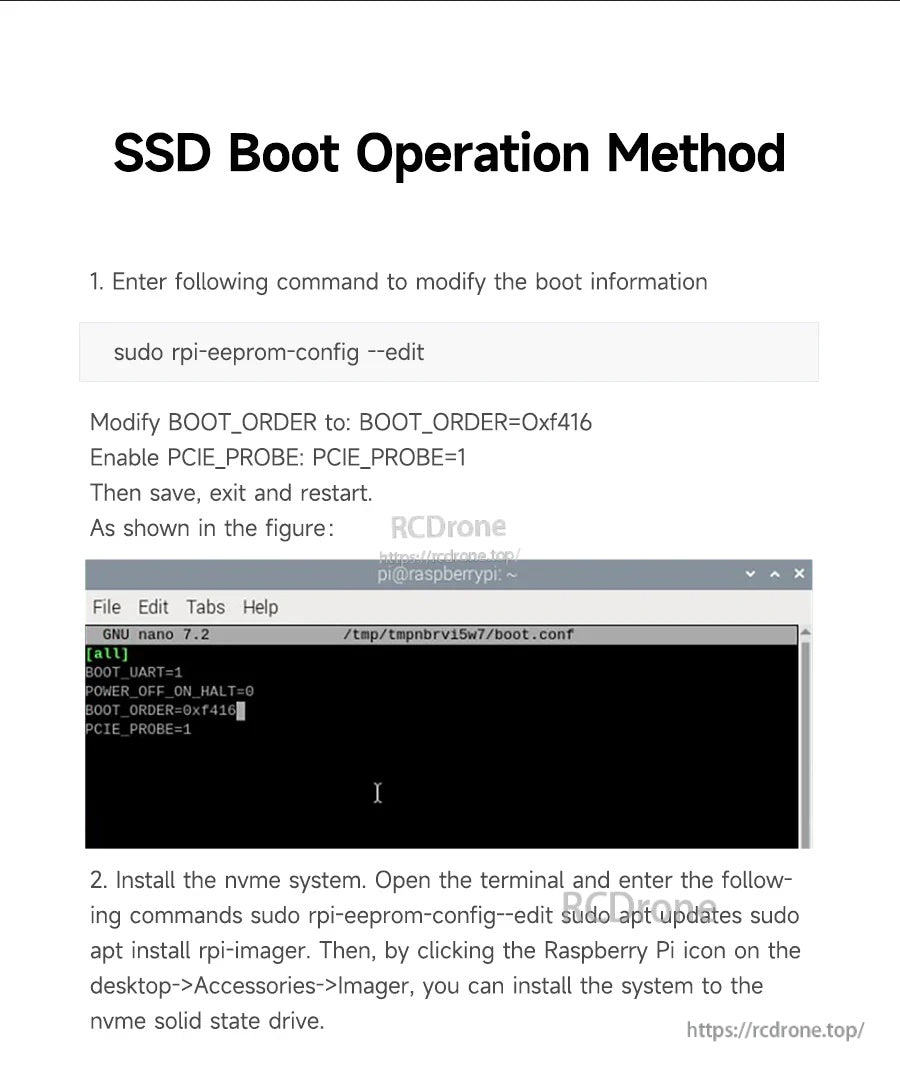
Método de operación de arranque SSD (como se muestra)
-
Ingrese el siguiente comando para modificar la información de arranque:
Modificar:sudo rpi-eeprom-config --edit-
BOOT_ORDERa:BOOT_ORDER=0xf416 - Habilitar
PCIE_PROBE:PCIE_PROBE=1
-
-
Instale el sistema NVMe. Abra el terminal e ingrese los siguientes comandos (como se muestra):
Luego, haciendo clic en el icono de Raspberry Pi en el escritorio > Accesorios > Imager, instale el sistema en la unidad de estado sólido NVMe.sudo rpi-eeprom-config--edit sudo apt updates sudo apt install rpi-imager
Detalles

Agregue almacenamiento NVMe rápido a Raspberry Pi 5 a través de su conexión PCIe mientras mantiene una pila compacta y montada en la parte trasera.
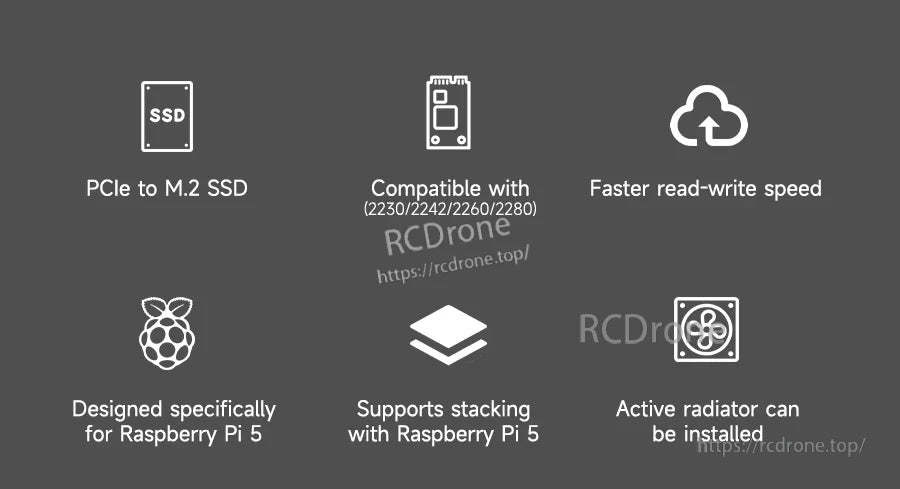
Diseñado para soportar múltiples longitudes M.2, I/O más rápido que microSD y compatibilidad con configuraciones de apilamiento y enfriamiento activo.
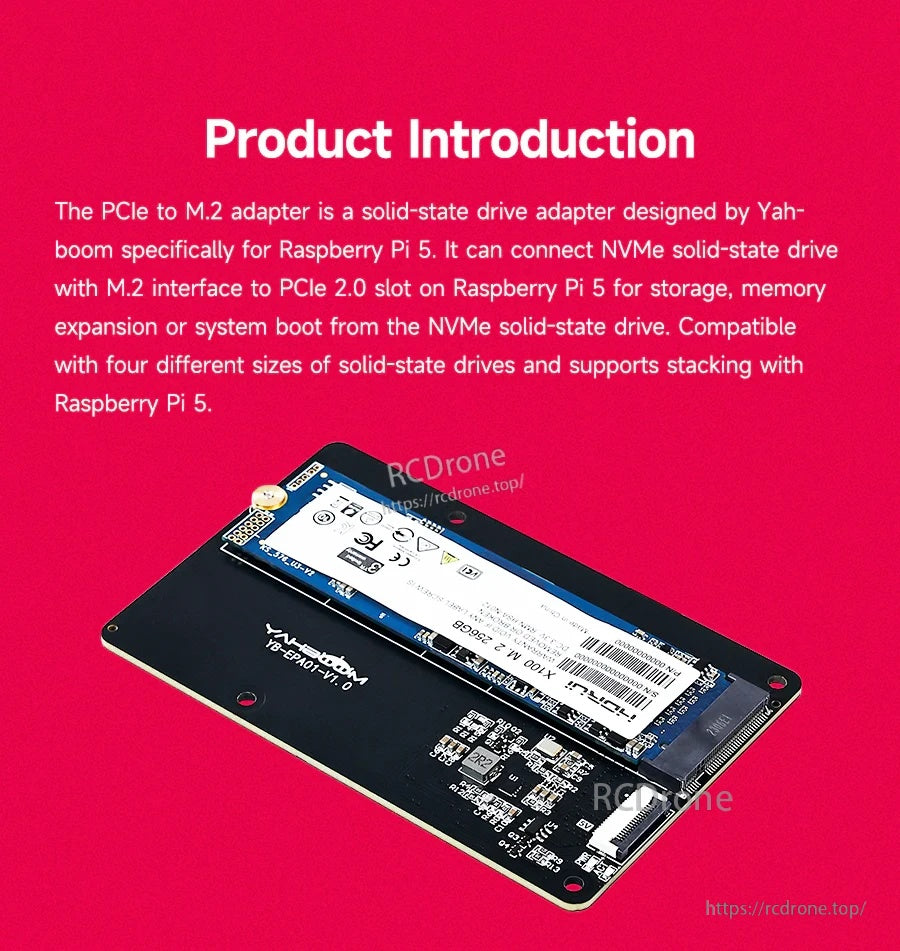
Un SSD NVMe M.2 se monta directamente en la placa, permitiendo la expansión de almacenamiento y el arranque opcional desde NVMe.
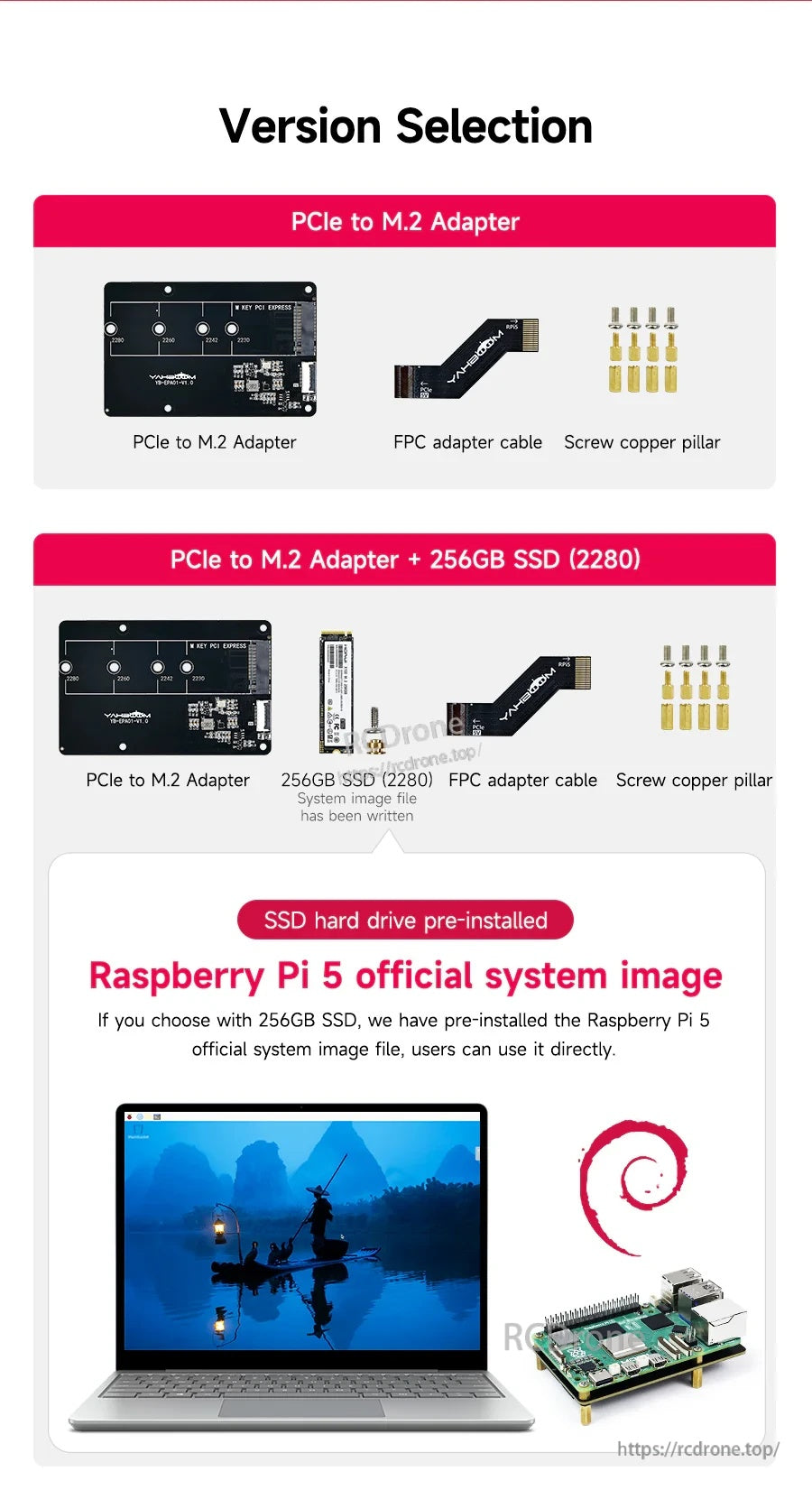
Elija el adaptador por sí solo o un paquete que incluya un SSD NVMe 2280 de 256GB preinstalado y piezas de montaje.
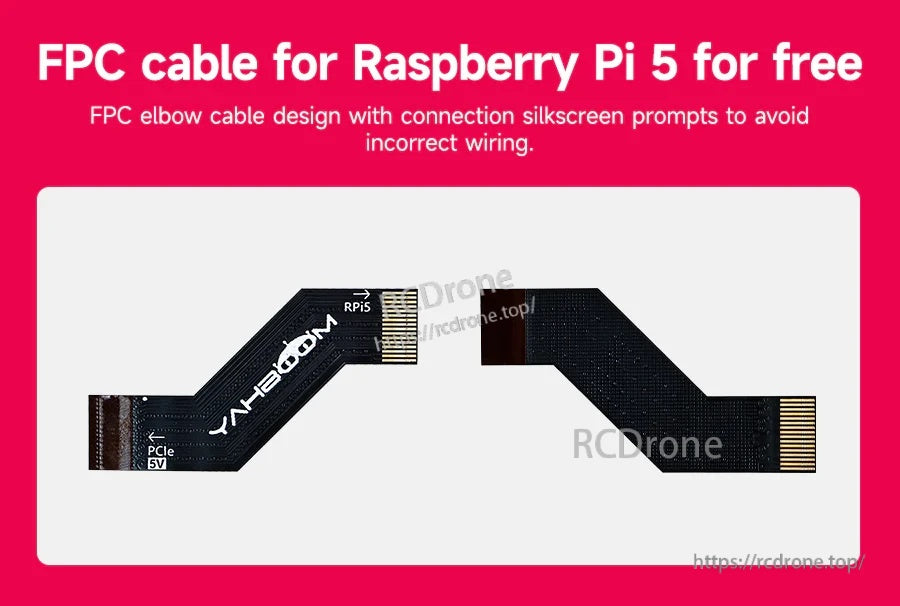
El cable de codo FPC etiquetado ayuda a alinear correctamente la conexión PCIe del Raspberry Pi 5 durante la instalación.
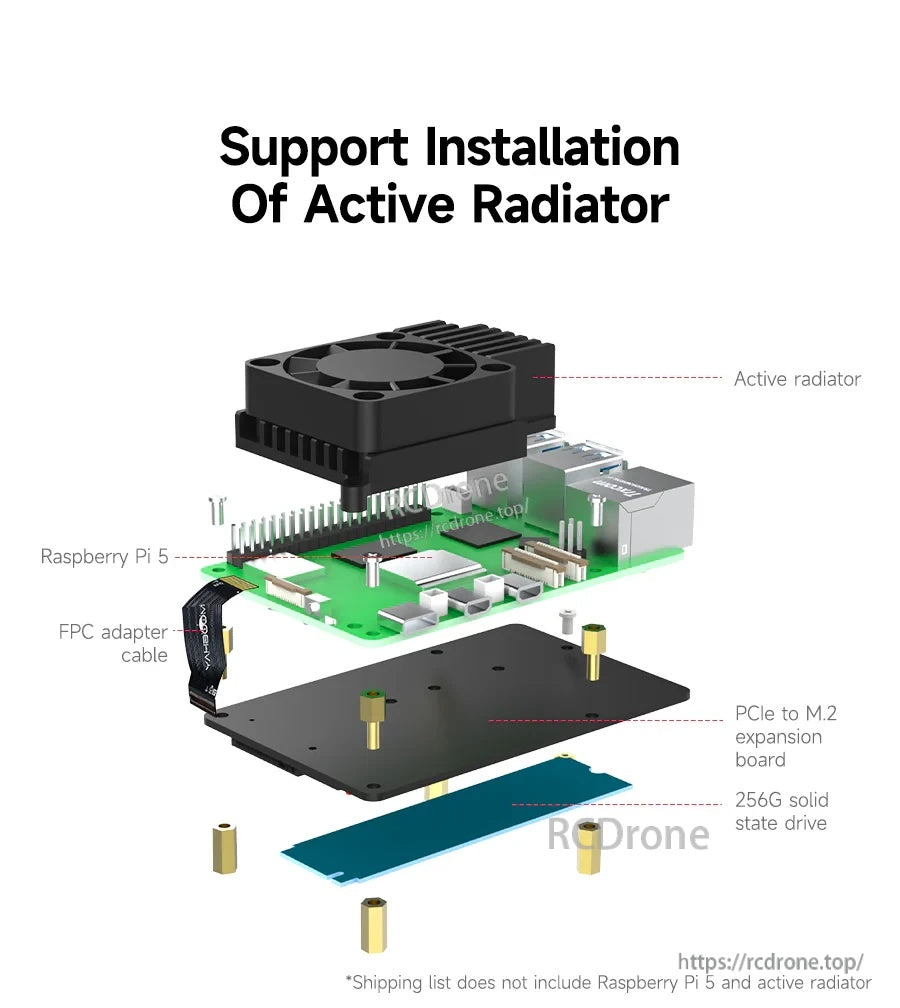
El diseño de perfil bajo, montado en la parte trasera, deja espacio para un enfriador activo sobre el Raspberry Pi 5.



Funciona con construcciones de carcasa donde el Raspberry Pi 5 y la expansión NVMe están montados dentro de un chasis.

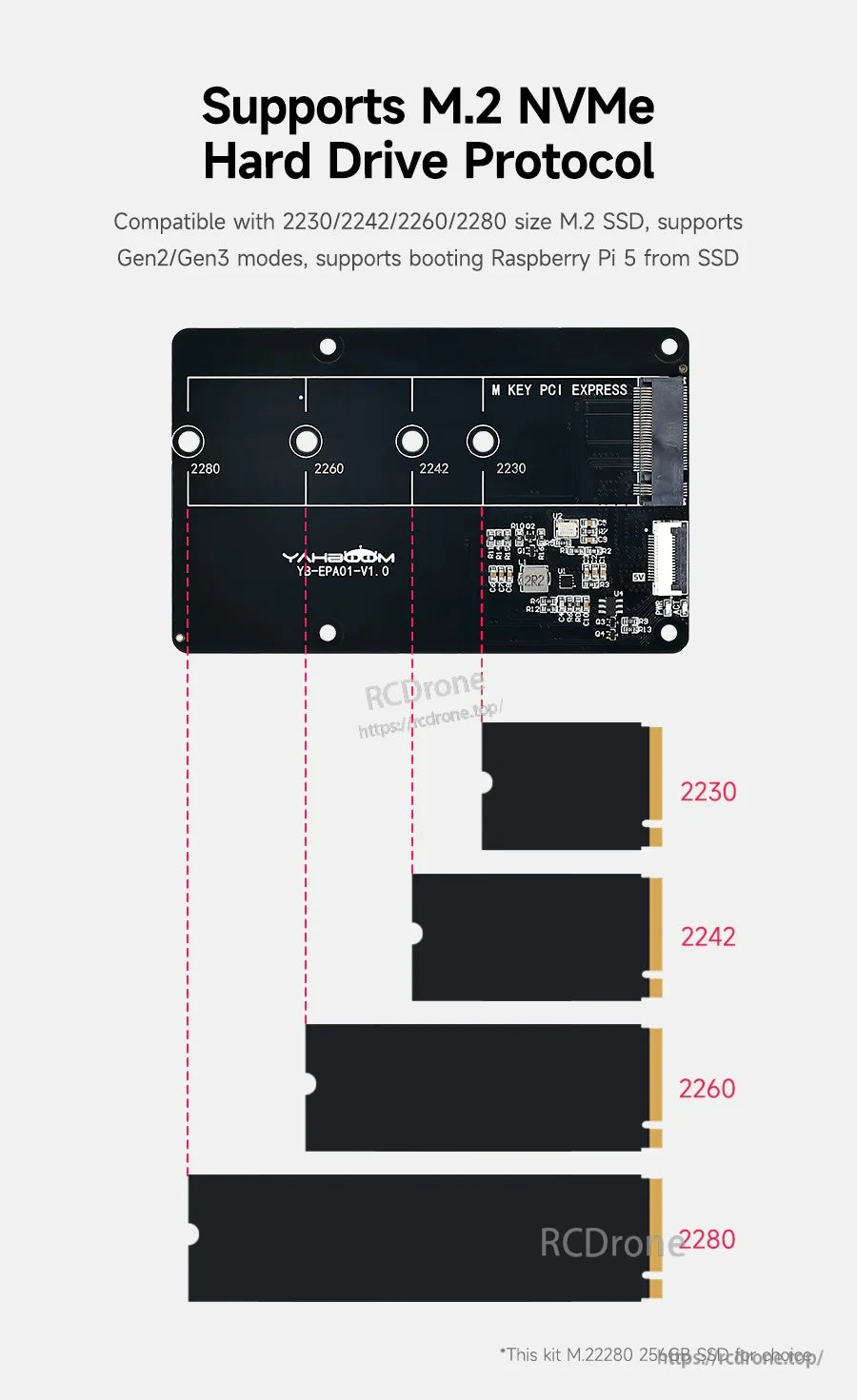
Múltiples posiciones de soporte admiten longitudes comunes de M.2 NVMe desde 2230 hasta 2280.
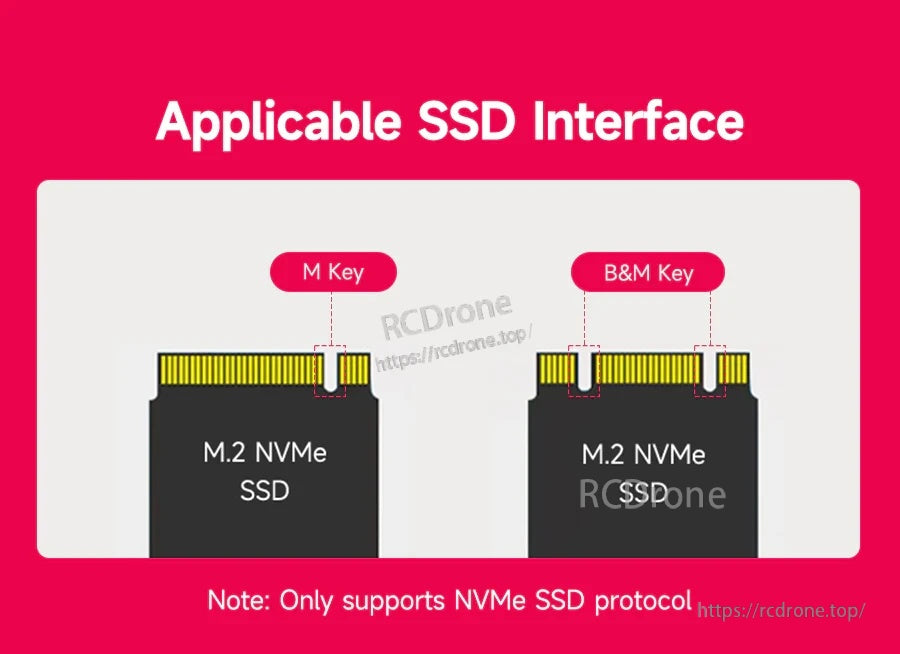
La ranura M.2 acepta unidades NVMe M‑Key y B&M‑Key (solo protocolo NVMe).
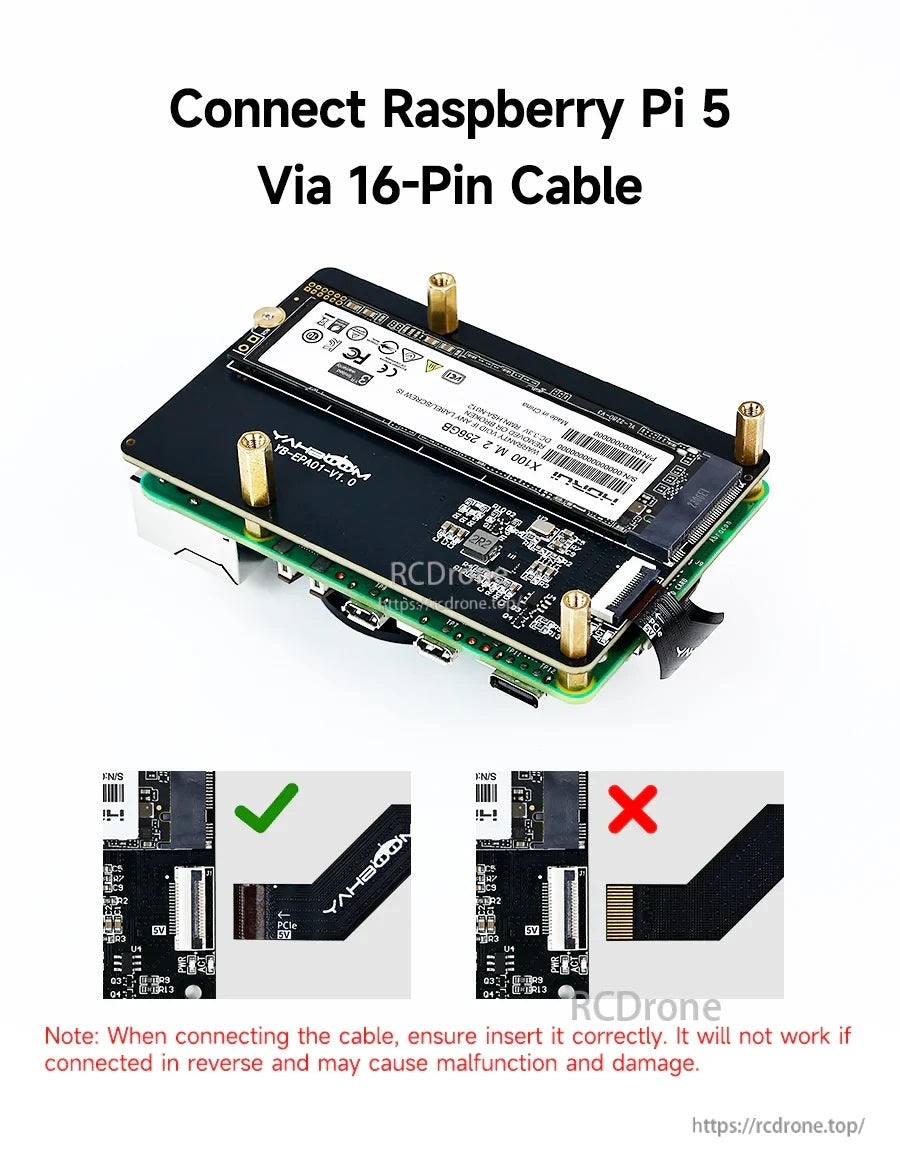
Se requiere la orientación correcta del cable FPC; invertir el cable puede impedir el funcionamiento y causar daños.
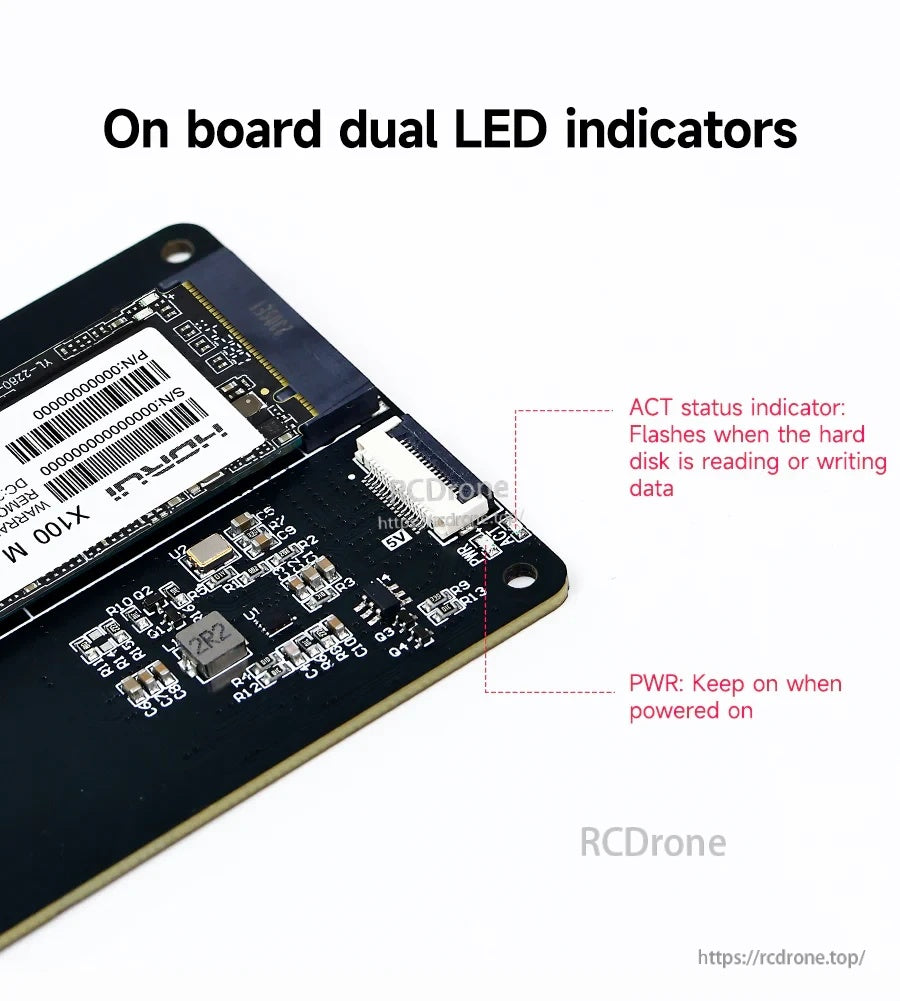
Los LED de PWR y ACT a bordo proporcionan verificaciones rápidas del estado de la energía y la actividad de la unidad.
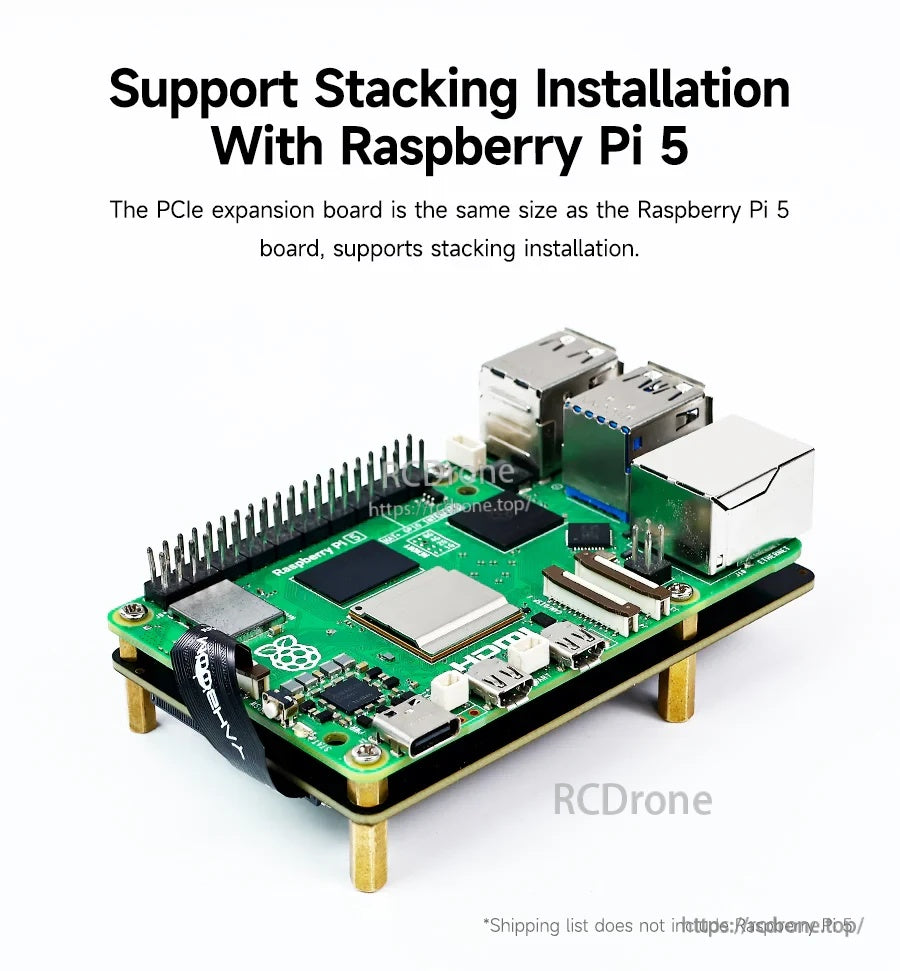
La placa coincide con la huella del Raspberry Pi 5 para un montaje limpio y apilado en la parte trasera.
html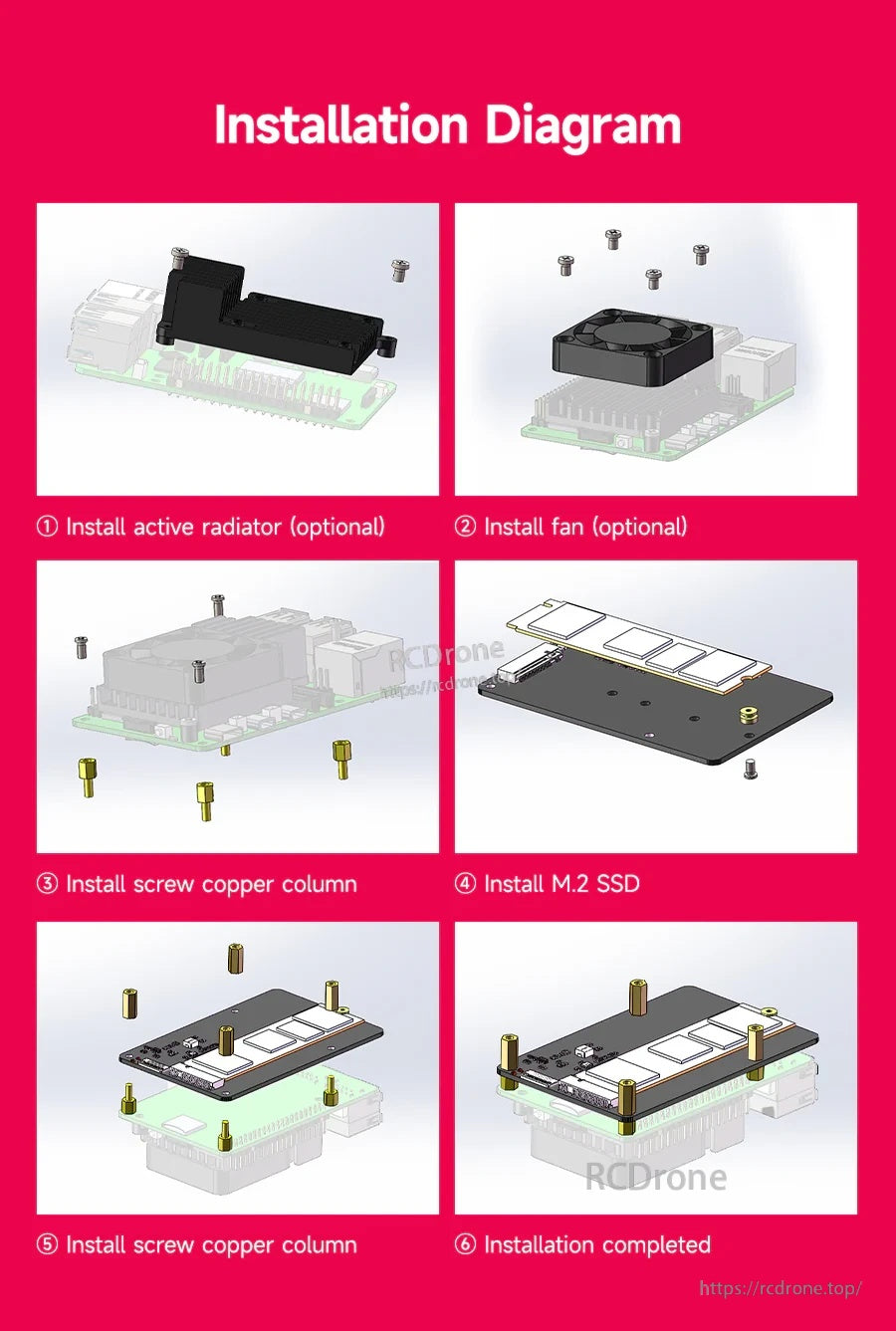
Siga la secuencia para montar el SSD y los separadores, luego complete el ensamblaje apilado con refrigeración opcional.
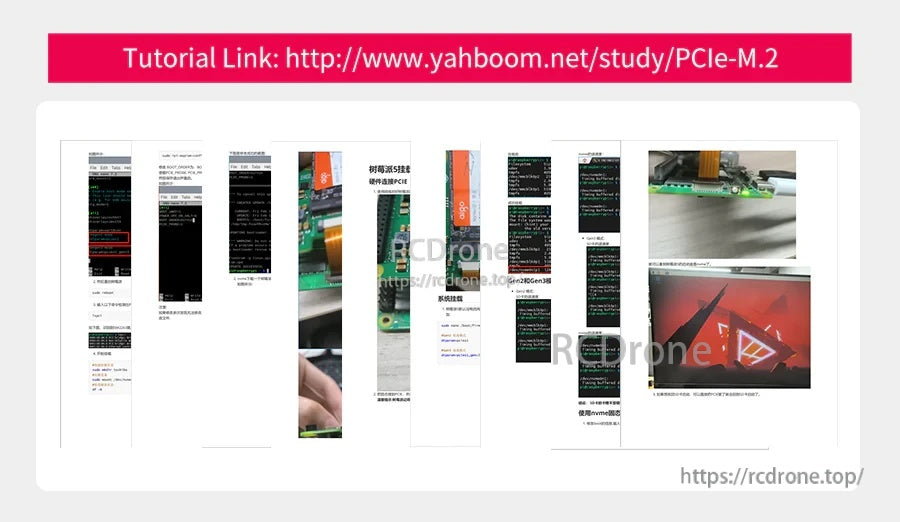
Un enlace de tutorial de Yahboom proporciona una guía paso a paso para instalar y usar el adaptador PCIe a M.2.
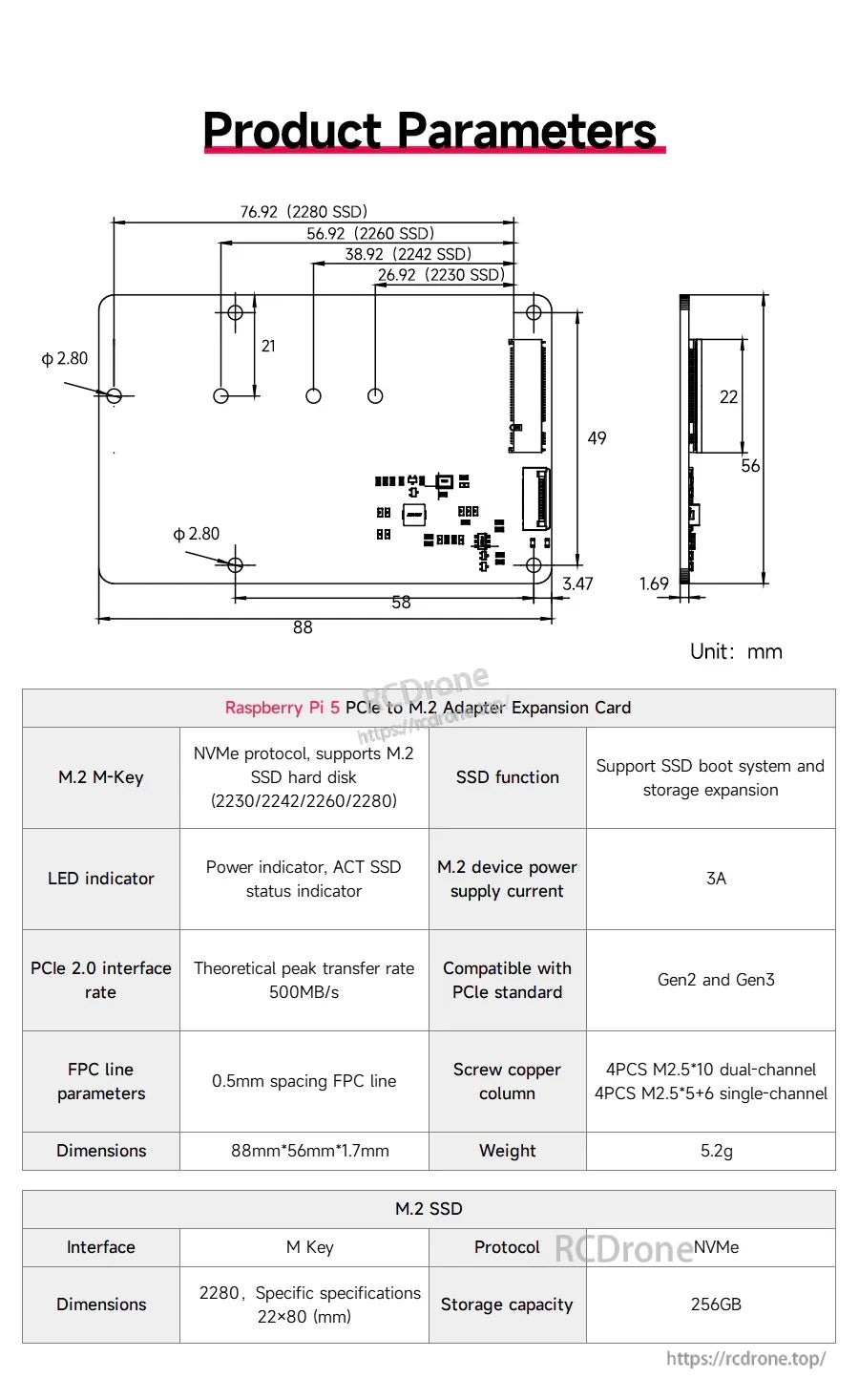
El adaptador Yahboom YB-EPA01-V1.0 PCIe a M.2 utiliza una interfaz NVMe M.2 M-Key y un diseño compacto de 88×56×17 mm para la expansión de almacenamiento de Raspberry Pi 5.
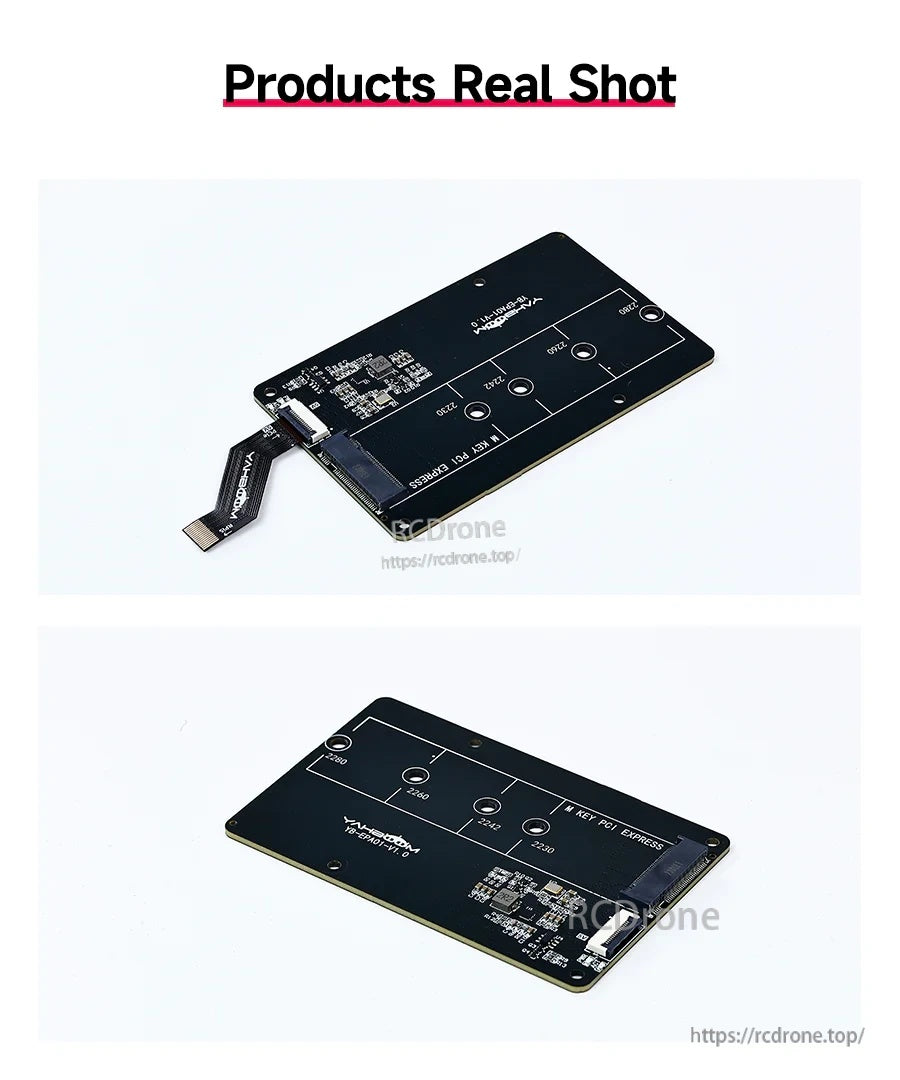
La placa adaptadora Yahboom YB-EPA01-V1.0 ofrece un diseño de montaje M.2 compacto con un conector USB-A incorporado para conexiones sencillas.