Overview
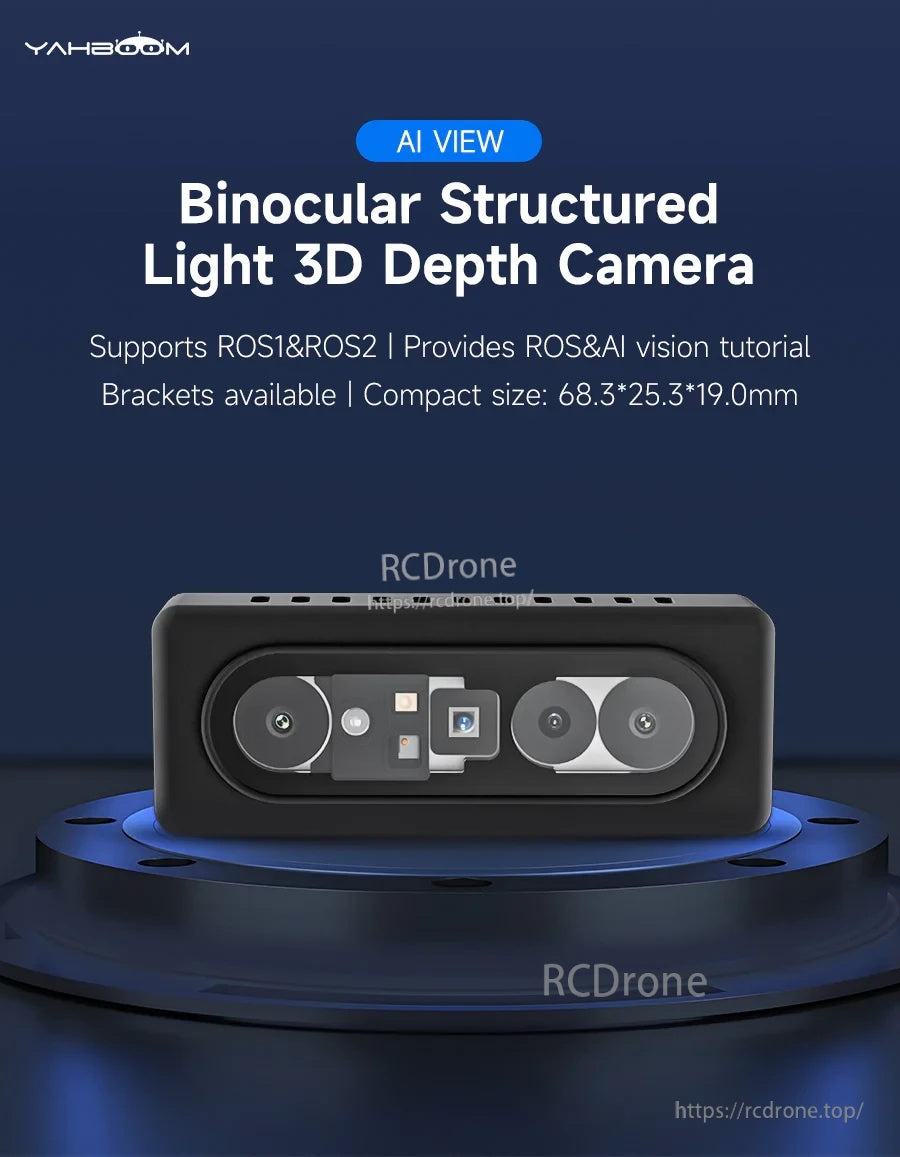
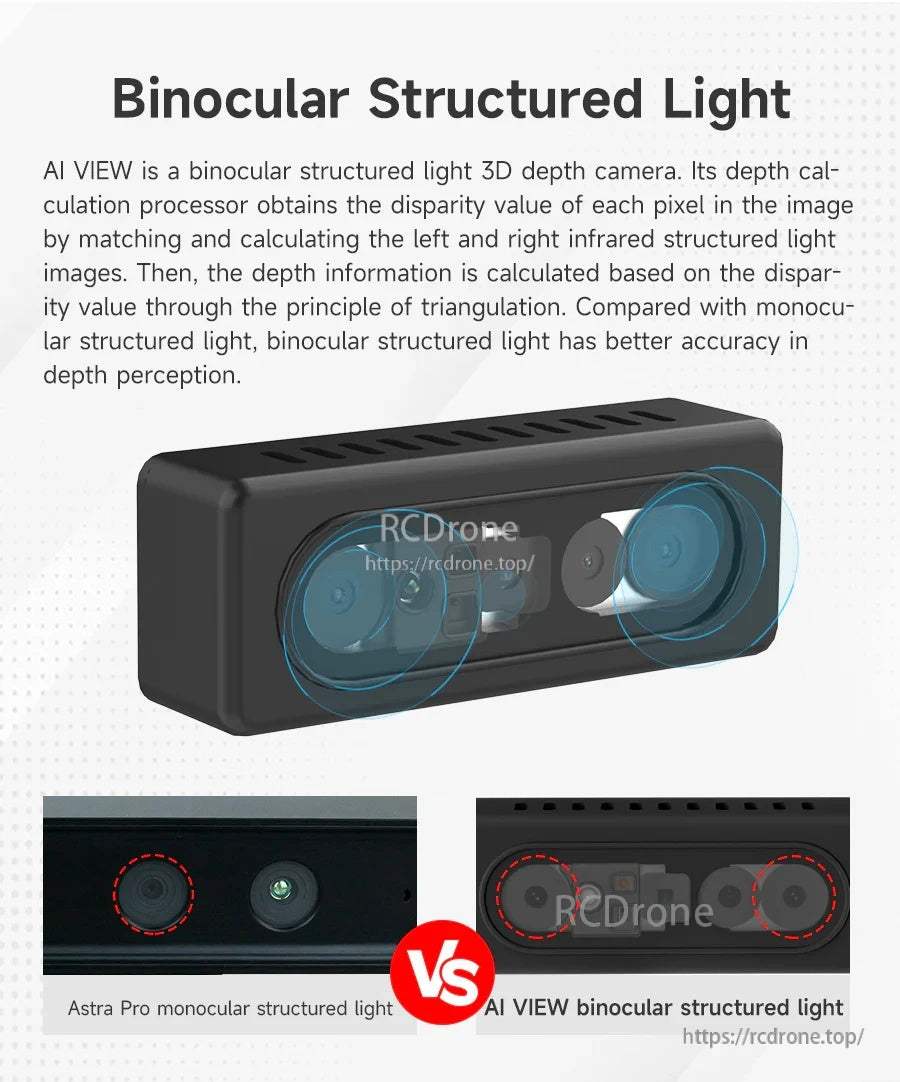
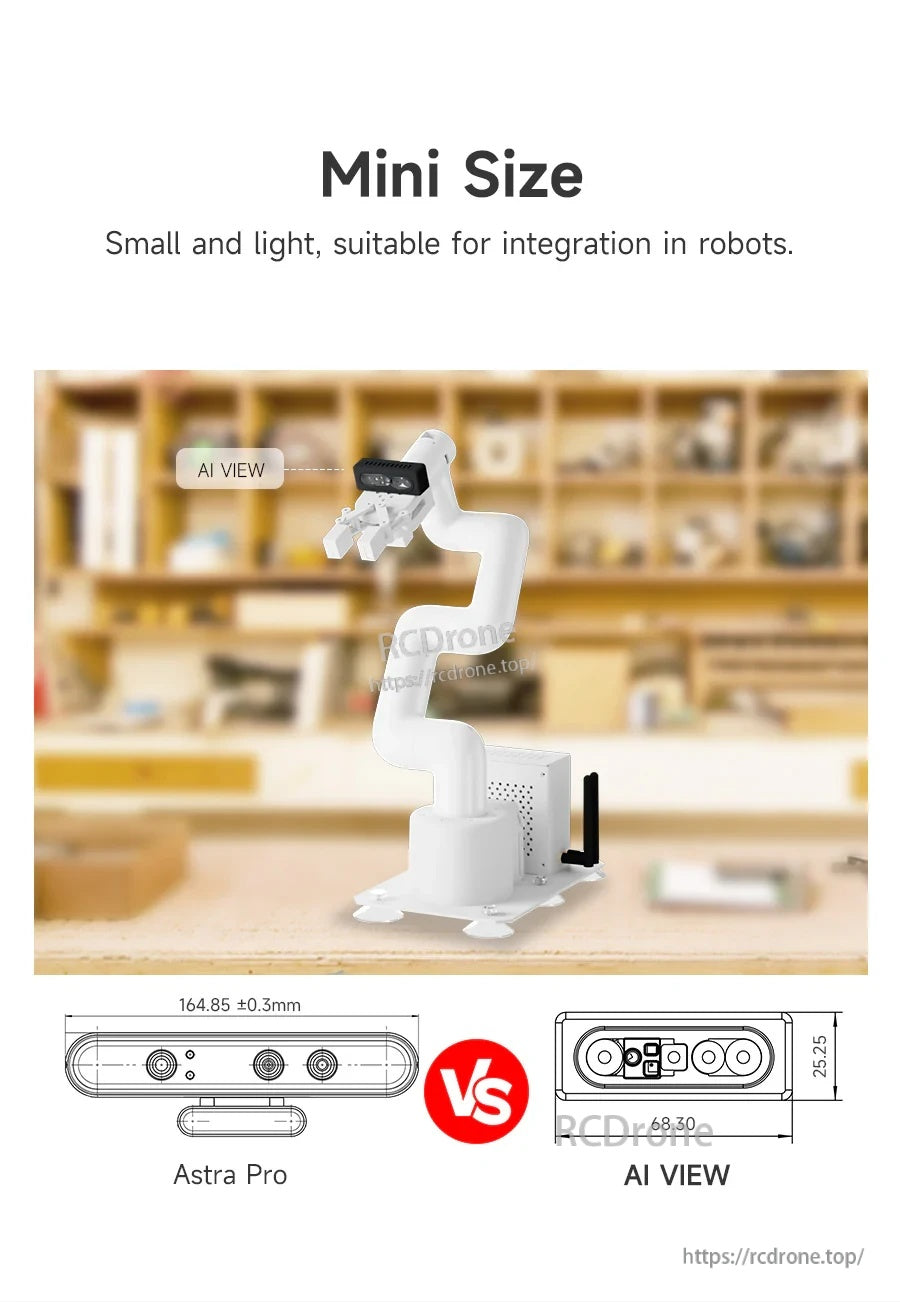
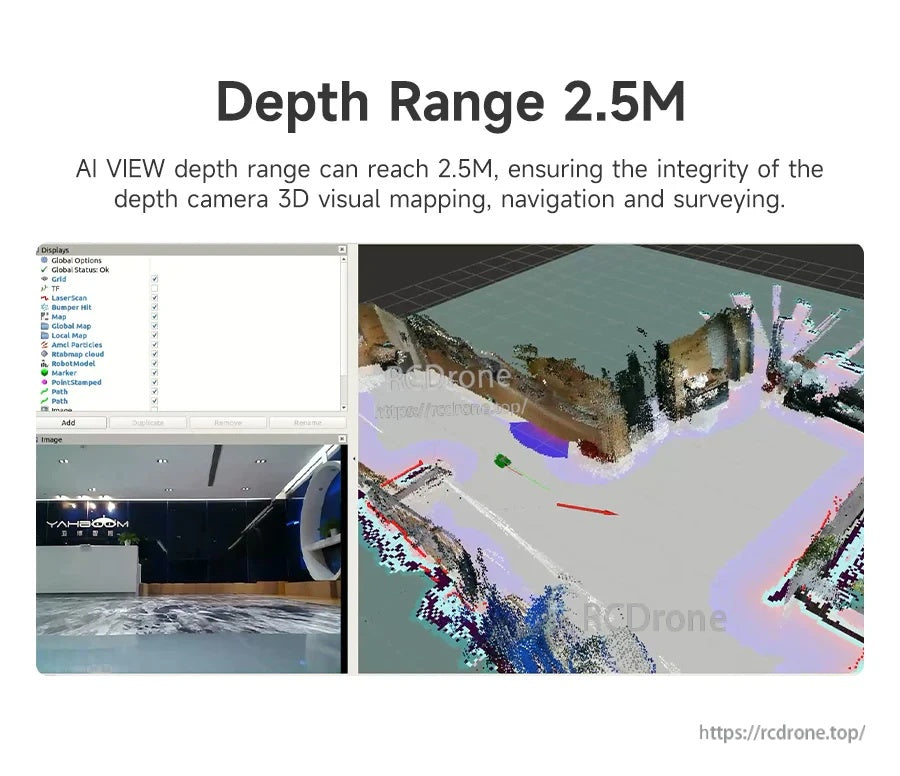
The Yahboom AI VIEW is a binocular structured light 3D depth camera for ROS robot development. It combines binocular vision with structured light projection to calculate depth via left/right image matching and triangulation, supporting 3D reconstruction and depth sensing in complex environments. The compact body size is listed as 68.3 × 25.3 × 19.0 mm, with a measurement range of 0.25–2.5 m and resistance to strong light for indoor use scenarios.
Key Features
- Binocular structured light depth sensing; ranging principle: active binocular stereo vision
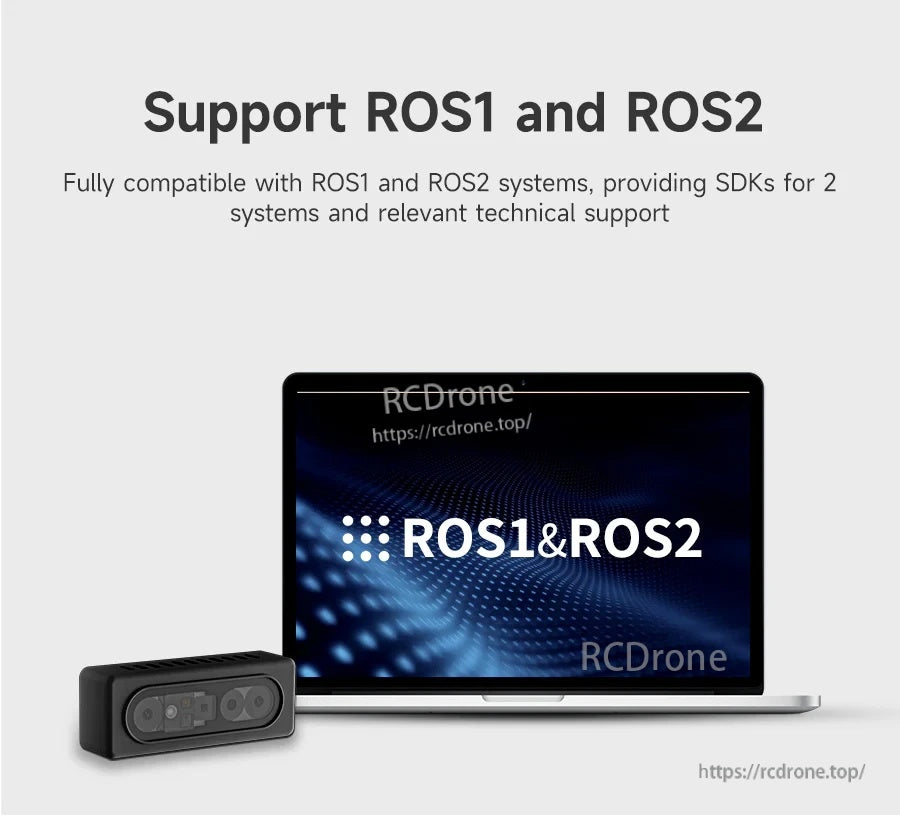
- ROS support: ROS1 & ROS2; compatible with ROS1/ROS2 systems and SDK support is noted
- Built-in depth engine chip: MX6000
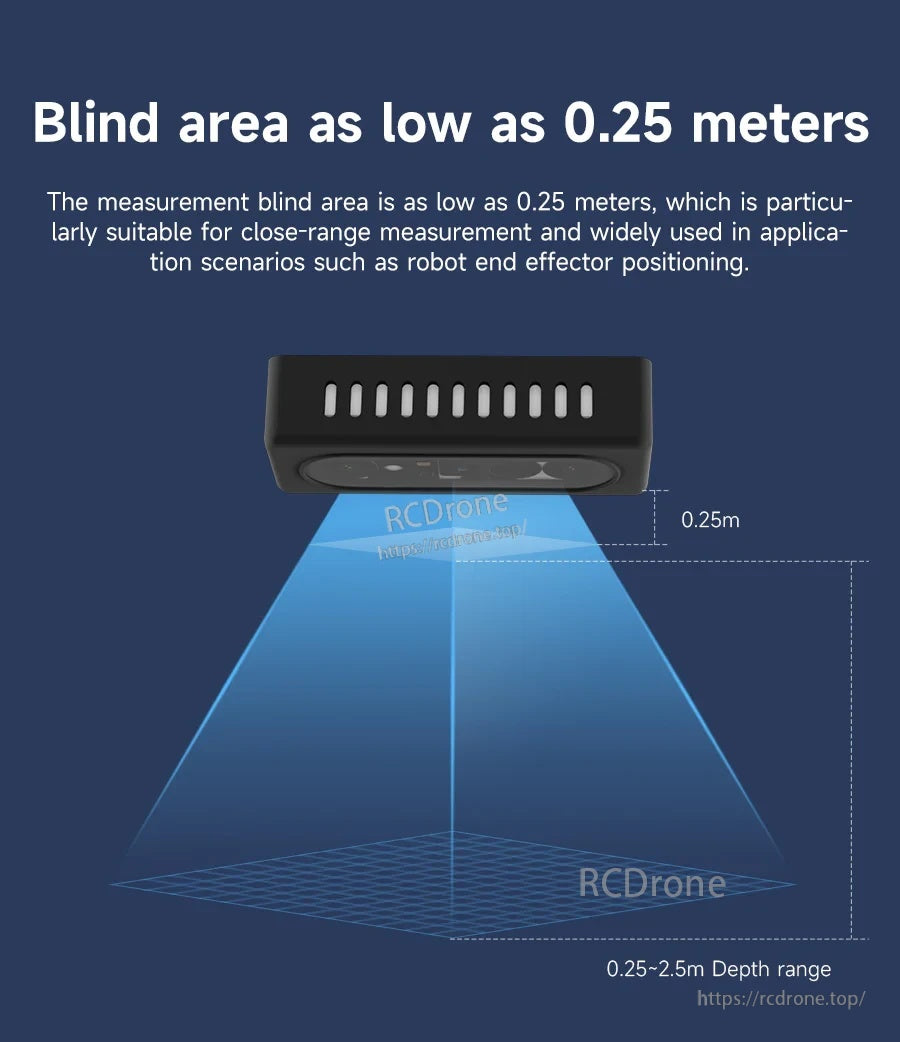
- Smaller blind area: as low as 0.25 m (close-range measurement; suitable for robot end effector positioning)
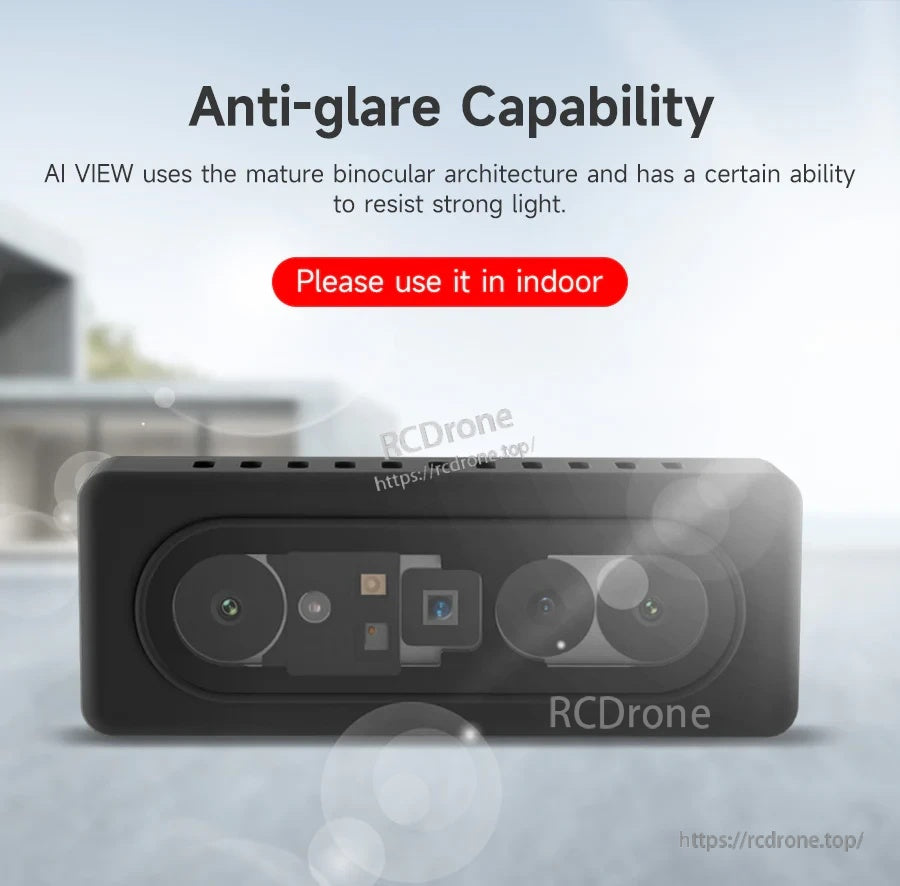
- Anti-glare capability (strong-light resistance); usage note: “Please use it in indoor”
- Cross-platform operating systems listed: Android / Linux / Windows8/10
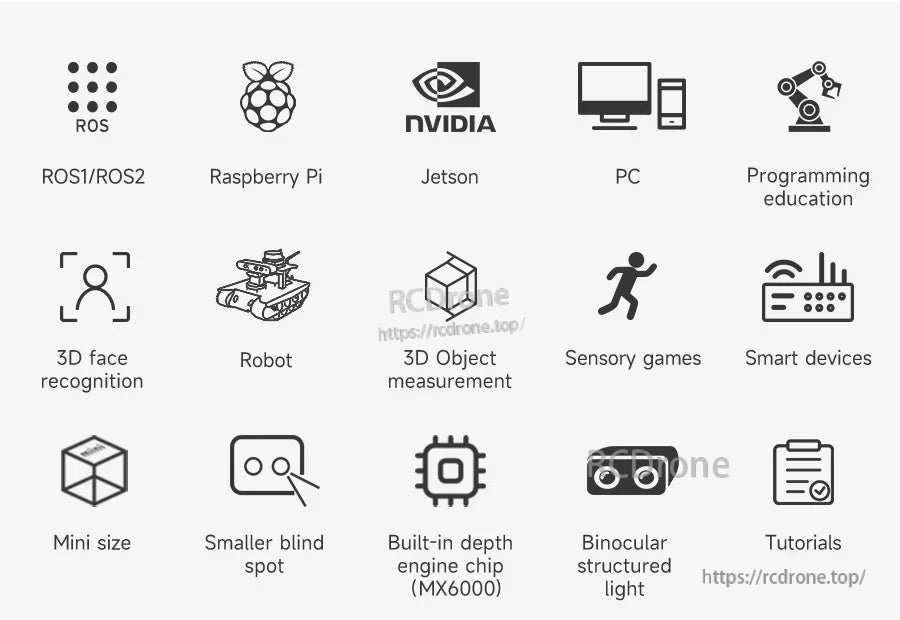
- Example platforms and scenarios shown: Raspberry Pi, Jetson, PC, programming education, robot, 3D face recognition, 3D object measurement, sensory games, smart devices
Specifications
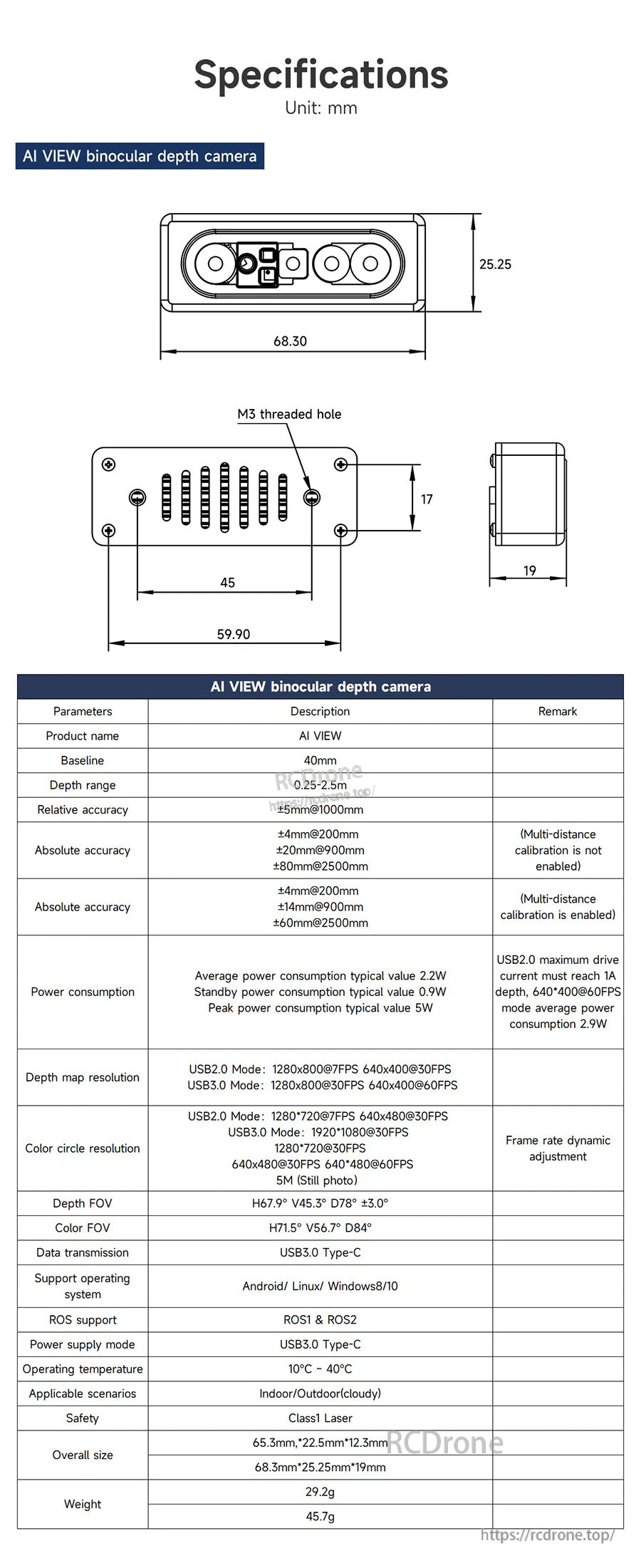
| Product name | AI VIEW |
| Model | Astra SV1301S U3 |
| Baseline | 40 mm |
| Ranging principle | Active binocular stereo vision |
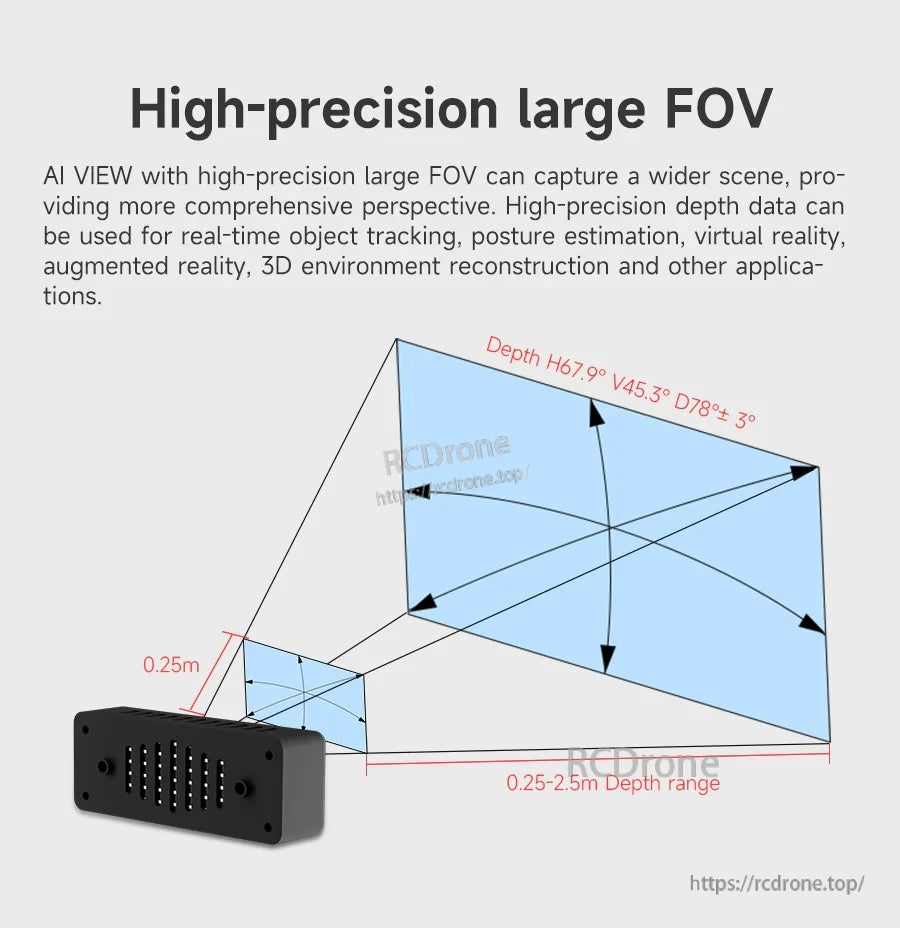
| Depth range | 0.25–2.5 m |
| Relative accuracy | ±5 mm @ 1000 mm |
| Absolute accuracy (multi-distance calibration not enabled) | ±4 mm @ 200 mm; ±20 mm @ 900 mm; ±80 mm @ 2500 mm |
| Absolute accuracy (multi-distance calibration enabled) | ±4 mm @ 200 mm; ±14 mm @ 900 mm; ±60 mm @ 2500 mm |
| Power consumption (typical) | Average 2.2 W; Standby 0.9 W; Peak 5 W |
| Power note | USB2.0 maximum drive current must reach 1 A; depth 640 × 400 @ 60 FPS mode average power consumption 2.9 W |
| Depth map resolution | USB2.0 mode: 1280 × 800 @ 7 FPS; 640 × 400 @ 30 FPS USB3.0 mode: 1280 × 800 @ 30 FPS; 640 × 400 @ 60 FPS |
| Color circle resolution | USB2.0 mode: 1280 × 720 @ 7 FPS; 640 × 480 @ 30 FPS USB3.0 mode: 1920 × 1080 @ 30 FPS; 1280 × 720 @ 30 FPS; 640 × 480 @ 30 FPS; 640 × 480 @ 60 FPS 5M (still photo) |
| Frame rate | Frame rate dynamic adjustment |
| Depth FOV | H67.9° V45.3° D78° ±3° |
| Color FOV | H71.5° V56.7° D84° |
| Depth engine | MX6000 |
| Data transmission | USB3.0 Type-C |
| Power supply mode | USB3.0 Type-C |
| Supported operating systems | Android / Linux / Windows8/10 |
| ROS support | ROS1 & ROS2 |
| Operating temperature | 10°C to 40°C |
| Applicable scenarios (listed) | Indoor Indoor/Outdoor (cloudy) |
| Safety (listed) | Class1 Laser |
| Overall size (listed) | Length 68.3 mm; Width 25.25 mm; Thickness 19 mm Also listed: 65.3 mm × 22.5 mm × 12.3 mm |
| Weight (listed) | 45.7 g Also listed: 29.2 g |
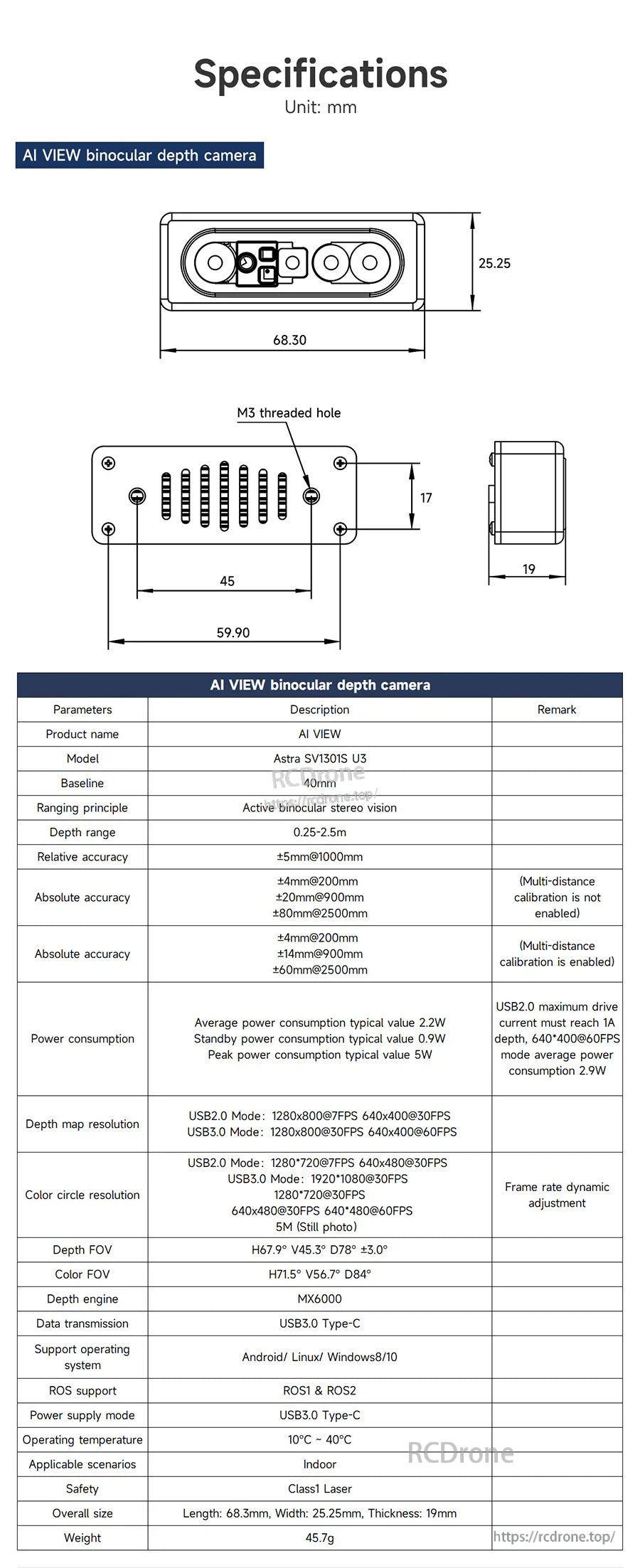
| Mechanical drawing notes (unit: mm) | Front: 68.30 (W) × 25.25 (H); side thickness 19; mounting note: M3 threaded hole; additional drawing dimensions shown: 59.90, 45, 17 |
Software / SDK Notes (as listed)
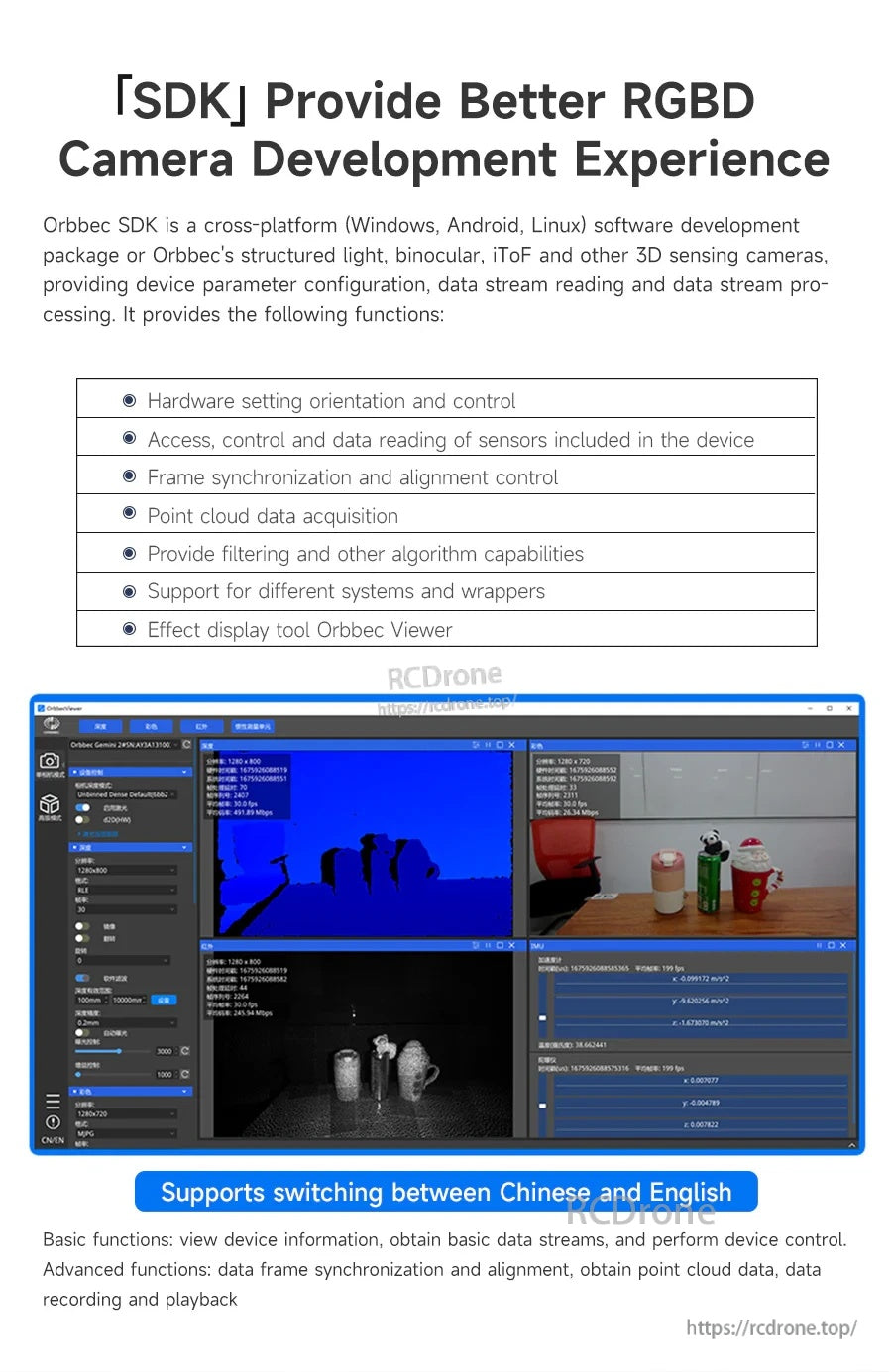
- “[SDK] Provide better RGBD camera development experience” (Orbbec SDK): cross-platform (Windows, Android, Linux) for structured light, binocular, iToF and other 3D sensing cameras
- Functions listed: hardware setting orientation and control; access/control/data reading of sensors; frame synchronization and alignment control; point cloud data acquisition; filtering and other algorithm capabilities; support for different systems and wrappers; display tool Orbbec Viewer
- Viewer note: supports switching between Chinese and English
- Basic functions listed: view device information; obtain basic data streams; perform device control
- Advanced functions listed: data frame synchronization and alignment; obtain point cloud data; data recording and playback
Optional Accessories
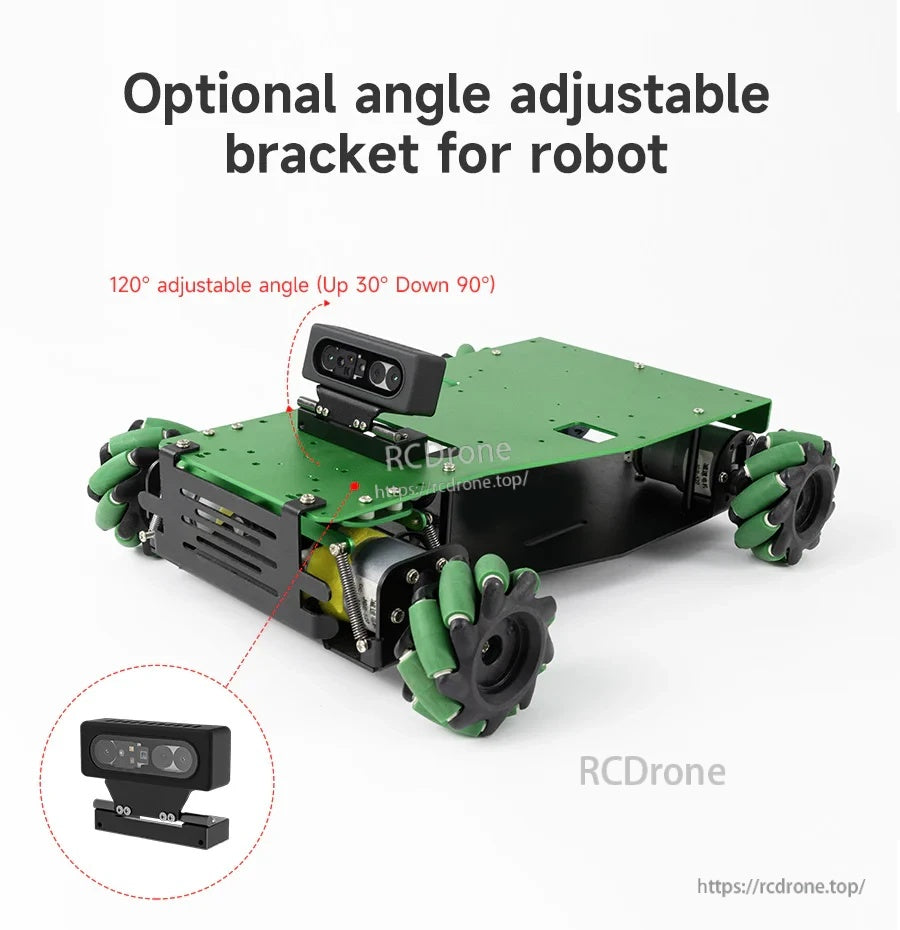
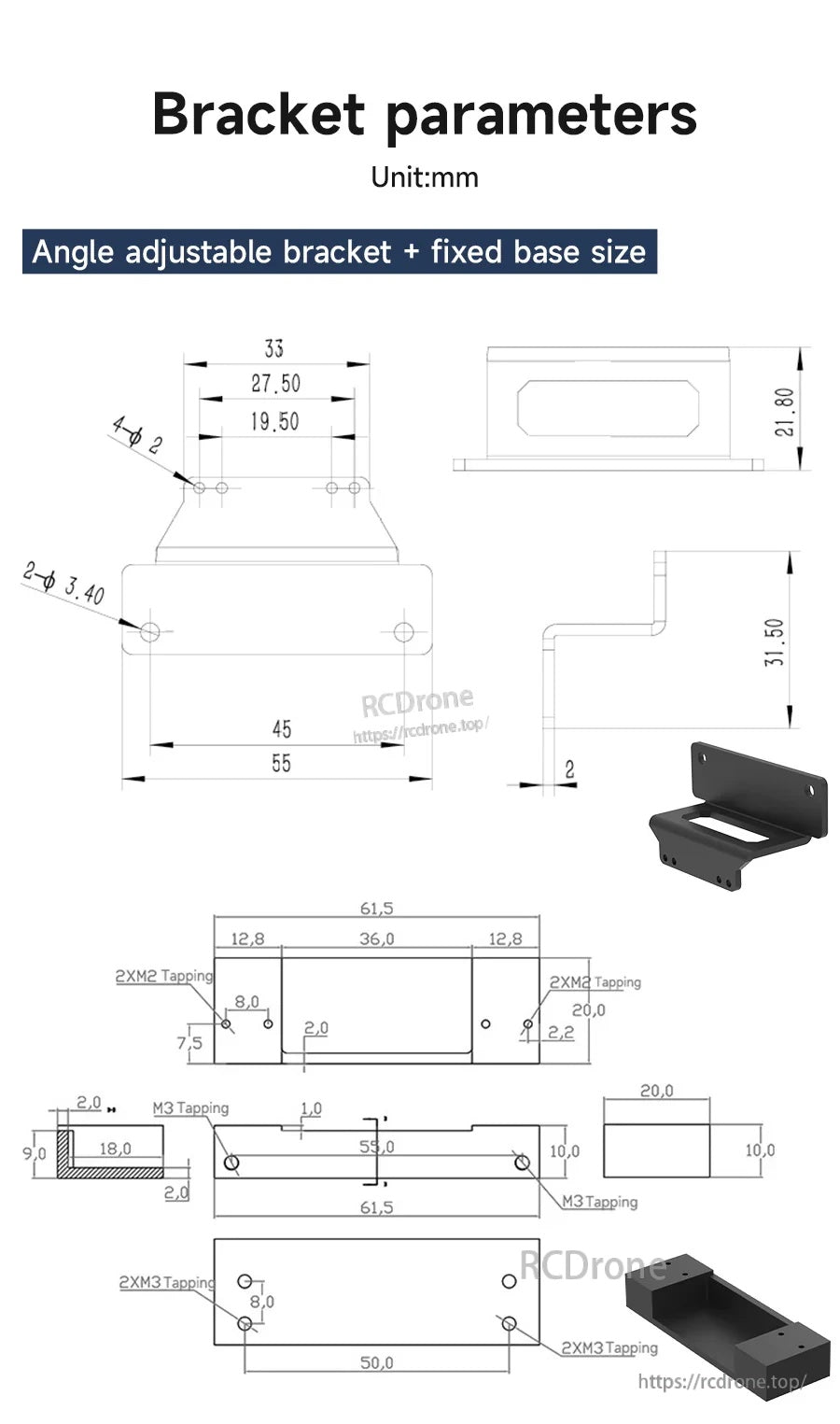
- Optional angle-adjustable bracket for robot: 120° adjustable angle (Up 30°, Down 90°)
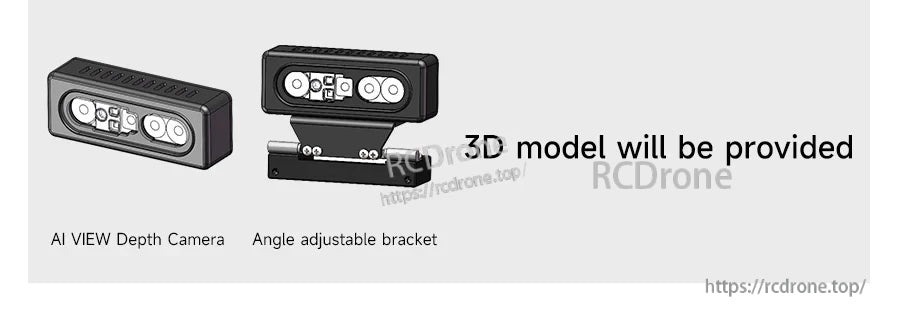
- “3D model will be provided” (listed alongside the camera and angle adjustable bracket)
Applications
- 3D reconstruction and environment modeling (indoor)
- 3D visual mapping, navigation and surveying (as listed)
- Close-range measurement (blind area as low as 0.25 m)
- Object recognition, target detection, and tracking workflows (as listed in course topics)
Tutorials
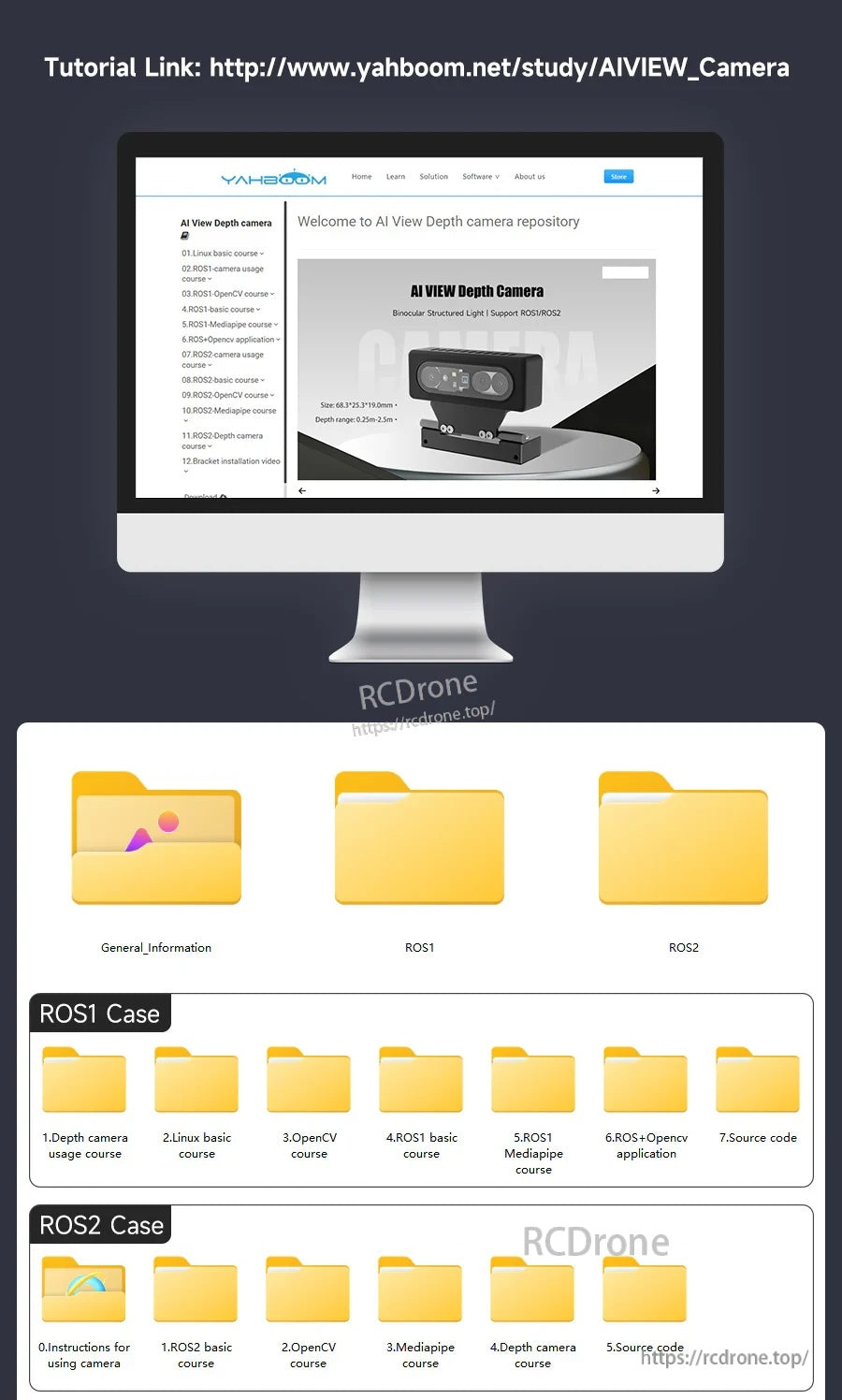
Tutorial link (official study page): http://www.yahboom.net/study/AIVIEW_Camera
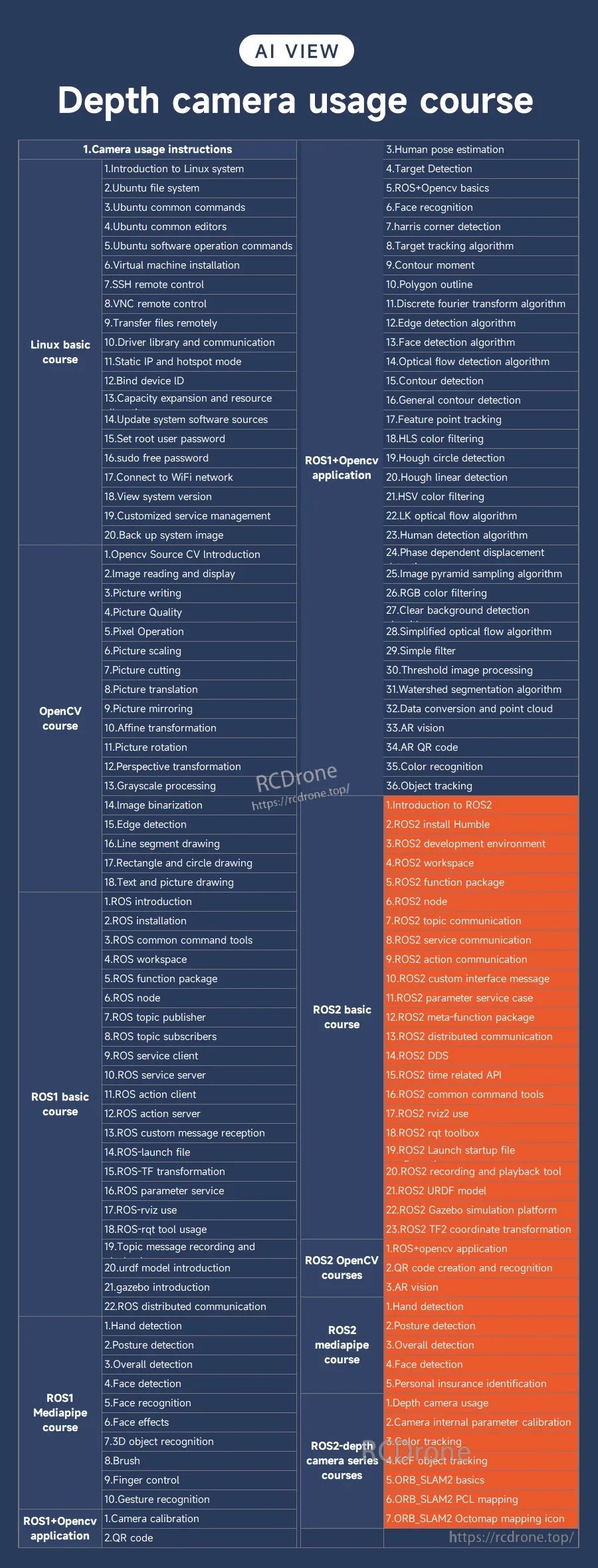
Depth camera usage course (topics listed)
- Camera usage instructions / Linux basics (listed): Introduction to Linux system; Ubuntu file system; Ubuntu common commands; Ubuntu common editors; Ubuntu software operation commands; virtual machine installation; SSH remote control; VNC remote control; transfer files remotely; driver library and communication; static IP and hotspot mode; bind device ID; capacity expansion and resource; update system software sources; set root user password; sudo free password; connect to WiFi network; view system version; customized service management; back up system image
- OpenCV course (listed): Opencv Source CV Introduction; image reading and display; picture writing; picture quality; pixel operation; picture scaling; picture cutting; picture translation; picture mirroring; affine transformation; picture rotation; perspective transformation; grayscale processing; image binarization; edge detection; line segment drawing; rectangle and circle drawing; text and picture drawing
- ROS1 basic course (listed): ROS introduction; ROS installation; ROS common command tools; ROS workspace; ROS function package; ROS node; ROS topic publisher; ROS topic subscribers; ROS service client; ROS service server; ROS action client; ROS action server; ROS custom message reception; ROS-launch file; ROS-TF transformation; ROS parameter service; ROS-rviz use; ROS-rqt tool usage; topic message recording and; urdf model introduction; gazebo introduction; ROS distributed communication
- ROS1 Mediapipe course (listed): hand detection; posture detection; overall detection; face detection; face recognition; face effects; 3D object recognition; brush; finger control; gesture recognition
- ROS1 + OpenCV application (listed): camera calibration; QR code
- Additional ROS + OpenCV topics (listed): 3. Human pose estimation; 4. Target Detection; 5. ROS+Opencv basics; 6. Face recognition; 7. harris corner detection; 8. Target tracking algorithm; 9. Contour moment; 10. Polygon outline; 11. Discrete fourier transform algorithm; 12. Edge detection algorithm; 13. Face detection algorithm; 14. Optical flow detection algorithm; 15. Contour detection; 16. General contour detection; 17. Feature point tracking; 18. HLS color filtering; 19. Hough circle detection; 20. Hough linear detection; 21. HSV color filtering; 22. LK optical flow algorithm; 23. Human detection algorithm; 24. Phase dependent displacement; 25. Image pyramid sampling algorithm; 26. RGB color filtering; 27. Clear background detection; 28. Simplified optical flow algorithm; 29. Simple filter; 30. Threshold image processing; 31. Watershed segmentation algorithm; 32. Data conversion and point cloud; 33. AR vision; 34. AR QR code; 35. Color recognition; 36. Object tracking
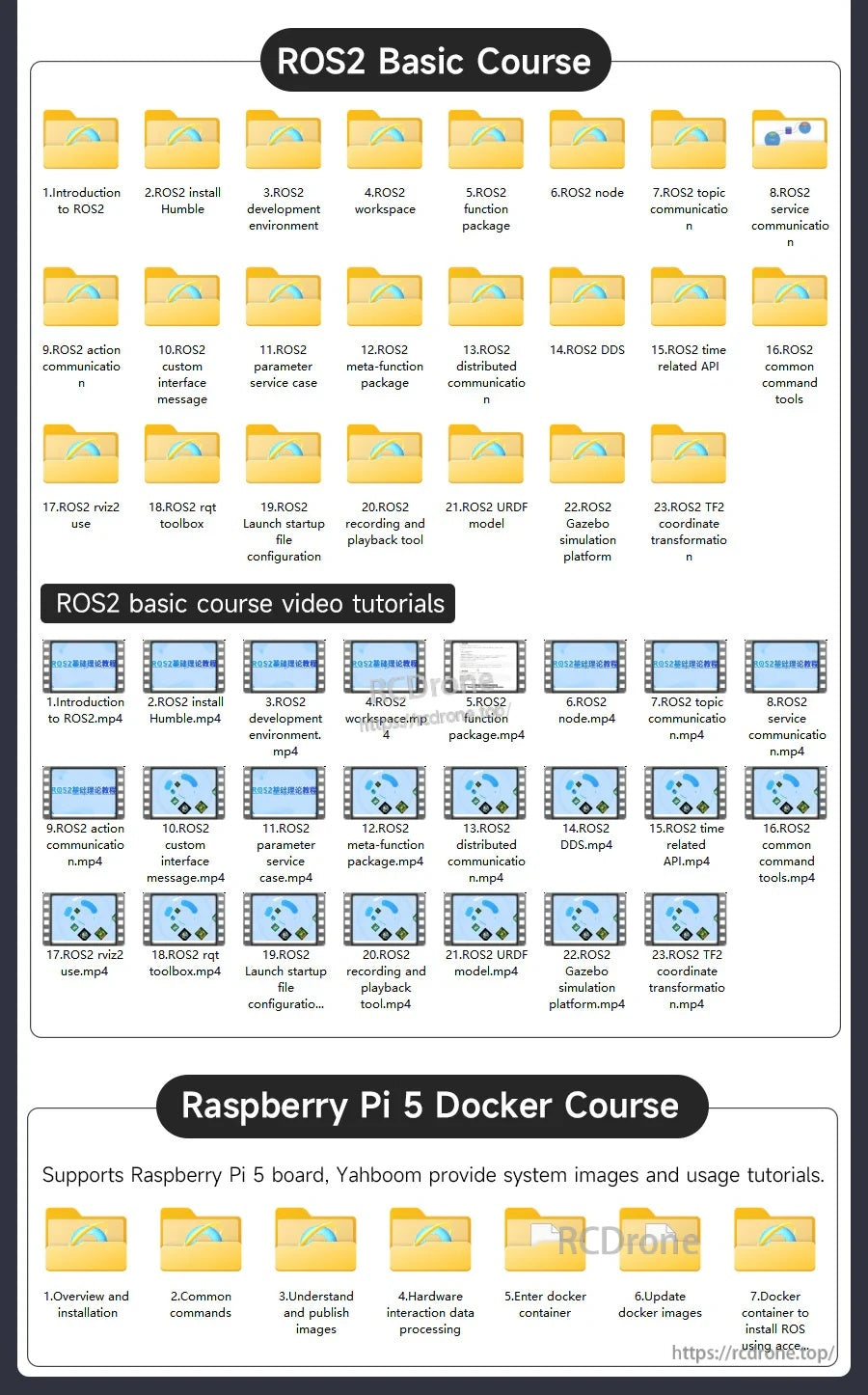
- ROS2 basic course (listed): Introduction to ROS2; ROS2 install Humble; ROS2 development environment; ROS2 workspace; ROS2 function package; ROS2 node; ROS2 topic communication; ROS2 service communication; ROS2 action communication; ROS2 custom interface message; ROS2 parameter service case; ROS2 meta-function package; ROS2 distributed communication; ROS2 DDS; ROS2 time related API; ROS2 common command tools; ROS2 rviz2 use; ROS2 rqt toolbox; ROS2 Launch startup file; ROS2 recording and playback tool; ROS2 URDF model; ROS2 Gazebo simulation platform; ROS2 TF2 coordinate transformation
- ROS2 OpenCV courses (listed): ROS+opencv application; QR code creation and recognition; AR vision
- ROS2 mediapipe course (listed): hand detection; posture detection; overall detection; face detection; personal insurance identification
- ROS2 depth camera series courses (listed): depth camera usage; camera internal parameter calibration; color tracking; KCF object tracking; ORB_SLAM2 basics; ORB_SLAM2 PCL mapping; ORB_SLAM2 Octomap mapping
For pre-sales compatibility questions or post-sales support, contact support@rcdrone.top or visit https://rcdrone.top/.
Details

AI VIEW combines binocular stereo and structured light to deliver fast RGB‑D depth sensing for ROS robot projects.

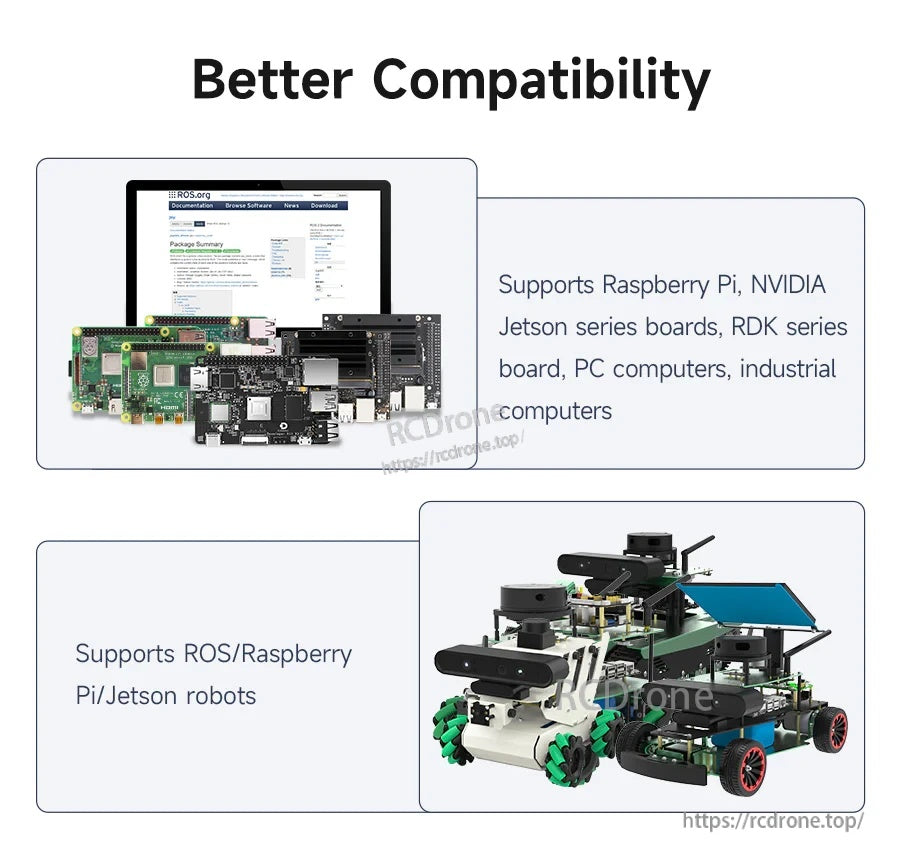
Works across common robot platforms including Raspberry Pi, Jetson, and PC for mapping, measurement, and perception tasks.

Detailed mechanical drawings and core specs help with enclosure design and robot integration planning.

Binocular structured light uses left/right matching and triangulation to improve depth perception accuracy.

Compact form factor fits easily on robot arms and mobile platforms where space and weight matter.

Wide depth FOV supports close-range perception and broader scene capture for navigation and tracking.

A short 0.25 m minimum range helps with near-field sensing such as end-effector positioning.

Depth output can be used for 3D visual mapping workflows such as point clouds and environment reconstruction.

Designed to better resist strong light, with recommended use in indoor environments for best results.

ROS1 and ROS2 support helps streamline integration into existing robot software stacks.

SDK tools provide device configuration, stream capture, and point cloud data access for development.

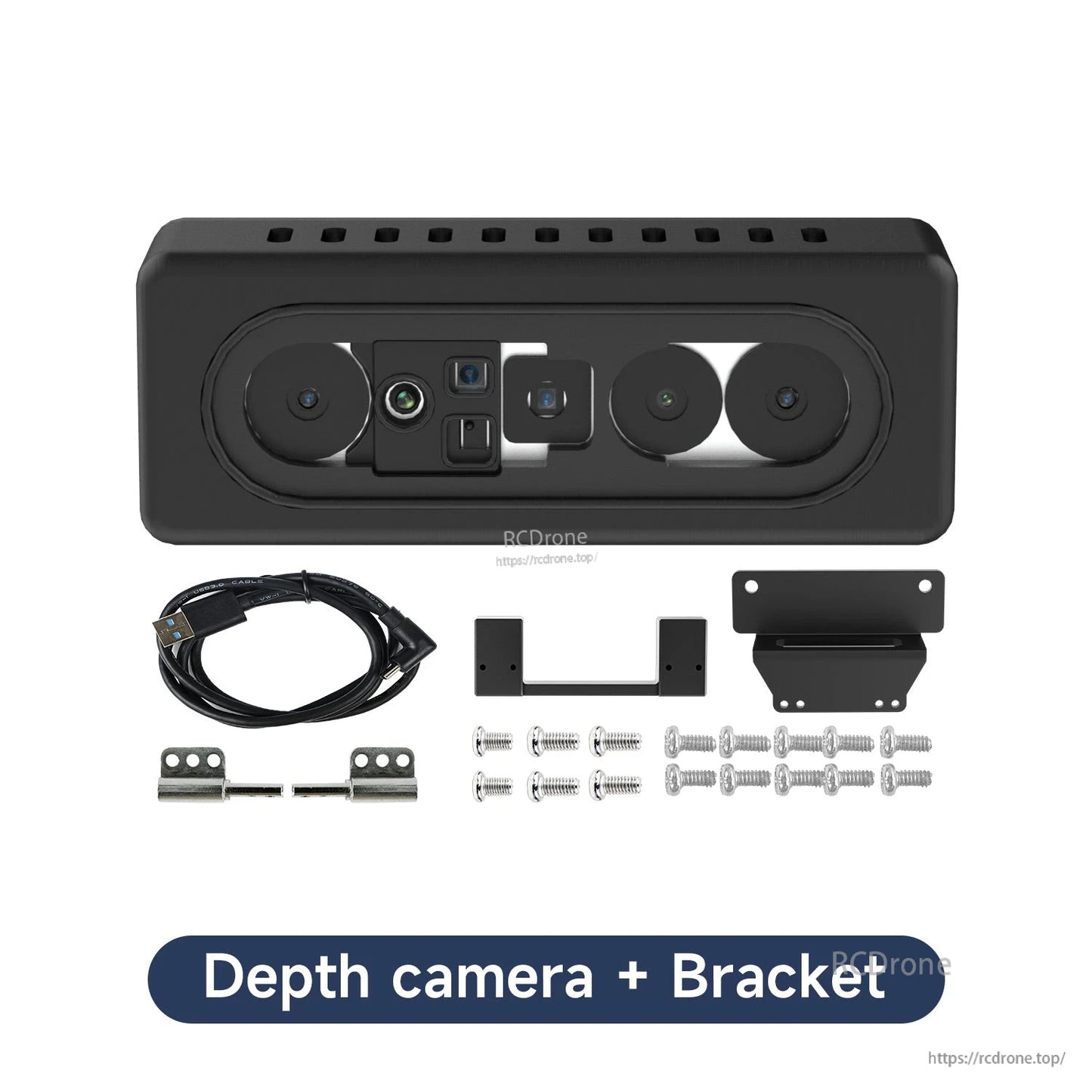
An optional adjustable bracket allows flexible mounting angles during robot prototyping and testing.


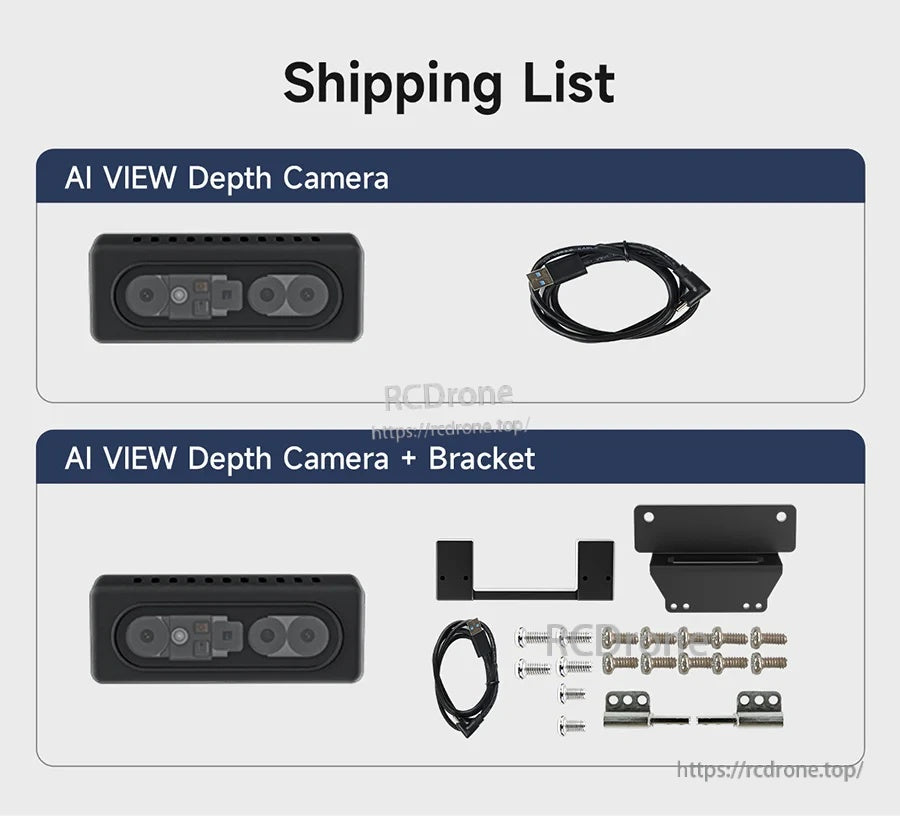
Available as the camera alone or bundled with an angle-adjustable bracket for easier installation.

Step-by-step course materials cover common RGB‑D topics from basic setup to advanced functions.


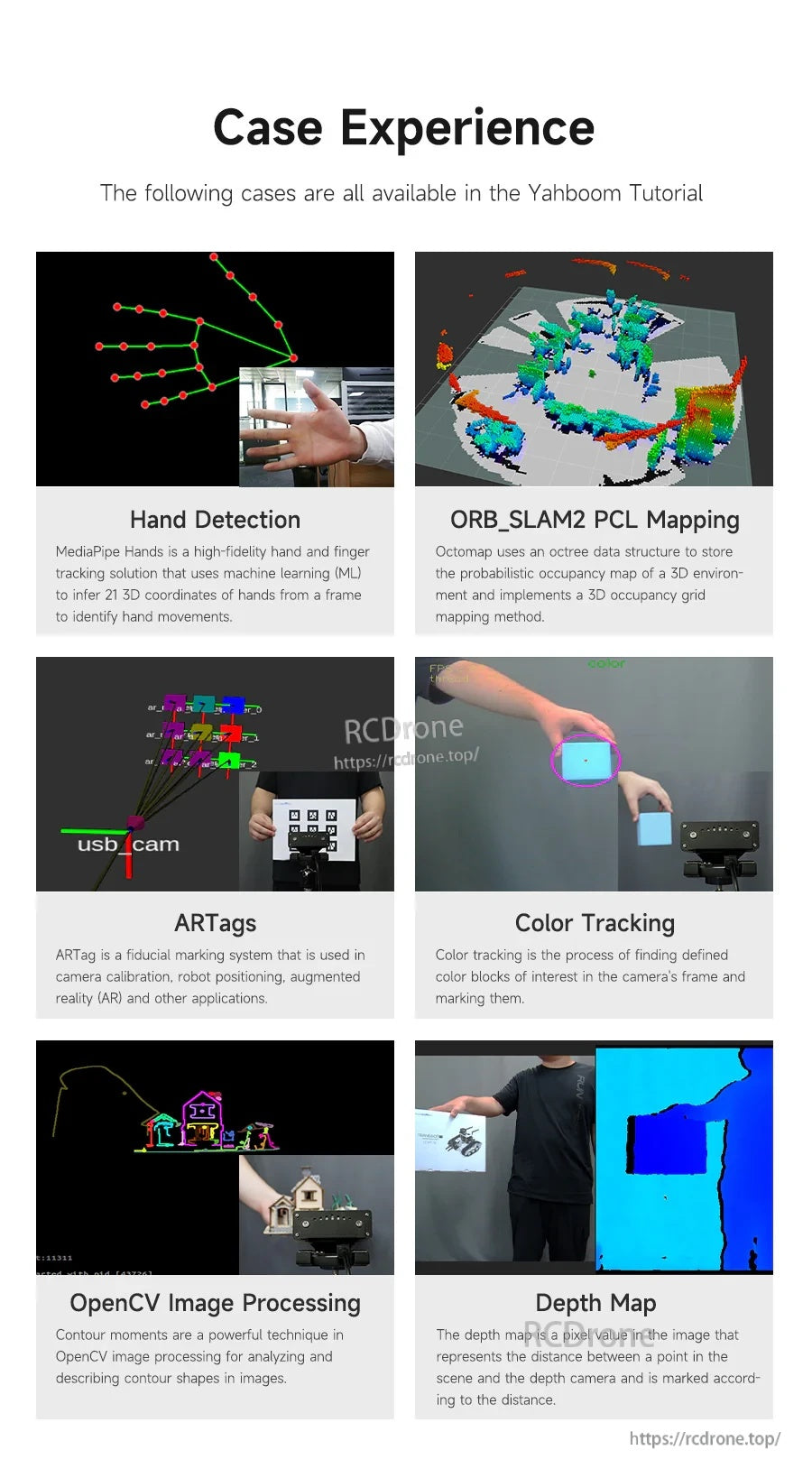
Example projects include SLAM mapping, AR tags, OpenCV processing, and depth-map applications for learning.

The AI VIEW binocular structured-light RGBD depth camera is presented as compatible with Raspberry Pi, NVIDIA Jetson, and ROS1/ROS2 robot platforms.

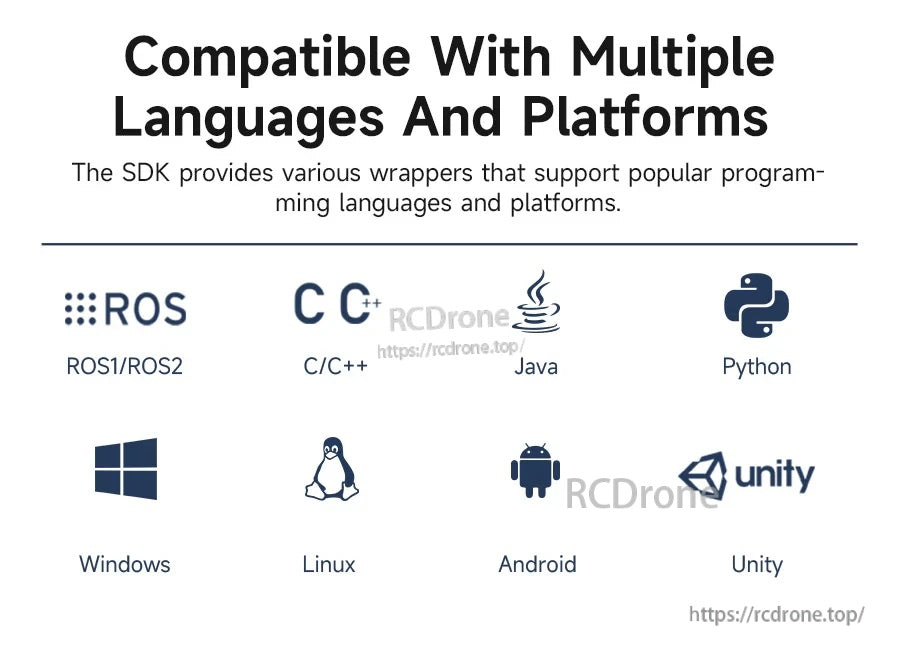
The SDK includes wrappers for ROS1/ROS2 and common languages and platforms like C/C++, Java, Python, Windows, Linux, Android, and Unity.

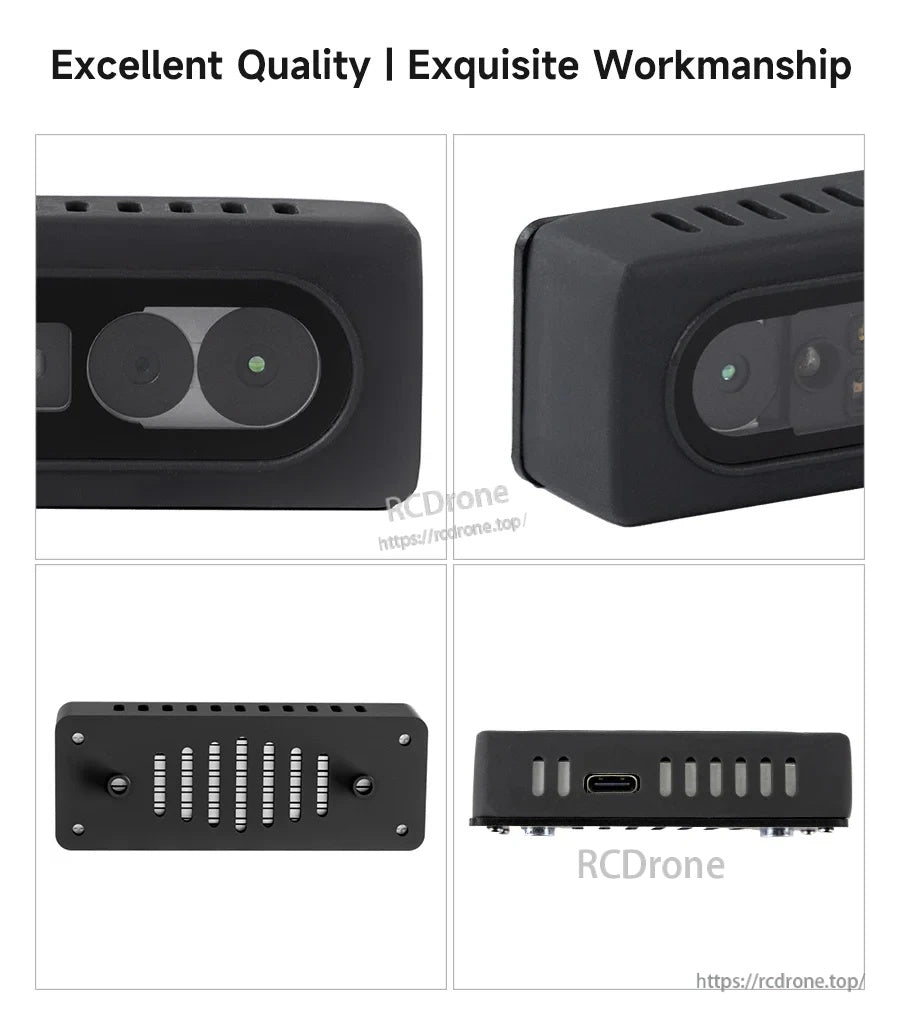
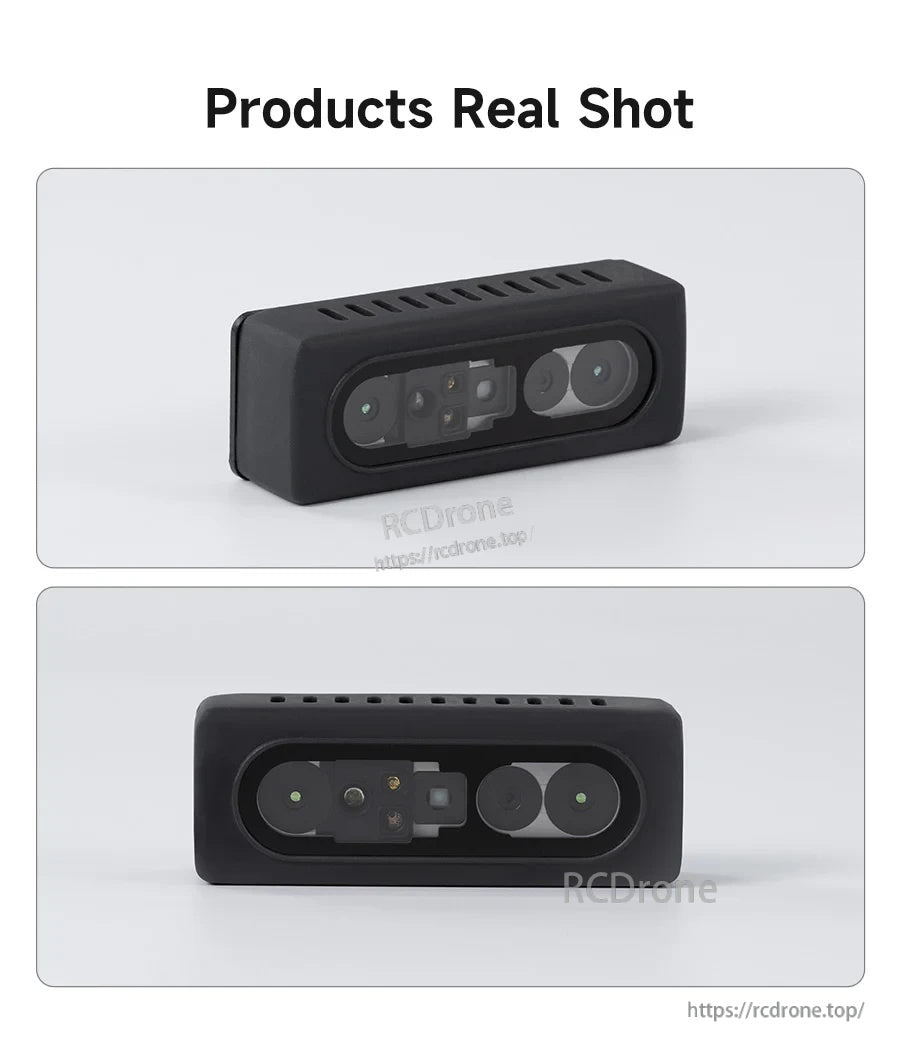
The Yahboom AI VIEW structured light RGB-D camera features a compact black enclosure with dual front lenses and a USB-C connection for PC or robot setups.

The Yahboom AI VIEW depth camera kit includes a USB‑C cable plus a mounting bracket and hardware for easier robot integration.

The adjustable-angle bracket and fixed base plate dimensions help plan mounting and hole spacing for a tidy robot install.

The Yahboom AI VIEW RGB-D depth camera uses a compact binocular front layout that’s easy to mount on ROS robots.