Overview
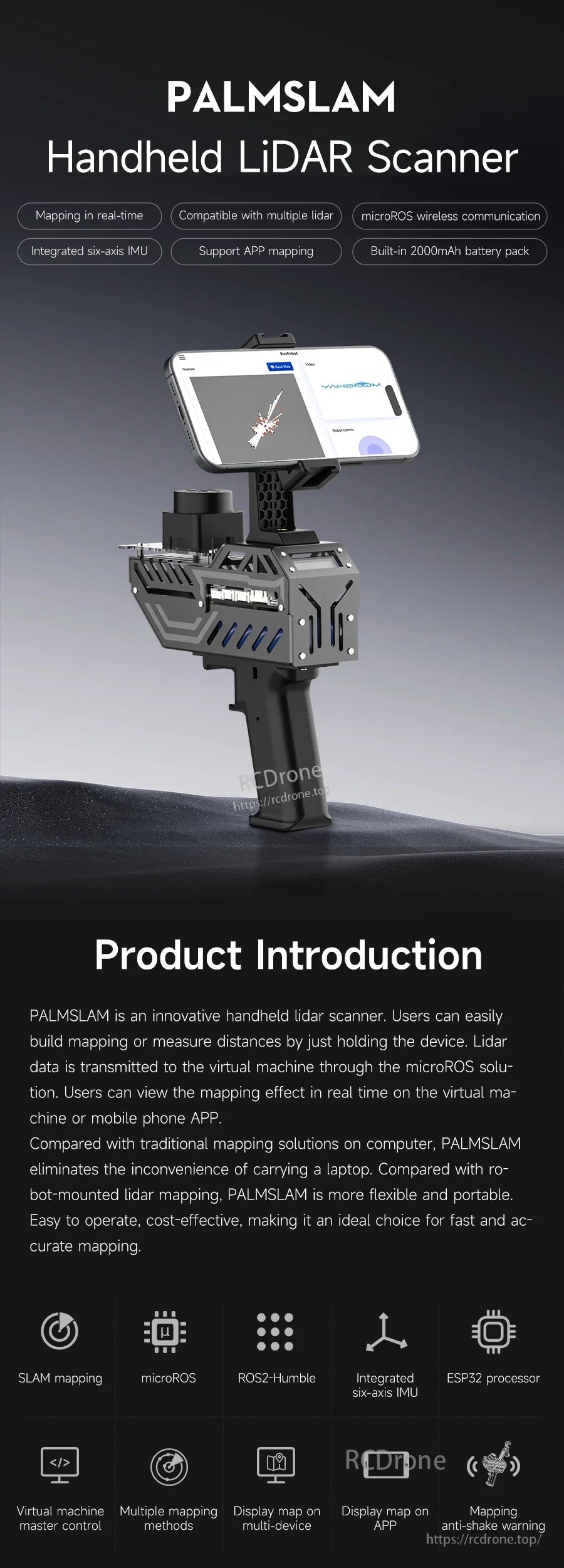
PALMSLAM is a handheld LiDAR scanner for 2D mapping and navigation. It supports real-time mapping and distance measurement by holding the device, while LiDAR data is transmitted wirelessly to a host through a microROS solution for live viewing on a virtual machine or a mobile phone APP.
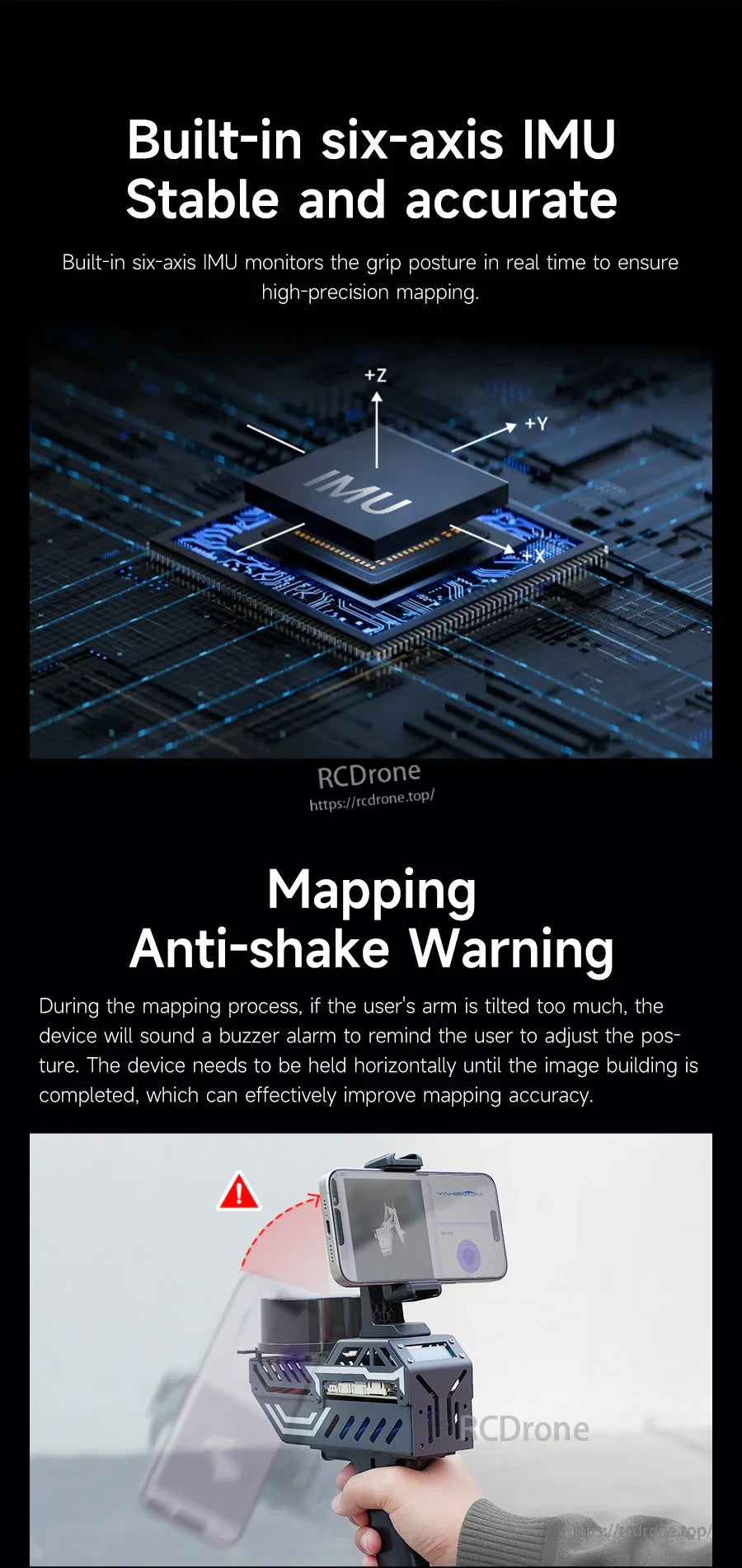
PALMSLAM integrates a LiDAR expansion board with an ESP32 processor and a built-in six-axis IMU. The IMU monitors grip posture in real time, helping keep the device horizontal during mapping for higher-precision data, and it also enables tilt-based switching between different LiDAR models.
For pre-sales questions and ordering support, contact support@rcdrone.top or visit https://rcdrone.top/.
Key Features
- Mapping in real time with display on a virtual machine and/or mobile phone APP.
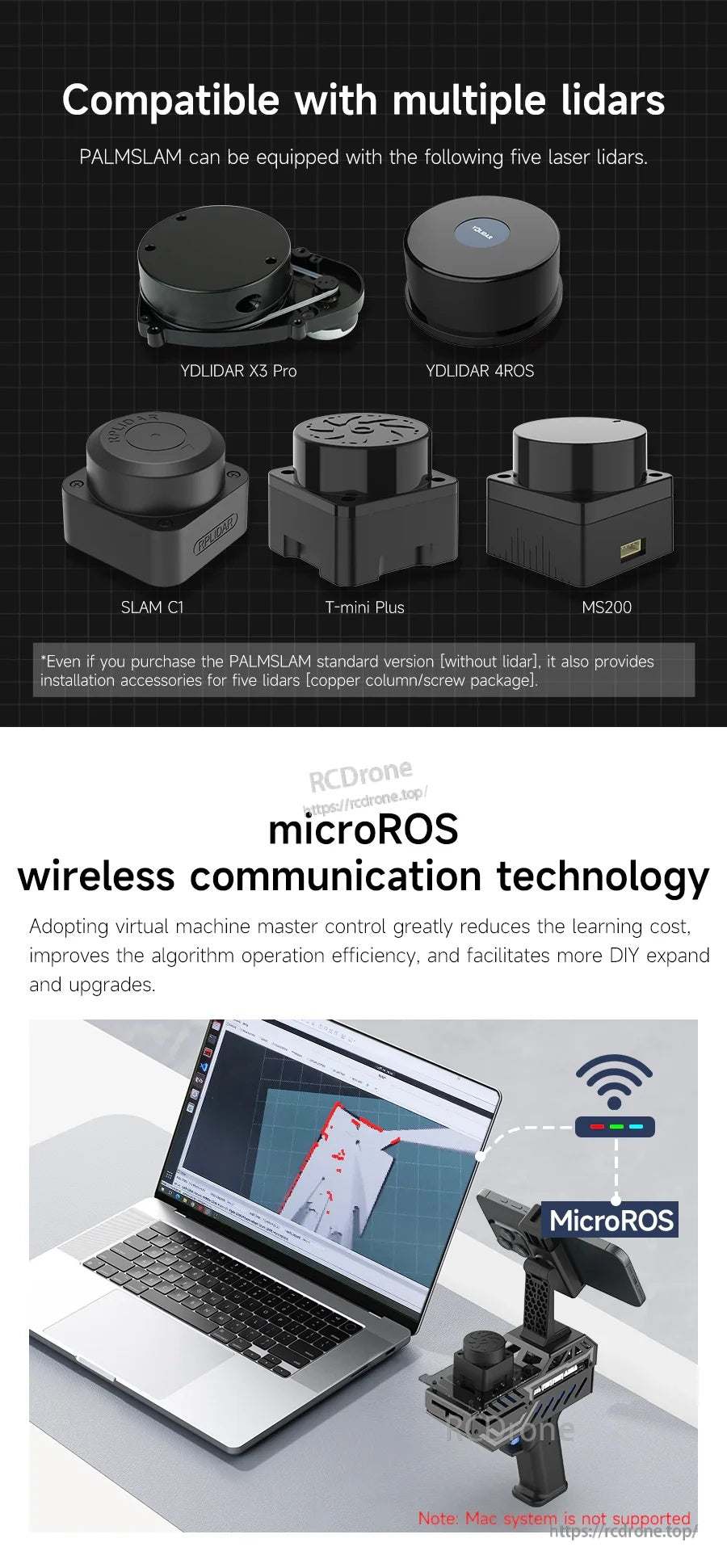
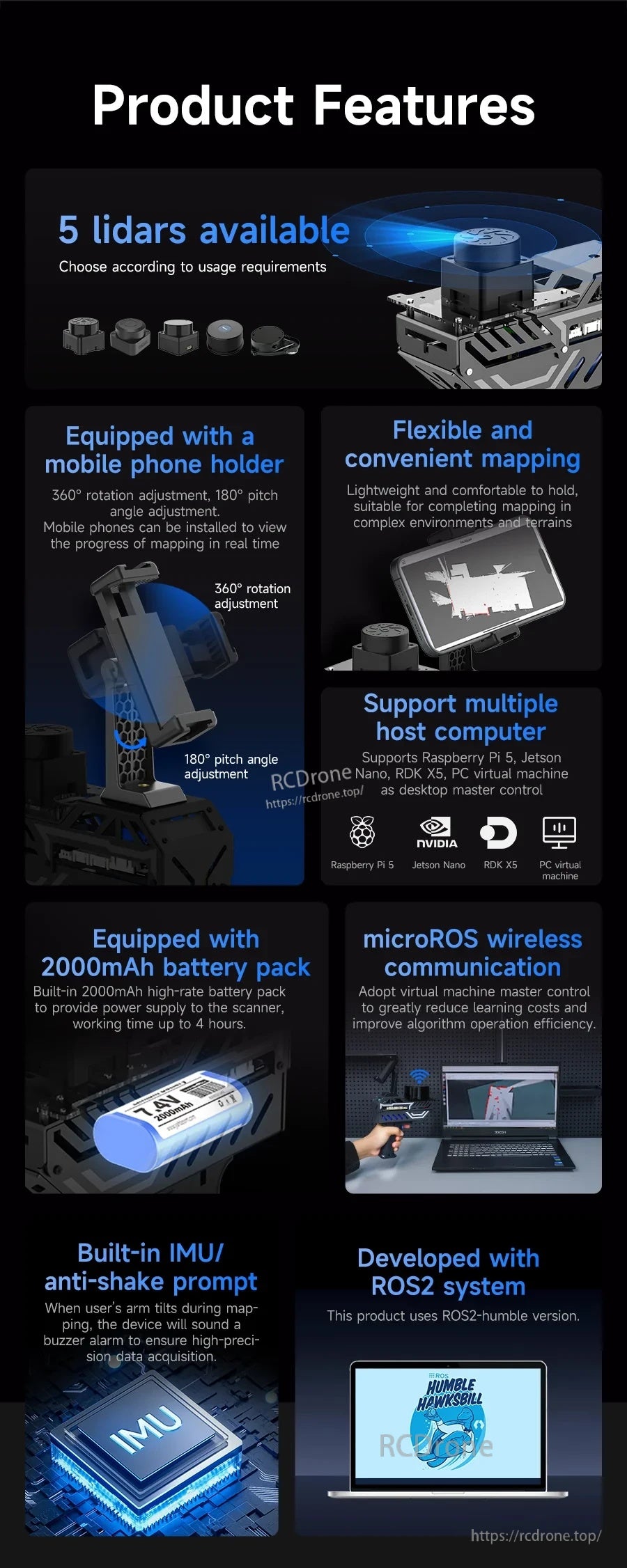
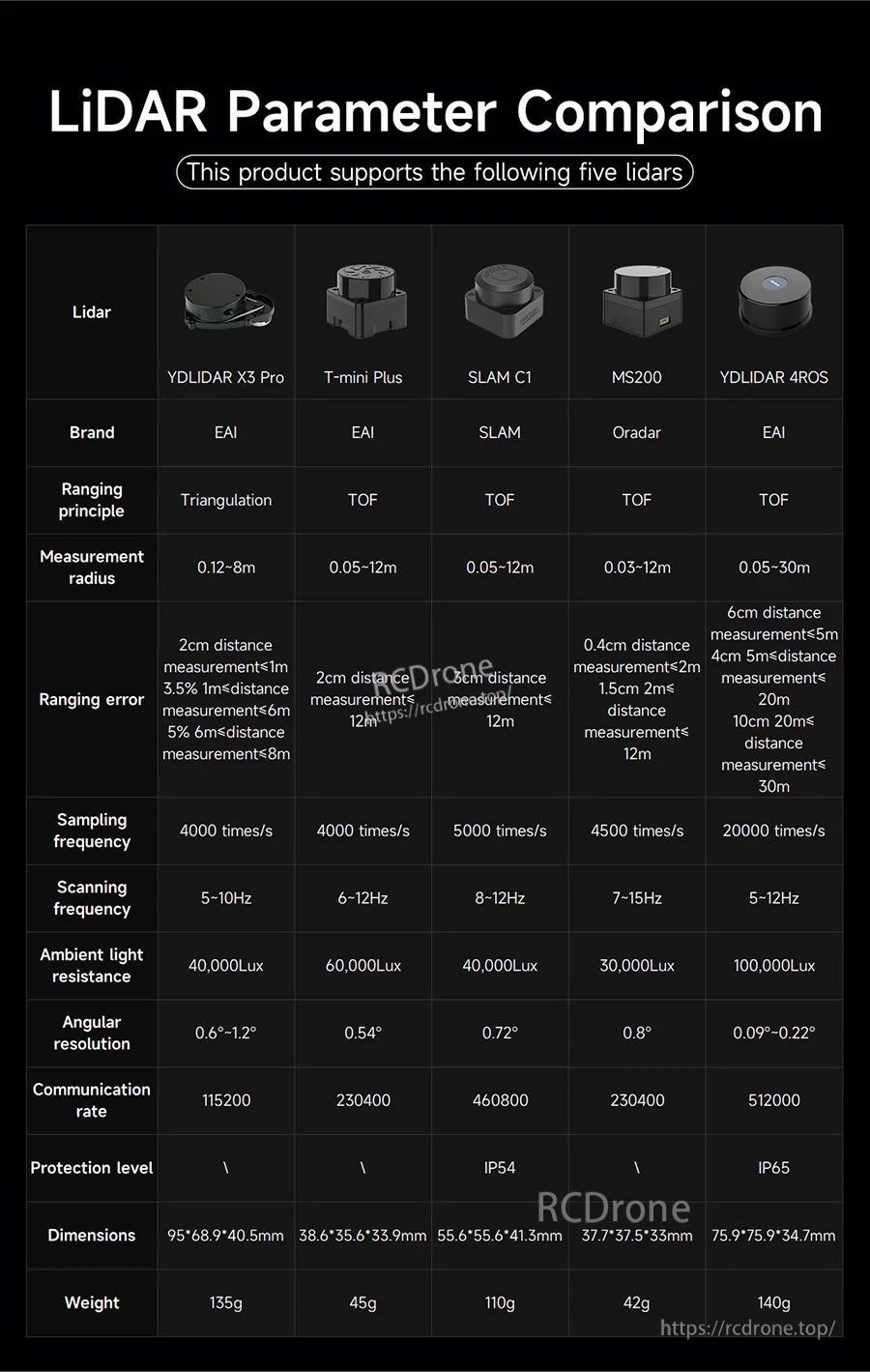
- Compatible with multiple lidars (LiDAR optional): YDLIDAR X3 Pro, YDLIDAR 4ROS, SLAM C1, T-mini Plus, MS200.
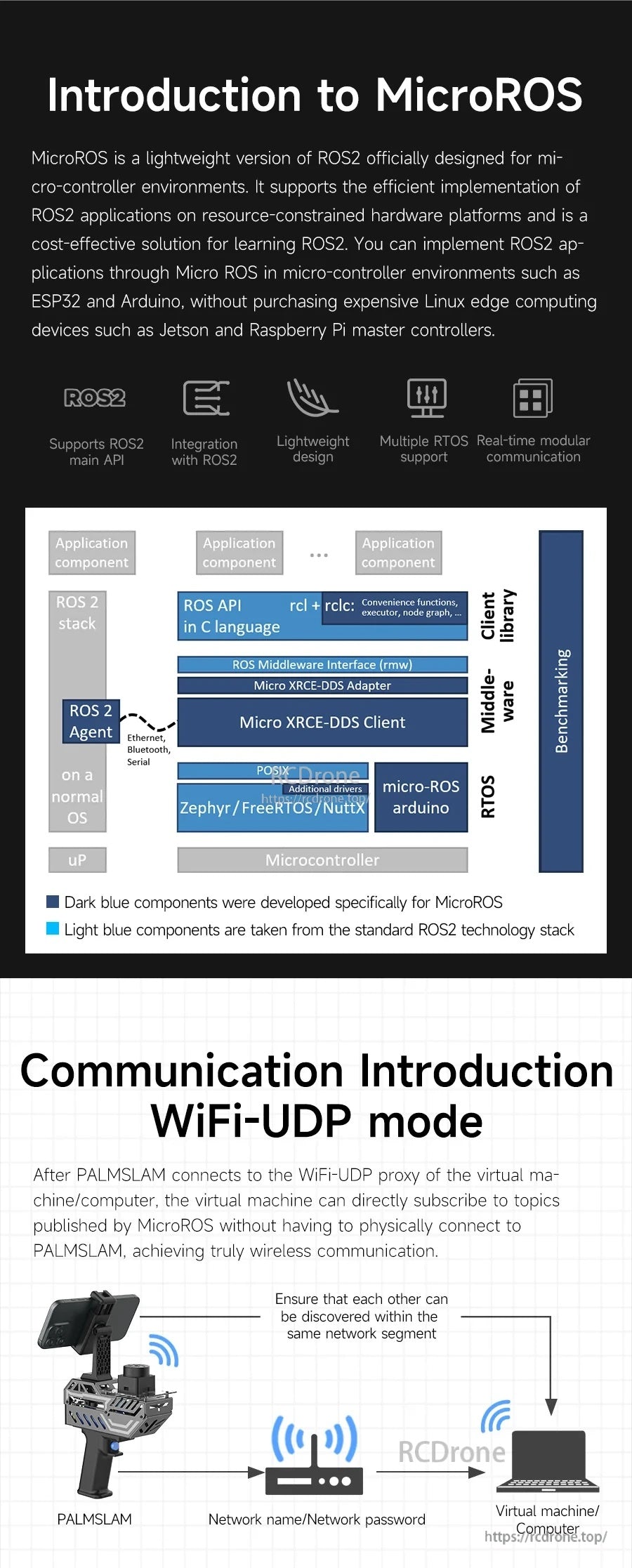
- microROS wireless communication using WiFi-UDP between PALMSLAM and the host (virtual machine/computer).
- Integrated six-axis IMU for stable mapping posture monitoring and tilt warning (buzzer alarm; alarm tilt angle can be set by the user).
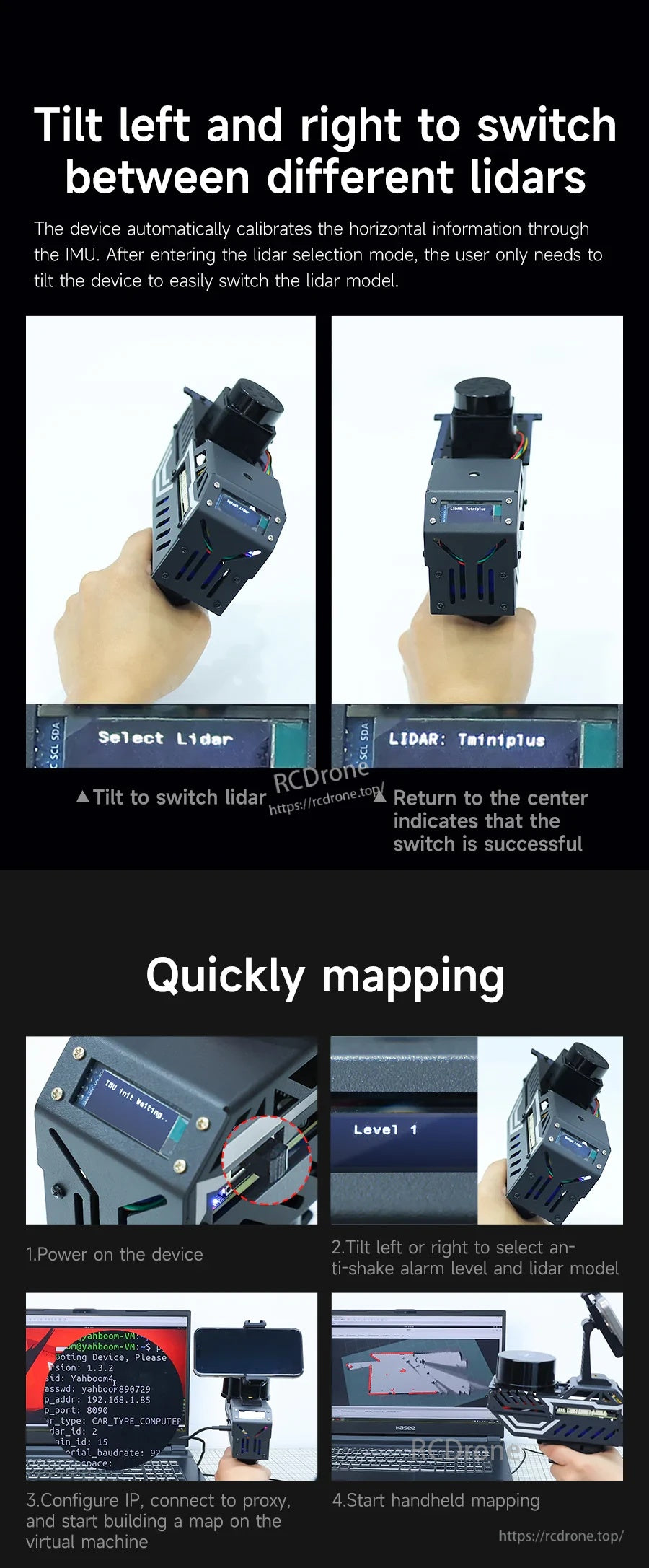
- Tilt left/right to switch LiDAR models; returning to center indicates the switch is successful.
- OLED information display (example screen: “Select Lidar”, “LIDAR: TminiPlus”, and distance readout such as “Dis: 1.680”).
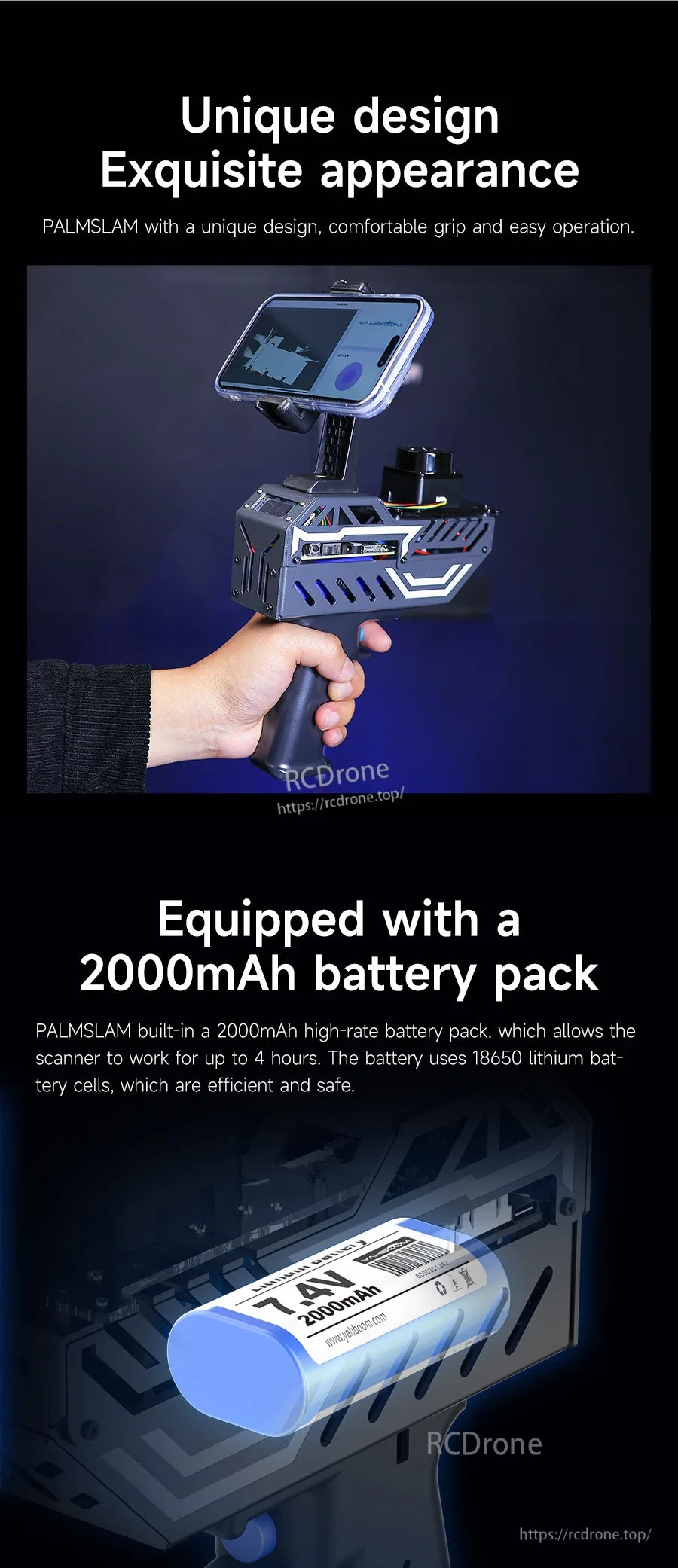
- Mobile phone holder adjustment: 360° rotation adjustment and 180° pitch angle adjustment.
- Built-in battery pack: 7.4V 2000mAh; working time up to 4 hours; battery uses 18650 lithium battery cells.
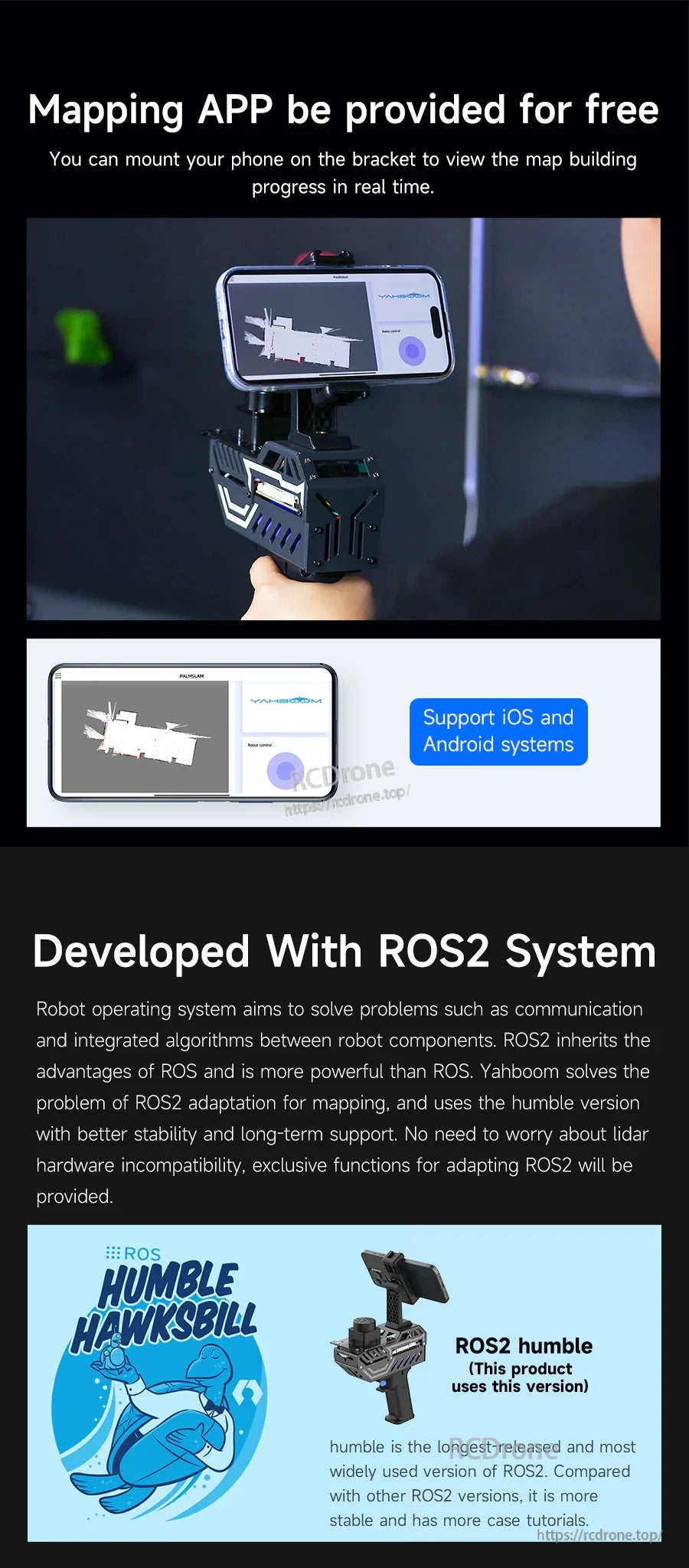
- ROS2 system: developed with ROS2 humble (ROS2-Humble).
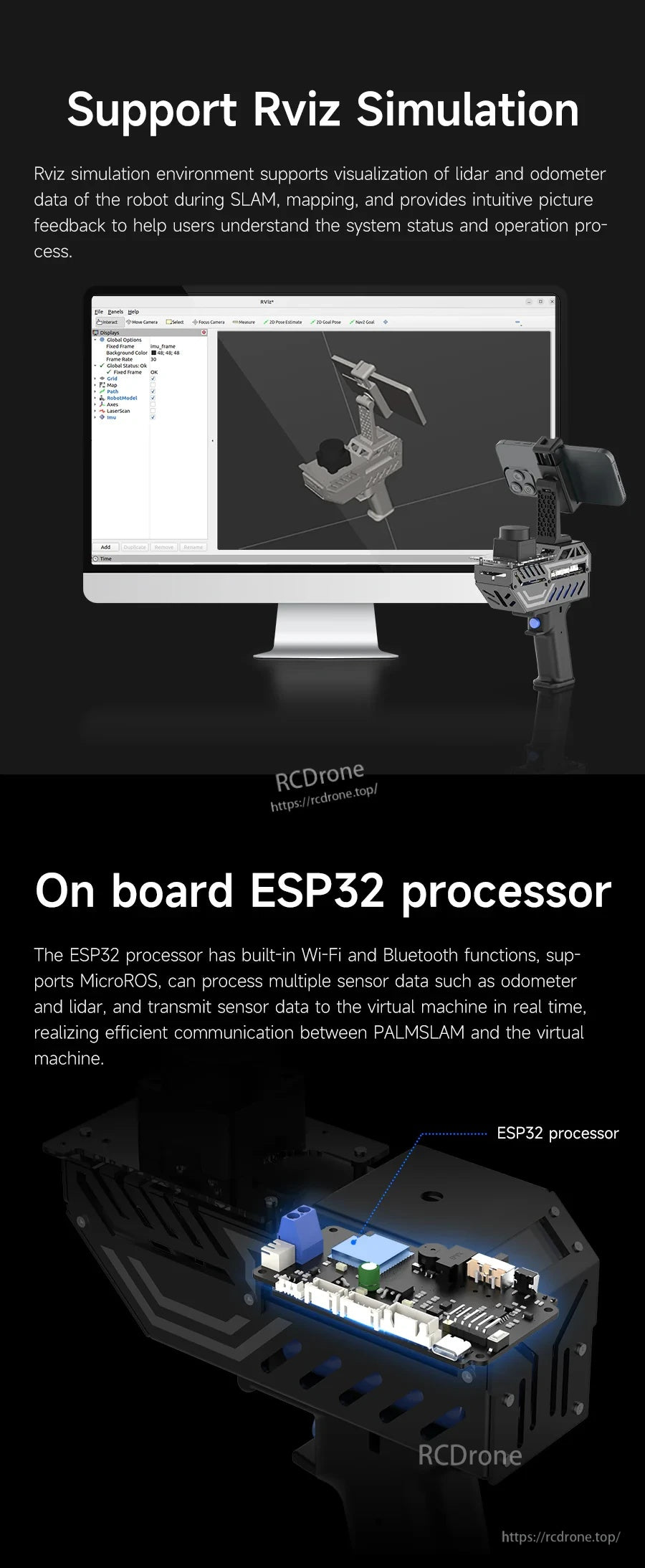
- Supports RViz simulation for visualization feedback of lidar and odometer data during SLAM/mapping.
Specifications
| Product | PALMSLAM Handheld LiDAR Scanner |
| Supported LiDAR models (optional) | YDLIDAR X3 Pro; T-mini Plus; SLAM C1; MS200; YDLIDAR 4ROS |
| Wireless communication | microROS WiFi-UDP |
| On-board processor | ESP32 processor (built-in Wi-Fi and Bluetooth) |
| IMU | Built-in six-axis IMU |
| Tilt warning | Buzzer alarm prompt; alarm tilt angle can be set by the user |
| Display | OLED (used for distance/model/status display) |
| Battery pack | 7.4V 2000mAh |
| Runtime | Up to 4 hours |
| Battery cells | 18650 lithium battery cells |
| Phone holder adjustment | 360° rotation adjustment; 180° pitch angle adjustment |
| System/software | ROS2 humble (ROS2-Humble); supports multiple mapping methods including Gmapping and Cartographer |
| Host options mentioned | PC virtual machine; Raspberry Pi 5; Jetson Nano; RDK X5; RDK development board |
| Note | Mac system is not supported |
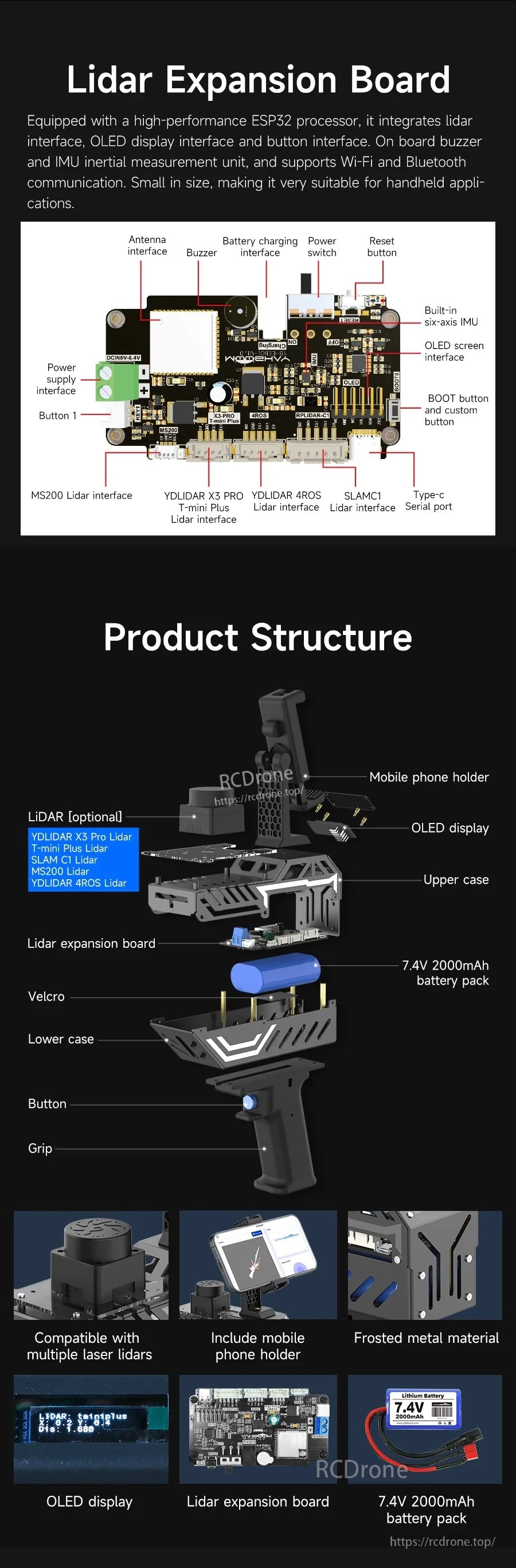
LiDAR Expansion Board (Interfaces & Controls)
- Antenna interface
- Buzzer
- Battery charging interface
- Power switch
- Reset button
- Built-in six-axis IMU
- OLED screen interface
- BOOT button and custom button
- Type-c Serial port
- Power supply interface (DCIN 6V-8.4V)
- Button 1
- MS200 Lidar interface
- YDLIDAR X3 PRO / T-mini Plus Lidar interface
- YDLIDAR 4ROS Lidar interface
- SLAMC1 Lidar interface
Operation Notes (From Provided Process)
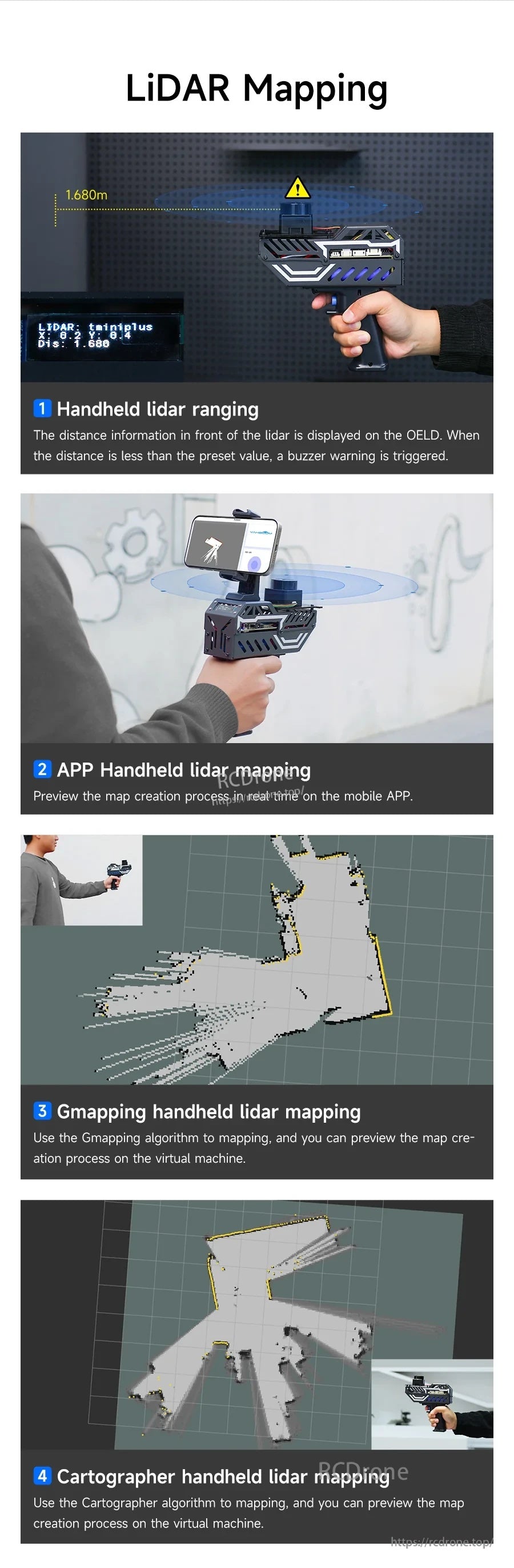
- Handheld LiDAR ranging: distance information in front of the lidar is displayed on the OLED; when the distance is less than the preset value, a buzzer warning is triggered.
- Quick mapping steps: (1) Power on the device (2) Tilt left or right to select anti-shake alarm level and LiDAR model (3) Configure IP, connect to proxy, and start building a map on the virtual machine (4) Start handheld mapping.
- WiFi-UDP mode: after connecting to the WiFi-UDP proxy of the virtual machine/computer, the virtual machine can subscribe to topics published by MicroROS without physically connecting to PALMSLAM; both should be discoverable within the same network segment.
Comparison of Different Mapping Devices (Provided Rating Table)
| Item | PALMSLAM | Direct connection to computer for mapping | Robot mapping |
|---|---|---|---|
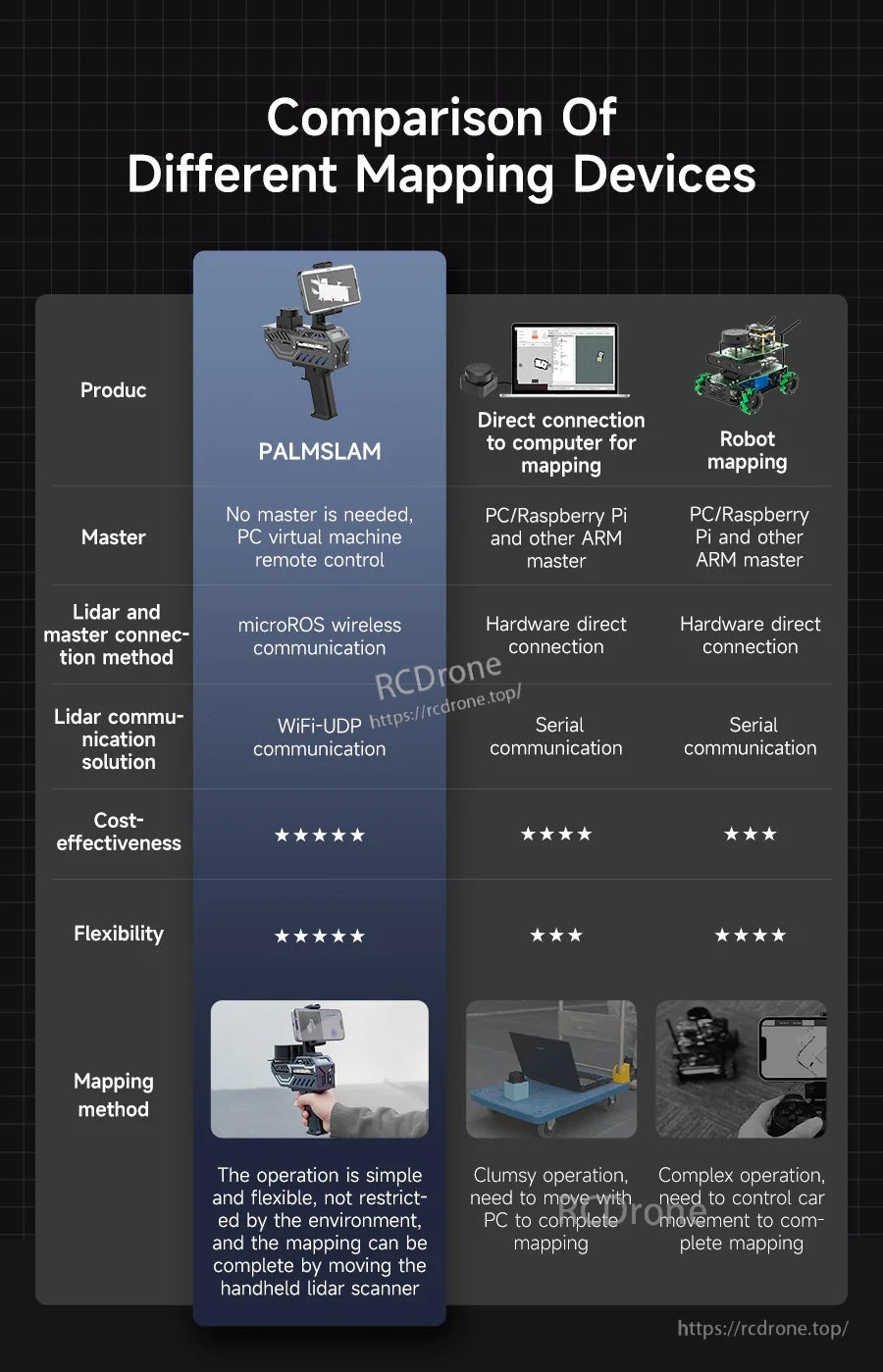
| Master | No master is needed, PC virtual machine remote control | PC/Raspberry Pi and other ARM master | PC/Raspberry Pi and other ARM master |
| Lidar and master connection method | microROS wireless communication | Hardware direct connection | Hardware direct connection |
| Lidar communication solution | WiFi-UDP communication | Serial communication | Serial communication |
| Cost-effectiveness (visual rating) | 5/5 | 4/5 | 3/5 |
| Flexibility (visual rating) | 5/5 | 3/5 | 4/5 |
| Mapping method | The operation is simple and flexible, not restricted by the environment, and the mapping can be completed by moving the handheld lidar scanner | Clumsy operation, need to move with PC to complete mapping | Complex operation, need to control car movement to complete mapping |
What's Included
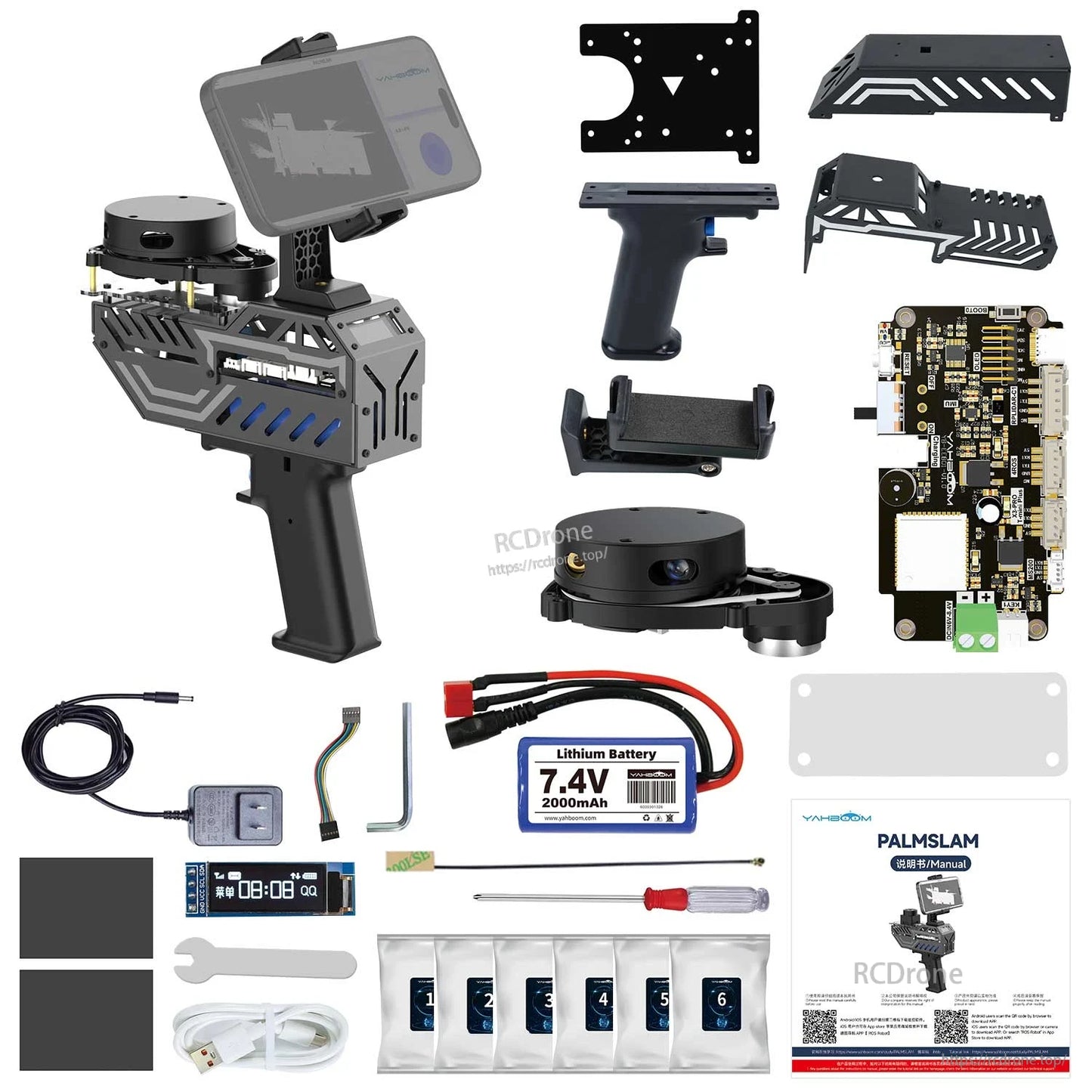
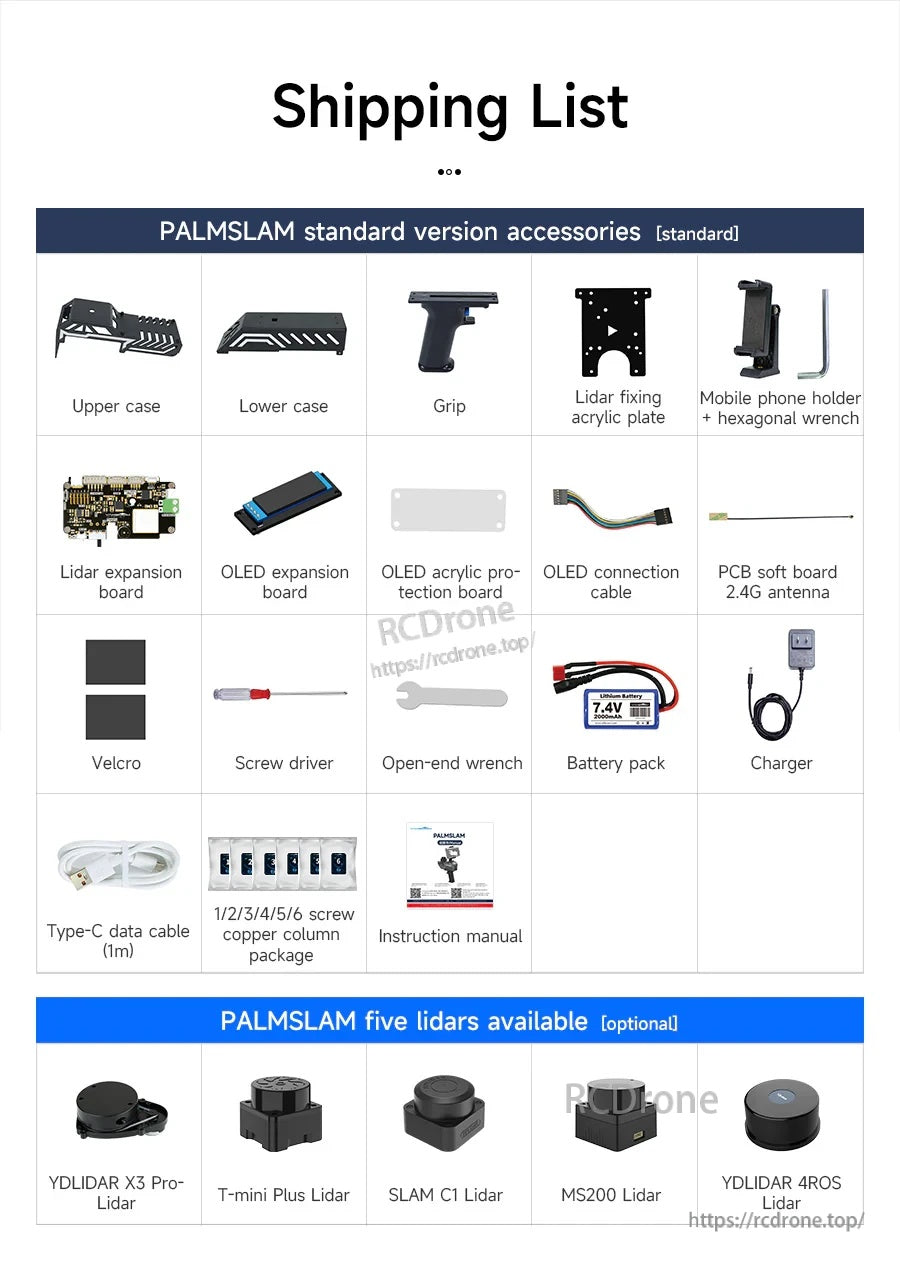
- PALMSLAM handheld device (with selected LiDAR option, or without LiDAR)
- Installation accessories for five lidars (copper column/screw package) are provided even with the standard version (without LiDAR)
Applications
- 2D SLAM mapping and navigation development
- Real-time handheld mapping with mobile APP preview
- ROS2 (humble) learning, demos, and algorithm verification (including RViz visualization)
Manuals
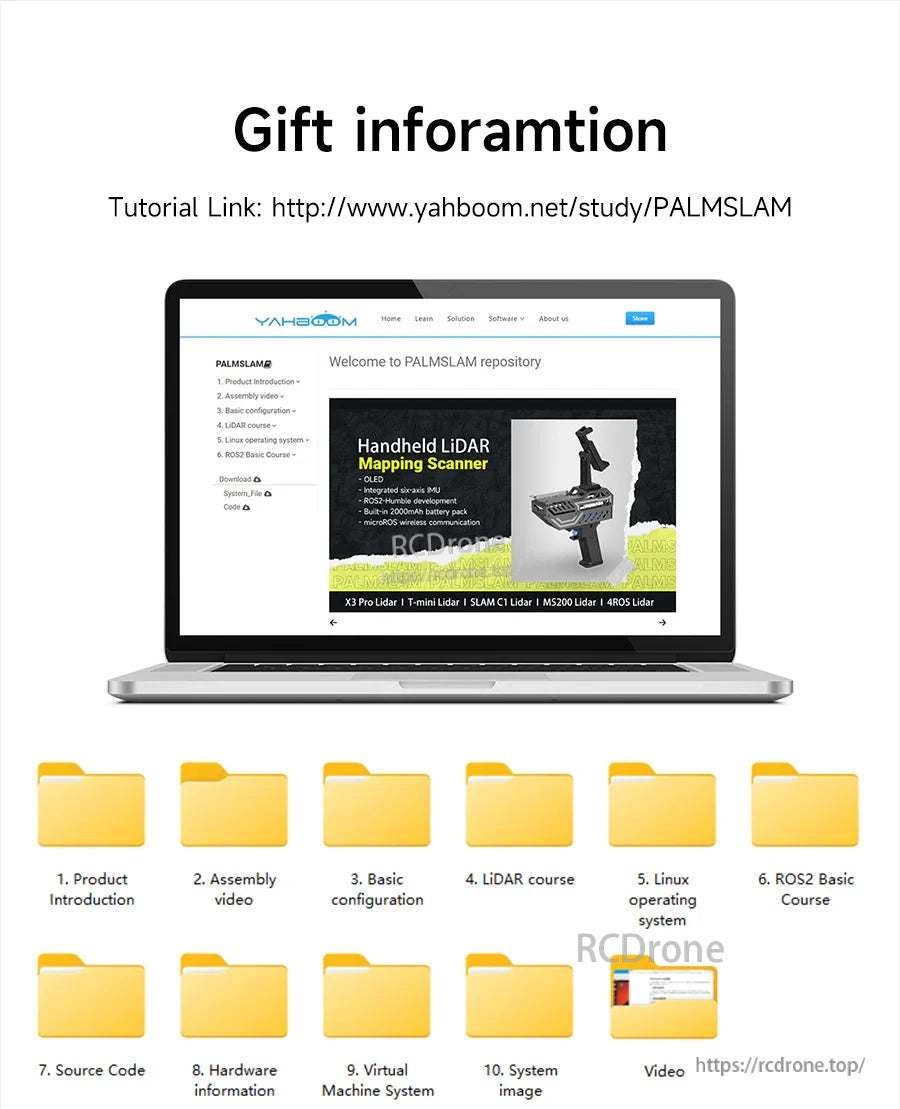
- Tutorials/Documentation: http://www.yahboom.net/study/PALMSLAM
Details


PALMSLAM is built for handheld 2D SLAM mapping, streaming LiDAR data wirelessly for live viewing on a host or mobile app.

Choose from several optional LiDAR models, then send scan data to the host over microROS via WiFi-UDP for live mapping.

microROS links PALMSLAM and the host over WiFi-UDP, keeping setup lightweight while still fitting ROS2 workflows.


A handheld workflow reduces cabling and keeps mapping flexible compared with direct-tethered robot or LiDAR setups.

Multiple mapping methods are supported, including Gmapping and Cartographer, with real-time preview during operation.

A comfortable pistol-grip body pairs with an integrated 7.4V 2000mAh battery pack for extended sessions.

The six-axis IMU monitors posture and triggers a buzzer warning when tilt exceeds the user-set angle.

Switch between LiDAR profiles by tilting left or right, then return to center to confirm on the OLED display.

Mobile mapping is available on iOS and Android, and the system is developed on ROS2 Humble for ROS2 projects.

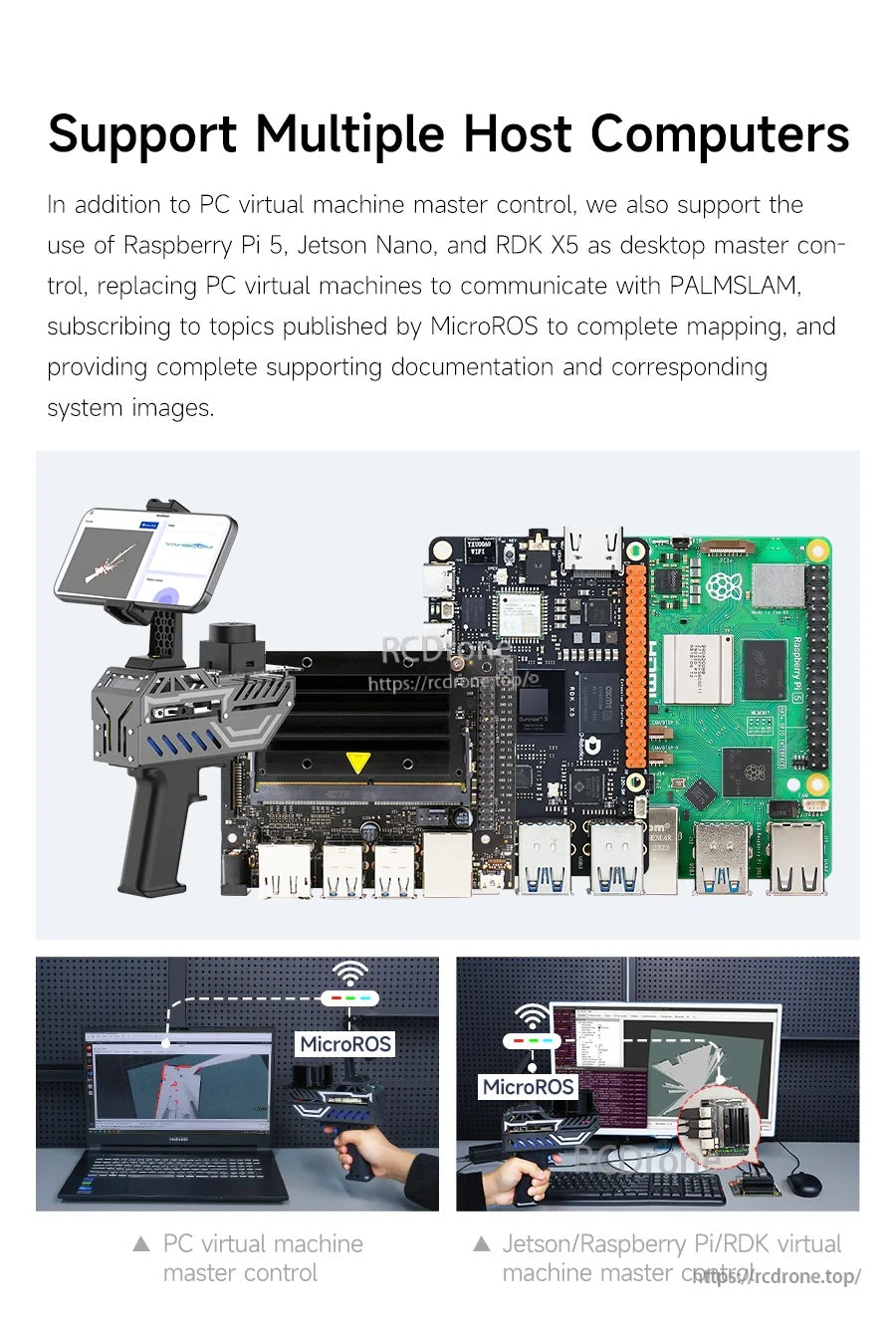
PALMSLAM can connect to a range of hosts—from a PC virtual machine to Raspberry Pi 5 or Jetson—for SLAM processing.

Use RViz to visualize LiDAR and odometry data while the onboard ESP32 handles wireless communication.

The modular structure centers on a LiDAR expansion board, with integrated OLED display, IMU, and battery pack.

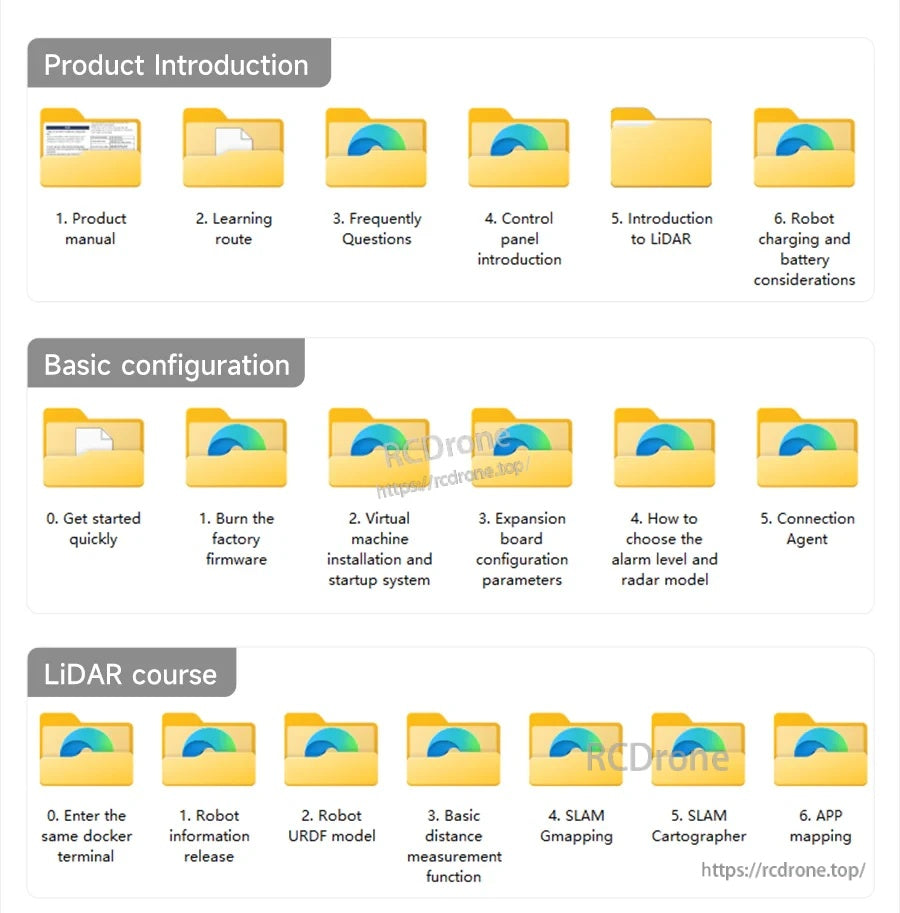
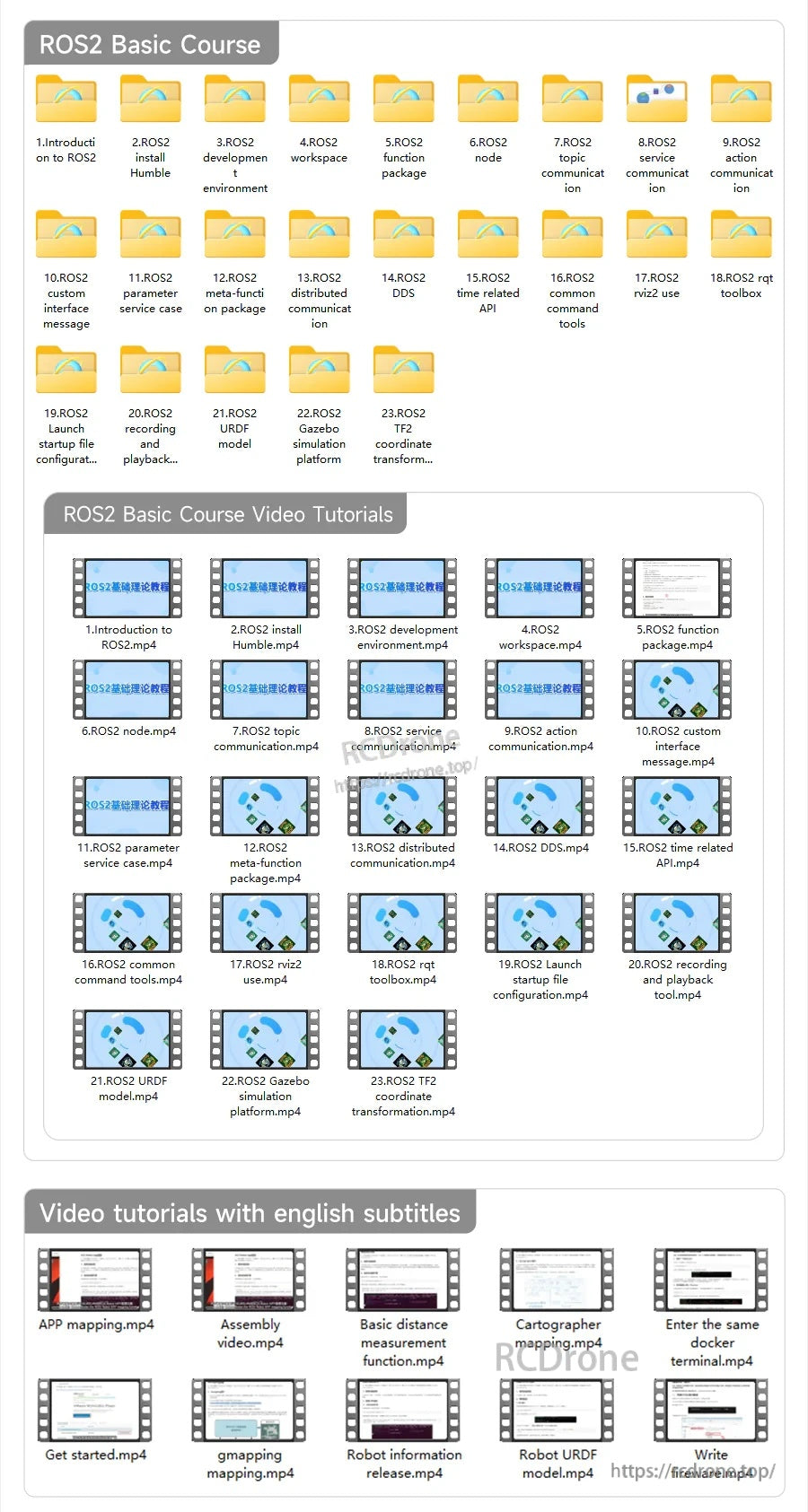
Documentation and learning materials are provided to help with assembly, configuration, and getting started in ROS2.


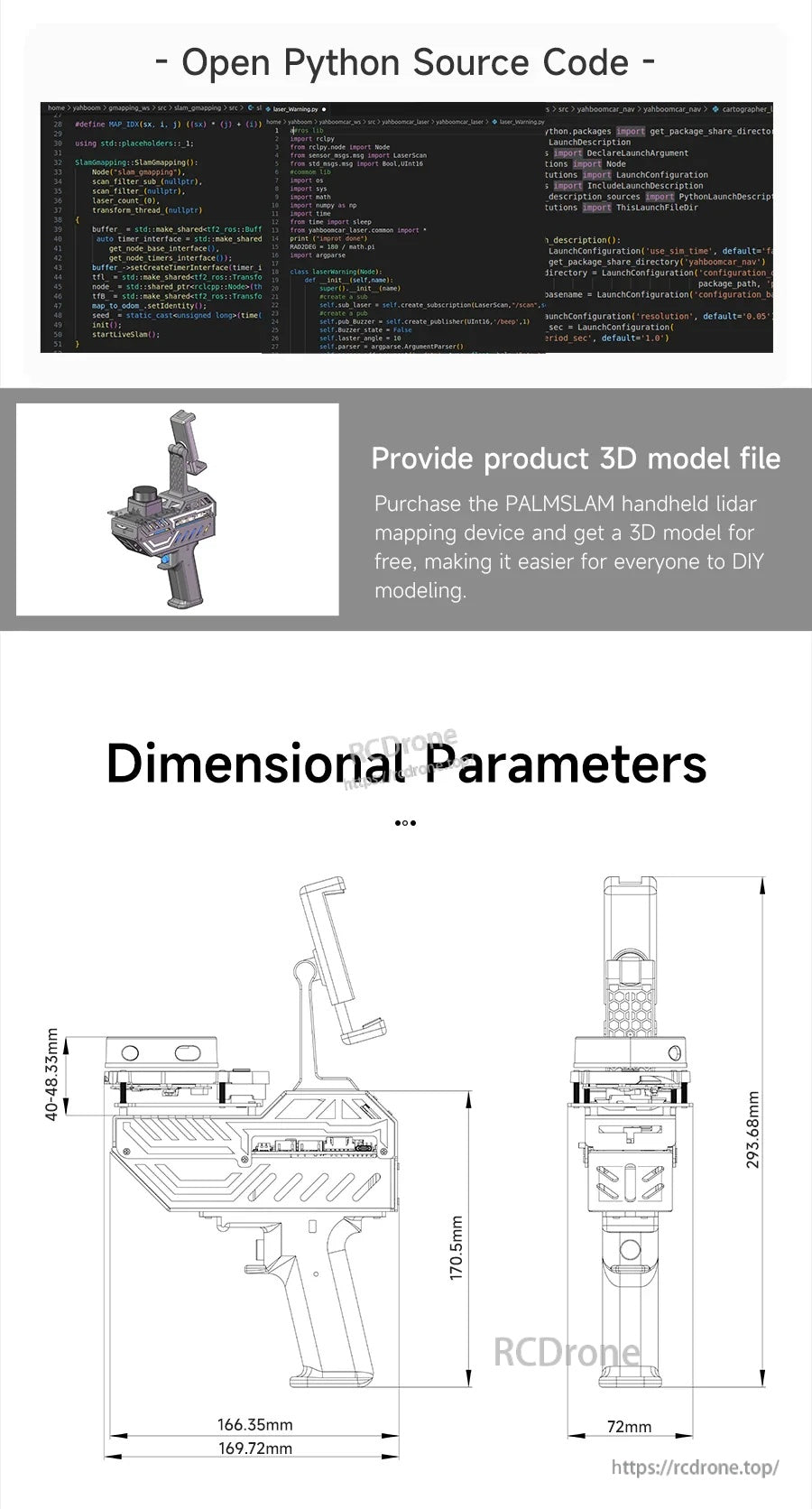
Open source code resources, a product 3D model file, and dimensional drawings support integration and DIY builds.

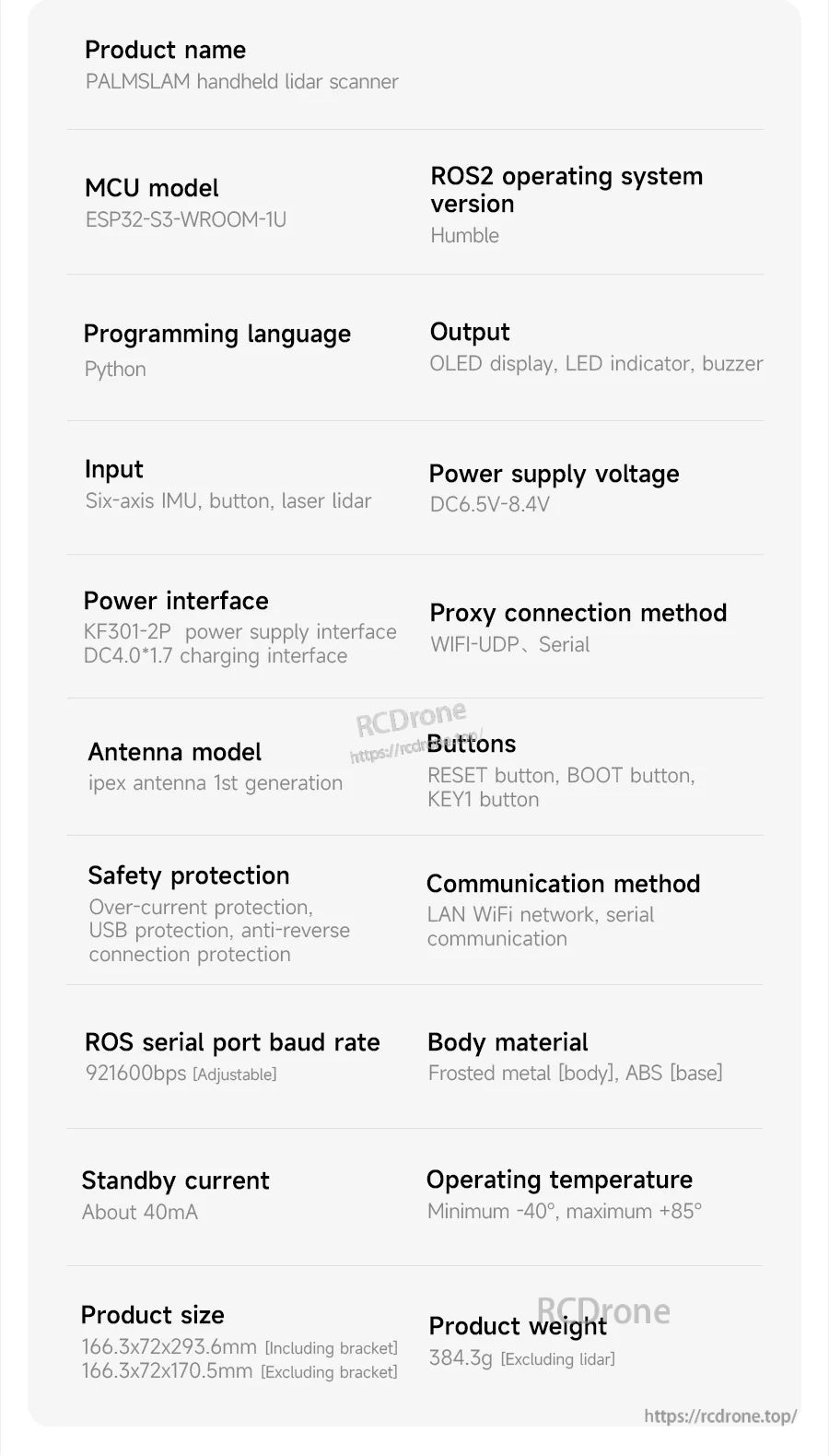
PALMSLAM handheld LiDAR scanner specs list an ESP32-S3-WROOM-1U MCU, ROS2 Humble support, Python programming, and WiFi-UDP/serial connectivity.

The PALMSLAM handheld SLAM scanner supports five LiDAR options, with measurement ranges from 8 m to 30 m and serial communication speeds up to 512000 baud.

PALMSLAM ships with standard accessories like upper/lower cases, grip, mounting plate, OLED boards, battery pack, charger, cables, and basic tools for setup.