


لوحة Raspberry Pi 4 Model B & مجموعة المبتدئين، BCM2711 بسرعة 1.5GHz، ذاكرة 2GB/4GB/8GB، واي فاي/بلوتوث 5.0، إيثرنت جيجابت
لوحة Raspberry Pi 4 Model B & مجموعة المبتدئين، BCM2711 بسرعة 1.5GHz، ذاكرة 2GB/4GB/8GB، واي فاي/بلوتوث 5.0، إيثرنت جيجابت
Yahboom
تعذر تحميل توفر الالتقاط


نظرة عامة
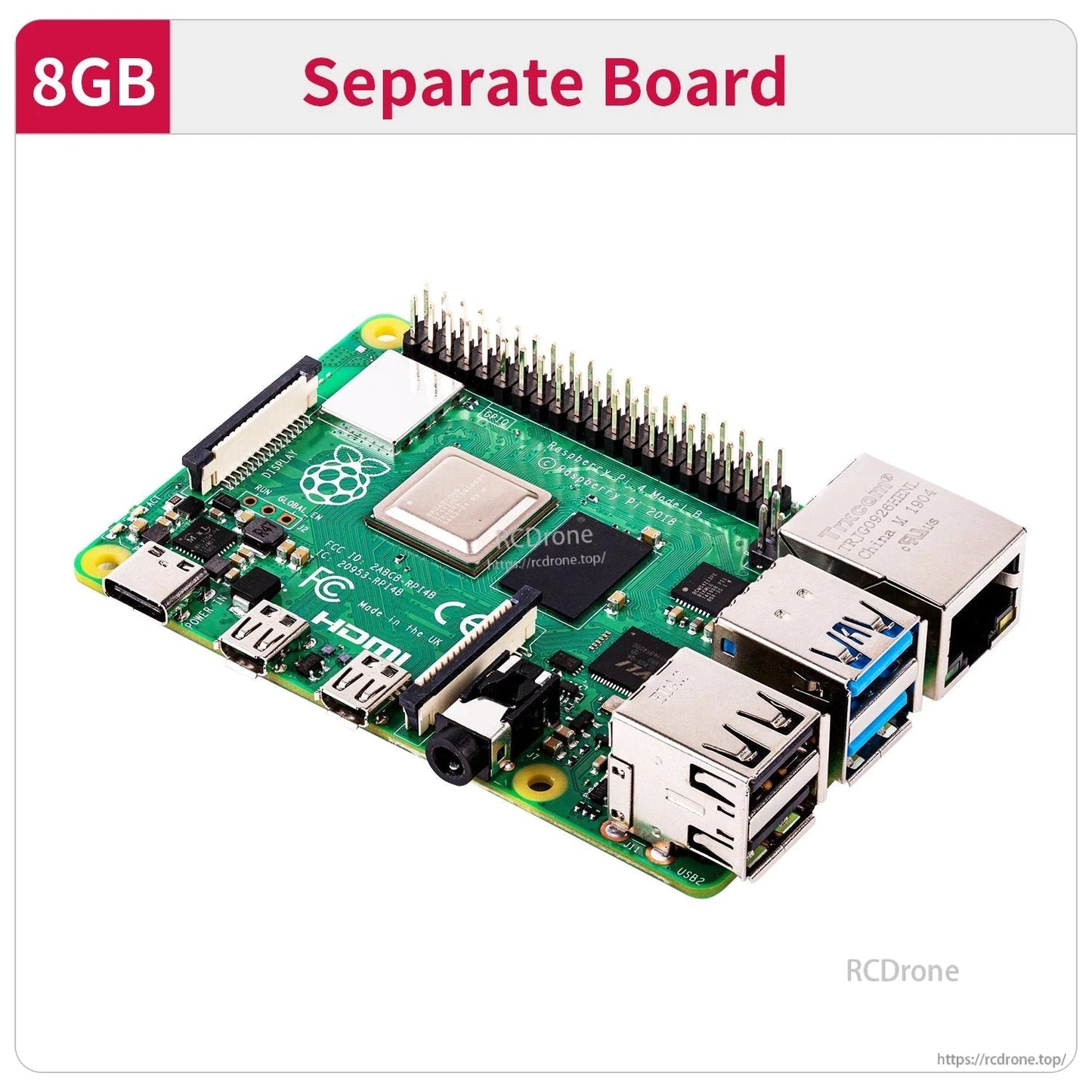
تستند لوحة Raspberry Pi 4B ومجموعة البداية هذه إلى منصة Raspberry Pi 4 Model B لعام 2019، وتتميز بمعالج رباعي النواة 64 بت بسرعة 1.5GHz و Broadcom BCM2711 SoC. توفر خيارات متعددة للذاكرة العشوائية (2GB/4GB/8GB) ومجموعة واسعة من الواجهات لمشاريع الروبوتات، وتعلم الذكاء الاصطناعي/الرؤية، ومشاريع الحوسبة العامة DIY.
الميزات الرئيسية
- Broadcom BCM2711 رباعي النواة Cortex-A72 (ARM v8) 64 بت SoC بسرعة 1.5GHz
- خيارات الذاكرة العشوائية: 2GB / 4GB / 8GB
- وحدة معالجة الرسوميات: Broadcom VideoCore VI بسرعة 500MHz
- لاسلكي: 802.11AC لاسلكي، واي فاي مزدوج النطاق 2.4GHz/5GHz؛ بلوتوث 5.0
- USB: USB2.0*2 و USB3.0*2
- العرض: Micro HDMI*2 (يدعم 4K60)
- الطاقة: Type-C (5V 3A)
- الشبكة السلكية: إيثرنت جيجابت حقيقي (حتى منفذ الشبكة)
- 40 دبوس GPIO؛ منفذ كاميرا CSI؛ منفذ عرض DSI
- PoE: مزود بالطاقة عبر إيثرنت HAT إضافي (PoE)
واجهة/تسميات الوظائف المعروضة
- شريحة إدارة USB؛ شريحة إدارة الطاقة
- واجهة الصوت
- USB 2.0؛ USB 3.0
- منافذ إيثرنت جيجابت
- واجهة الكاميرا
- Micro HDMI
- مزود الطاقة Type-C
- موصل عرض DSI
- واي فاي مزدوج النطاق / بلوتوث 5.0
- بطاقة واجهة الشبكة PoE
إرشادات خيارات RAM (النص المعروض)
- 2GB: مناسب للمستخدمين الذين يحتاجون إلى تكوين واجهة مستخدم رسومية أو تصفح الإنترنت. إذا كنت تشاهد مقاطع الفيديو كجهاز كمبيوتر، قم بنشر خادم شبكة صغير.
- 4GB (اختيار معظم الناس): مناسب للمستخدمين الذين يقومون بمهام متعددة معقدة على الكمبيوتر، مثل تشغيل فيديو بدقة 4K على شاشتين، وتعلم العمق البصري بالذكاء الاصطناعي، إلخ.
- 8GB: مناسب للمستخدمين الذين يرغبون في استخدام نظام 64 بت وتشغيل برامج معقدة، مع 8GB من الذاكرة العشوائية يمكن أن تستفيد بشكل أفضل من أداء وحدة المعالجة المركزية ومزايا الذاكرة.
أداء وحدة المعالجة المركزية في Raspberry Pi 2G/4G/8G متسق، مع اختلافات فقط في الذاكرة العشوائية. يمكن أن تحقق النسخة 4B-2G من Raspberry Pi أداءً حسابيًا إجماليًا يزيد عن ثلاثة أضعاف أداء 3B+. عندما تكون الذاكرة العشوائية كافية، فإن تأثير الذاكرة على سرعة الحساب يكون صغيرًا نسبيًا.
المواصفات
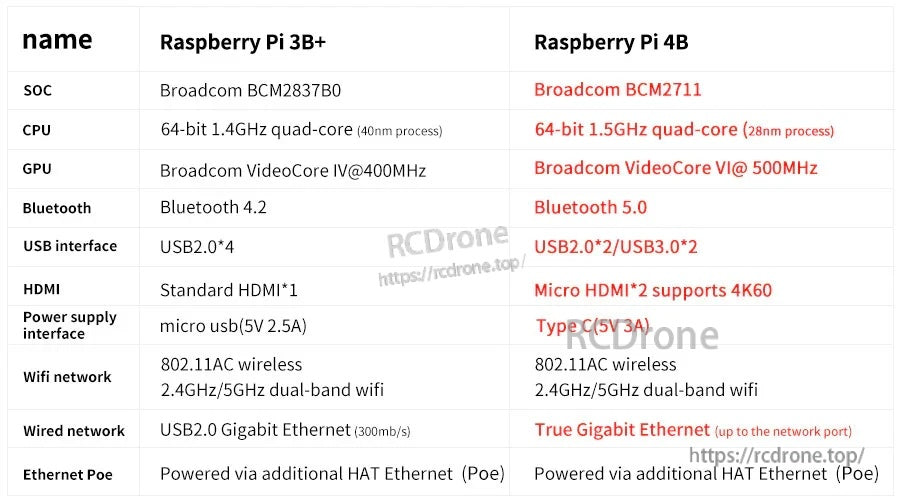
| النموذج | Raspberry Pi 4 Model B (Raspberry Pi 4B) |
| SoC | Broadcom BCM2711 |
| وحدة المعالجة المركزية | 64-bit 1.5GHz رباعي النواة (28nm)؛ معالج رباعي النواة Cortex-A72 (ARM v8) 64 بت @ 1.5GHz |
| وحدة معالجة الرسوميات | Broadcom VideoCore VI @ 500MHz |
| ذاكرة الوصول العشوائي | 2GB / 4GB / 8GB |
| بلوتوث | بلوتوث 5.0 |
| واي فاي | 802.11AC لاسلكي؛ واي فاي مزدوج النطاق 2.4GHz/5GHz |
| USB | USB2.0*2 / USB3.0*2 |
| HDMI | مايكرو HDMI*2 (يدعم 4K60) |
| واجهة مصدر الطاقة | نوع C (5V 3A) |
| إيثرنت | إيثرنت جيجابت حقيقي (حتى منفذ الشبكة) |
| إيثرنت PoE | مدعوم عبر HAT إضافي إيثرنت (PoE) |
| GPIO | 40 دبوس GPIO |
| منافذ الكاميرا/العرض | منفذ كاميرا CSI؛ منفذ عرض DSI |
التطبيقات
- روبوتات ذكية ومشاريع تعلم الروبوتات باستخدام Raspberry Pi
- حاسوب لوحي بأسلوب DIY وتطوير مدمج عام
- رؤية الكمبيوتر/تمارين دورة تعلم OpenCV والذكاء الاصطناعي (كما هو مدرج في مواد الدورة أدناه)
الدروس & مواد الدورة
للاستفسارات حول اختيار إصدار الذاكرة العشوائية أو إعداد بيئة التعلم، اتصل بـ [email protected] or زيارة https://rcdrone.top/ .
مواد تطوير بصري متقدمة بالذكاء الاصطناعي (محدث سبتمبر 2023)
- 1. مقدمة عن OpenCV.pdf
- 2. قراءة صورة OpenCV و display.pdf
- 3. صورة OpenCV write.pdf
- 4. صورة OpenCV quality.pdf
- 5. بكسل OpenCV operation.pdf
- 6. صورة Zoom.pdf
- 7. صورة Cut.pdf
- 8. صورة Shift.pdf
- 9. صورة Mirroring.pdf
- 10. تحويل Map.pdf
- 11. صورة Rotation.pdf
- 12. منظور Transformation.pdf
- 13. تدرج الرمادي processing.pdf
- 14. صورة Binarization.pdf
- 15. حافة detection.pdf
- 16. رسم خط segment.pdf
- 17. رسم مستطيل circle.pdf
- 18. رسم نص picture.pdf
- 19. هيستوجرام اللون pictures.pdf
- 20. هيستوجرام equalization.pdf
- 21. صورة restoration.pdf
- 22. سطوع enhancement.pdf
- 23. جلد whitening.pdf
- 24. متوسط غاوسي filtering.pdf
- 25.المتوسط filtering.pdf
- 26. تثبيت TensorFlow.pdf
- 27. رمز الاستجابة السريعة code.pdf
- 28. وضع الجسم البشري estimation.pdf
- 29. الهدف detection.pdf
- 30. ميديا بايب development.pdf
- 31. يولوف4-tiny_en.pdf
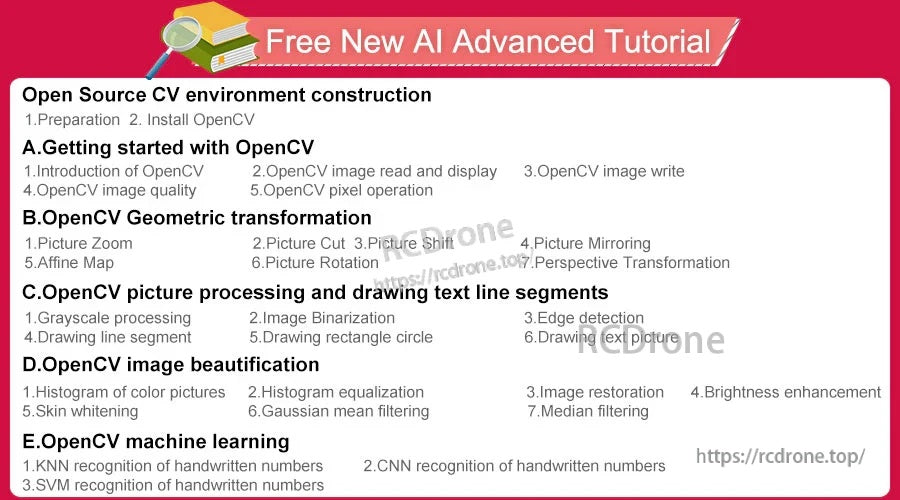
دليل متقدم جديد مجاني للذكاء الاصطناعي (المواضيع المعروضة)
- بناء بيئة CV مفتوحة المصدر: 1. التحضير؛ 2. تثبيت OpenCV
- أ. البدء مع OpenCV: 1. مقدمة عن OpenCV؛ 2. قراءة وعرض صورة OpenCV؛ 3. كتابة صورة OpenCV؛ 4. جودة صورة OpenCV؛ 5. عملية بكسل OpenCV
- ب. التحويل الهندسي في OpenCV: 1. تكبير الصورة؛ 2. قص الصورة؛ 3. إزاحة الصورة؛ 4. عكس الصورة؛ 5. خريطة أفينية؛ 6. دوران الصورة؛ 7. التحويل المنظوري
- ج. معالجة الصور في OpenCV ورسم مقاطع النص: 1. معالجة بالأبيض والأسود؛ 2. ثنائية الصورة؛ 3. كشف الحواف؛ 4. رسم مقطع خطي؛ 5.رسم مستطيل دائرة؛ 6. رسم نص صورة
- D. تحسين الصور باستخدام OpenCV: 1. هيستوجرام الصور الملونة؛ 2. تسوية الهيستوجرام؛ 3. استعادة الصور؛ 4. تعزيز السطوع؛ 5. تبييض البشرة؛ 6. تصفية المتوسط الغاوسي؛ 7. تصفية الوسيط
- E. التعلم الآلي باستخدام OpenCV: 1. التعرف على الأرقام المكتوبة بخط اليد باستخدام KNN؛ 2. التعرف على الأرقام المكتوبة بخط اليد باستخدام CNN؛ 3. التعرف على الأرقام المكتوبة بخط اليد باستخدام SVM
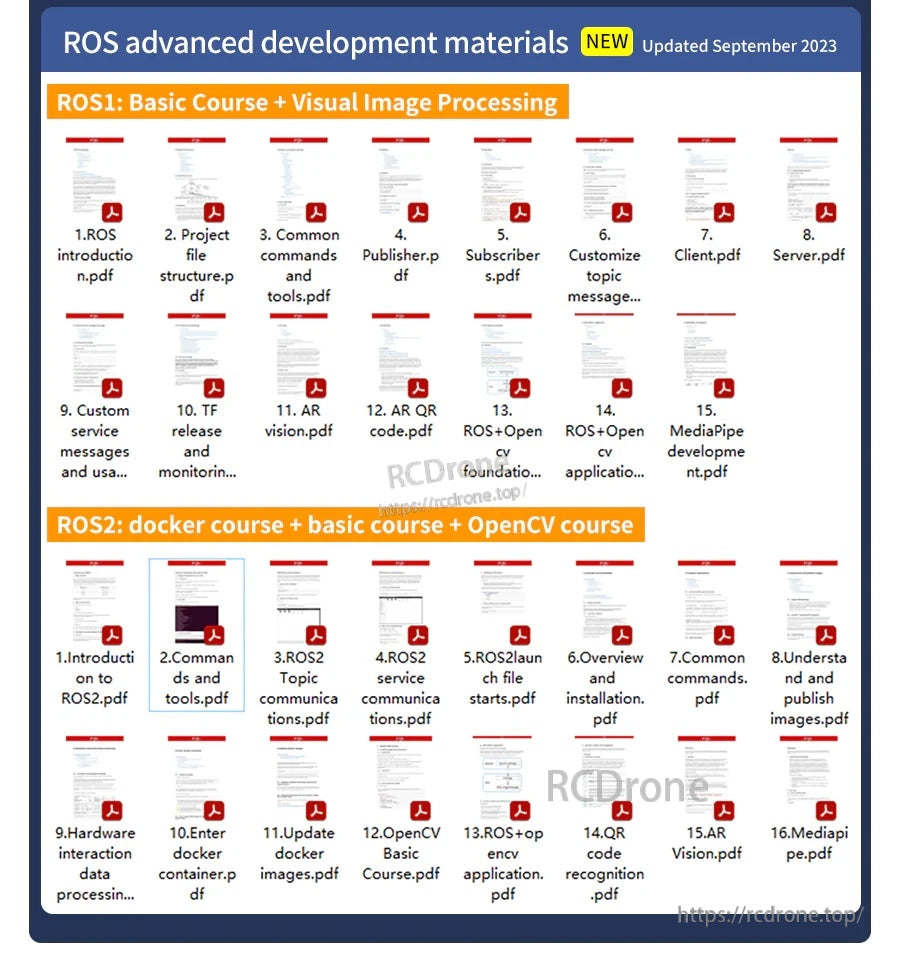
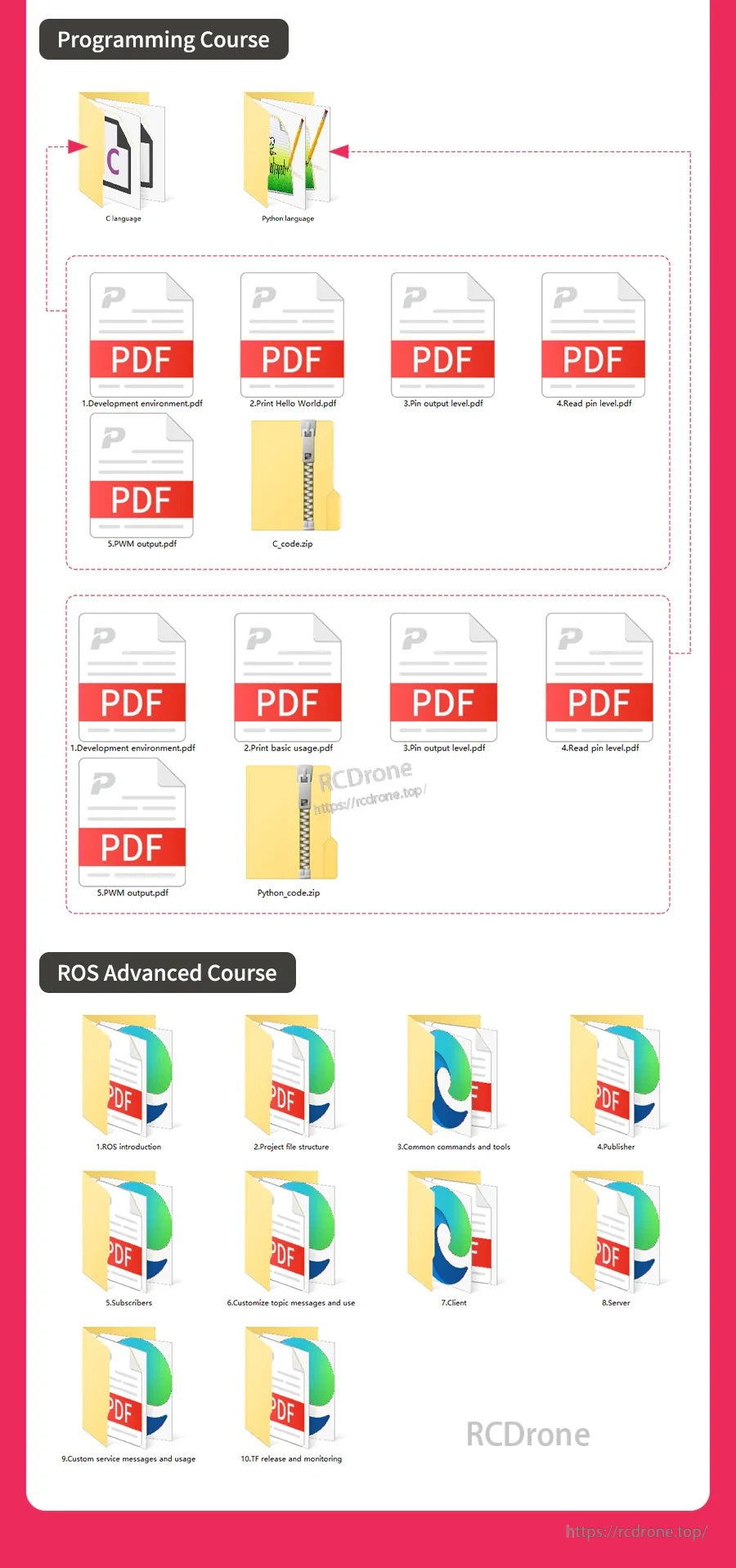
دورة متقدمة في ROS لراسبيري باي (المخطط موضح)
- 1. مقدمة في ROS
- 2. هيكل ملف المشروع
- 3. الأوامر والأدوات الشائعة
- 4. الناشر
- 5. المشترك
- 6. رسائل الموضوع المخصصة والاستخدام
- 7. العميل
- 8. الخادم
- 9. تخصيص رسائل الخدمة والاستخدام
- 10.نشر ومراقبة TF
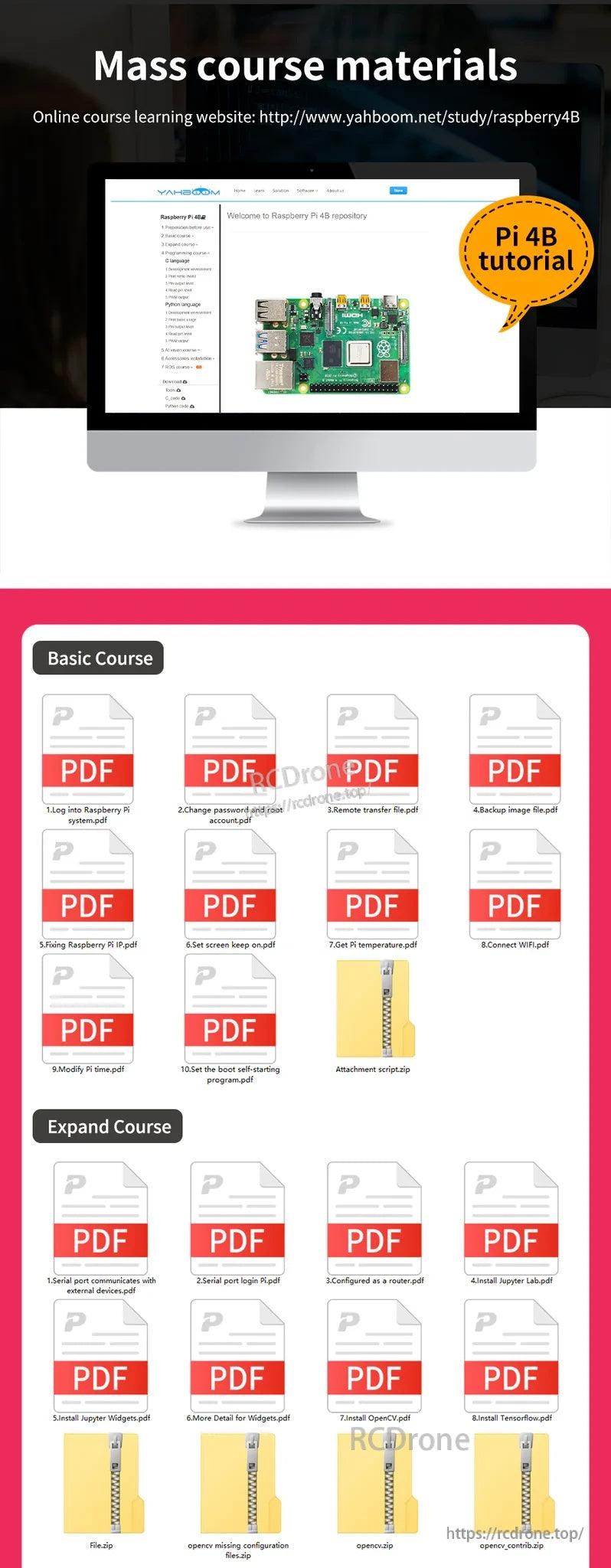
مواد الدورة الجماعية (العناصر المعروضة)
-
الدورة الأساسية:
- 1. تسجيل الدخول إلى Raspberry Pi system.pdf
- 2. تغيير كلمة المرور والجذر account.pdf
- 3. النقل عن بُعد file.pdf
- 4. صورة النسخ الاحتياطي file.pdf
- 5. إصلاح Raspberry Pi IP.pdf
- 6. ضبط الشاشة للحفاظ على on.pdf
- 7. الحصول على Pi temperature.pdf
- 8. الاتصال WIFI.pdf
- 9. تعديل Pi time.pdf
- 10. ضبط بدء التشغيل الذاتي program.pdf
- المرفق script.zip
-
توسيع الدورة:
- 1. منفذ تسلسلي يتواصل مع خارجي devices.pdf
- 2. تسجيل الدخول عبر المنفذ التسلسلي Pi.pdf
- 3. تم تكوينه كـ router.pdf
- 4. تثبيت Jupyter Lab.pdf
- 5. تثبيت Jupyter Widgets.pdf
- 6. مزيد من التفاصيل لـ Widgets.pdf
- 7. تثبيت OpenCV.pdf
- 8.قم بتثبيت Tensorflow.pdf
- File.zip
- تكوين opencv مفقود files.zip
- opencv.zip
- opencv_contrib.zip
-
دورة برمجة:
- لغة C
- لغة بايثون
- 1. التطوير environment.pdf
- 2. طباعة مرحبا World.pdf
- 3. إخراج الدبوس level.pdf
- 4. قراءة الدبوس level.pdf
- 5. PWM output.pdf
- C_code.zip
- Python_code.zip
ملاحظات
- أمثلة على ملصقات معجون تبريد الحرارة المعروضة: وحدة المعالجة المركزية، الذاكرة العشوائية، شريحة إدارة USB، بطاقة الشبكة (غير متصلة).
- يتم عرض عنوان "قائمة التعبئة"، ولكن لا توجد محتويات تعبئة مفصلة.
تفاصيل
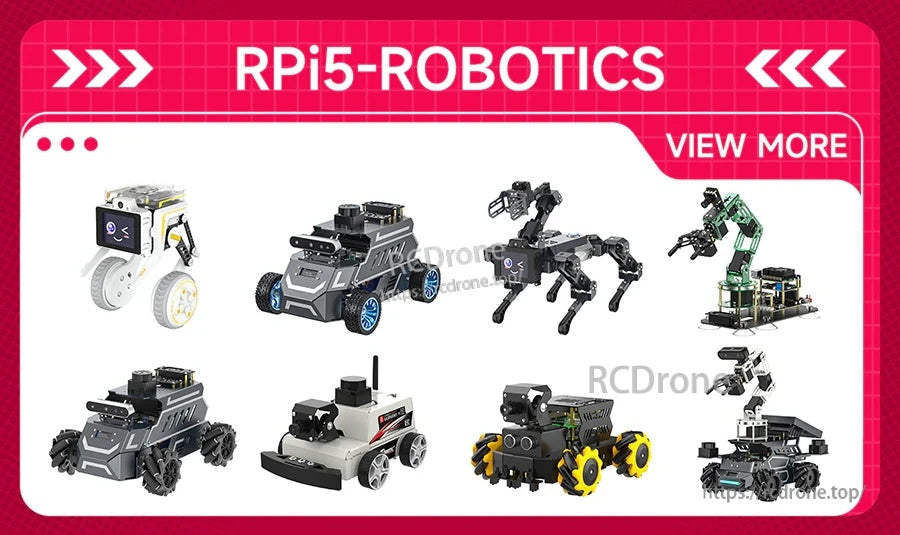
من السيارات الذكية إلى الروبوتات المتنقلة، يتم استخدام منصة Raspberry Pi على نطاق واسع لمشاريع الروبوتات العملية.
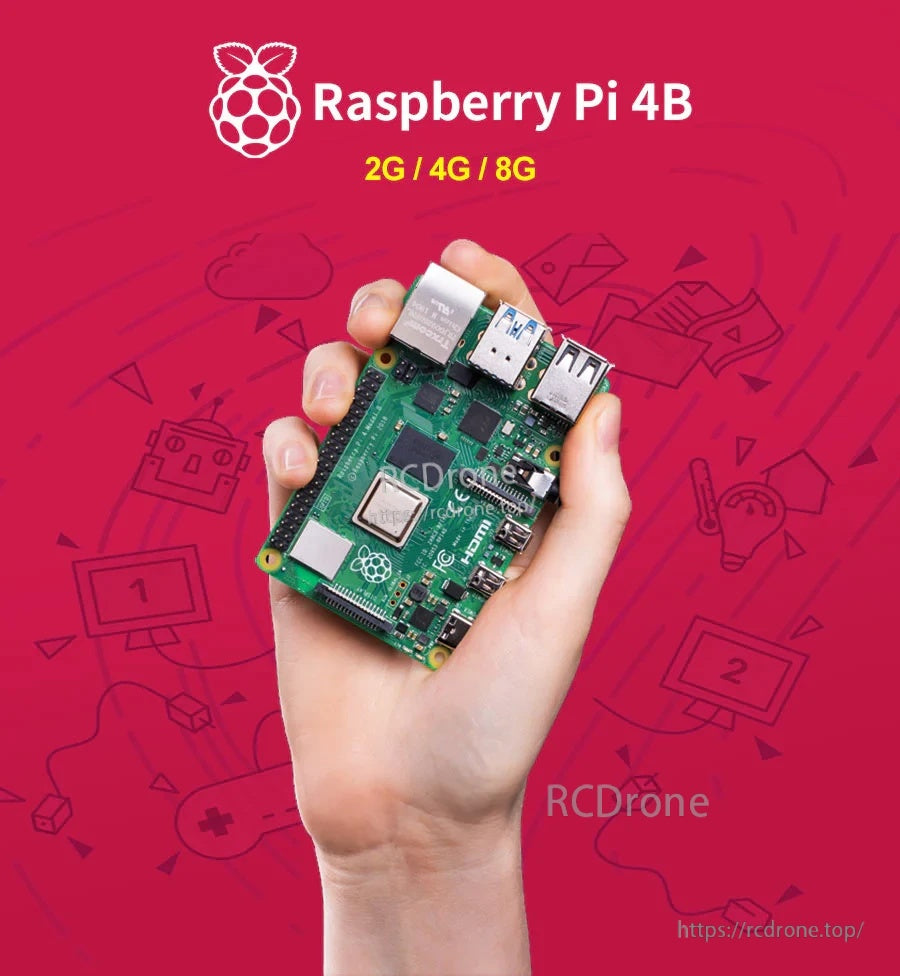
اختر 2GB أو 4GB أو 8GB من الذاكرة العشوائية حسب ما إذا كنت تقوم ببناء سطح مكتب خفيف، أو إعداد وسائط، أو مشاريع متعددة المهام أكبر.
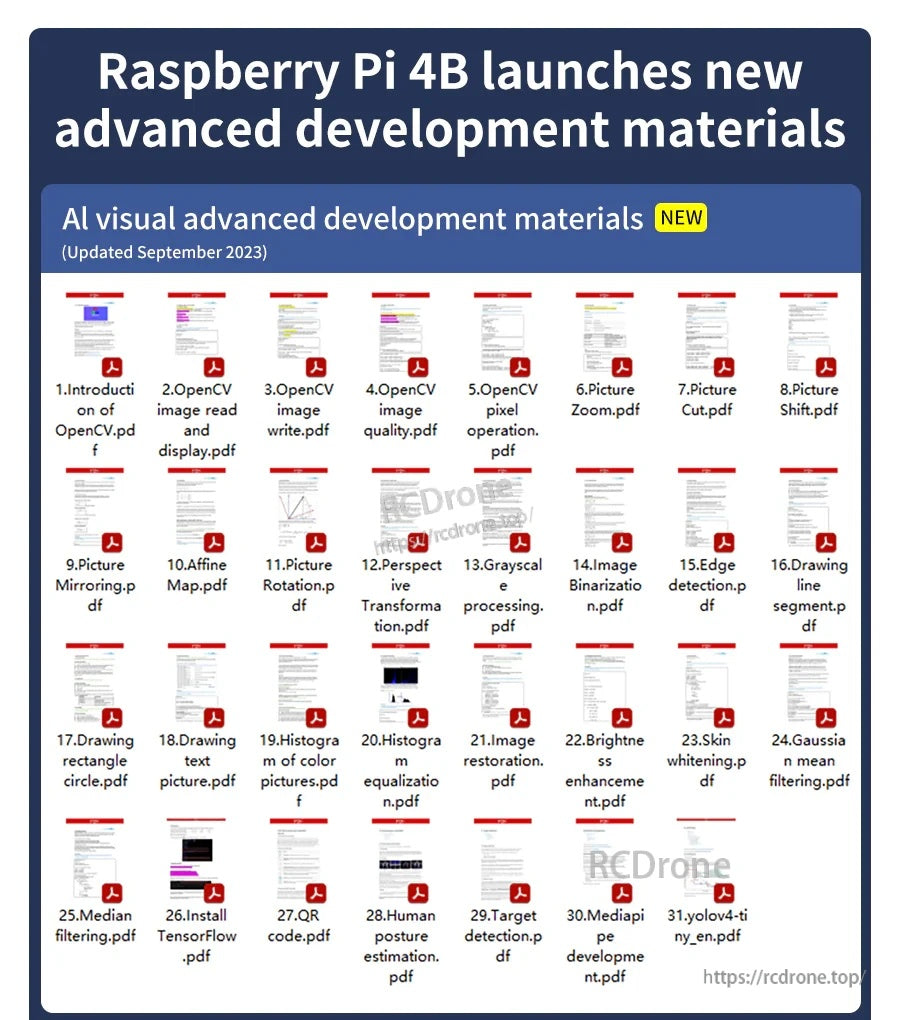
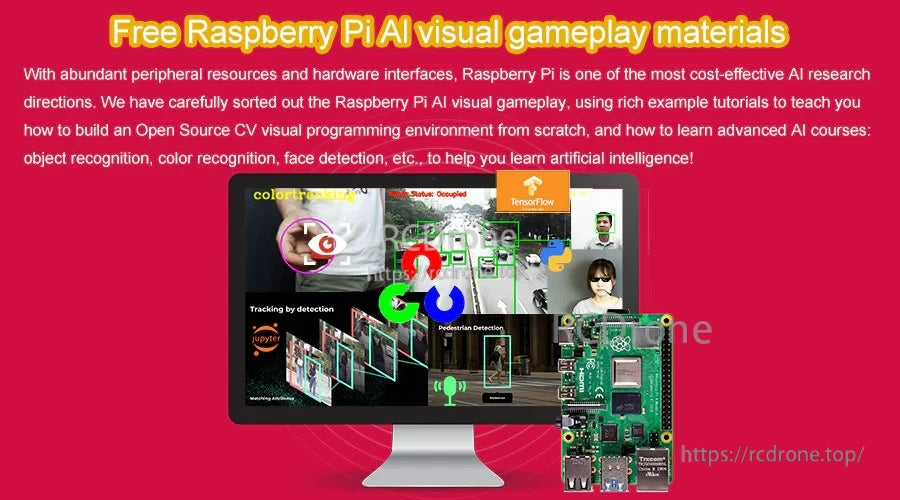
تتوافق موارد التعلم الذكاء الاصطناعي/الرؤية بشكل جيد مع واجهات الأجهزة الخاصة بـ Pi 4B لمشاريع الكاميرا وأسلوب OpenCV.
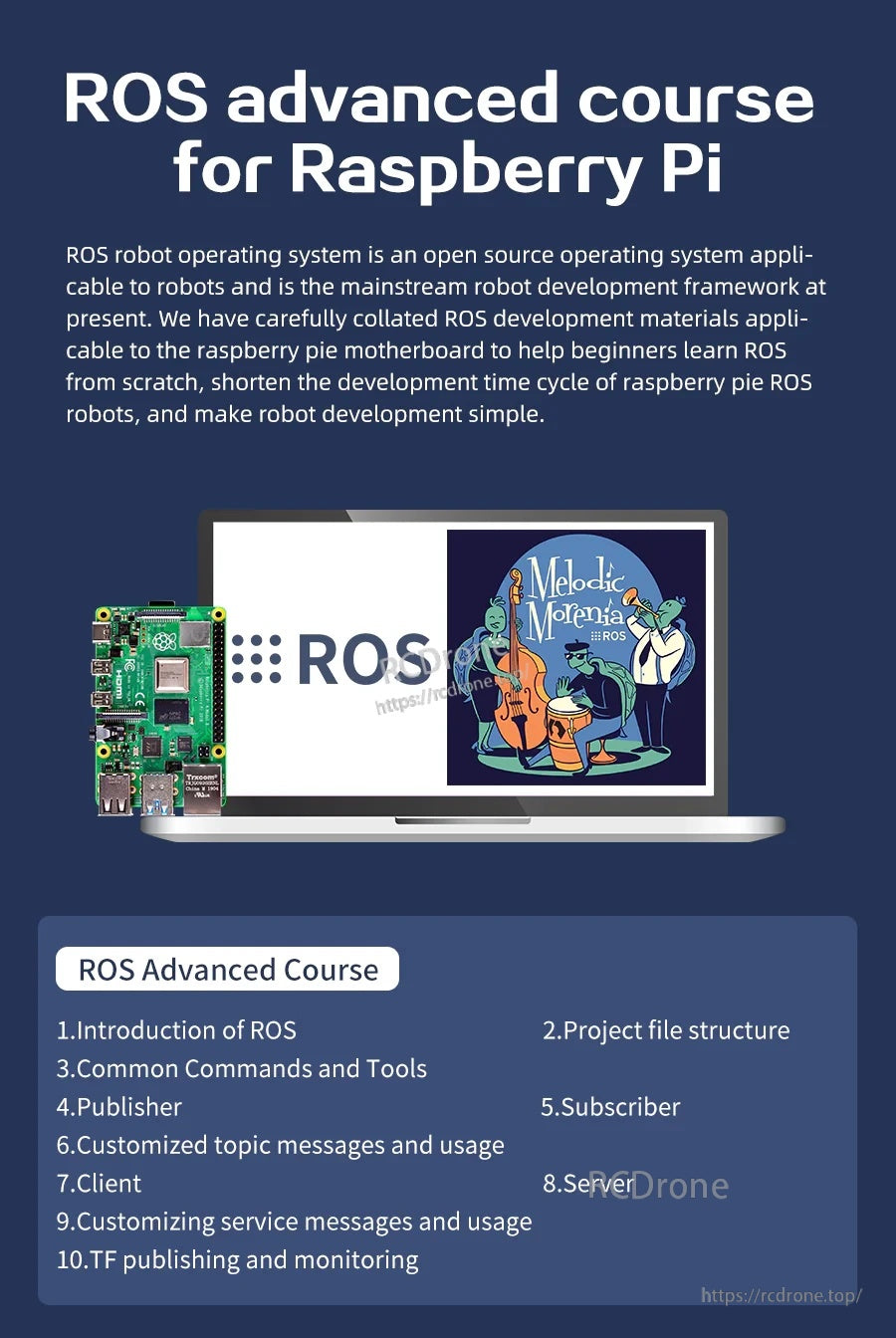
قم ببناء مهارات الروبوتات المعتمدة على ROS من خلال وحدات الدورة التي تغطي الأدوات والمواضيع والعقد وبنية المشروع.
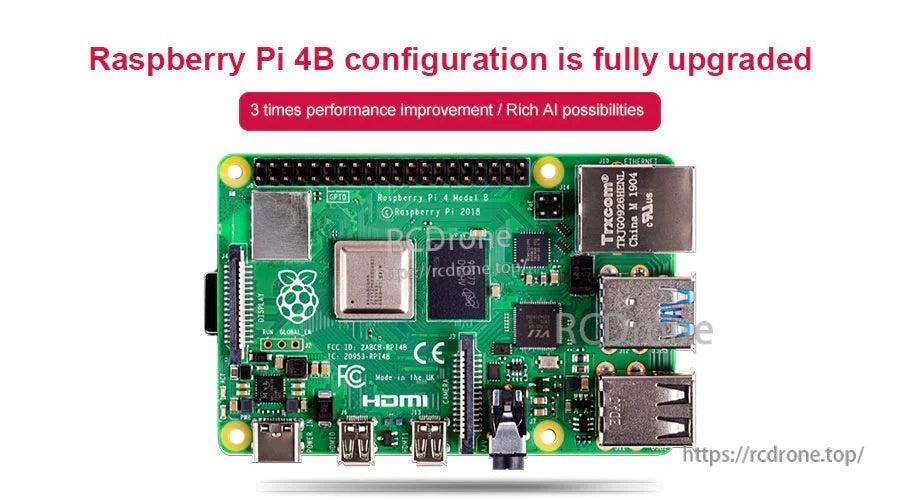
يستخدم Raspberry Pi 4 Model B منصة Broadcom BCM2711 ويضيف اتصالات حديثة مثل USB 3.0 و HDMI مزدوج.
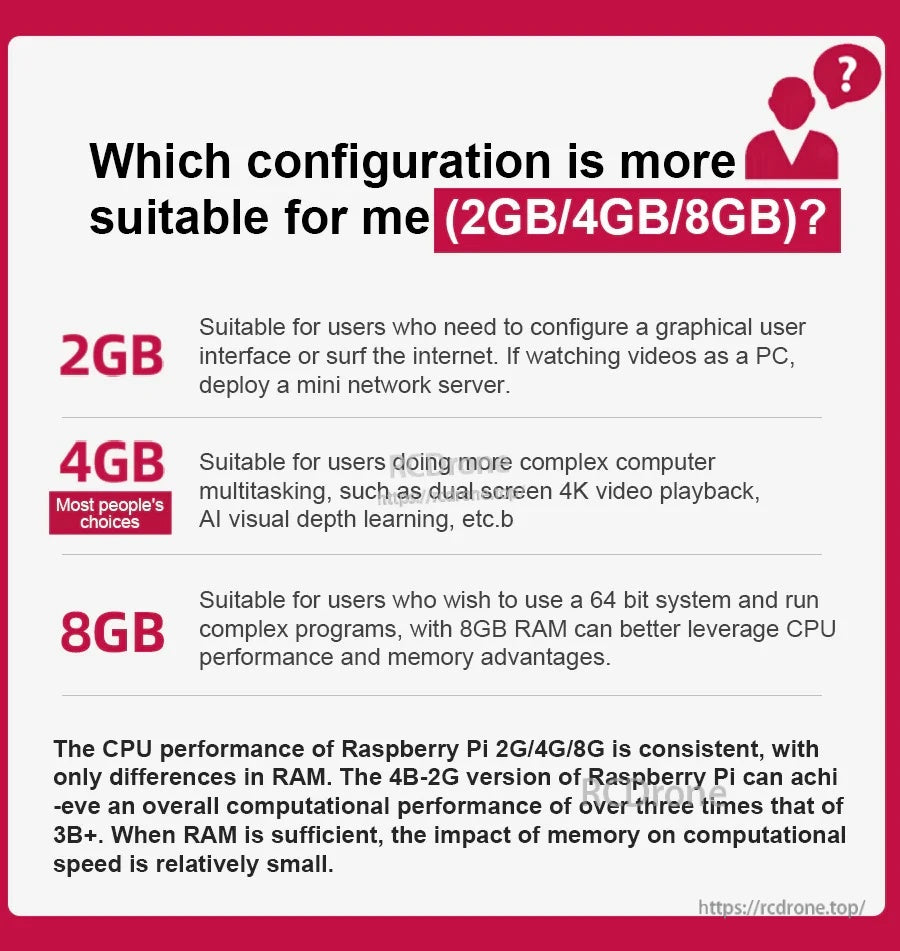
تتم مشاركة نفس أداء وحدة المعالجة المركزية عبر الإصدارات - تؤثر الذاكرة العشوائية بشكل أساسي على مدى راحة تشغيل التطبيقات الأكبر والمهام المتعددة.
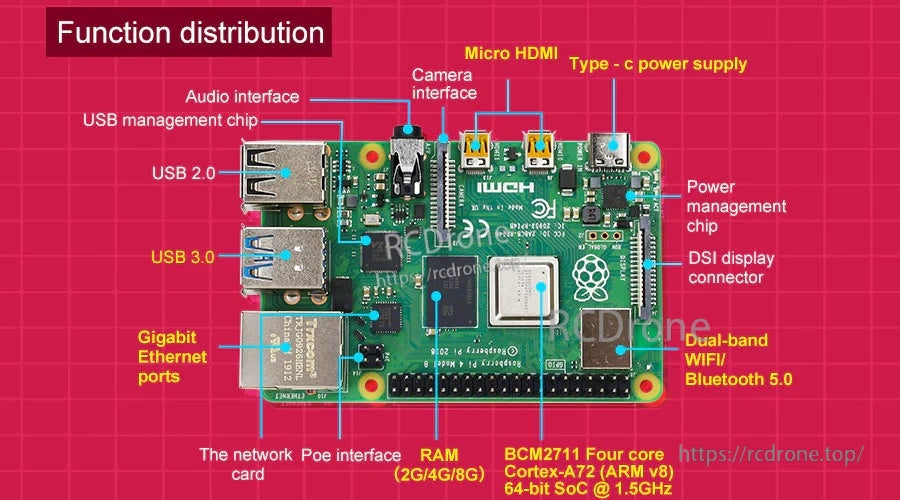
تم وضع المنافذ والرؤوس بوضوح للشاشات والكاميرات والشبكات والتوسع عبر GPIO المكون من 40 دبوسًا.
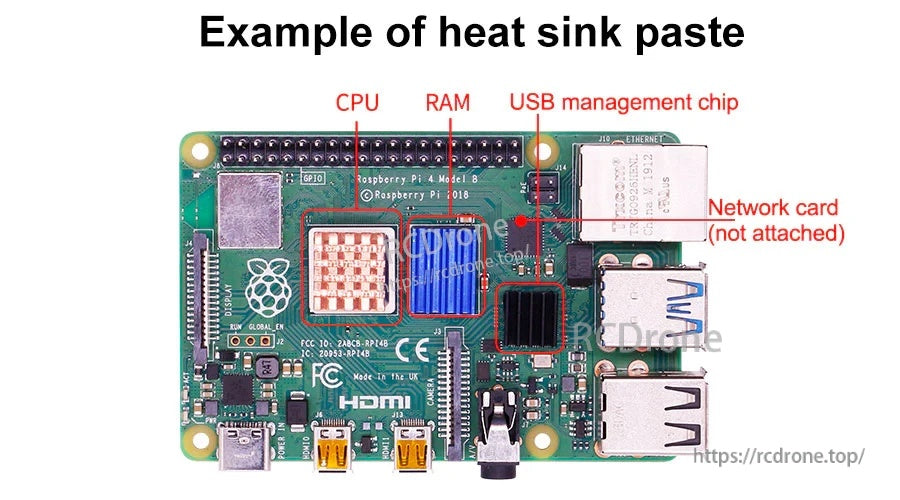
يمكن تطبيق وسادات حرارية أو معجون على الشرائح الرئيسية عند بناء مشاريع Raspberry Pi المغلقة أو ذات الحمل العالي.

