


كاميرا العمق ثلاثية الأبعاد Yahboom AI VIEW بتقنية الضوء الهيكلي المزدوج للروبوتات ROS1/ROS2، USB3.0 Type‑C RGBD
كاميرا العمق ثلاثية الأبعاد Yahboom AI VIEW بتقنية الضوء الهيكلي المزدوج للروبوتات ROS1/ROS2، USB3.0 Type‑C RGBD
Yahboom
تعذر تحميل توفر الالتقاط


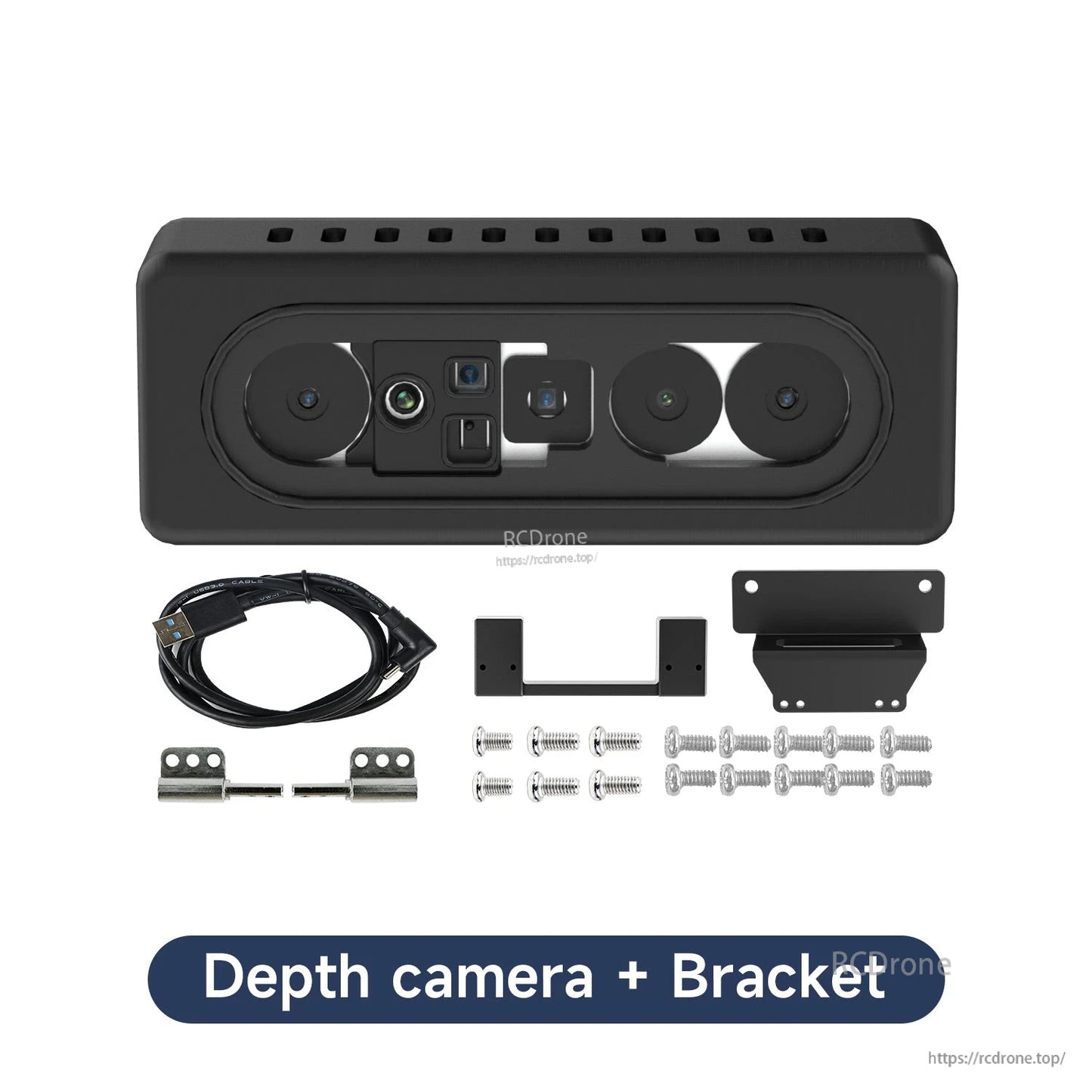
نظرة عامة
كاميرا العمق ثلاثية الأبعاد ذات الضوء الهيكلي الثنائي Yahboom AI VIEW مخصصة لتطوير الروبوتات بنظام ROS. تجمع بين الرؤية الثنائية وإسقاط الضوء الهيكلي لحساب العمق عبر مطابقة الصور اليسرى/اليمنى والتثليث، مما يدعم إعادة البناء ثلاثي الأبعاد واستشعار العمق في البيئات المعقدة. حجم الجسم المدمج مدرج كـ 68.3 × 25.3 × 19.0 مم، مع نطاق قياس من 0.25–2.5 م ومقاومة للضوء القوي للاستخدام الداخلي.
الميزات الرئيسية
- استشعار العمق بالضوء الهيكلي الثنائي؛ مبدأ القياس: رؤية ثنائية نشطة
- دعم ROS: ROS1 & ROS2؛ متوافق مع أنظمة ROS1/ROS2 ودعم SDK ملاحظ
- شريحة محرك العمق المدمجة: MX6000
- منطقة عمياء أصغر: تصل إلى 0.25 م (قياس المدى القريب؛ مناسب لتحديد موضع نهاية الروبوت)
- قدرة مقاومة الوهج (مقاومة الضوء القوي)؛ ملاحظة الاستخدام: "يرجى استخدامه في الداخل"
- أنظمة التشغيل عبر المنصات المدرجة: Android / Linux / Windows8/10
- المنصات والسيناريوهات الموضحة: Raspberry Pi، Jetson، PC، تعليم البرمجة، الروبوت، التعرف على الوجوه ثلاثية الأبعاد، قياس الأجسام ثلاثية الأبعاد، الألعاب الحسية، الأجهزة الذكية
المواصفات
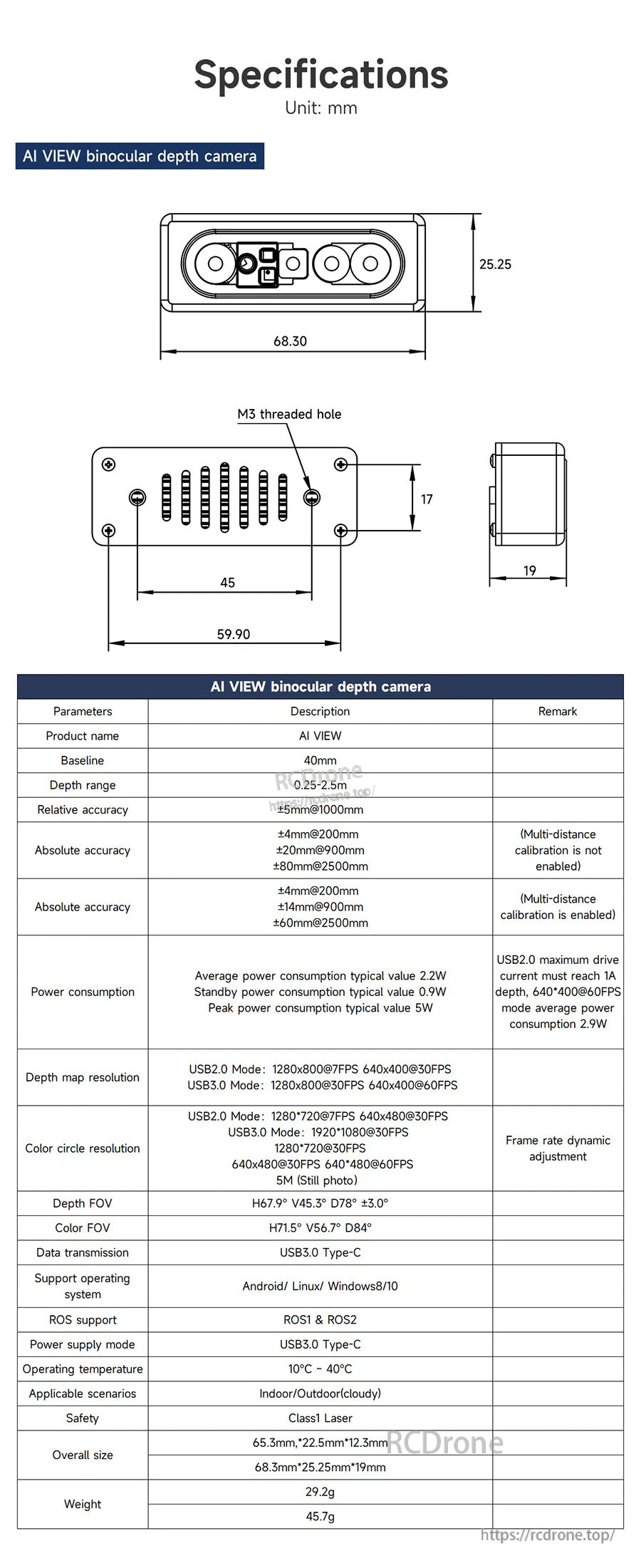
| اسم المنتج | AI VIEW |
| النموذج | Astra SV1301S U3 |
| الخط الأساسي | 40 مم |
| مبدأ القياس | رؤية مجسمة ثنائية العين نشطة |
| نطاق العمق | 0.25–2.5 م |
| الدقة النسبية | ±5 مم @ 1000 مم |
| الدقة المطلقة (لم يتم تمكين المعايرة متعددة المسافات) | ±4 مم @ 200 مم; ±20 مم @ 900 مم; ±80 مم @ 2500 مم |
| الدقة المطلقة (تم تمكين المعايرة متعددة المسافات) | ±4 مم @ 200 مم; ±14 مم @ 900 مم; ±60 مم @ 2500 مم |
| استهلاك الطاقة (النموذجي) | متوسط 2.2 واط; وضع الاستعداد 0.9 واط; الذروة 5 واط |
| ملاحظة الطاقة | يجب أن يصل تيار القيادة الأقصى لـ USB2.0 إلى 1 أمبير; استهلاك الطاقة المتوسط في وضع العمق 640 × 400 @ 60 FPS هو 2.9 واط |
| دقة خريطة العمق | وضع USB2.0: 1280 × 800 @ 7 FPS; 640 × 400 @ 30 FPS وضع USB3.0: 1280 × 800 @ 30 FPS; 640 × 400 @ 60 FPS |
| دقة دائرة الألوان | وضع USB2.0: 1280 × 720 @ 7 FPS; 640 × 480 @ 30 FPS USB3.0 وضع: 1920 × 1080 @ 30 FPS; 1280 × 720 @ 30 FPS; 640 × 480 @ 30 FPS; 640 × 480 @ 60 FPS 5M (صورة ثابتة) |
| معدل الإطارات | تعديل ديناميكي لمعدل الإطارات |
| مجال الرؤية للعمق | H67.9° V45.3° D78° ±3° |
| مجال الرؤية للألوان | H71.5° V56.7° D84° |
| محرك العمق | MX6000 |
| نقل البيانات | USB3.0 Type-C |
| وضع تزويد الطاقة | USB3.0 Type-C |
| أنظمة التشغيل المدعومة | Android / Linux / Windows8/10 |
| دعم ROS | ROS1 & ROS2 |
| درجة حرارة التشغيل | 10°C إلى 40°C |
| السيناريوهات المطبقة (مدرجة) | داخلي داخلي/خارجي (غائم) |
| السلامة (مدرجة) | ليزر فئة 1 |
| الحجم الكلي (مدرج) | الطول 68.3 مم؛ العرض 25.25 مم؛ السمك 19 مم أيضًا مدرج: 65.3 مم × 22.5 مم × 12.3 مم |
| الوزن (مدرج) | 45.7 جم أيضًا مدرج: 29.2 جم |
| ملاحظات الرسم الميكانيكي (الوحدة: مم) | الأمام: 68.30 (عرض) × 25.25 (ارتفاع)؛ سمك الجانب 19؛ ملاحظة التركيب: ثقب ملولب M3؛ أبعاد الرسم الإضافية المعروضة: 59.90, 45, 17 |
ملاحظات البرمجيات / SDK (كما هو مذكور)
- “[SDK] توفير تجربة تطوير أفضل لكاميرا RGBD” (Orbbec SDK): عبر الأنظمة الأساسية (Windows، Android، Linux) للضوء الهيكلي، والمنظار الثنائي، وiToF وغيرها من كاميرات الاستشعار ثلاثية الأبعاد
- الوظائف المدرجة: إعداد وتوجيه الأجهزة والتحكم فيها؛ الوصول/التحكم/قراءة بيانات المستشعرات؛ التحكم في تزامن الإطارات ومحاذاتها؛ الحصول على بيانات السحابة النقطية؛ التصفية وقدرات الخوارزميات الأخرى؛ دعم الأنظمة المختلفة والأغلفة؛ أداة العرض Orbbec Viewer
- ملاحظة العارض: يدعم التبديل بين الصينية والإنجليزية
- الوظائف الأساسية المدرجة: عرض معلومات الجهاز؛ الحصول على تدفقات البيانات الأساسية؛ تنفيذ التحكم في الجهاز
- الوظائف المتقدمة المدرجة: تزامن ومحاذاة إطارات البيانات؛ الحصول على بيانات السحابة النقطية؛ تسجيل البيانات وتشغيلها
ملحقات اختيارية
- حامل اختياري قابل لتعديل الزاوية للروبوت: زاوية قابلة للتعديل 120° (أعلى 30°، أسفل 90°)
- “سيتم توفير نموذج ثلاثي الأبعاد” (مدرج بجانب الكاميرا والحامل القابل لتعديل الزاوية)
التطبيقات
- إعادة البناء ثلاثي الأبعاد ونمذجة البيئة (داخلي)
- رسم الخرائط البصرية ثلاثية الأبعاد، الملاحة والمسح (كما هو مدرج)
- القياس عن قرب (منطقة عمياء منخفضة تصل إلى 0.<|vq_15392|>25 م)
- التعرف على الأجسام، اكتشاف الأهداف، وتتبع سير العمل (كما هو مذكور في مواضيع الدورة)
الدروس التعليمية
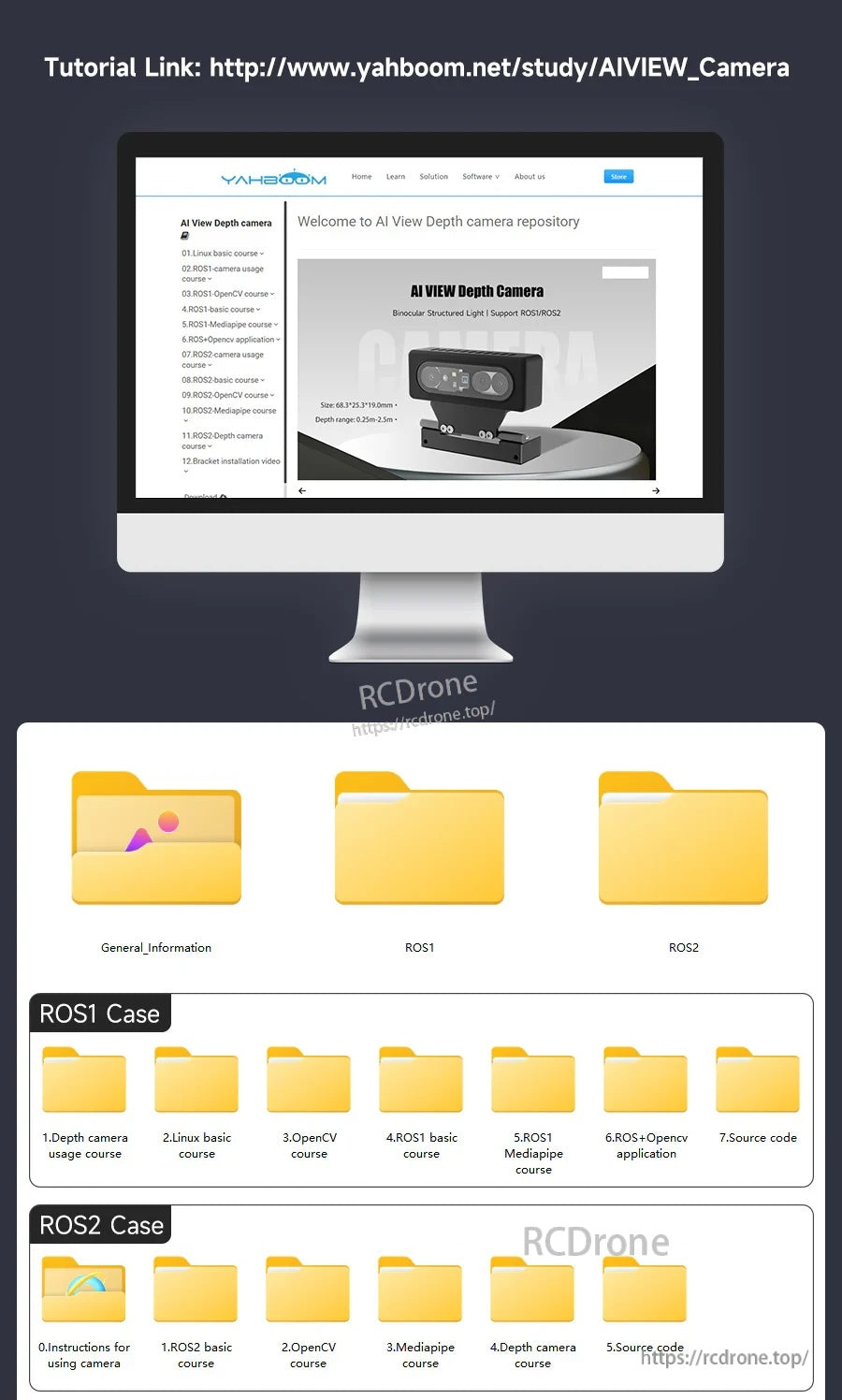
رابط الدرس (صفحة الدراسة الرسمية): http://www.yahboom.net/study/AIVIEW_Camera
دورة استخدام الكاميرا العميقة (المواضيع المدرجة)
- تعليمات استخدام الكاميرا / أساسيات لينكس (مدرجة): مقدمة لنظام لينكس؛ نظام ملفات أوبونتو؛ أوامر أوبونتو الشائعة؛ محررات أوبونتو الشائعة؛ أوامر تشغيل برامج أوبونتو؛ تثبيت الآلة الافتراضية؛ التحكم عن بعد عبر SSH؛ التحكم عن بعد عبر VNC؛ نقل الملفات عن بعد؛ مكتبة السائق والاتصال؛ IP ثابت ووضع نقطة الاتصال؛ ربط معرف الجهاز؛ توسيع السعة والموارد؛ تحديث مصادر برامج النظام؛ تعيين كلمة مرور المستخدم الجذر؛ كلمة مرور مجانية لـ sudo؛ الاتصال بشبكة WiFi؛ عرض إصدار النظام؛ إدارة الخدمة المخصصة؛ نسخ صورة النظام احتياطيًا
- دورة OpenCV (مدرجة): مقدمة في OpenCV؛ قراءة الصور وعرضها؛ كتابة الصور؛ جودة الصور؛ عمليات البكسل؛ تكبير الصور؛ قص الصور؛ ترجمة الصور؛ انعكاس الصور؛ التحويل الأفيني؛ تدوير الصور؛ التحويل المنظوري؛ معالجة التدرج الرمادي؛ ثنائية الصور؛ اكتشاف الحواف؛ رسم خطوط القطع؛ رسم المستطيلات والدوائر؛ رسم النصوص والصور
- دورة ROS1 الأساسية (مدرجة): مقدمة في ROS؛ تثبيت ROS؛ أدوات الأوامر الشائعة في ROS؛ مساحة عمل ROS؛ حزمة وظائف ROS؛ عقدة ROS؛ ناشر موضوع ROS؛ مشتركي موضوع ROS؛ عميل خدمة ROS؛ خادم خدمة ROS؛ عميل إجراء ROS؛ خادم إجراء ROS؛ استقبال رسالة مخصصة في ROS؛ ملف إطلاق ROS؛ تحويل ROS-TF؛ خدمة معلمات ROS؛ استخدام ROS-rviz؛ استخدام أداة ROS-rqt؛ تسجيل رسائل الموضوع و؛ مقدمة نموذج urdf؛ مقدمة في gazebo؛ اتصال موزع ROS
- دورة Mediapipe ROS1 (مدرجة): كشف اليد; كشف الوضعية; الكشف العام; كشف الوجه; التعرف على الوجه; تأثيرات الوجه; التعرف على الأجسام ثلاثية الأبعاد; الفرشاة; التحكم بالأصابع; التعرف على الإيماءات
- تطبيق ROS1 + OpenCV (مدرج): معايرة الكاميرا; رمز QR
- مواضيع إضافية في ROS + OpenCV (مدرجة): 3.تقدير وضع الإنسان; 4. كشف الهدف; 5. أساسيات ROS+Opencv; 6. التعرف على الوجه; 7. كشف زوايا هاريس; 8. خوارزمية تتبع الهدف; 9. لحظة الكنتور; 10. مخطط المضلع; 11. خوارزمية تحويل فورييه المتقطع; 12. خوارزمية كشف الحواف; 13. خوارزمية كشف الوجه; 14. خوارزمية كشف التدفق البصري; 15. كشف الكنتور; 16. كشف الكنتور العام; 17. تتبع نقاط الميزات; 18. تصفية الألوان HLS; 19. كشف الدوائر باستخدام هاف; 20. كشف الخطوط باستخدام هاف; 21. تصفية الألوان HSV; 22. خوارزمية التدفق البصري LK; 23. خوارزمية كشف الإنسان; 24. الإزاحة المعتمدة على الطور; 25. خوارزمية أخذ عينات الهرم الصوري; 26. تصفية الألوان RGB; 27. كشف الخلفية الواضحة; 28. خوارزمية التدفق البصري المبسطة; 29. مرشح بسيط; 30. معالجة الصور بالعتبة; 31. خوارزمية تقسيم مستنقع المياه; 32. تحويل البيانات والسحابة النقطية; 33. رؤية الواقع المعزز; 34. رمز الاستجابة السريعة للواقع المعزز; 35. التعرف على الألوان; 36. تتبع الكائنات
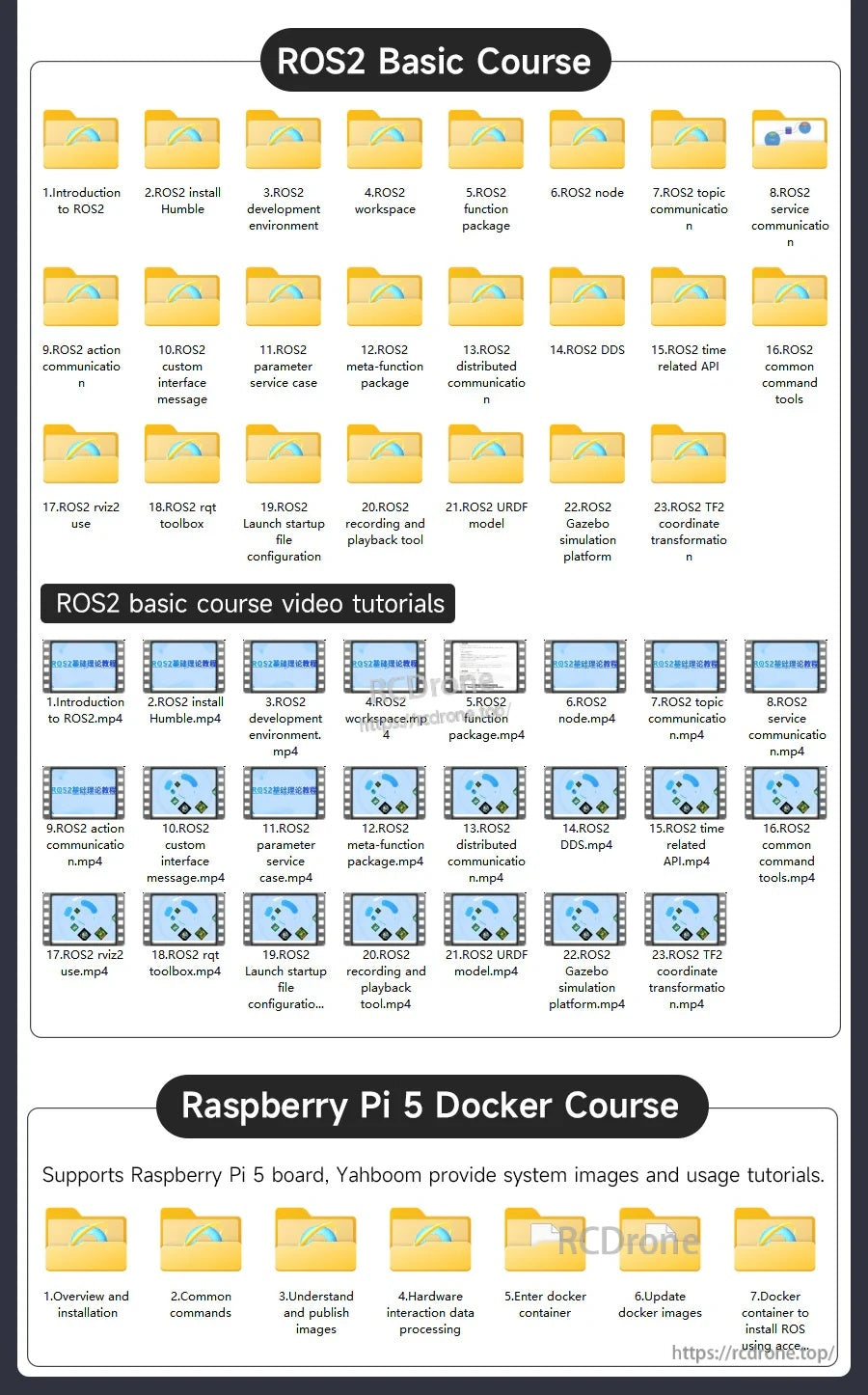
- دورة ROS2 الأساسية (مدرجة): مقدمة إلى ROS2؛ تثبيت ROS2 Humble؛ بيئة تطوير ROS2؛ مساحة عمل ROS2؛ حزمة وظائف ROS2؛ عقدة ROS2؛ اتصال موضوع ROS2؛ اتصال خدمة ROS2؛ اتصال عمل ROS2؛ رسالة واجهة مخصصة لـ ROS2؛ حالة خدمة معلمات ROS2؛ حزمة وظائف ميتا لـ ROS2؛ اتصال موزع لـ ROS2؛ DDS لـ ROS2؛ واجهة برمجة التطبيقات المتعلقة بالوقت لـ ROS2؛ أدوات الأوامر الشائعة لـ ROS2؛ استخدام rviz2 لـ ROS2؛ صندوق أدوات rqt لـ ROS2؛ ملف بدء تشغيل Launch لـ ROS2؛ أداة تسجيل وتشغيل لـ ROS2؛ نموذج URDF لـ ROS2؛ منصة محاكاة Gazebo لـ ROS2؛ تحويل الإحداثيات TF2 لـ ROS2
- دورات ROS2 OpenCV (مدرجة): تطبيق ROS+opencv؛ إنشاء واعتراف رمز QR؛ رؤية AR
- دورة mediapipe لـ ROS2 (مدرجة): كشف اليد؛ كشف الوضعية؛ الكشف العام؛ كشف الوجه؛ تحديد هوية التأمين الشخصي
- دورات سلسلة كاميرات العمق ROS2 (مدرجة): استخدام كاميرا العمق؛ معايرة المعلمات الداخلية للكاميرا؛ تتبع الألوان؛ تتبع الأجسام باستخدام KCF؛ أساسيات ORB_SLAM2؛ رسم الخرائط باستخدام ORB_SLAM2 PCL؛ رسم الخرائط باستخدام ORB_SLAM2 Octomap
لأسئلة التوافق قبل الشراء أو دعم ما بعد البيع، اتصل بـ [email protected] or قم بزيارة https://rcdrone.top/.
التفاصيل
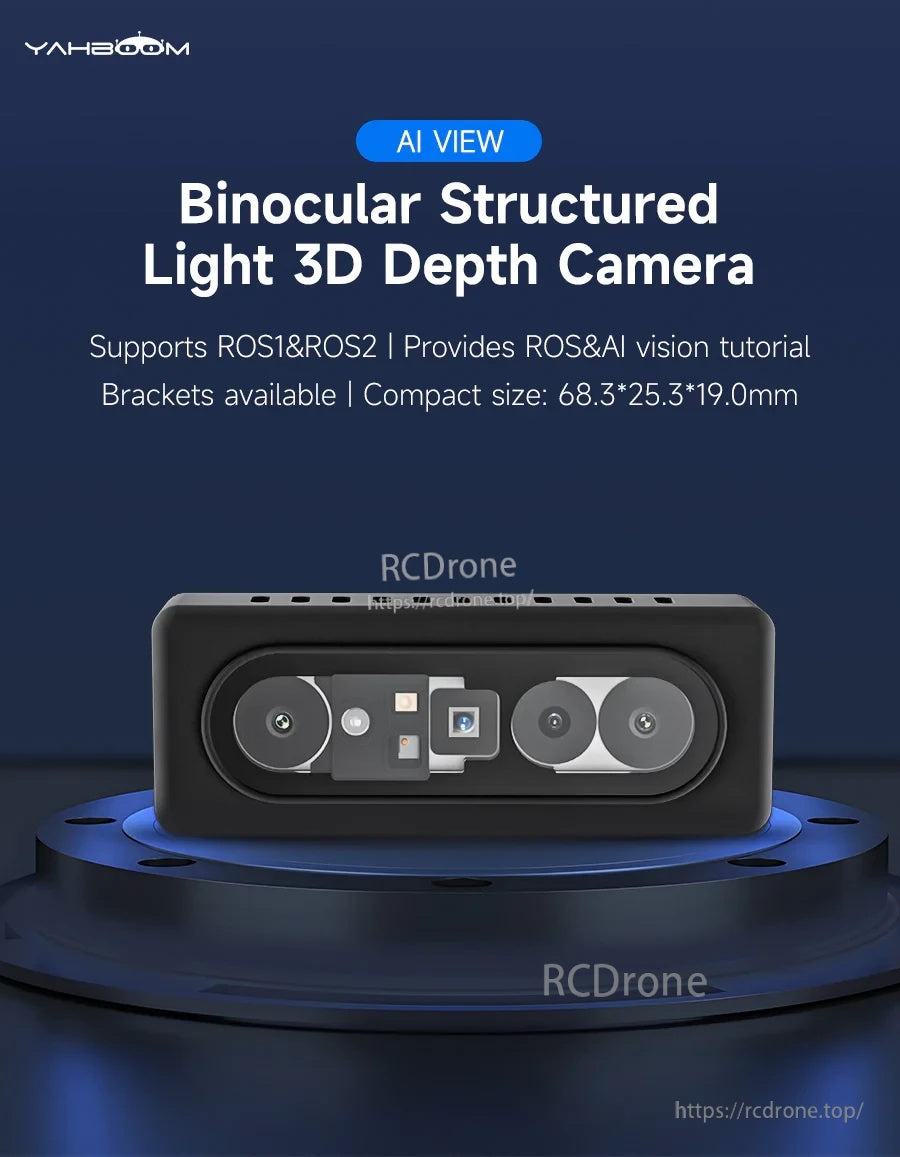
يجمع AI VIEW بين الاستريو الثنائي والضوء الهيكلي لتقديم استشعار عمق RGB‑D سريع لمشاريع الروبوتات ROS.
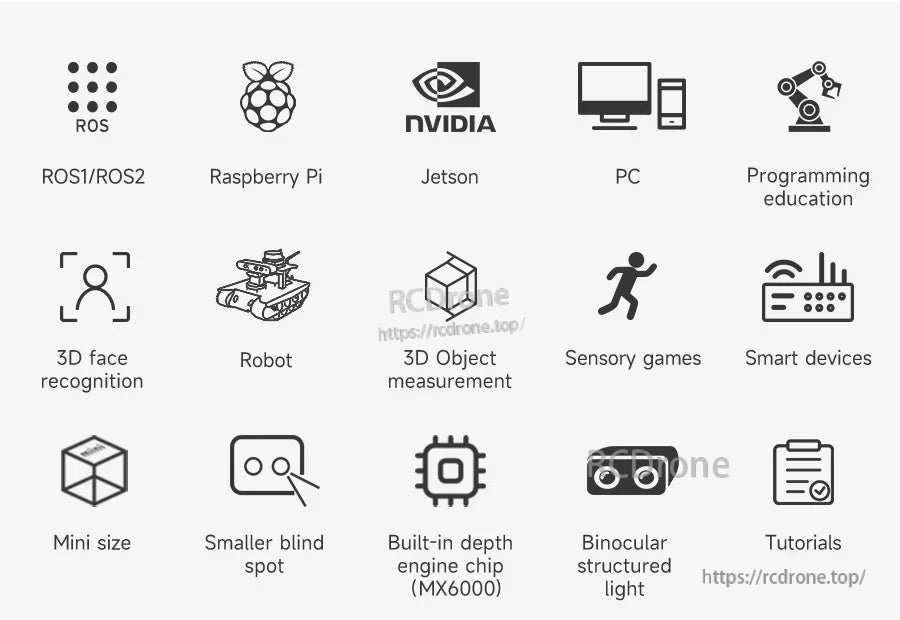
يعمل عبر منصات الروبوت الشائعة بما في ذلك Raspberry Pi وJetson وPC لمهام التخطيط والقياس والإدراك.
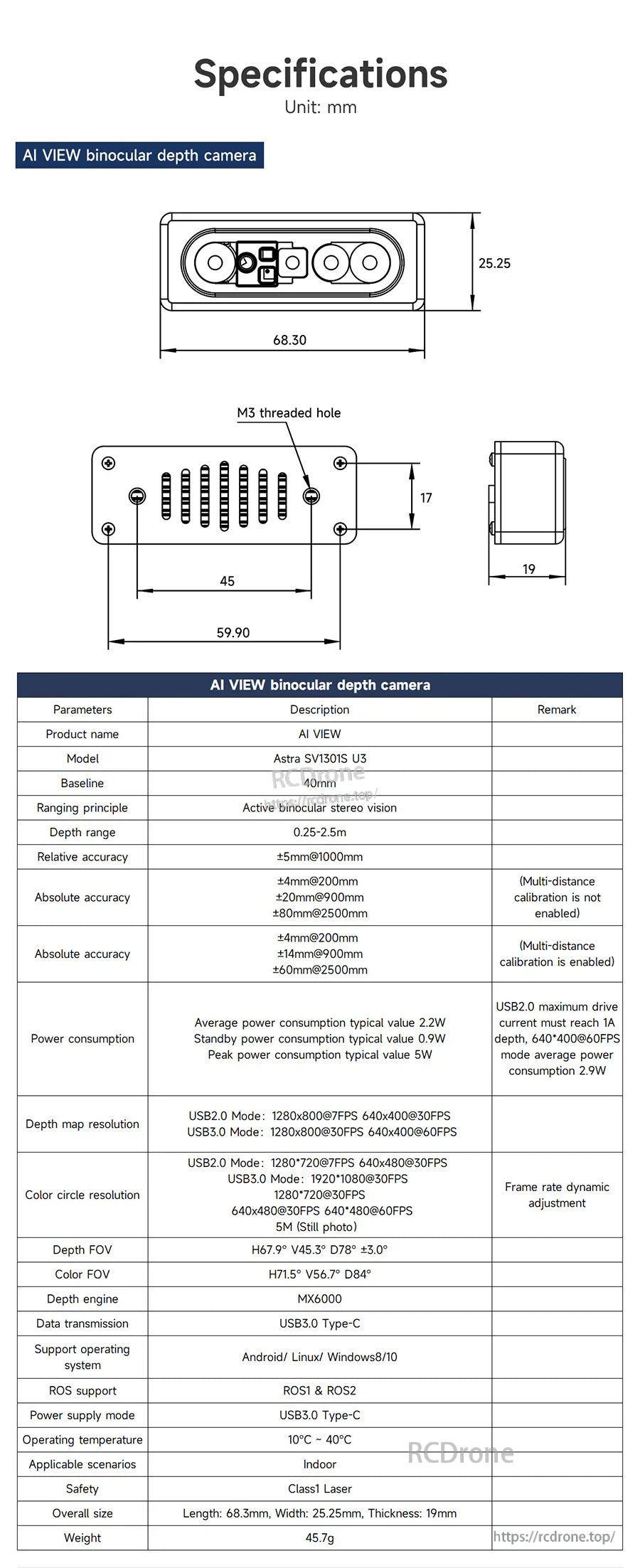
تساعد الرسومات الميكانيكية التفصيلية والمواصفات الأساسية في تصميم الحاويات وتخطيط تكامل الروبوت.
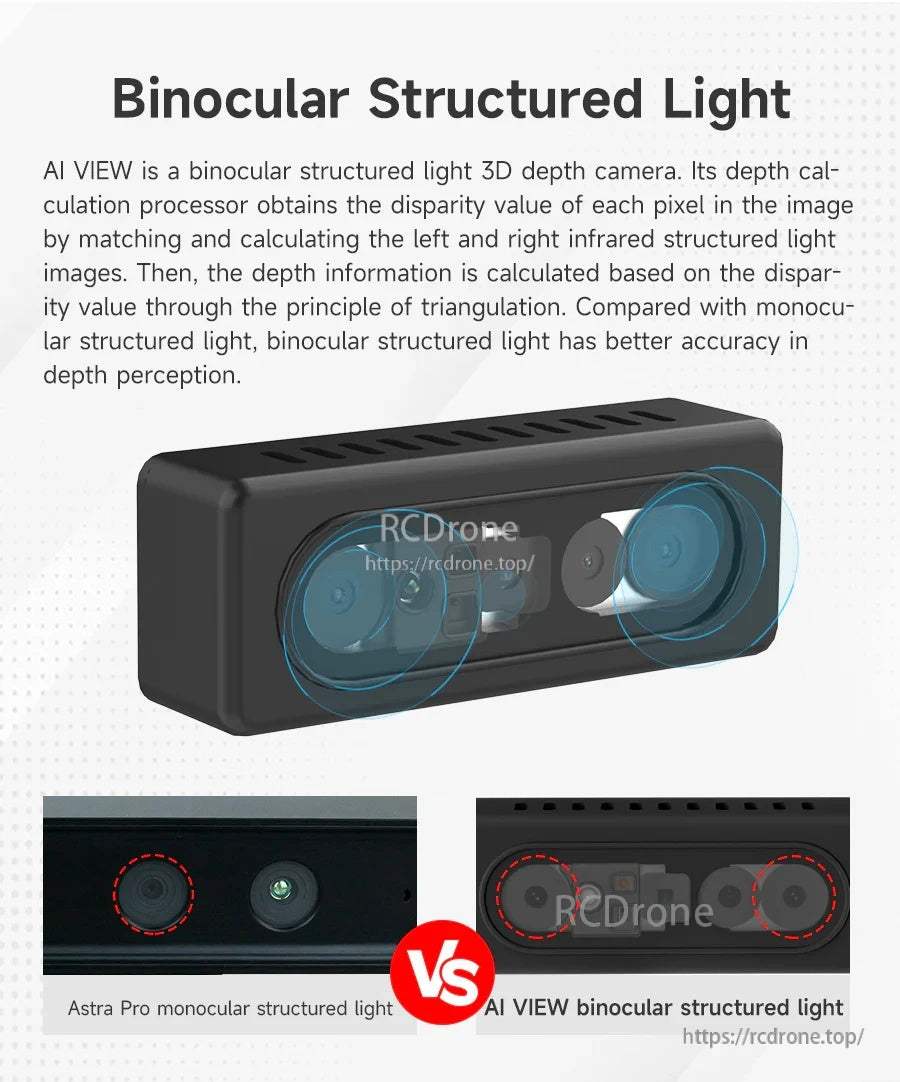
يستخدم الضوء الهيكلي الثنائي المطابقة اليسرى/اليمنى والتثليث لتحسين دقة إدراك العمق.
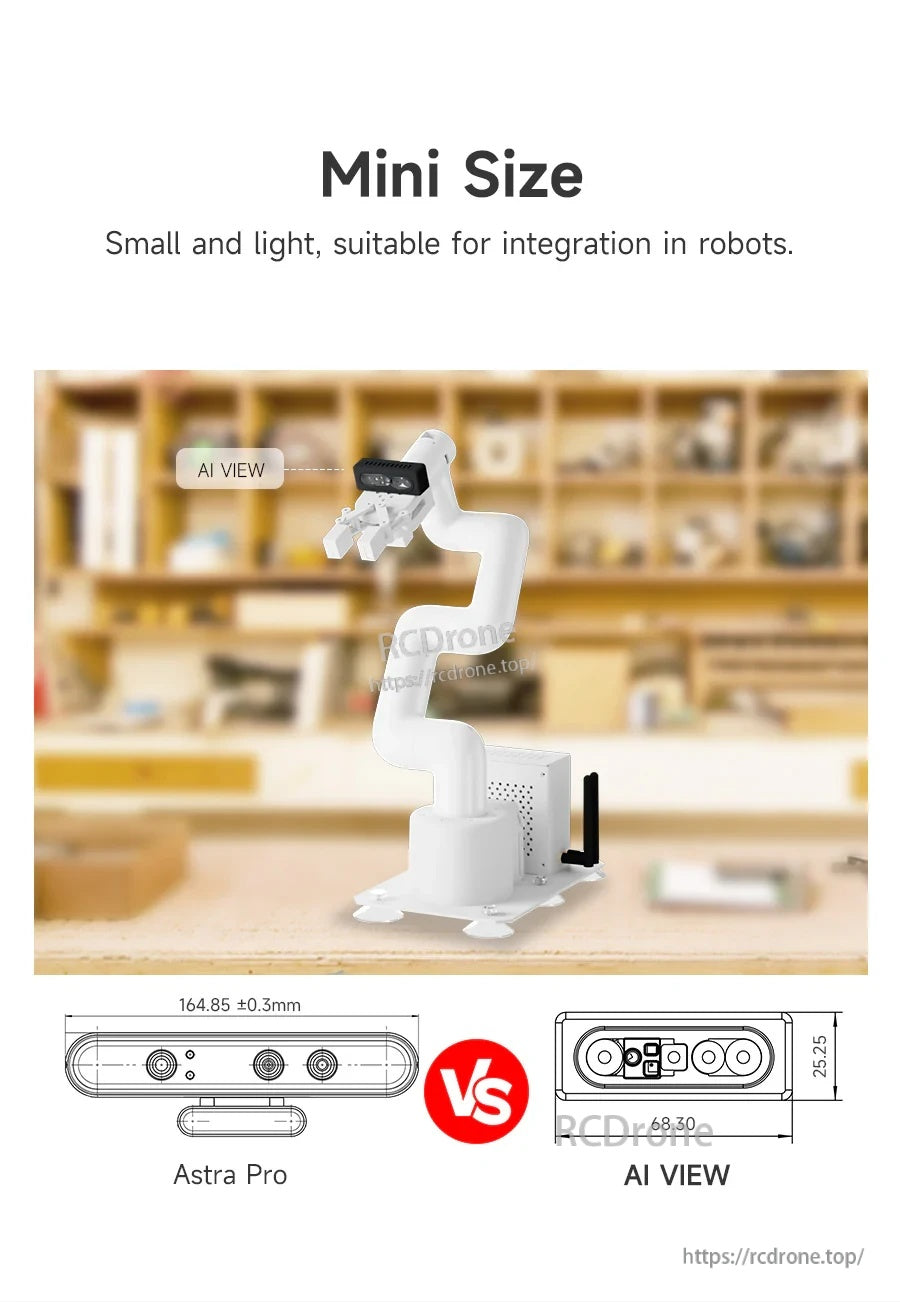
يتناسب الشكل المدمج بسهولة مع أذرع الروبوت والمنصات المتنقلة حيث تهم المساحة والوزن.
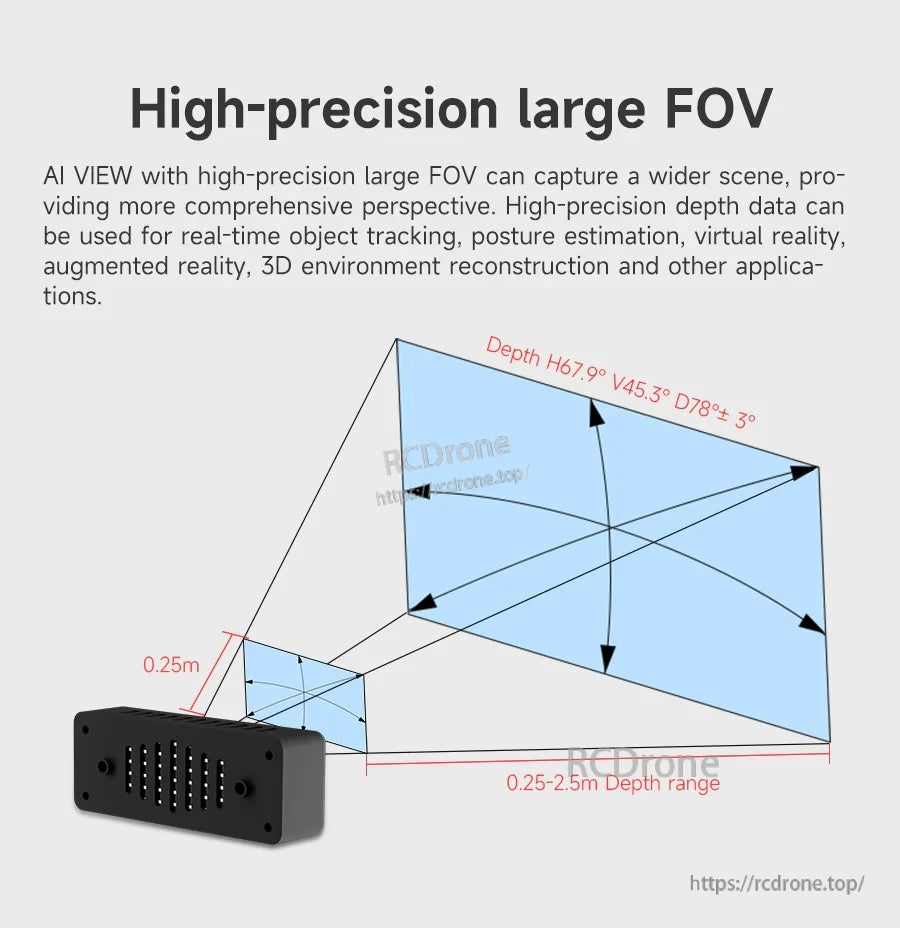
يدعم مجال الرؤية العميق الواسع الإدراك عن قرب والتقاط المشاهد الأوسع للملاحة والتتبع.
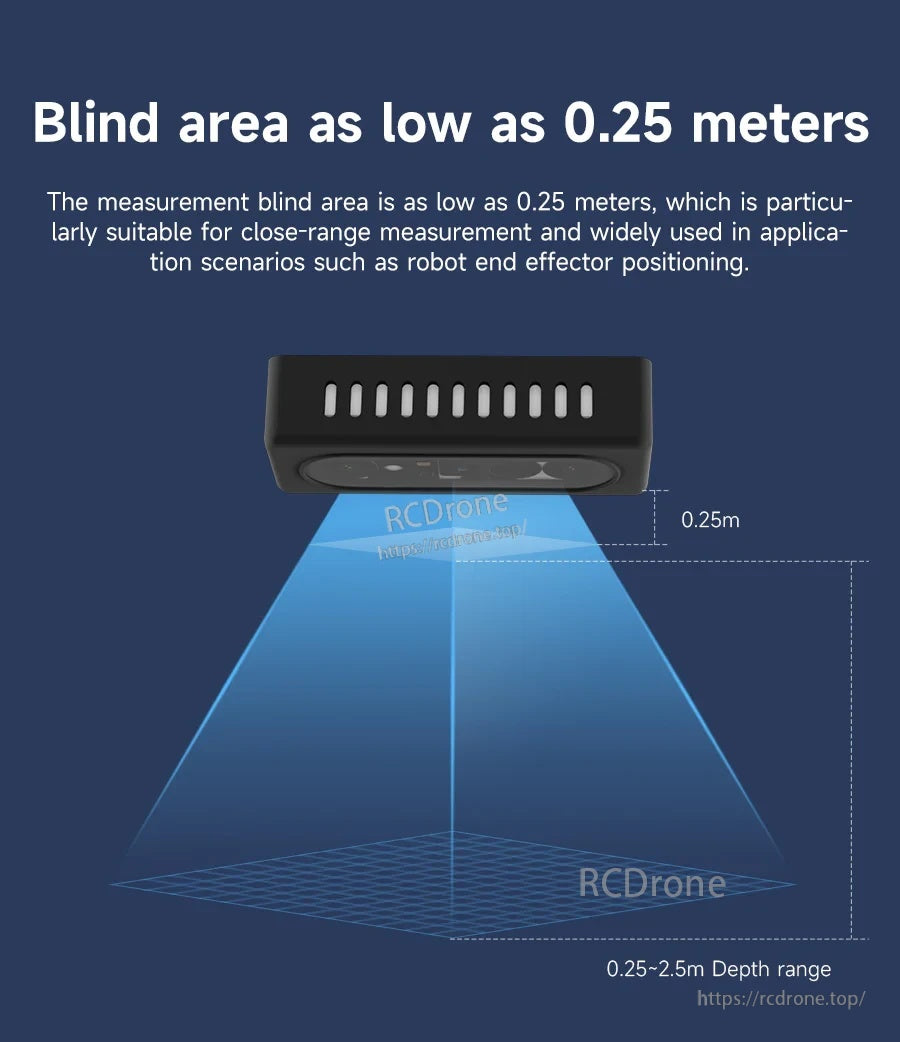
يساعد النطاق الأدنى القصير 0.25 م في الاستشعار القريب مثل تحديد موضع الطرف الفاعل.
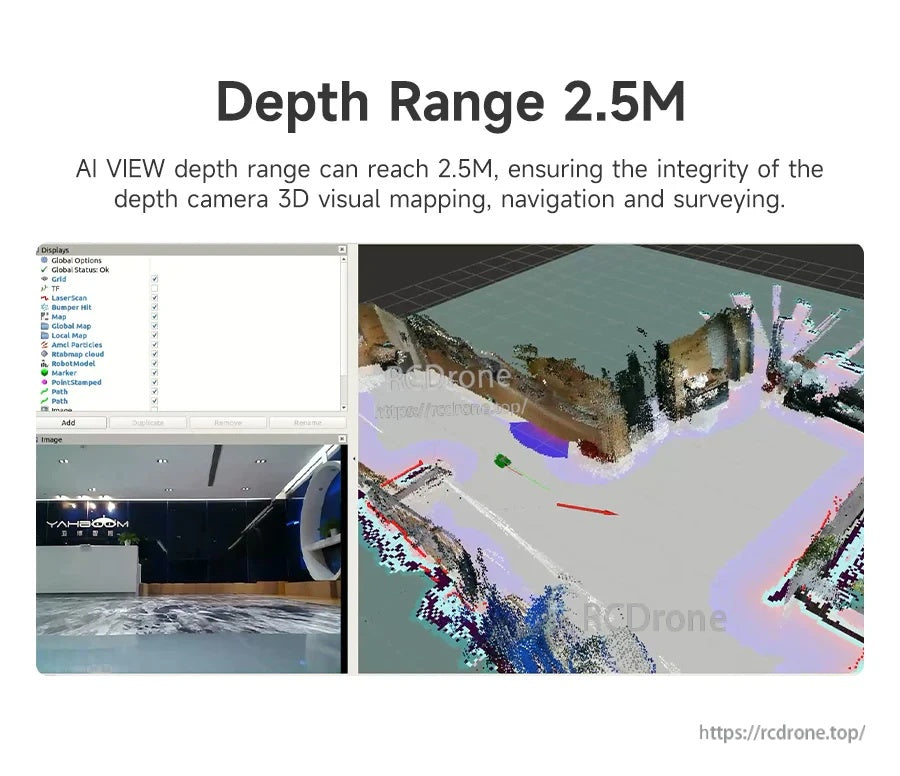
يمكن استخدام إخراج العمق في سير عمل رسم الخرائط ثلاثية الأبعاد مثل السحب النقطية وإعادة بناء البيئة.
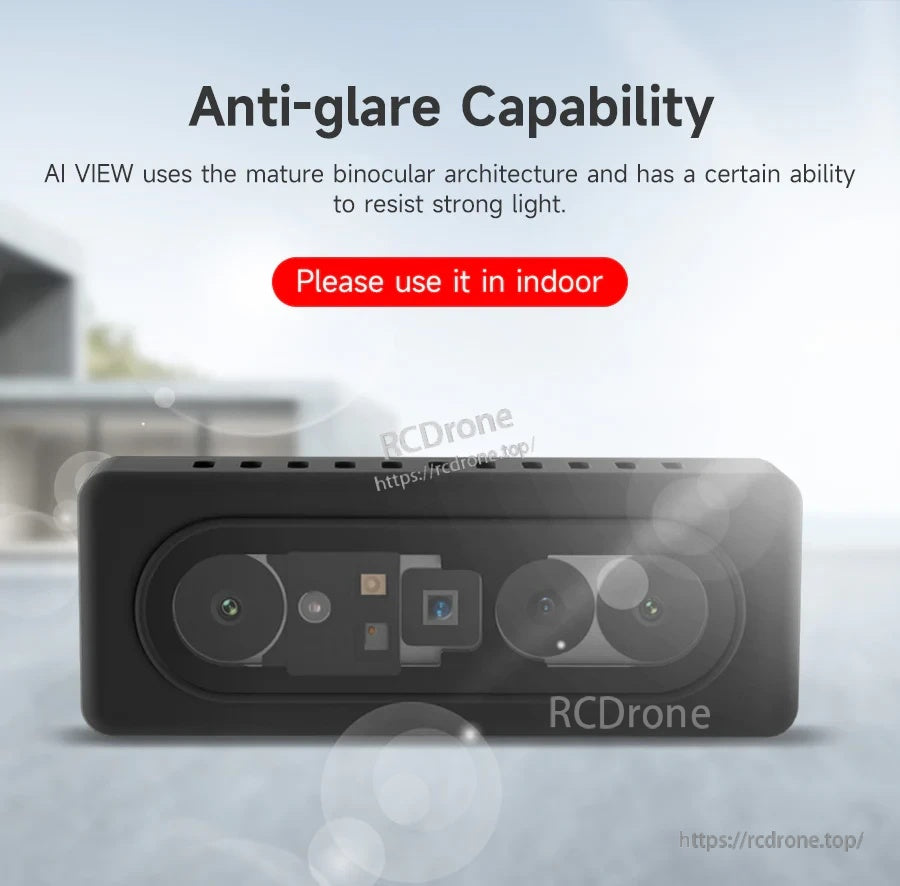
مصمم لمقاومة الضوء القوي بشكل أفضل، مع التوصية بالاستخدام في البيئات الداخلية للحصول على أفضل النتائج.
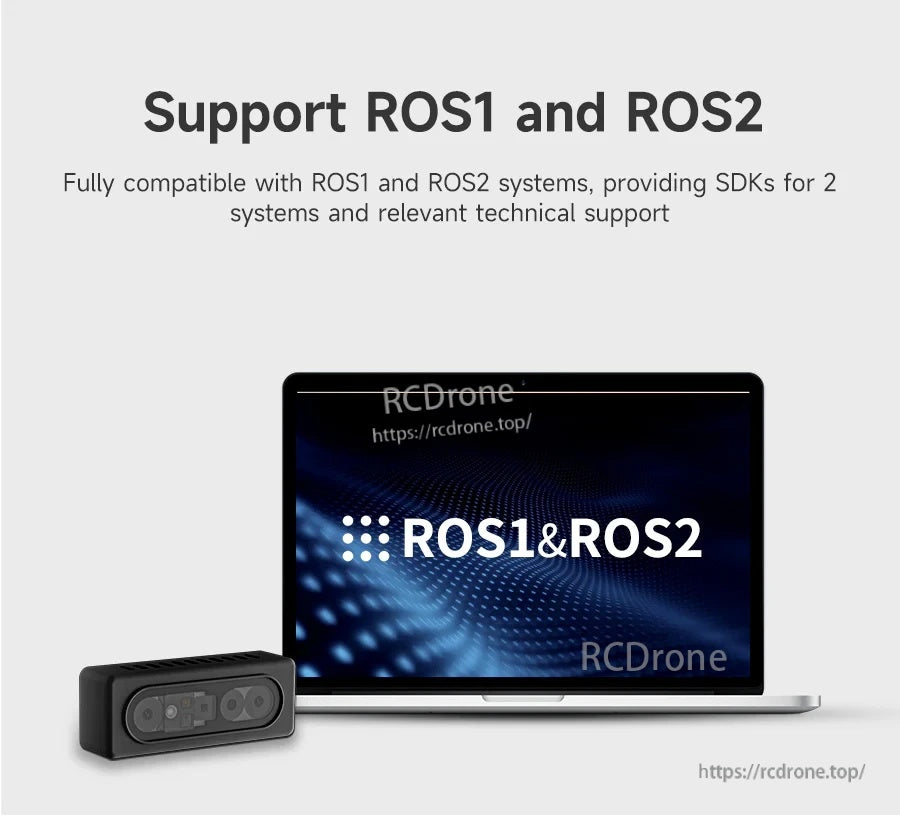
دعم ROS1 وROS2 يساعد في تبسيط التكامل مع حزم برامج الروبوت الحالية.
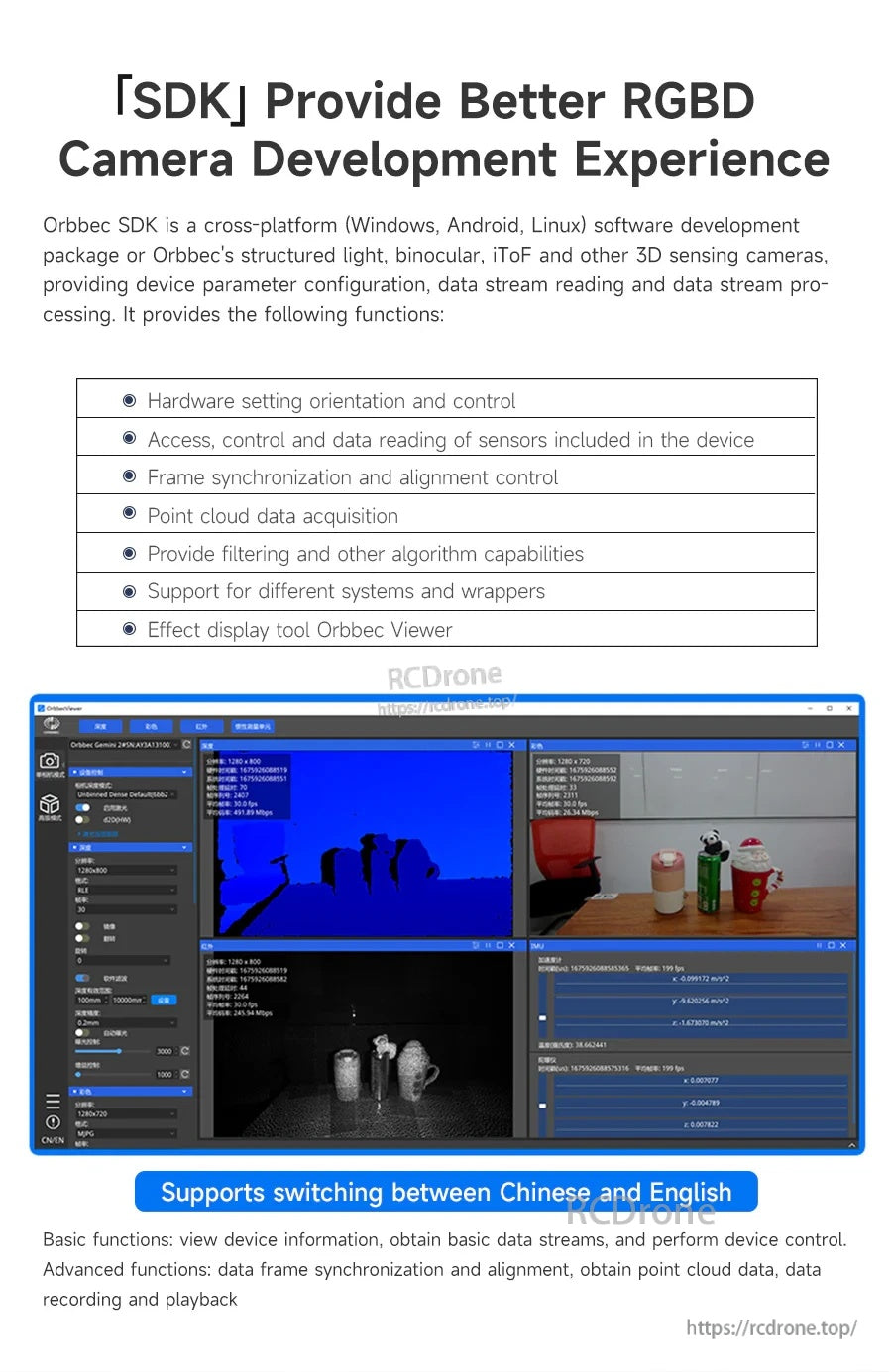
توفر أدوات SDK تكوين الجهاز، والتقاط البث، والوصول إلى بيانات السحب النقطية للتطوير.
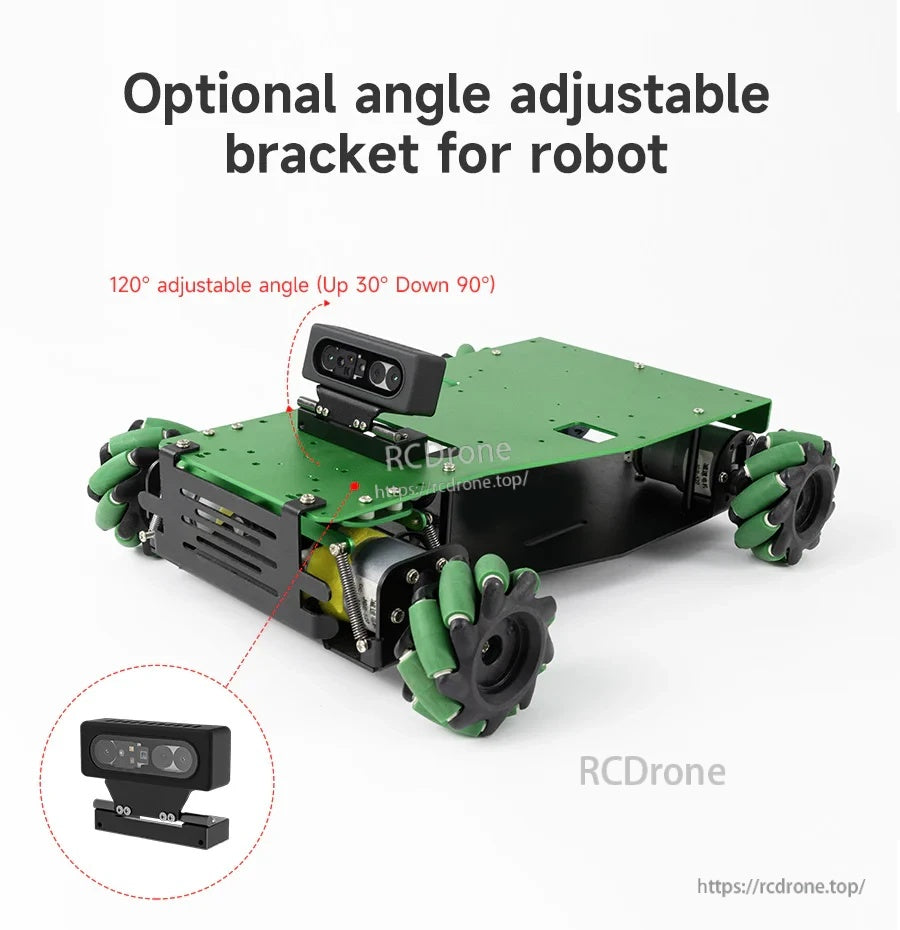
يسمح حامل قابل للتعديل اختياريًا بزوايا تركيب مرنة أثناء نمذجة الروبوت واختباره.
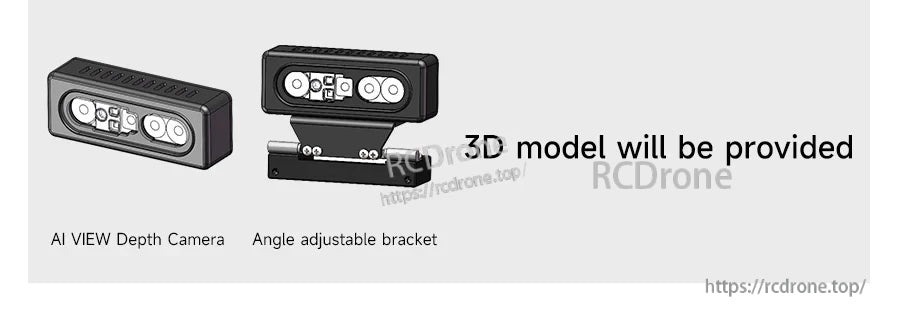
متاح ككاميرا فقط أو مع حامل قابل لتعديل الزاوية لتسهيل التثبيت.
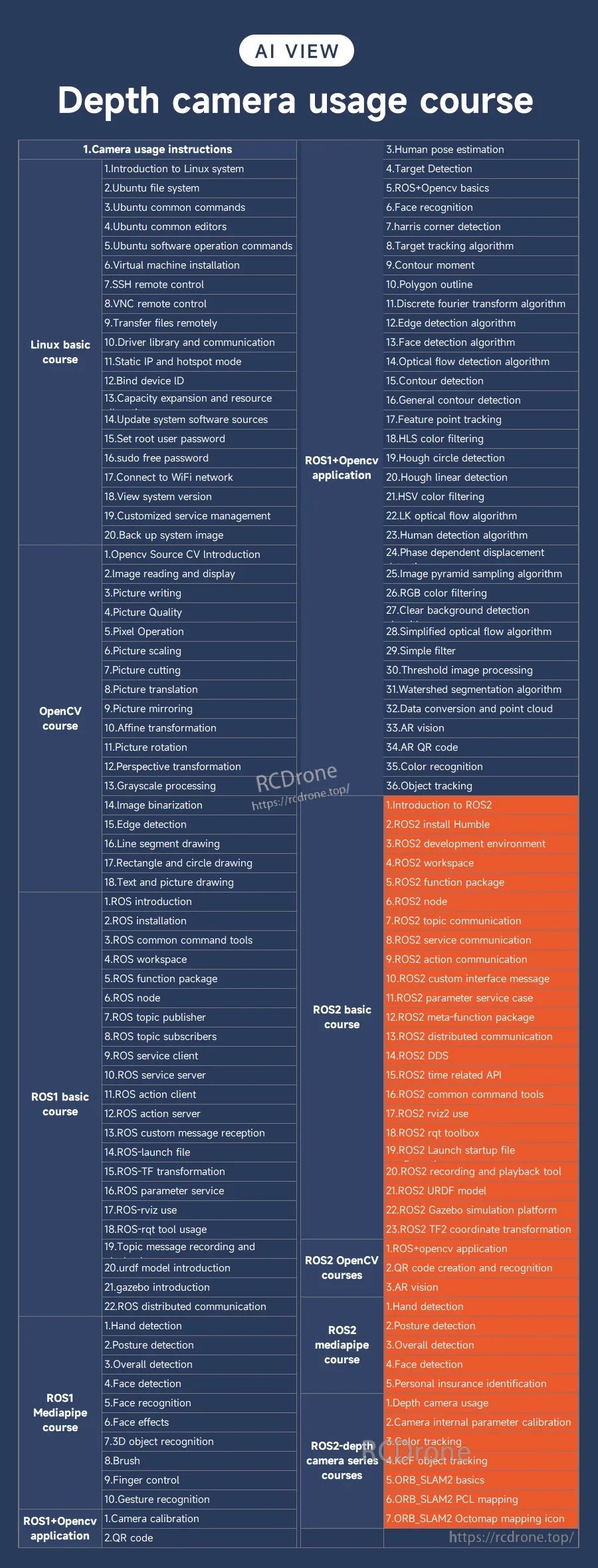
تغطي مواد الدورة التدريبية خطوة بخطوة مواضيع RGB‑D الشائعة من الإعداد الأساسي إلى الوظائف المتقدمة.
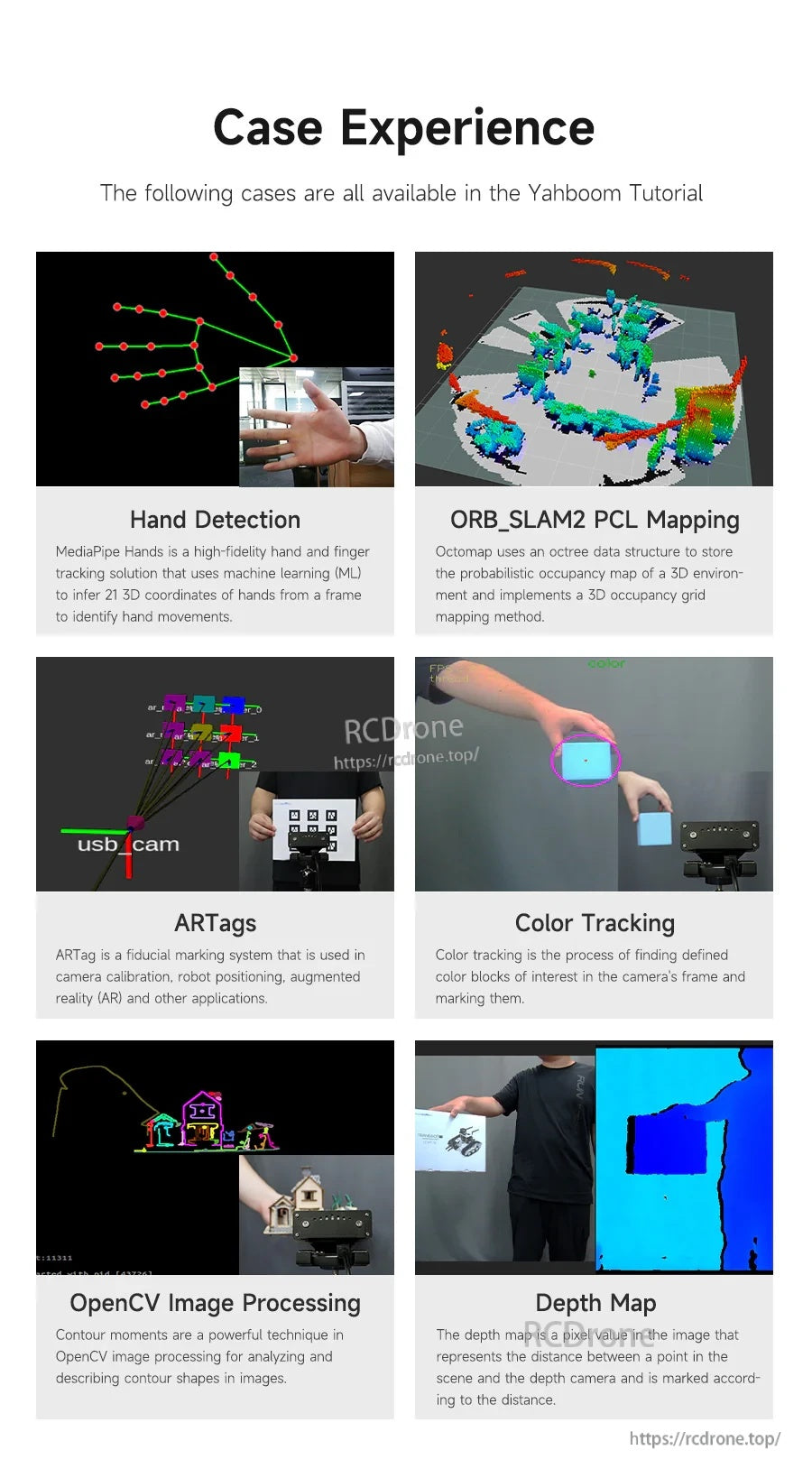
تشمل المشاريع النموذجية رسم الخرائط SLAM، علامات AR، معالجة OpenCV، وتطبيقات خريطة العمق للتعلم.
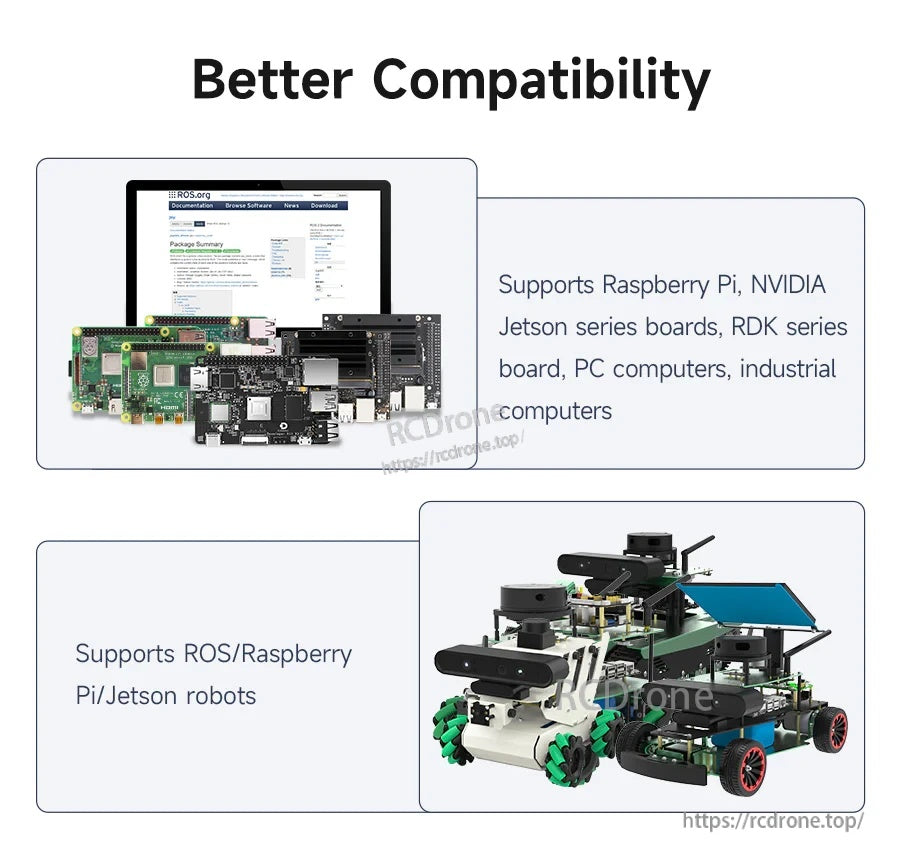
يتم تقديم كاميرا العمق RGBD ذات الضوء الهيكلي الثنائي AI VIEW كمتوافقة مع Raspberry Pi وNVIDIA Jetson ومنصات الروبوت ROS1/ROS2.
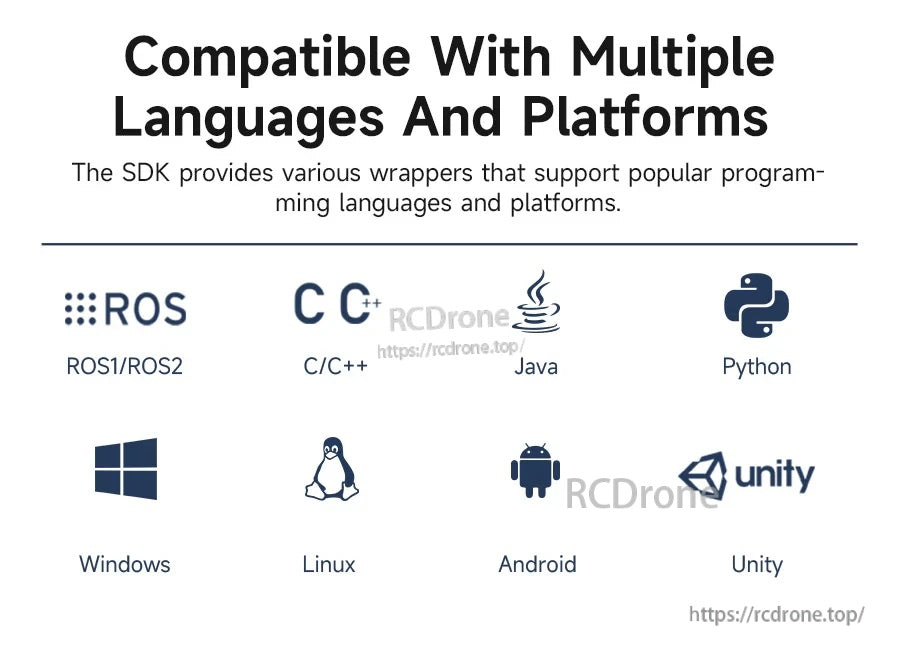
يتضمن SDK أغلفة لـ ROS1/ROS2 واللغات والمنصات الشائعة مثل C/C++، Java، Python، Windows، Linux، Android، وUnity.
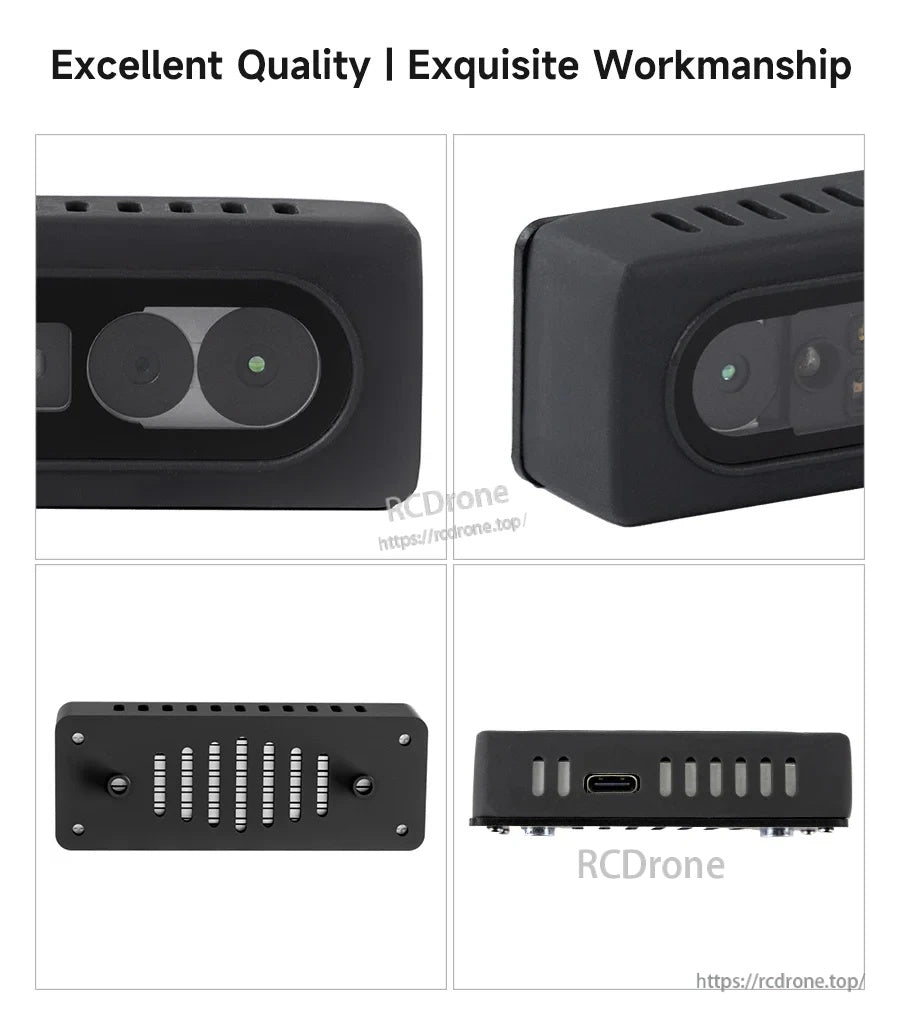
تتميز كاميرا Yahboom AI VIEW ذات الضوء الهيكلي RGB-D بعلبة سوداء مدمجة مع عدستين أماميتين واتصال USB-C لأجهزة الكمبيوتر أو إعدادات الروبوت.
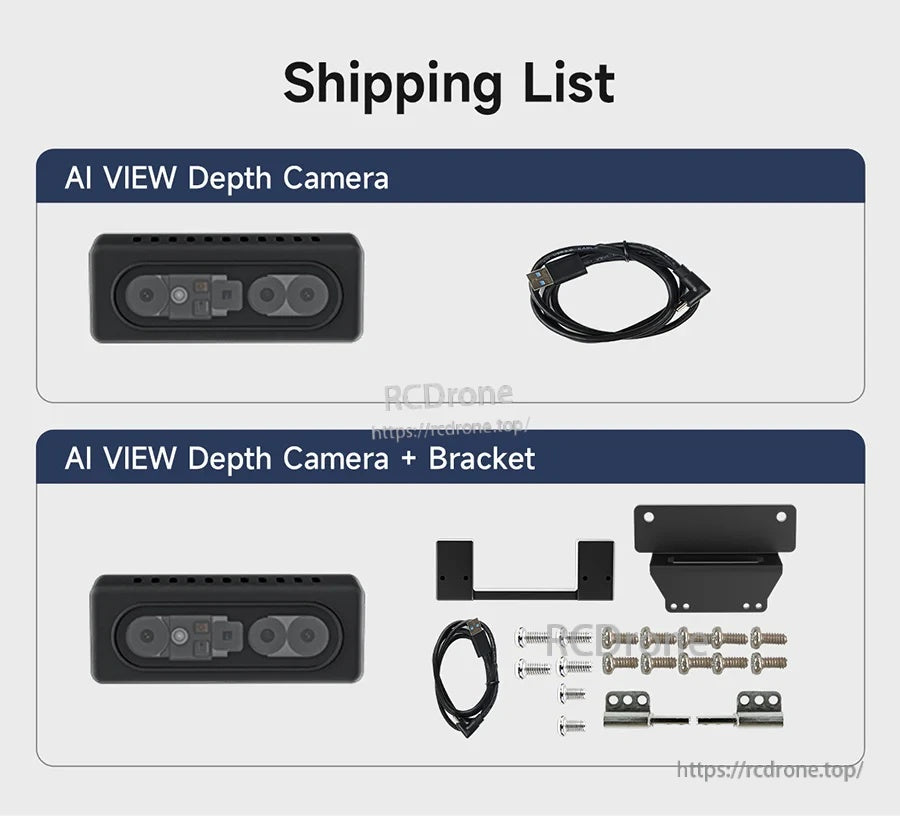
تتضمن مجموعة كاميرا العمق Yahboom AI VIEW كابل USB‑C بالإضافة إلى حامل تثبيت ومعدات لتسهيل دمج الروبوت.
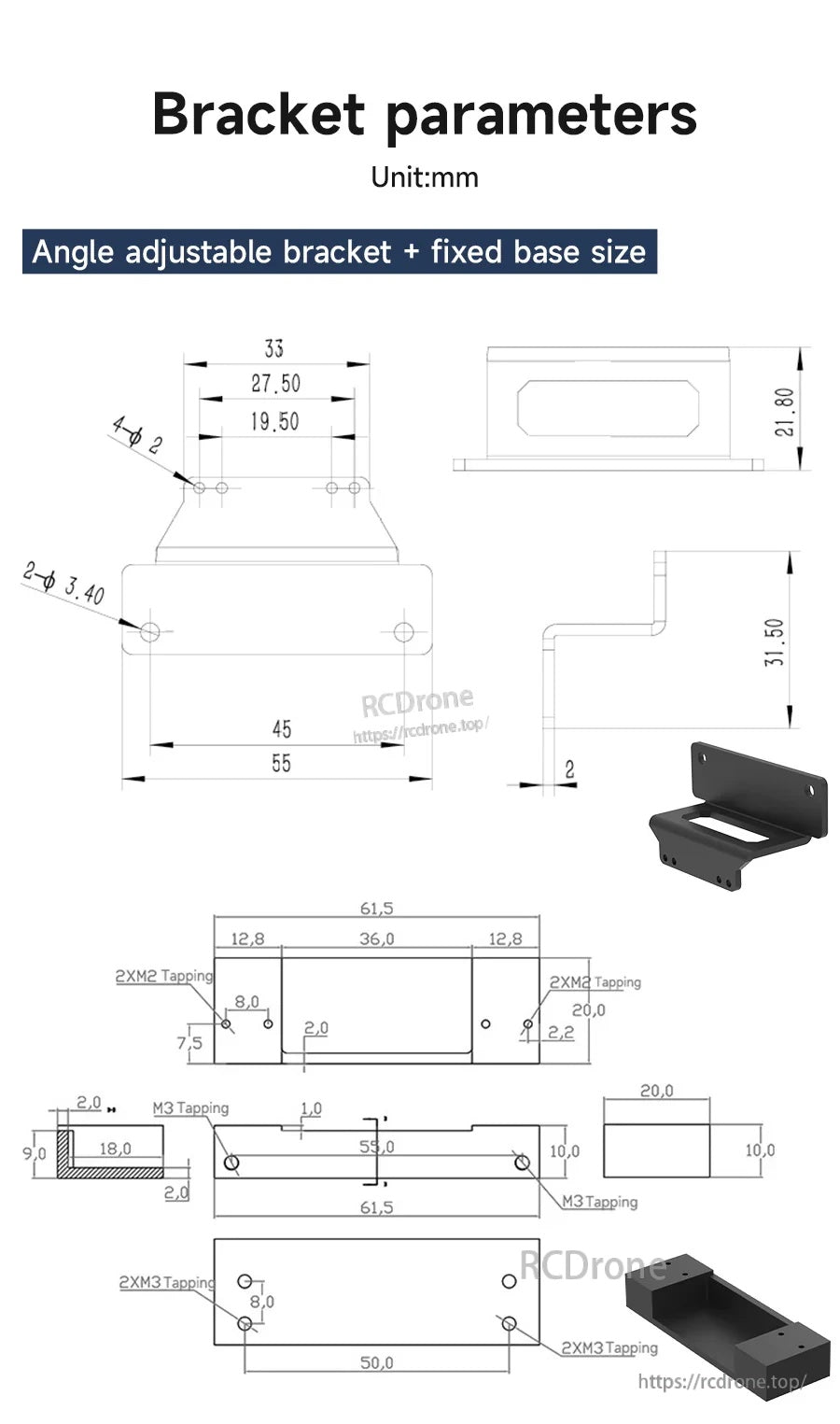
تساعد أبعاد الحامل القابل للتعديل ولوحة القاعدة الثابتة في تخطيط التثبيت وتباعد الثقوب لتركيب روبوت مرتب.
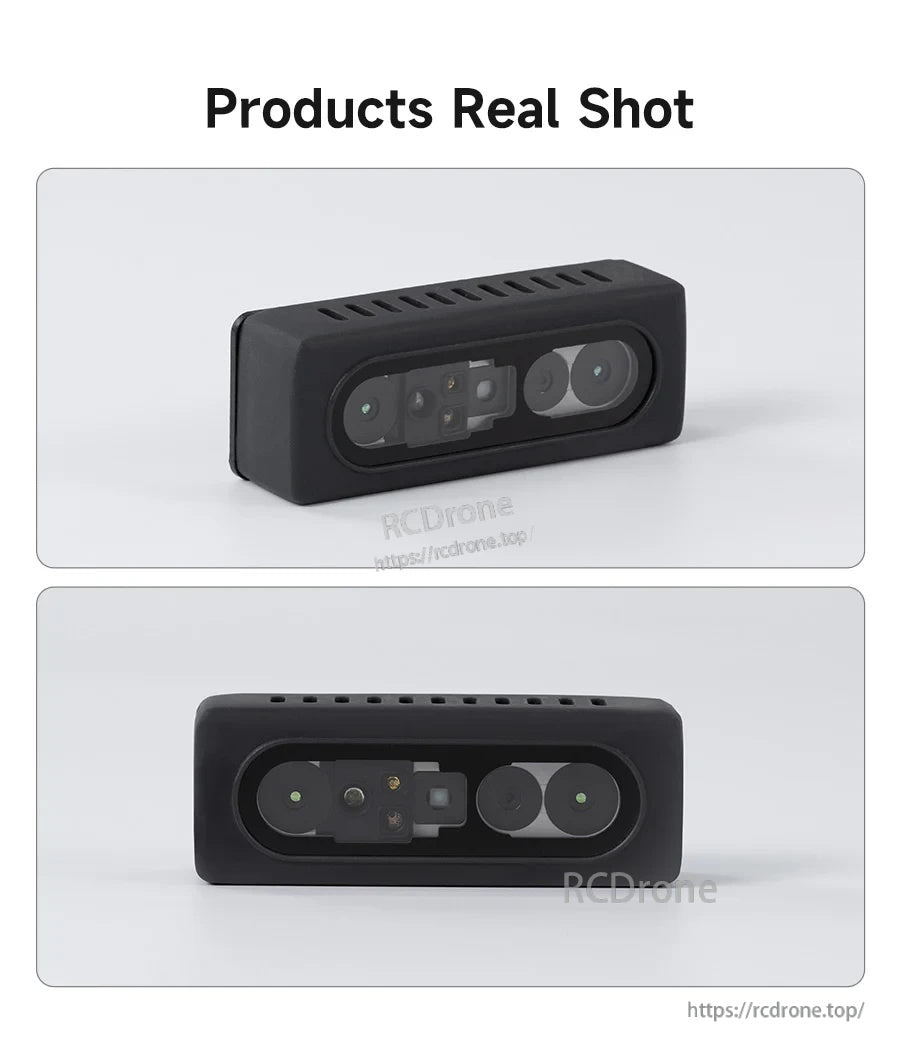
تستخدم كاميرا العمق Yahboom AI VIEW RGB-D تصميمًا أماميًا ثنائي العدسة مدمجًا يسهل تركيبه على روبوتات ROS.