


Sipeed ডুয়াল ক্যামেরা মডিউল GC0328 ৩০W পিক্সেল, ২৪P FPC, BL1551 সুইচ স্টেরিও/ডেপথ ভিশনের জন্য
Sipeed ডুয়াল ক্যামেরা মডিউল GC0328 ৩০W পিক্সেল, ২৪P FPC, BL1551 সুইচ স্টেরিও/ডেপথ ভিশনের জন্য
Yahboom Technology
পিকআপের উপলভ্যতা লোড করা যায়নি


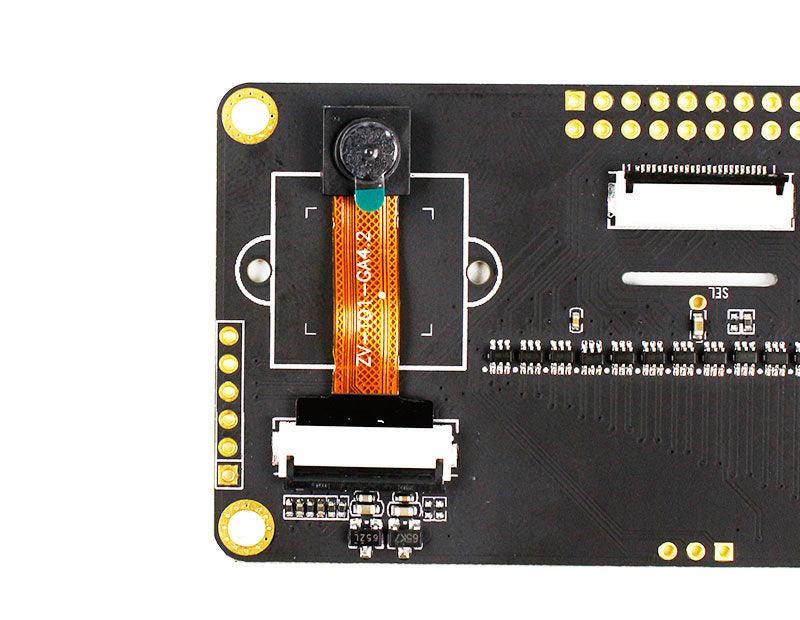
ওভারভিউ
Sipeed ডুয়াল ক্যামেরা মডিউল হল দুটি GC0328 (30W পিক্সেল) ক্যামেরার উপর ভিত্তি করে একটি ডুয়াল ক্যামেরা মডিউল। এটি একটি উচ্চ-গতির সিঙ্গেল পোল ডাবল থ্রো (SPDT) সুইচ চিপ (BL1551) সংহত করে যা ডেটা সংগ্রহের জন্য বাম এবং ডান ক্যামেরার মধ্যে দ্রুত স্যুইচ করতে সক্ষম। 24P FPC ইন্টারফেস এবং অনবোর্ড LDO রেগুলেটর সার্কিট সহ, এটি MaixBIT IoT ডেভেলপমেন্ট বোর্ডের সাথে ব্যবহার করা যেতে পারে যা ডেটা সংগ্রহ, ইমেজ ট্রান্সমিশন এবং অবজেক্ট রিকগনিশনের মতো ফাংশন সমর্থন করে।
মূল বৈশিষ্ট্যসমূহ
- দুটি GC0328 ক্যামেরা (30W পিক্সেল)
- উচ্চ-গতির SPDT সুইচ চিপ: BL1551 (বাম/ডান ক্যামেরার মধ্যে দ্রুত সুইচিং)
- 24P FPC ইন্টারফেস
- অনবোর্ড LDO রেগুলেটর সার্কিট
- স্টেরিও ভিশন / গভীরতা ভিশন ব্যবহারের জন্য ডিজাইন করা হয়েছে
বিশেষ উল্লেখ
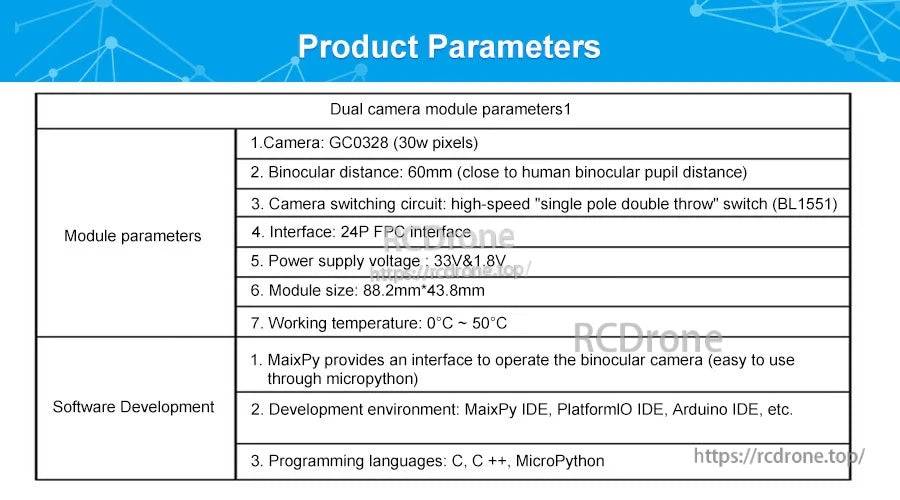
| ক্যামেরা সেন্সর | GC0328 (30W পিক্সেল) |
| দ্বিনেত্র দূরত্ব | 60 মিমি (মানব দ্বিনেত্র ছাত্র দূরত্বের কাছাকাছি) |
| ক্যামেরা সুইচিং সার্কিট | উচ্চ-গতির "একক মেরু দ্বৈত নিক্ষেপ" সুইচ (BL1551) |
| ইন্টারফেস | 24P FPC ইন্টারফেস |
| বিদ্যুৎ সরবরাহ ভোল্টেজ | 3.3V & 1.8V |
| মডিউল আকার (প্যারামিটার) | 88.2 মিমি * 43.8 mm |
| কাজের তাপমাত্রা | 0°C ~ 50°C |
| সফটওয়্যার সমর্থন | MaixPy একটি ইন্টারফেস প্রদান করে দ্বিনেত্র ক্যামেরা পরিচালনা করার জন্য (MicroPython এর মাধ্যমে সহজে ব্যবহারযোগ্য) |
| উন্নয়ন পরিবেশসমূহ | MaixPy IDE, PlatformIO IDE, Arduino IDE, ইত্যাদি। |
| প্রোগ্রামিং ভাষাসমূহ | C, C++, MicroPython |
| মাত্রার অঙ্কন (সামগ্রিক) | 88.24 mm (L) × 43.87 mm (W) |
| মাত্রার অঙ্কন (অন্যান্য চিহ্নিত) | 81.95 mm; 29.59 mm; 37.62 mm; 20.08 mm; R1.60 mm; R2.50 mm |
অন্তর্ভুক্ত বিষয়সমূহ
- ডুয়াল ক্যামেরা মডিউল
- পিন কেবল
প্রয়োগসমূহ
- স্টেরিও ভিশন / গভীরতা ভিশন প্রোটোটাইপিং
- মেশিন ভিশন ডেটা সংগ্রহ এবং ইমেজ ট্রান্সমিশন (একটি সামঞ্জস্যপূর্ণ ডেভেলপমেন্ট বোর্ড সহ)
- MaixPy / MicroPython ব্যবহার করে অবজেক্ট স্বীকৃতি প্রকল্পসমূহ
ম্যানুয়ালসমূহ
প্রি-সেলস এবং ইন্টিগ্রেশন সহায়তার জন্য (ইন্টারফেস, ক্যাবলিং, এবং ডেভেলপমেন্ট পরিবেশ সেটআপ), যোগাযোগ করুন [email protected] or ভিজিট https://rcdrone.top/.
বিস্তারিত
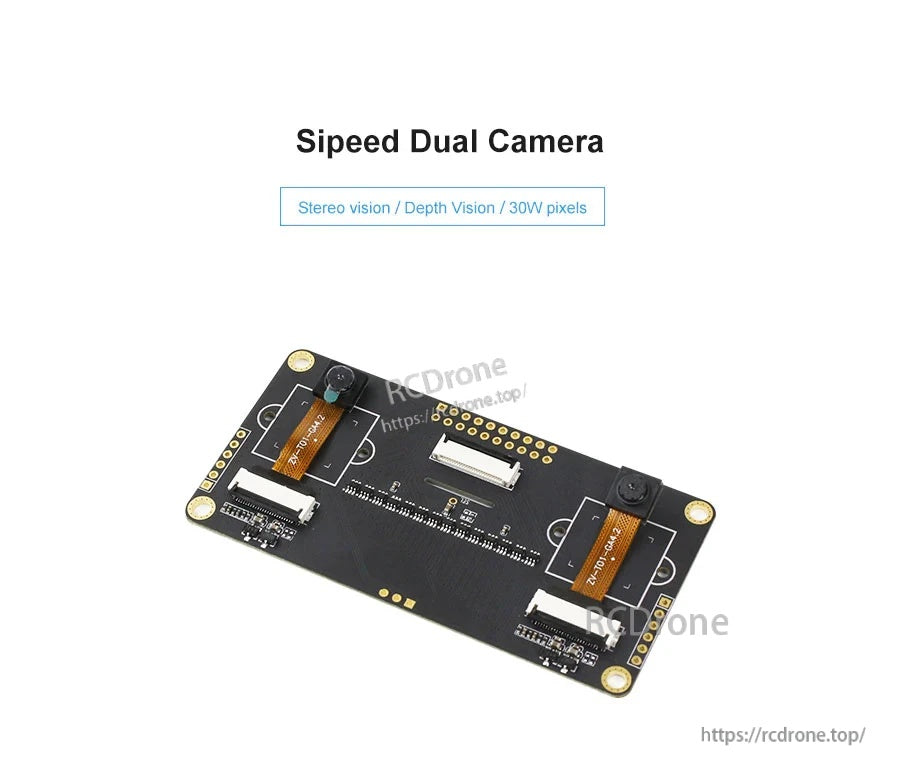
স্টেরিও ভিশন এবং গভীরতা প্রকল্পের জন্য ডিজাইন করা হয়েছে, মডিউলটি একটি একক কমপ্যাক্ট PCB-তে দুটি GC0328 ক্যামেরা ব্যবহার করে।
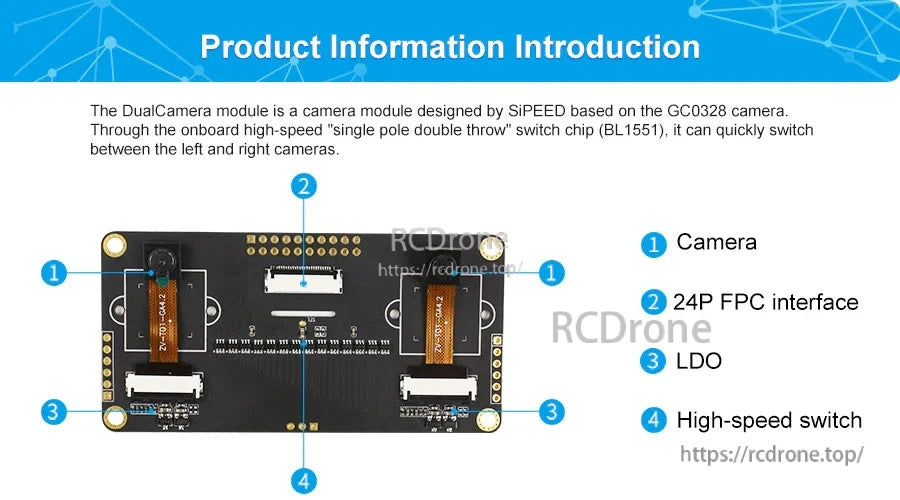
দ্রুত বাম/ডান নির্বাচন অনবোর্ড BL1551 SPDT সুইচ দ্বারা পরিচালিত হয়, ইন্টিগ্রেশনের জন্য একটি 24‑পিন FPC ইন্টারফেস সহ।
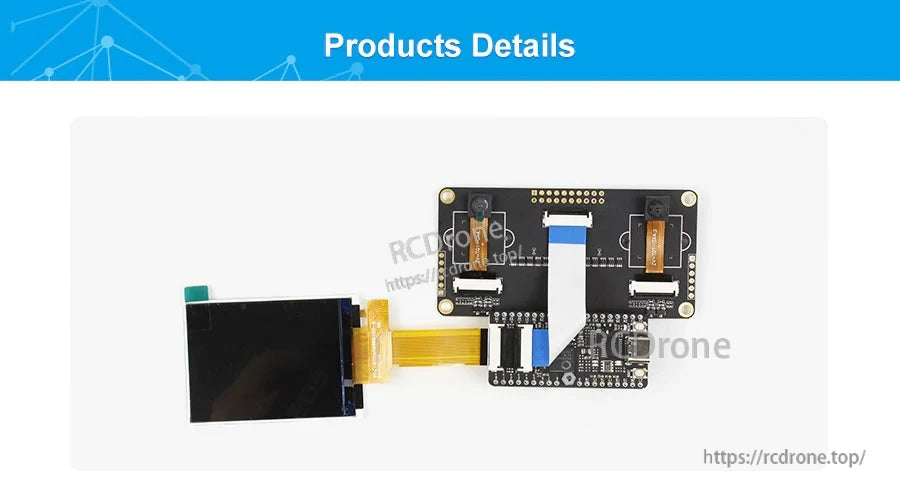
FPC কেবলটি একটি সামঞ্জস্যপূর্ণ বোর্ডের (যেমন MaixBIT) সাথে সংযুক্ত করুন ডেটা সংগ্রহ, স্ট্রিমিং এবং ভিশন প্রোটোটাইপিং শুরু করতে।
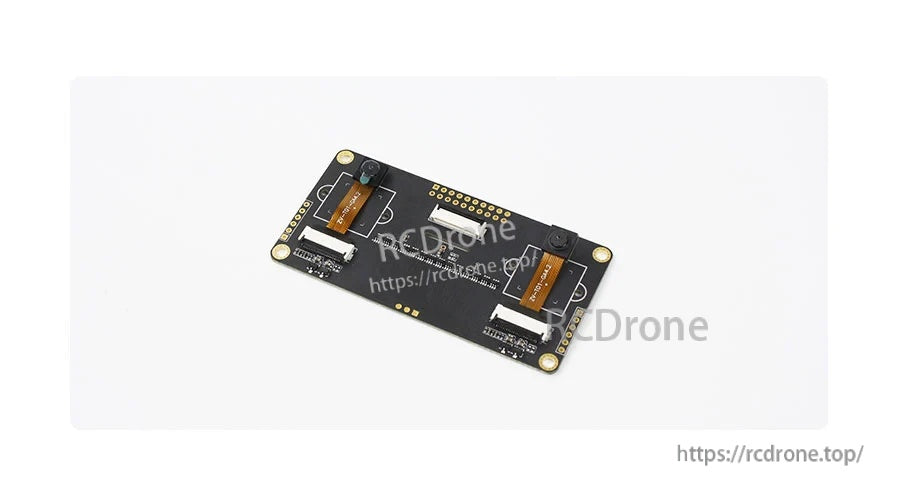
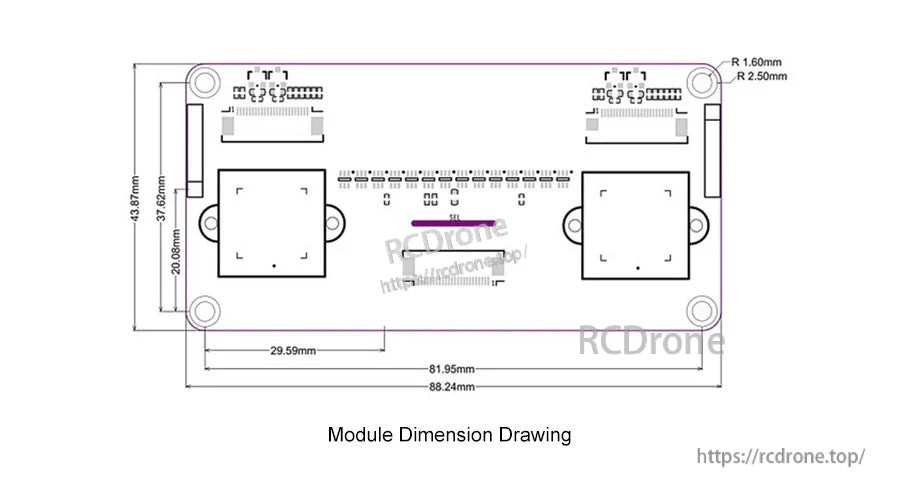
আপনার এনক্লোজারে ফিট, মাউন্টিং-হোল প্লেসমেন্ট এবং 60 মিমি দূরবীন স্পেসিং নিশ্চিত করতে মেকানিক্যাল ড্রয়িং ব্যবহার করুন।
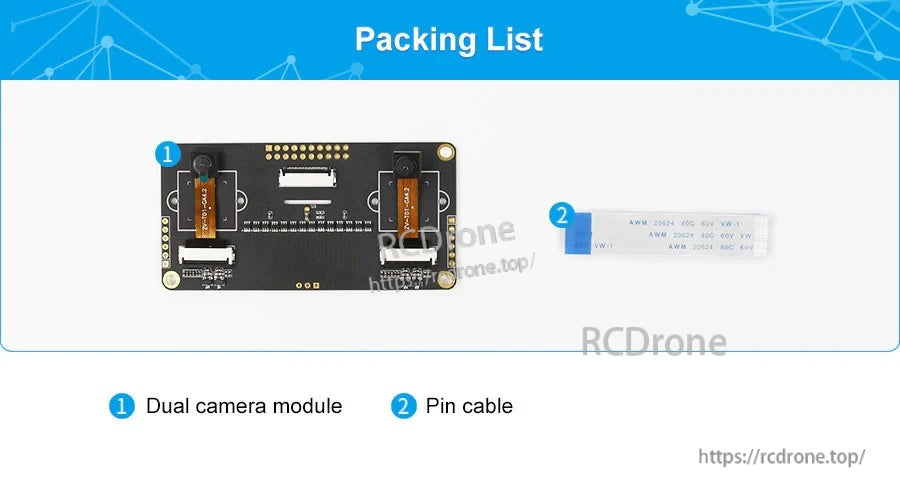
প্যাকেজে অন্তর্ভুক্ত রয়েছে ডুয়াল ক্যামেরা মডিউল এবং দ্রুত সংযোগের জন্য একটি পিন কেবল।