


Papan Raspberry Pi 4 Model B & Kit Permulaan, BCM2711 1.5GHz, 2GB/4GB/8GB, WiFi/BT 5.0, GbE
Papan Raspberry Pi 4 Model B & Kit Permulaan, BCM2711 1.5GHz, 2GB/4GB/8GB, WiFi/BT 5.0, GbE
Yahboom
Tidak dapat memuatkan ketersediaan pengambilan


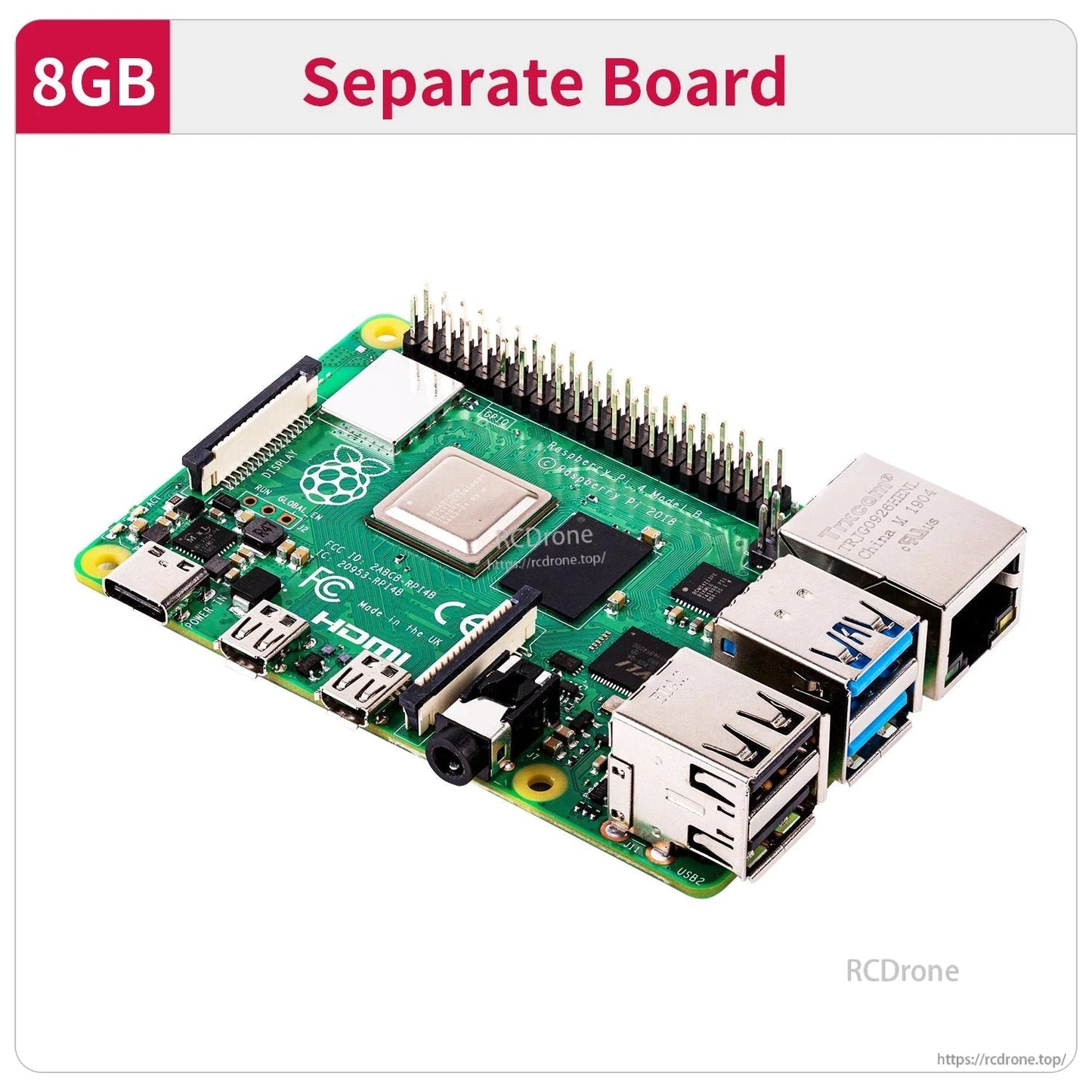
Tinjauan
Papan Raspberry Pi 4B dan kit permulaan ini berdasarkan platform Raspberry Pi 4 Model B 2019, menampilkan CPU quad-core 64-bit 1.5GHz dan SoC Broadcom BCM2711. Ia menyediakan pelbagai pilihan RAM (2GB/4GB/8GB) dan set antara muka yang luas untuk robotik, pembelajaran AI/visi, dan projek pengkomputeran DIY umum.
Ciri Utama
- SoC 64-bit Cortex-A72 (ARM v8) empat-teras Broadcom BCM2711 @ 1.5GHz
- Pilihan RAM: 2GB / 4GB / 8GB
- GPU: Broadcom VideoCore VI @ 500MHz
- Tanpa wayar: 802.11AC tanpa wayar, WiFi jalur ganda 2.4GHz/5GHz; Bluetooth 5.0
- USB: USB2.0*2 dan USB3.0*2
- Paparan: Micro HDMI*2 (menyokong 4K60)
- Kuasa: Type-C (5V 3A)
- Rangkaian berwayar: True Gigabit Ethernet (sehingga port rangkaian)
- 40 pin GPIO; port kamera CSI; port paparan DSI
- PoE: dikuasakan melalui Ethernet HAT tambahan (PoE)
Label Antara Muka/Fungsi Ditunjukkan
- Chip pengurusan USB; chip pengurusan kuasa
- Antara muka audio
- USB 2.0; USB 3.0
- Port Ethernet Gigabit
- Antara muka kamera
- Micro HDMI
- Bekalan kuasa Type-C
- Penghubung paparan DSI
- WiFi jalur ganda / Bluetooth 5.0
- Kad antara muka rangkaian PoE
Panduan Pilihan RAM (Teks Ditunjukkan)
- 2GB: Sesuai untuk pengguna yang perlu mengkonfigurasi antara muka pengguna grafik atau melayari internet. Jika menonton video sebagai PC, gunakan pelayan rangkaian mini.
- 4GB (Pilihan kebanyakan orang): Sesuai untuk pengguna yang melakukan multitasking komputer yang lebih kompleks, seperti pemutaran video 4K skrin ganda, pembelajaran kedalaman visual AI, dan lain-lain.
- 8GB: Sesuai untuk pengguna yang ingin menggunakan sistem 64 bit dan menjalankan program yang kompleks, dengan 8GB RAM dapat memanfaatkan prestasi CPU dan kelebihan memori dengan lebih baik.
Prestasi CPU Raspberry Pi 2G/4G/8G adalah konsisten, dengan hanya perbezaan dalam RAM. Versi 4B-2G Raspberry Pi dapat mencapai prestasi pengiraan keseluruhan lebih daripada tiga kali ganda berbanding 3B+. Apabila RAM mencukupi, kesan memori terhadap kelajuan pengiraan adalah agak kecil.
Spesifikasi
| Model | Raspberry Pi 4 Model B (Raspberry Pi 4B) |
| SoC | Broadcom BCM2711 |
| CPU | 64-bit 1.5GHz quad-core (28nm); empat teras Cortex-A72 (ARM v8) 64-bit SoC @ 1.5GHz |
| GPU | Broadcom VideoCore VI @ 500MHz |
| RAM | 2GB / 4GB / 8GB |
| Bluetooth | Bluetooth 5.0 |
| WiFi | 802.11AC tanpa wayar; WiFi jalur ganda 2.4GHz/5GHz |
| USB | USB2.0*2 / USB3.0*2 |
| HDMI | Micro HDMI*2 (menyokong 4K60) |
| Antara muka bekalan kuasa | Type C (5V 3A) |
| Ethernet | Ethernet Gigabit Sebenar (sehingga port rangkaian) |
| Ethernet PoE | Dikuasakan melalui HAT Ethernet tambahan (PoE) |
| GPIO | 40 pin GPIO |
| Port Kamera/Paparan | Port kamera CSI; port paparan DSI |
Aplikasi
- Robot pintar dan projek pembelajaran robotik Raspberry Pi
- Pengkomputeran gaya tablet DIY dan pembangunan terbenam umum
- Penglihatan komputer/pembelajaran OpenCV dan latihan kursus AI (seperti yang disenaraikan dalam bahan kursus di bawah)
Tutorials & Bahan Kursus
Untuk pertanyaan tentang memilih versi RAM atau menyediakan persediaan pembelajaran, hubungi [email protected] or lawati https://rcdrone.top/ .
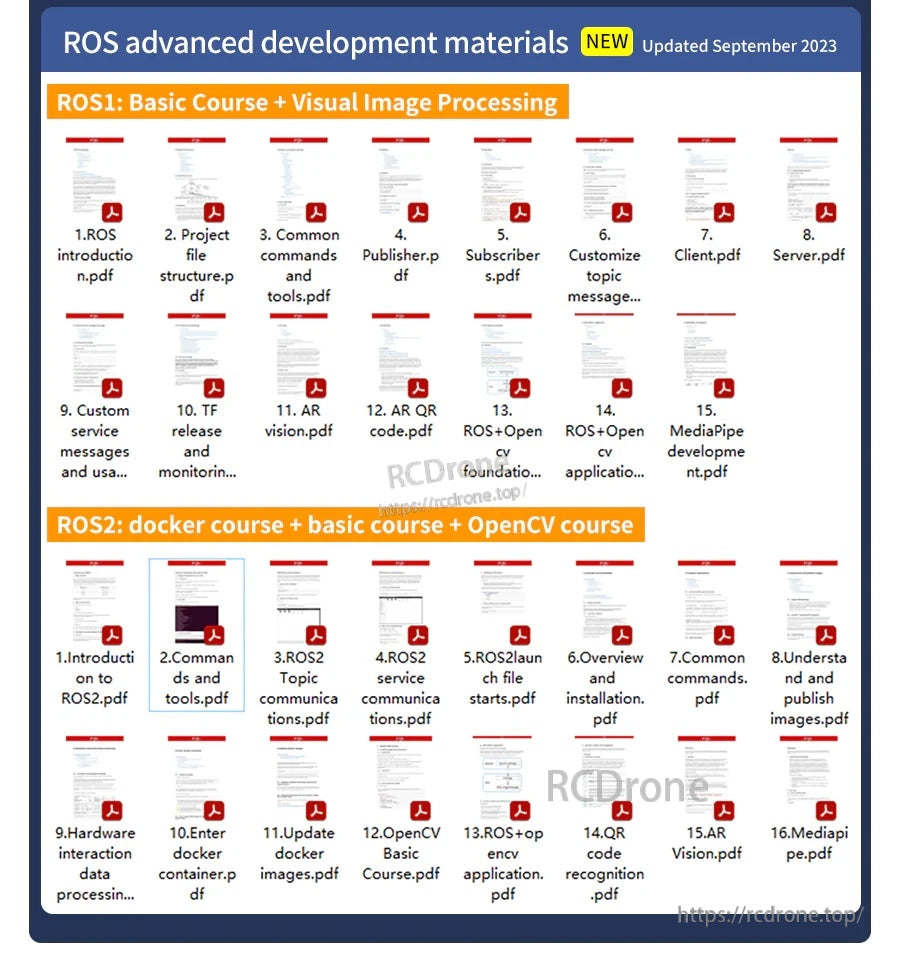
Bahan Pembangunan Visual AI Lanjutan (Dikemas kini September 2023)
- 1. Pengenalan OpenCV.pdf
- 2. Bacaan imej OpenCV dan display.pdf
- 3. Imej OpenCV write.pdf
- 4. Imej OpenCV quality.pdf
- 5. Piksel OpenCV operation.pdf
- 6. Gambar Zoom.pdf
- 7. Gambar Cut.pdf
- 8. Gambar Shift.pdf
- 9. Gambar Mirroring.pdf
- 10. Affine Map.pdf
- 11. Gambar Rotation.pdf
- 12. Perspektif Transformation.pdf
- 13. Grayscale processing.pdf
- 14. Imej Binarization.pdf
- 15. Tepi detection.pdf
- 16. Melukis garis segment.pdf
- 17. Melukis segi empat tepat circle.pdf
- 18. Melukis teks picture.pdf
- 19. Histogram warna pictures.pdf
- 20. Histogram equalization.pdf
- 21. Imej restoration.pdf
- 22. Kecerahan enhancement.pdf
- 23. Kulit whitening.pdf
- 24. Purata Gaussian filtering.pdf
- 25.Median filtering.pdf
- 26. Pasang TensorFlow.pdf
- 27. QR code.pdf
- 28. Postur manusia estimation.pdf
- 29. Sasaran detection.pdf
- 30. Mediapipe development.pdf
- 31. yolov4-tiny_en.pdf
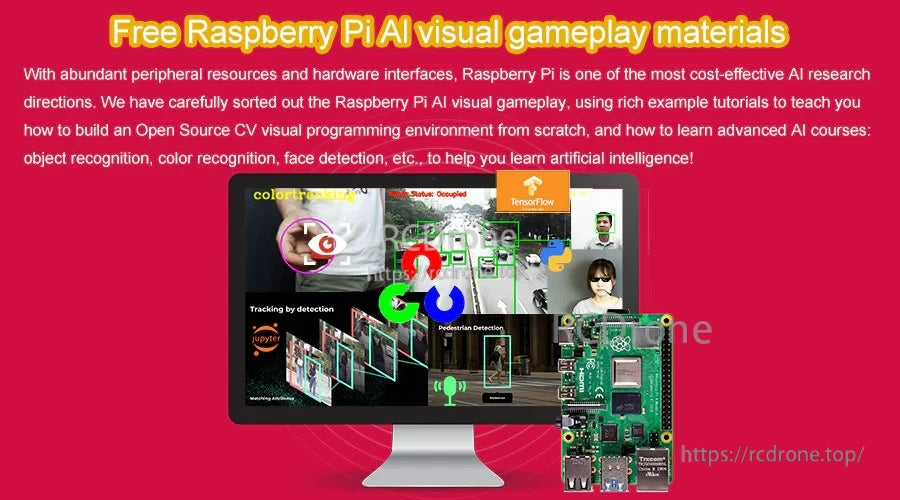
Tutorial AI Lanjutan Percuma Baru (Topik Ditunjukkan)
- Pembinaan persekitaran CV sumber terbuka: 1. Persediaan; 2. Pasang OpenCV
- A. Memulakan dengan OpenCV: 1. Pengenalan OpenCV; 2. Membaca dan memaparkan imej OpenCV; 3. Menulis imej OpenCV; 4. Kualiti imej OpenCV; 5. Operasi piksel OpenCV
- B. Transformasi geometri OpenCV: 1. Zum Gambar; 2. Potong Gambar; 3. Pindah Gambar; 4. Cermin Gambar; 5. Peta Afine; 6. Putaran Gambar; 7. Transformasi Perspektif
- C. Pemprosesan gambar OpenCV dan melukis segmen teks: 1. Pemprosesan Grayscale; 2. Binarisasi Imej; 3. Pengesanan tepi; 4. Melukis segmen garis; 5.Menggambar segi empat tepat bulatan; 6. Menggambar teks gambar
- D. Penambahbaikan imej OpenCV: 1. Histogram gambar berwarna; 2. Penyeragaman histogram; 3. Pemulihan imej; 4. Peningkatan kecerahan; 5. Pemutihan kulit; 6. Penapisan purata Gaussian; 7. Penapisan median
- E. Pembelajaran mesin OpenCV: 1. Pengenalan KNN untuk nombor tulisan tangan; 2. Pengenalan CNN untuk nombor tulisan tangan; 3. Pengenalan SVM untuk nombor tulisan tangan
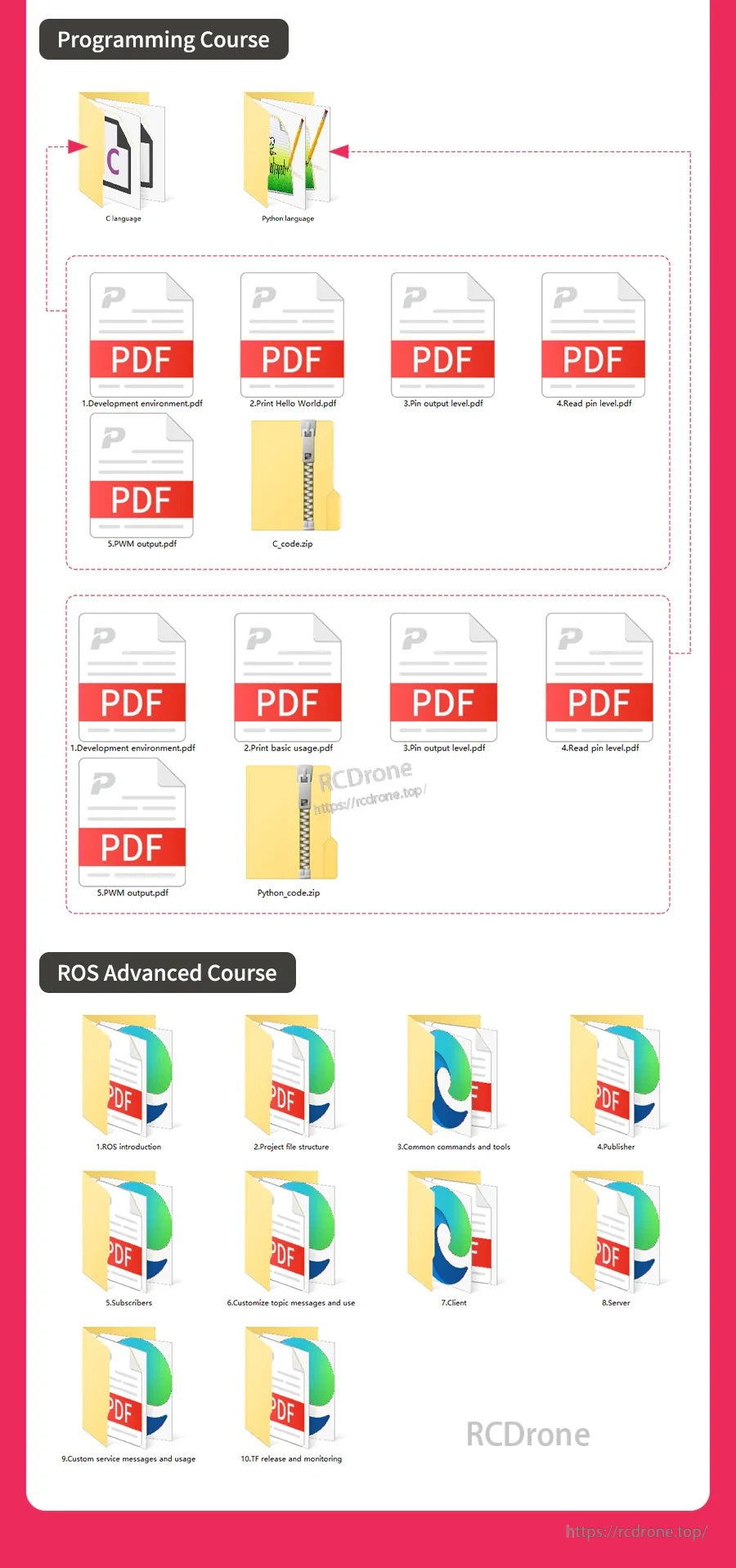
Kursus Lanjutan ROS untuk Raspberry Pi (Garis Besar Ditunjukkan)
- 1. Pengenalan ROS
- 2. Struktur fail projek
- 3. Perintah dan Alat Umum
- 4. Penerbit
- 5. Pelanggan
- 6. Mesej topik yang disesuaikan dan penggunaannya
- 7. Klien
- 8. Pelayan
- 9. Menyesuaikan mesej perkhidmatan dan penggunaannya
- 10.TF penerbitan dan pemantauan
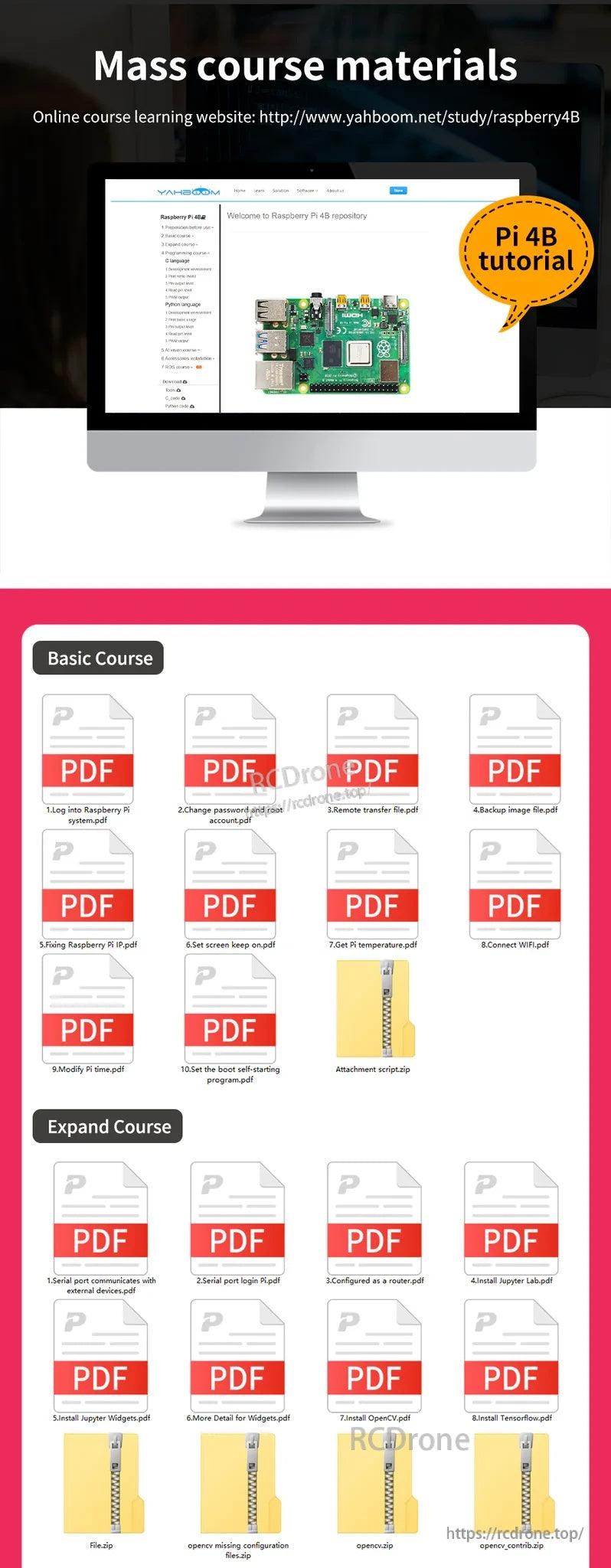
Bahan Kursus Massal (Barang Ditunjukkan)
-
Kursus Asas:
- 1. Log masuk ke Raspberry Pi system.pdf
- 2. Tukar kata laluan dan root account.pdf
- 3. Pemindahan jauh file.pdf
- 4. Imej sandaran file.pdf
- 5. Memperbaiki Raspberry Pi IP.pdf
- 6. Tetapkan skrin kekal on.pdf
- 7. Dapatkan Pi temperature.pdf
- 8. Sambungkan WIFI.pdf
- 9. Ubahsuai Pi time.pdf
- 10. Tetapkan permulaan automatik program.pdf
- P lampiran script.zip
-
Perluas Kursus:
- 1. Port siri berkomunikasi dengan luaran devices.pdf
- 2. Log masuk port siri Pi.pdf
- 3. Dikonfigurasikan sebagai router.pdf
- 4. Pasang Jupyter Lab.pdf
- 5. Pasang Jupyter Widgets.pdf
- 6. Maklumat Lebih Lanjut untuk Widgets.pdf
- 7. Pasang OpenCV.pdf
- 8. Pasang Tensorflow.pdf
- File.zip
- konfigurasi opencv hilang files.zip
- opencv.zip
- opencv_contrib.zip
-
Kursus Pengaturcaraan:
- Bahasa C
- Bahasa Python
- 1. Pembangunan environment.pdf
- 2. Cetak Hello World.pdf
- 3. Keluaran pin level.pdf
- 4. Baca pin level.pdf
- 5. PWM output.pdf
- C_code.zip
- Python_code.zip
Nota
- Contoh label pasta penyejuk haba ditunjukkan: CPU, RAM, cip pengurusan USB, kad rangkaian (tidak dipasang).
- Header "Senarai Pembungkusan" ditunjukkan, tetapi tiada kandungan pembungkusan yang diperincikan disediakan.
Butiran
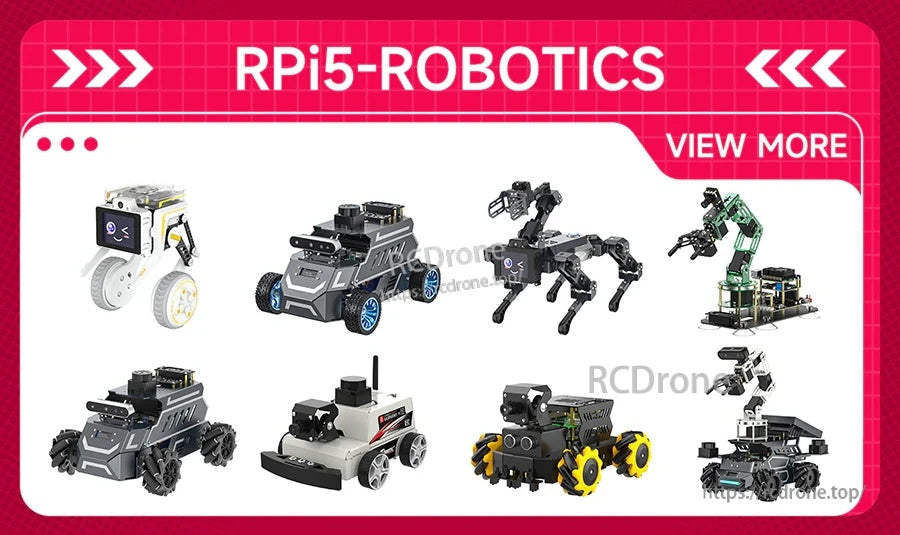
Dari kereta pintar hingga robot berjalan, platform Raspberry Pi digunakan secara meluas untuk projek robotik praktikal.
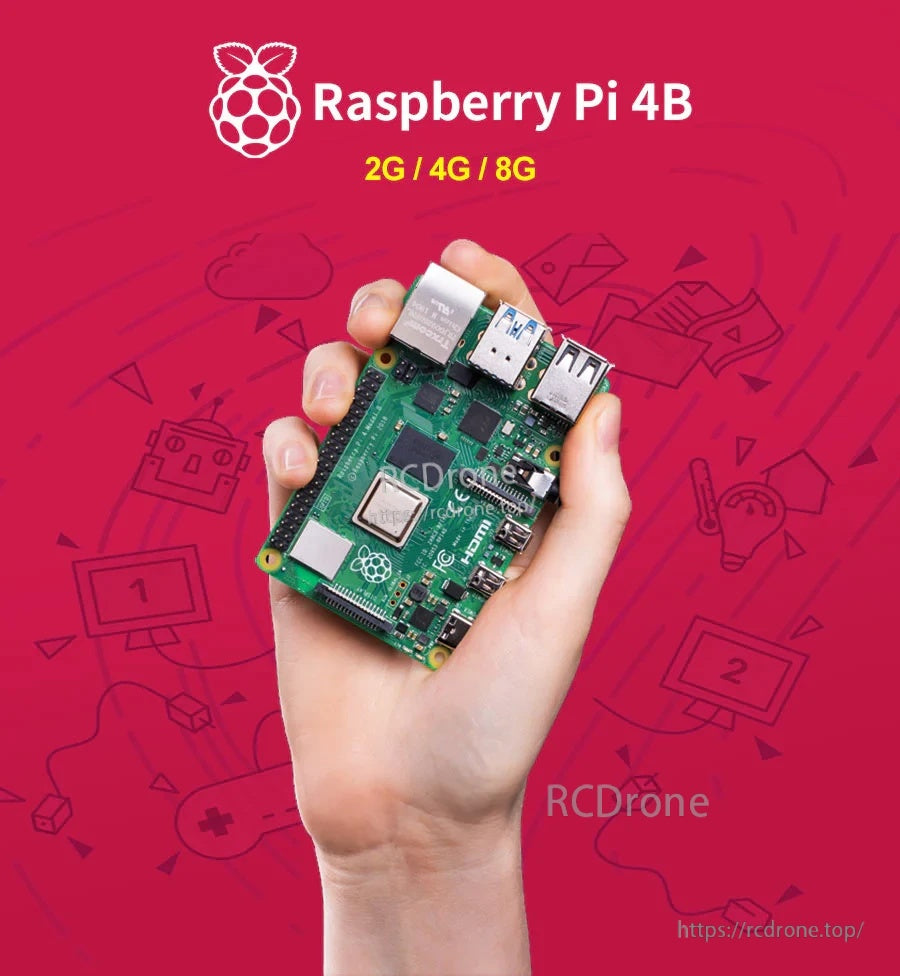
Pilih 2GB, 4GB, atau 8GB RAM bergantung kepada sama ada anda membina desktop ringan, persediaan media, atau projek multitasking yang lebih berat.
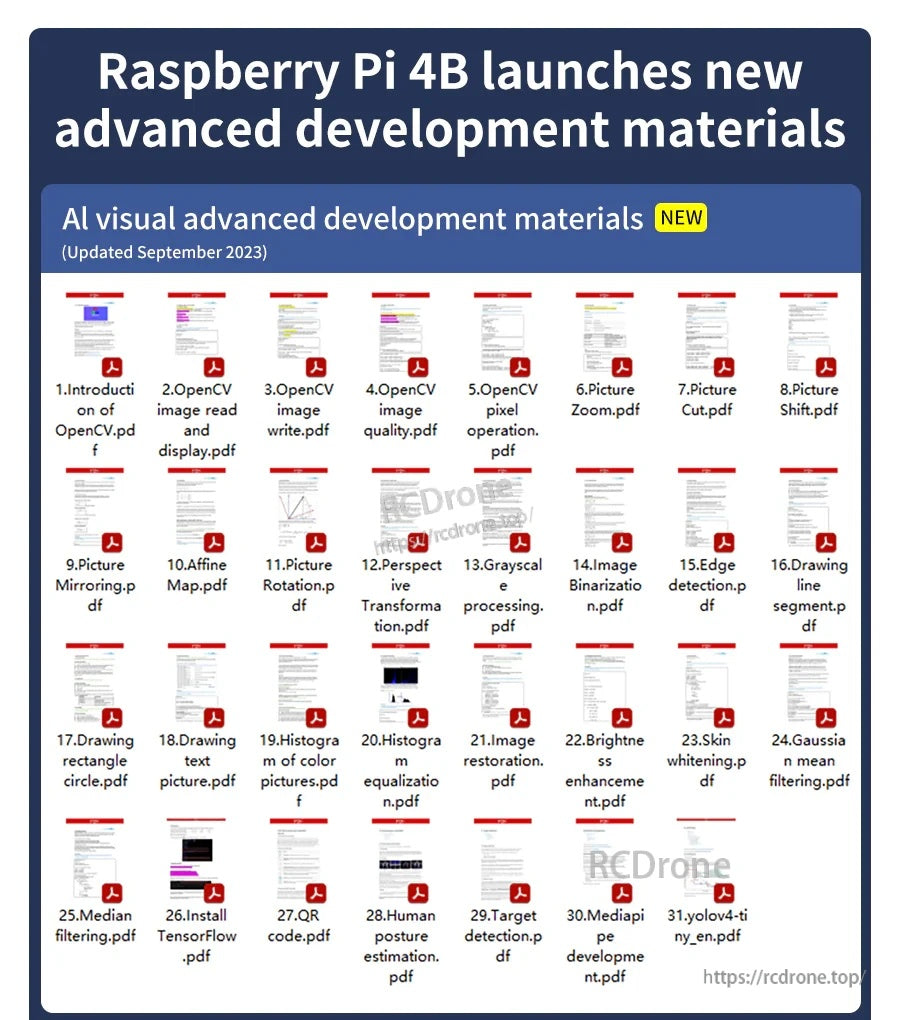
Sumber pembelajaran AI/vision sesuai dengan antara muka perkakasan Pi 4B untuk projek kamera dan gaya OpenCV.
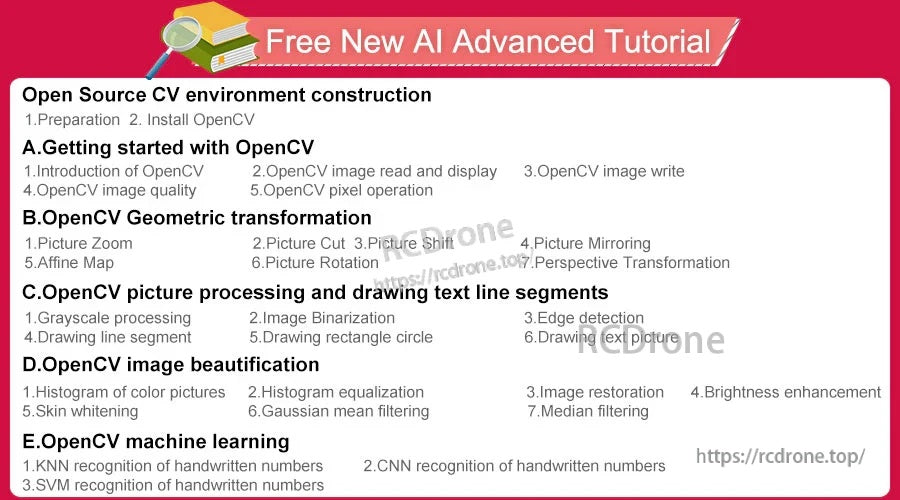
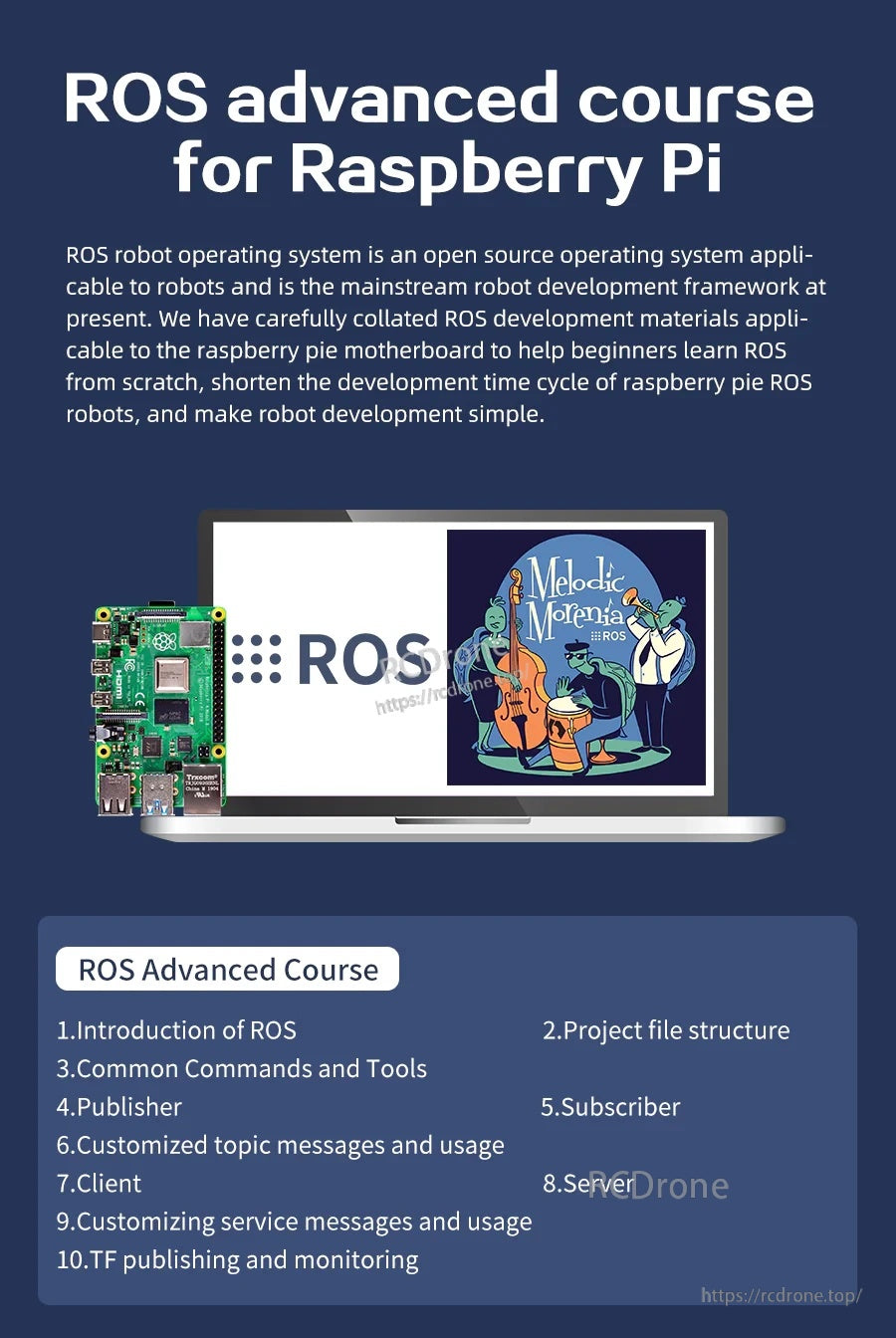
Bina kemahiran robotik berasaskan ROS dengan modul kursus yang merangkumi alat, topik, nod, dan struktur projek.
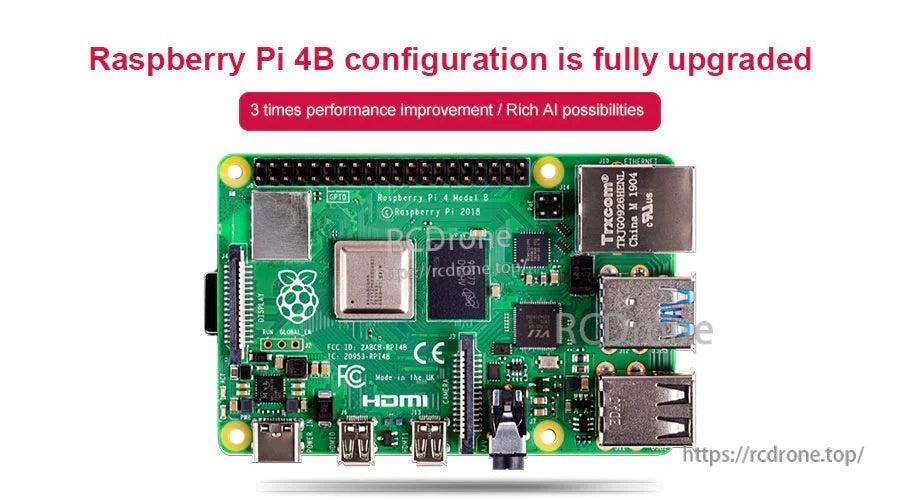
Raspberry Pi 4 Model B menggunakan platform Broadcom BCM2711 dan menambah sambungan moden seperti USB 3.0 dan dual micro HDMI.
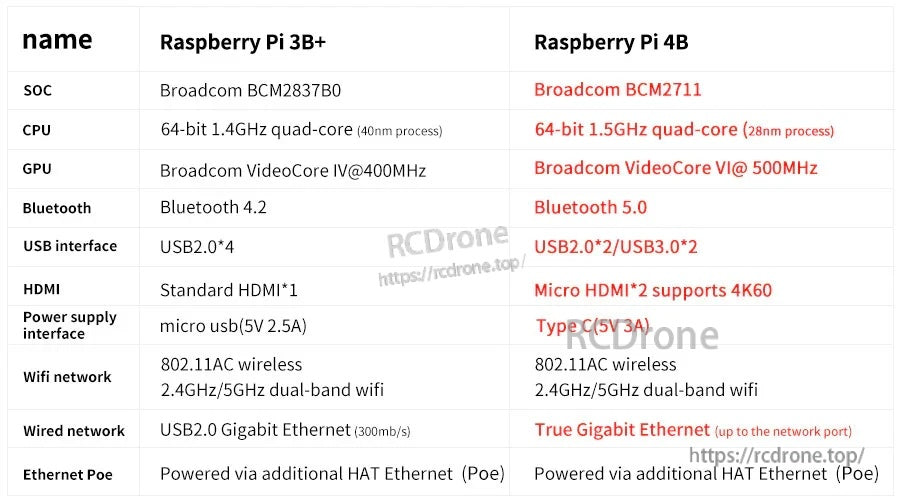
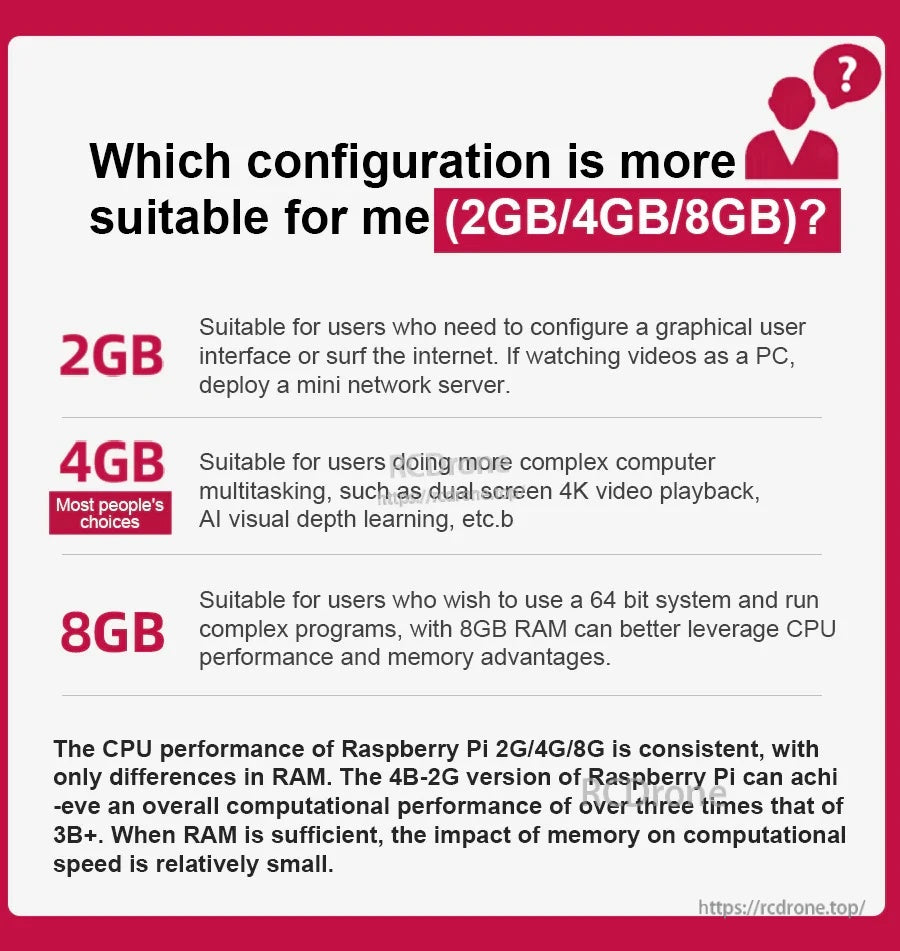
Prestasi CPU yang sama dikongsi di seluruh versi—RAM terutamanya mempengaruhi sejauh mana aplikasi yang lebih besar dan multitasking berjalan dengan selesa.
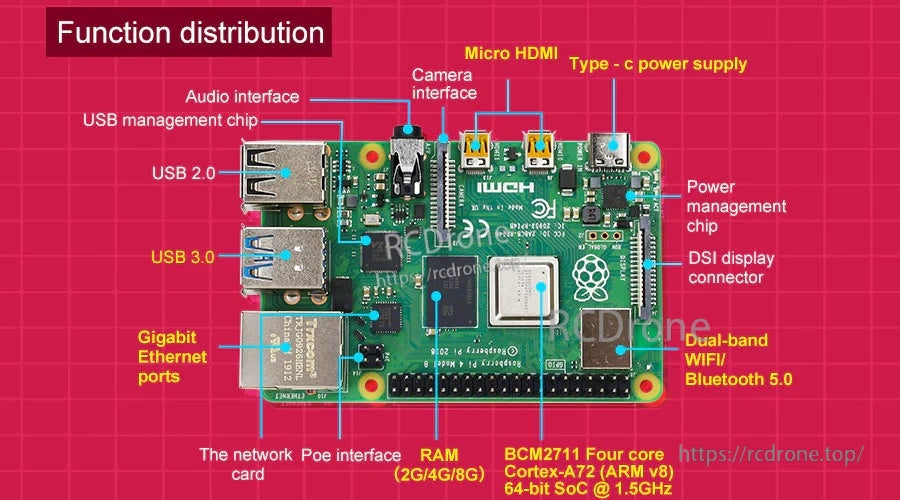
Port dan header disusun dengan jelas untuk paparan, kamera, rangkaian, dan pengembangan melalui GPIO 40-pin.
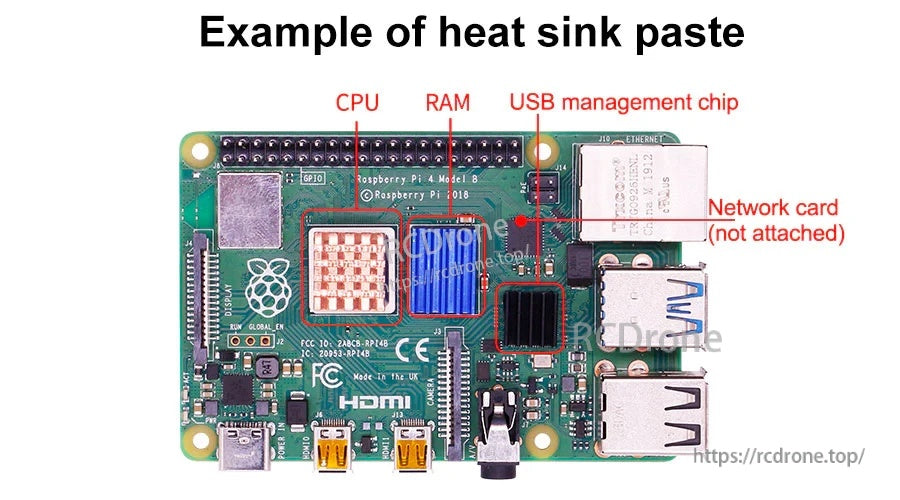
Pad terma atau pes boleh digunakan pada cip utama semasa membina projek Raspberry Pi yang tertutup atau beban tinggi.



